

WooEvents 4.1.8 – Calendar and Event Booking
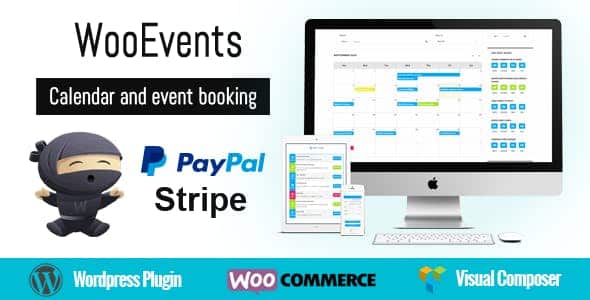
Overview of WooEvents
WooEvents is a powerful and intuitive calendar and event booking solution meticulously designed for WooCommerce. This robust plugin transforms any WordPress website into a dynamic event hub, allowing you to create, manage, and sell tickets for events with unparalleled ease. Whether you’re organizing workshops, conferences, concerts, or online webinars, WooEvents provides the comprehensive tools needed for seamless event management and a superior booking experience for your attendees.
Key Features of WooEvents
- Comprehensive Event Creation: Easily set up single-day, multi-day, and recurring events with custom dates and times. WooEvents supports detailed event descriptions, images, and videos to fully engage your audience.
- Advanced Ticket Management: Create multiple ticket types for each event, offering varying prices, capacities, and availability. WooEvents seamlessly integrates with WooCommerce’s powerful checkout system for smooth transactions.
- Customizable Event Calendar: Display your events in a beautiful, user-friendly calendar format. Attendees can filter events by category, date, or location, making it simple to find relevant activities.
- Venue and Organizer Management: Keep track of all your event venues and organizers in one place. Assign specific venues to events and showcase organizer profiles, building trust and clarity for your users.
- Attendee Management: Gain full control over your attendee list. WooEvents allows you to view bookings, manage attendee details, and even export data for further analysis or communication.
- Flexible Booking Options: Offer various booking methods, including paid tickets, free registrations, and even waiting lists for sold-out events, ensuring maximum flexibility for both you and your attendees.
- Email Notifications: Automate essential communications with customizable email templates. Send booking confirmations, reminders, and updates directly from WooEvents to keep attendees informed.
- Seamless WooCommerce Integration: Built specifically for WooCommerce, WooEvents leverages its robust e-commerce capabilities, payment gateways, and order management system, providing a familiar and reliable platform.
Why Choose WooEvents?
Choosing WooEvents means investing in a solution that not only simplifies event management but also enhances your online presence and revenue potential. Its deep integration with WooCommerce ensures that all your event bookings are handled through a secure and familiar e-commerce environment, leveraging all the payment gateways and features you already rely on. This synergy makes WooEvents an incredibly powerful tool for any business or individual looking to monetize their events online, from local workshops to large-scale conferences. The intuitive interface of WooEvents ensures that even users with limited technical expertise can create, manage, and promote events effectively.
WooEvents stands out due to its comprehensive feature set designed to cover every aspect of the event lifecycle. From the initial creation of an event with rich media and detailed descriptions to the sophisticated management of tickets, attendees, and venues, WooEvents handles it all. The flexibility to create various ticket types, manage capacities, and even set up recurring events makes it adaptable to a wide array of event scenarios. Furthermore, the ability to customize email notifications and manage attendee lists directly within your WordPress dashboard streamlines administrative tasks, freeing up more of your time to focus on delivering exceptional event experiences.
Beyond its robust functionality, WooEvents is engineered for performance and user experience. Its clean design ensures that your event calendars are visually appealing and easy for attendees to navigate, encouraging more bookings. The focus on a smooth booking process, powered by WooCommerce, translates into higher conversion rates and greater customer satisfaction. Opting for WooEvents means choosing a reliable, feature-rich, and user-friendly plugin that will elevate your event management capabilities and help you achieve your goals, whether they involve community building, education, or revenue generation.
Who Should Use WooEvents?
WooEvents is ideal for anyone looking to organize and sell tickets for events directly from their WooCommerce-powered WordPress website. This includes event organizers, educational institutions, community groups, fitness studios, consultants, concert promoters, and businesses hosting workshops, webinars, or training sessions. If you need a robust, integrated solution for managing your calendar and bookings, WooEvents is designed for you.
How to Install WooEvents
- Download WooEvents: After purchasing, download the WooEvents plugin file (a .zip archive) from your GPLUniverse account.
- Upload the Plugin: Log in to your WordPress dashboard, navigate to “Plugins” > “Add New,” and then click “Upload Plugin.” Choose the WooEvents .zip file you downloaded and click “Install Now.”
- Activate WooEvents: Once the plugin is installed, click the “Activate Plugin” button. You will then see “WooEvents” added to your WordPress admin menu.
- Configure Settings: Go to the newly added “WooEvents” menu item in your dashboard. Here, you can access the settings to configure general options, email templates, and integrate with your existing WooCommerce setup.
- Start Creating Events: With WooEvents activated and configured, you can now begin creating your first event by navigating to “WooEvents” > “Add New Event” and filling in all the necessary details.
Frequently Asked Questions About WooEvents
Can WooEvents handle recurring events?
Yes, WooEvents is fully equipped to handle recurring events. You can easily set up events to repeat daily, weekly, monthly, or on custom schedules, simplifying the management of ongoing classes, meetings, or series.
Is WooEvents compatible with all WooCommerce themes?
WooEvents is designed to be highly compatible with standard WooCommerce themes. While it integrates seamlessly with most themes, minor styling adjustments might be necessary depending on your theme’s specific CSS. It leverages core WooCommerce functionalities for maximum compatibility.
How do attendees receive their tickets or booking confirmations from WooEvents?
Upon successful booking and payment through WooCommerce, WooEvents automatically sends customizable email confirmations to attendees. These emails can include event details, ticket information, and any other relevant instructions you wish to provide.
Get WooEvents Today
Ready to revolutionize your event management and boost your bookings? WooEvents provides all the features you need to create, manage, and sell tickets for any type of event directly from your WordPress site. Experience the seamless integration with WooCommerce and offer your attendees a professional booking experience. Explore WooEvents and many other essential WordPress Plugins available. Don’t miss out on enhancing your website’s capabilities with premium GPL WordPress Products. Get WooEvents now and start building unforgettable events!
Related Products You May Like
Here's everything you need to know about your purchase:
- 100% original files — Every product is the genuine, virus-free file, exactly as released by the original developer.
- Instant download — Access your files immediately after purchase from your account.
- Lifetime access — Re-download your purchased files anytime. No expiry, no limits.
- Free updates — Newer version released? Just request an update from us, free for all customers.
- Dedicated support — Our team is available 24/7 for installation and file-related help.
- Easy refunds — Not satisfied? Review our Refund Policy. We offer a hassle-free 7-day guarantee.
$59.00 Original price was: $59.00.$2.00Current price is: $2.00.
Version
4.1.8
Last Updated
03/03/2026
License
GPL v2
Compatibility
WordPress 5.0+
Need latest version?
Newer version released? Request an update from us — free for all customers!
Request Update →🎁 Your Purchase Includes
Overview of WooEvents
WooEvents is a powerful and intuitive calendar and event booking solution meticulously designed for WooCommerce. This robust plugin transforms any WordPress website into a dynamic event hub, allowing you to create, manage, and sell tickets for events with unparalleled ease. Whether you’re organizing workshops, conferences, concerts, or online webinars, WooEvents provides the comprehensive tools needed for seamless event management and a superior booking experience for your attendees.
Key Features of WooEvents
- Comprehensive Event Creation: Easily set up single-day, multi-day, and recurring events with custom dates and times. WooEvents supports detailed event descriptions, images, and videos to fully engage your audience.
- Advanced Ticket Management: Create multiple ticket types for each event, offering varying prices, capacities, and availability. WooEvents seamlessly integrates with WooCommerce’s powerful checkout system for smooth transactions.
- Customizable Event Calendar: Display your events in a beautiful, user-friendly calendar format. Attendees can filter events by category, date, or location, making it simple to find relevant activities.
- Venue and Organizer Management: Keep track of all your event venues and organizers in one place. Assign specific venues to events and showcase organizer profiles, building trust and clarity for your users.
- Attendee Management: Gain full control over your attendee list. WooEvents allows you to view bookings, manage attendee details, and even export data for further analysis or communication.
- Flexible Booking Options: Offer various booking methods, including paid tickets, free registrations, and even waiting lists for sold-out events, ensuring maximum flexibility for both you and your attendees.
- Email Notifications: Automate essential communications with customizable email templates. Send booking confirmations, reminders, and updates directly from WooEvents to keep attendees informed.
- Seamless WooCommerce Integration: Built specifically for WooCommerce, WooEvents leverages its robust e-commerce capabilities, payment gateways, and order management system, providing a familiar and reliable platform.
Why Choose WooEvents?
Choosing WooEvents means investing in a solution that not only simplifies event management but also enhances your online presence and revenue potential. Its deep integration with WooCommerce ensures that all your event bookings are handled through a secure and familiar e-commerce environment, leveraging all the payment gateways and features you already rely on. This synergy makes WooEvents an incredibly powerful tool for any business or individual looking to monetize their events online, from local workshops to large-scale conferences. The intuitive interface of WooEvents ensures that even users with limited technical expertise can create, manage, and promote events effectively.
WooEvents stands out due to its comprehensive feature set designed to cover every aspect of the event lifecycle. From the initial creation of an event with rich media and detailed descriptions to the sophisticated management of tickets, attendees, and venues, WooEvents handles it all. The flexibility to create various ticket types, manage capacities, and even set up recurring events makes it adaptable to a wide array of event scenarios. Furthermore, the ability to customize email notifications and manage attendee lists directly within your WordPress dashboard streamlines administrative tasks, freeing up more of your time to focus on delivering exceptional event experiences.
Beyond its robust functionality, WooEvents is engineered for performance and user experience. Its clean design ensures that your event calendars are visually appealing and easy for attendees to navigate, encouraging more bookings. The focus on a smooth booking process, powered by WooCommerce, translates into higher conversion rates and greater customer satisfaction. Opting for WooEvents means choosing a reliable, feature-rich, and user-friendly plugin that will elevate your event management capabilities and help you achieve your goals, whether they involve community building, education, or revenue generation.
Who Should Use WooEvents?
WooEvents is ideal for anyone looking to organize and sell tickets for events directly from their WooCommerce-powered WordPress website. This includes event organizers, educational institutions, community groups, fitness studios, consultants, concert promoters, and businesses hosting workshops, webinars, or training sessions. If you need a robust, integrated solution for managing your calendar and bookings, WooEvents is designed for you.
How to Install WooEvents
- Download WooEvents: After purchasing, download the WooEvents plugin file (a .zip archive) from your GPLUniverse account.
- Upload the Plugin: Log in to your WordPress dashboard, navigate to “Plugins” > “Add New,” and then click “Upload Plugin.” Choose the WooEvents .zip file you downloaded and click “Install Now.”
- Activate WooEvents: Once the plugin is installed, click the “Activate Plugin” button. You will then see “WooEvents” added to your WordPress admin menu.
- Configure Settings: Go to the newly added “WooEvents” menu item in your dashboard. Here, you can access the settings to configure general options, email templates, and integrate with your existing WooCommerce setup.
- Start Creating Events: With WooEvents activated and configured, you can now begin creating your first event by navigating to “WooEvents” > “Add New Event” and filling in all the necessary details.
Frequently Asked Questions About WooEvents
Can WooEvents handle recurring events?
Yes, WooEvents is fully equipped to handle recurring events. You can easily set up events to repeat daily, weekly, monthly, or on custom schedules, simplifying the management of ongoing classes, meetings, or series.
Is WooEvents compatible with all WooCommerce themes?
WooEvents is designed to be highly compatible with standard WooCommerce themes. While it integrates seamlessly with most themes, minor styling adjustments might be necessary depending on your theme’s specific CSS. It leverages core WooCommerce functionalities for maximum compatibility.
How do attendees receive their tickets or booking confirmations from WooEvents?
Upon successful booking and payment through WooCommerce, WooEvents automatically sends customizable email confirmations to attendees. These emails can include event details, ticket information, and any other relevant instructions you wish to provide.
Get WooEvents Today
Ready to revolutionize your event management and boost your bookings? WooEvents provides all the features you need to create, manage, and sell tickets for any type of event directly from your WordPress site. Experience the seamless integration with WooCommerce and offer your attendees a professional booking experience. Explore WooEvents and many other essential WordPress Plugins available. Don’t miss out on enhancing your website’s capabilities with premium GPL WordPress Products. Get WooEvents now and start building unforgettable events!
Related Products You May Like
Reviews
There are no reviews yet.
Here's everything you need to know about your purchase:
- 100% original files — Every product is the genuine, virus-free file, exactly as released by the original developer.
- Instant download — Access your files immediately after purchase from your account.
- Lifetime access — Re-download your purchased files anytime. No expiry, no limits.
- Free updates — Newer version released? Just request an update from us, free for all customers.
- Dedicated support — Our team is available 24/7 for installation and file-related help.
- Easy refunds — Not satisfied? Review our Refund Policy. We offer a hassle-free 7-day guarantee.
Reviews
There are no reviews yet.