

WooCommerce Shipping Tracking 42.2
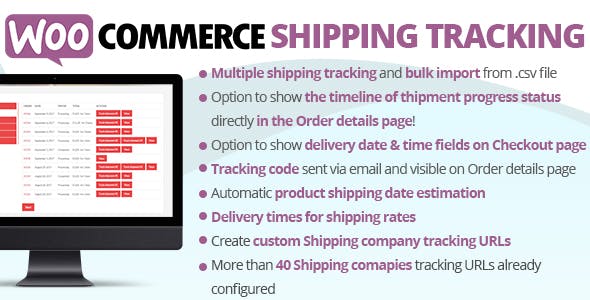
Overview of WooCommerce Shipping Tracking
WooCommerce Shipping Tracking is an essential tool designed to empower WooCommerce store owners by providing seamless order tracking capabilities. This powerful plugin allows you to easily add shipping tracking information to your customer orders, enhancing transparency and improving the post-purchase experience. It’s perfect for any e-commerce business looking to reduce customer inquiries, build trust, and streamline their shipping process with robust WooCommerce Shipping Tracking functionality.
Key Features of WooCommerce Shipping Tracking
- Comprehensive Tracking Information: Easily add tracking numbers and shipping carrier details directly to customer orders within your WooCommerce dashboard.
- Customer-Facing Tracking Display: Automatically display tracking information on customer order pages, account pages, and directly within order completion emails.
- Support for Numerous Carriers: Integrates with a wide array of global and local shipping carriers, ensuring your customers can track packages from virtually any provider.
- Custom Tracking Messages: Personalize the tracking message and link displayed to customers, maintaining your brand’s voice throughout the shipping journey.
- Automatic Carrier Detection: In many cases, the plugin can intelligently detect the shipping carrier based on the tracking number provided, simplifying the process for administrators.
- Email Notification Integration: Seamlessly inject tracking details into standard WooCommerce order emails, keeping customers informed at every step.
- Intuitive Admin Interface: A user-friendly backend allows for quick addition, editing, and management of tracking information for all orders.
- Enhance Customer Satisfaction: Provide customers with the peace of mind that comes from knowing exactly where their package is, reducing “Where’s my order?” inquiries.
Why Choose WooCommerce Shipping Tracking?
In today’s competitive e-commerce landscape, providing an exceptional customer experience is paramount, and efficient shipping tracking is a cornerstone of that experience. Choosing WooCommerce Shipping Tracking means investing in your customers’ satisfaction and your store’s reputation. This plugin significantly reduces the administrative burden of handling customer inquiries about shipment statuses, freeing up your valuable time to focus on growth and product development. By offering clear, accessible tracking information, you build a stronger sense of trust and reliability with your clientele, encouraging repeat business and positive word-of-mouth.
WooCommerce Shipping Tracking goes beyond just displaying a number; it creates a transparent and professional post-purchase journey. Customers appreciate knowing exactly when their order was shipped and its current status, which minimizes anxiety and potential frustration. This level of transparency not only enhances customer loyalty but also positions your brand as professional and customer-centric. Integrating this powerful tool into your WooCommerce store is a strategic move that pays dividends in customer retention and operational efficiency, making it an indispensable asset for any serious online retailer.
Who Should Use WooCommerce Shipping Tracking?
WooCommerce Shipping Tracking is ideal for any online store leveraging the WooCommerce platform, regardless of size or industry. E-commerce businesses, dropshippers, retailers, and even service providers who ship physical goods will find immense value in its capabilities. If you regularly send products to customers and want to improve communication, reduce support requests, and offer a professional tracking experience, then WooCommerce Shipping Tracking is designed for you. It’s a must-have for anyone looking to elevate their customer service and streamline their order fulfillment process.
How to Install WooCommerce Shipping Tracking
- Download the Plugin: After acquiring WooCommerce Shipping Tracking, download the plugin file (usually a .zip archive) to your computer.
- Upload to WordPress: Log in to your WordPress admin dashboard. Navigate to ‘Plugins’ > ‘Add New’ and then click the ‘Upload Plugin’ button at the top.
- Choose File and Install: Click ‘Choose File’, select the WooCommerce Shipping Tracking .zip file from your computer, and then click ‘Install Now’.
- Activate the Plugin: Once the installation is complete, click the ‘Activate Plugin’ button to enable WooCommerce Shipping Tracking on your site.
- Configure Settings: Go to ‘WooCommerce’ > ‘Settings’ > ‘Shipping Tracking’ (or similar menu item) to configure your preferred carriers, display options, and email settings for WooCommerce Shipping Tracking.
Frequently Asked Questions About WooCommerce Shipping Tracking
Does WooCommerce Shipping Tracking support multiple shipping carriers?
Yes, WooCommerce Shipping Tracking is designed to be highly versatile and supports a vast array of global and local shipping carriers. You can easily select from a predefined list of popular carriers or add custom carriers to ensure all your shipping needs are met.
Can customers view tracking information on their account page?
Absolutely. One of the core features of WooCommerce Shipping Tracking is its ability to display tracking details directly on the customer’s ‘My Account’ page, specifically within their order history. This provides a convenient and centralized location for customers to monitor their shipments.
Is it possible to customize the tracking link in order emails?
Yes, WooCommerce Shipping Tracking offers excellent customization options. You can tailor the tracking message and the tracking link that appears in your WooCommerce order completion emails, allowing you to maintain brand consistency and provide clear instructions to your customers.
Get WooCommerce Shipping Tracking Today
Enhance your customer’s post-purchase experience and streamline your store’s operations by integrating WooCommerce Shipping Tracking into your site. This powerful plugin is a vital asset for any e-commerce business aiming for efficiency and customer satisfaction. Browse our extensive collection of WordPress Plugins and other premium GPL WordPress Products to further optimize your online store.
Related Products You May Like
Here's everything you need to know about your purchase:
- 100% original files — Every product is the genuine, virus-free file, exactly as released by the original developer.
- Instant download — Access your files immediately after purchase from your account.
- Lifetime access — Re-download your purchased files anytime. No expiry, no limits.
- Free updates — Newer version released? Just request an update from us, free for all customers.
- Dedicated support — Our team is available 24/7 for installation and file-related help.
- Easy refunds — Not satisfied? Review our Refund Policy. We offer a hassle-free 7-day guarantee.
$100.00 Original price was: $100.00.$2.00Current price is: $2.00.
Version
42.2
Last Updated
03/03/2026
License
GPL v2
Compatibility
WordPress 5.0+
Need latest version?
Newer version released? Request an update from us — free for all customers!
Request Update →🎁 Your Purchase Includes
Overview of WooCommerce Shipping Tracking
WooCommerce Shipping Tracking is an essential tool designed to empower WooCommerce store owners by providing seamless order tracking capabilities. This powerful plugin allows you to easily add shipping tracking information to your customer orders, enhancing transparency and improving the post-purchase experience. It’s perfect for any e-commerce business looking to reduce customer inquiries, build trust, and streamline their shipping process with robust WooCommerce Shipping Tracking functionality.
Key Features of WooCommerce Shipping Tracking
- Comprehensive Tracking Information: Easily add tracking numbers and shipping carrier details directly to customer orders within your WooCommerce dashboard.
- Customer-Facing Tracking Display: Automatically display tracking information on customer order pages, account pages, and directly within order completion emails.
- Support for Numerous Carriers: Integrates with a wide array of global and local shipping carriers, ensuring your customers can track packages from virtually any provider.
- Custom Tracking Messages: Personalize the tracking message and link displayed to customers, maintaining your brand’s voice throughout the shipping journey.
- Automatic Carrier Detection: In many cases, the plugin can intelligently detect the shipping carrier based on the tracking number provided, simplifying the process for administrators.
- Email Notification Integration: Seamlessly inject tracking details into standard WooCommerce order emails, keeping customers informed at every step.
- Intuitive Admin Interface: A user-friendly backend allows for quick addition, editing, and management of tracking information for all orders.
- Enhance Customer Satisfaction: Provide customers with the peace of mind that comes from knowing exactly where their package is, reducing “Where’s my order?” inquiries.
Why Choose WooCommerce Shipping Tracking?
In today’s competitive e-commerce landscape, providing an exceptional customer experience is paramount, and efficient shipping tracking is a cornerstone of that experience. Choosing WooCommerce Shipping Tracking means investing in your customers’ satisfaction and your store’s reputation. This plugin significantly reduces the administrative burden of handling customer inquiries about shipment statuses, freeing up your valuable time to focus on growth and product development. By offering clear, accessible tracking information, you build a stronger sense of trust and reliability with your clientele, encouraging repeat business and positive word-of-mouth.
WooCommerce Shipping Tracking goes beyond just displaying a number; it creates a transparent and professional post-purchase journey. Customers appreciate knowing exactly when their order was shipped and its current status, which minimizes anxiety and potential frustration. This level of transparency not only enhances customer loyalty but also positions your brand as professional and customer-centric. Integrating this powerful tool into your WooCommerce store is a strategic move that pays dividends in customer retention and operational efficiency, making it an indispensable asset for any serious online retailer.
Who Should Use WooCommerce Shipping Tracking?
WooCommerce Shipping Tracking is ideal for any online store leveraging the WooCommerce platform, regardless of size or industry. E-commerce businesses, dropshippers, retailers, and even service providers who ship physical goods will find immense value in its capabilities. If you regularly send products to customers and want to improve communication, reduce support requests, and offer a professional tracking experience, then WooCommerce Shipping Tracking is designed for you. It’s a must-have for anyone looking to elevate their customer service and streamline their order fulfillment process.
How to Install WooCommerce Shipping Tracking
- Download the Plugin: After acquiring WooCommerce Shipping Tracking, download the plugin file (usually a .zip archive) to your computer.
- Upload to WordPress: Log in to your WordPress admin dashboard. Navigate to ‘Plugins’ > ‘Add New’ and then click the ‘Upload Plugin’ button at the top.
- Choose File and Install: Click ‘Choose File’, select the WooCommerce Shipping Tracking .zip file from your computer, and then click ‘Install Now’.
- Activate the Plugin: Once the installation is complete, click the ‘Activate Plugin’ button to enable WooCommerce Shipping Tracking on your site.
- Configure Settings: Go to ‘WooCommerce’ > ‘Settings’ > ‘Shipping Tracking’ (or similar menu item) to configure your preferred carriers, display options, and email settings for WooCommerce Shipping Tracking.
Frequently Asked Questions About WooCommerce Shipping Tracking
Does WooCommerce Shipping Tracking support multiple shipping carriers?
Yes, WooCommerce Shipping Tracking is designed to be highly versatile and supports a vast array of global and local shipping carriers. You can easily select from a predefined list of popular carriers or add custom carriers to ensure all your shipping needs are met.
Can customers view tracking information on their account page?
Absolutely. One of the core features of WooCommerce Shipping Tracking is its ability to display tracking details directly on the customer’s ‘My Account’ page, specifically within their order history. This provides a convenient and centralized location for customers to monitor their shipments.
Is it possible to customize the tracking link in order emails?
Yes, WooCommerce Shipping Tracking offers excellent customization options. You can tailor the tracking message and the tracking link that appears in your WooCommerce order completion emails, allowing you to maintain brand consistency and provide clear instructions to your customers.
Get WooCommerce Shipping Tracking Today
Enhance your customer’s post-purchase experience and streamline your store’s operations by integrating WooCommerce Shipping Tracking into your site. This powerful plugin is a vital asset for any e-commerce business aiming for efficiency and customer satisfaction. Browse our extensive collection of WordPress Plugins and other premium GPL WordPress Products to further optimize your online store.
Related Products You May Like
Reviews
There are no reviews yet.
Here's everything you need to know about your purchase:
- 100% original files — Every product is the genuine, virus-free file, exactly as released by the original developer.
- Instant download — Access your files immediately after purchase from your account.
- Lifetime access — Re-download your purchased files anytime. No expiry, no limits.
- Free updates — Newer version released? Just request an update from us, free for all customers.
- Dedicated support — Our team is available 24/7 for installation and file-related help.
- Easy refunds — Not satisfied? Review our Refund Policy. We offer a hassle-free 7-day guarantee.
Reviews
There are no reviews yet.