

WooCommerce Quote 7.7
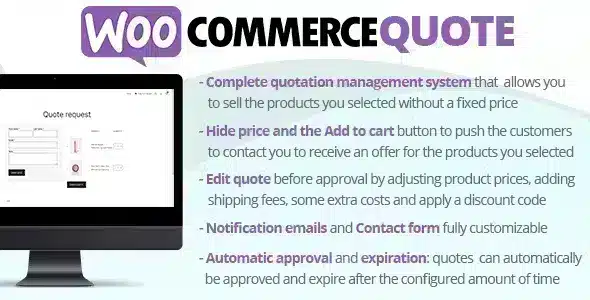
Overview of WooCommerce Quote
WooCommerce Quote is an essential WordPress plugin designed to empower your WooCommerce store with robust quotation management capabilities. It allows customers to request custom quotes for products directly from your website, transforming your e-commerce platform into a dynamic hub for B2B transactions, wholesale inquiries, or personalized pricing negotiations. This powerful tool is perfect for businesses that require flexible pricing, sell custom products, or engage in high-value sales where direct pricing isn’t always feasible.
Key Features of WooCommerce Quote
- Customizable Quote Request Forms: Easily create and manage intuitive quote request forms that capture all necessary customer details and product specifications, ensuring you have all the information to provide an accurate offer with WooCommerce Quote.
- Flexible Product & Category Support: Enable quote requests for specific products, entire categories, or your whole store. You can also exclude certain items from the quotation system, giving you granular control over your pricing strategy with WooCommerce Quote.
- Hide Price and Add to Cart: For products requiring a quote, WooCommerce Quote allows you to seamlessly hide the standard “Add to Cart” button and product prices, replacing them with a prominent “Request a Quote” button, guiding customers towards the desired action.
- Efficient Quote Management Dashboard: Manage all incoming quote requests from a centralized, user-friendly dashboard within your WordPress admin. View, edit, approve, reject, or convert quotes into WooCommerce orders with ease, streamlining your workflow.
- Customer-Vendor Communication: Facilitate direct communication between customers and store owners regarding quote details. Customers can view their quote history and status, while store owners can send updates and revised offers.
- PDF Quote Generation: Generate professional, branded PDF quotes directly from the dashboard. These can be sent to customers via email, providing a clear and formal record of the proposed transaction, enhancing the professional image of your business.
- Convert Quotes to Orders: Once a quote is accepted, WooCommerce Quote enables you to convert it into a standard WooCommerce order with a single click. This smooth transition simplifies the checkout process for the customer and finalizes the sale.
- Email Notifications & Templates: Configure automated email notifications for various quote statuses (new request, approved, rejected, revised). Customize email templates to maintain consistent branding and provide clear communication to your customers.
Why Choose WooCommerce Quote?
Choosing WooCommerce Quote means opting for a solution that brings unparalleled flexibility and professionalism to your online store’s pricing strategy. In a competitive market, the ability to offer personalized pricing, negotiate terms, and manage B2B inquiries effectively can be a significant differentiator. This plugin empowers you to move beyond rigid fixed prices, opening doors to larger deals and stronger customer relationships, especially for businesses dealing with custom orders, bulk purchases, or services where costs vary based on client needs.
WooCommerce Quote not only streamlines the quotation process for you and your customers but also enhances your store’s credibility. By providing a structured system for quote requests and management, you project an image of professionalism and responsiveness. The ability to generate and send branded PDF quotes further solidifies this impression, ensuring every interaction reflects positively on your business. It reduces administrative overhead, minimizes errors in pricing, and provides a clear audit trail for all negotiations, making your sales process more efficient and transparent.
Furthermore, integrating WooCommerce Quote into your store allows you to capture leads that might otherwise be lost. Customers looking for custom pricing or bulk discounts often abandon stores that only offer standard “Add to Cart” options. By providing a clear “Request a Quote” pathway, you engage these potential buyers, gather their specific requirements, and have the opportunity to convert them into loyal customers. This strategic advantage can significantly boost your conversion rates and overall revenue.
Who Should Use WooCommerce Quote?
WooCommerce Quote is ideal for a wide range of businesses operating on the WooCommerce platform. This includes B2B suppliers and wholesalers who need to offer tiered pricing or bulk discounts, manufacturers of custom-made products, service providers who quote projects based on client specifications, and retailers of high-value items where negotiation is common. Any business that benefits from flexible pricing, wants to hide prices for non-logged-in users, or needs a structured system for handling custom inquiries will find WooCommerce Quote to be an invaluable asset.
How to Install WooCommerce Quote
- Download the Plugin: After purchasing WooCommerce Quote, download the plugin .zip file from your account. Do not extract the file.
- Upload to WordPress: Log in to your WordPress admin dashboard. Navigate to ‘Plugins’ > ‘Add New’ > ‘Upload Plugin’. Click ‘Choose File’, select the WooCommerce Quote .zip file, and then click ‘Install Now’.
- Activate the Plugin: Once the installation is complete, click ‘Activate Plugin’.
- Configure Settings: Go to ‘WooCommerce’ > ‘Settings’ and look for the ‘Quote’ tab or a new menu item related to WooCommerce Quote. Here, you can configure general settings, form fields, email notifications, and product-specific quote rules.
- Test Functionality: Visit your storefront as a guest or logged-in customer to test the quote request process for products you’ve enabled for quoting. Submit a test quote and check your admin dashboard for the new request.
Frequently Asked Questions About WooCommerce Quote
Can WooCommerce Quote be used for specific products only?
Yes, absolutely. WooCommerce Quote provides granular control over where the quotation system is active. You can enable quote requests for all products, specific categories, or individual products. This flexibility allows you to tailor your pricing strategy precisely to your product catalog and business model, ensuring only relevant items are available for quoting.
Does WooCommerce Quote allow customers to negotiate on quotes?
While WooCommerce Quote primarily facilitates the initial quote request and approval process, it does support communication between the store owner and the customer. Store owners can revise and resend quotes, and customers can view their quotes and communicate through the system. This allows for a streamlined negotiation process directly within your WooCommerce environment.
Is WooCommerce Quote compatible with other WooCommerce extensions?
WooCommerce Quote is designed to integrate seamlessly with the core WooCommerce platform and generally works well with most standard WooCommerce extensions. However, due to the vast number of third-party plugins available, specific compatibility issues can occasionally arise. It’s always recommended to test the plugin in a staging environment if you have a complex setup with many other extensions.
Get WooCommerce Quote Today
Elevate your e-commerce store’s capabilities and cater to a broader range of customers with the advanced features of WooCommerce Quote. Streamline your B2B sales, manage custom orders with ease, and provide a professional quotation experience that sets your business apart. Explore this powerful solution and many other premium WordPress Plugins to enhance your website’s functionality. Discover the full range of GPL WordPress Products available to empower your online business.
Related Products You May Like
Here's everything you need to know about your purchase:
- 100% original files — Every product is the genuine, virus-free file, exactly as released by the original developer.
- Instant download — Access your files immediately after purchase from your account.
- Lifetime access — Re-download your purchased files anytime. No expiry, no limits.
- Free updates — Newer version released? Just request an update from us, free for all customers.
- Dedicated support — Our team is available 24/7 for installation and file-related help.
- Easy refunds — Not satisfied? Review our Refund Policy. We offer a hassle-free 7-day guarantee.
$59.00 Original price was: $59.00.$2.00Current price is: $2.00.
Version
7.7
Last Updated
9/4/2024
License
GPL v2
Compatibility
WordPress 5.0+
Need latest version?
Newer version released? Request an update from us — free for all customers!
Request Update →🎁 Your Purchase Includes
Overview of WooCommerce Quote
WooCommerce Quote is an essential WordPress plugin designed to empower your WooCommerce store with robust quotation management capabilities. It allows customers to request custom quotes for products directly from your website, transforming your e-commerce platform into a dynamic hub for B2B transactions, wholesale inquiries, or personalized pricing negotiations. This powerful tool is perfect for businesses that require flexible pricing, sell custom products, or engage in high-value sales where direct pricing isn’t always feasible.
Key Features of WooCommerce Quote
- Customizable Quote Request Forms: Easily create and manage intuitive quote request forms that capture all necessary customer details and product specifications, ensuring you have all the information to provide an accurate offer with WooCommerce Quote.
- Flexible Product & Category Support: Enable quote requests for specific products, entire categories, or your whole store. You can also exclude certain items from the quotation system, giving you granular control over your pricing strategy with WooCommerce Quote.
- Hide Price and Add to Cart: For products requiring a quote, WooCommerce Quote allows you to seamlessly hide the standard “Add to Cart” button and product prices, replacing them with a prominent “Request a Quote” button, guiding customers towards the desired action.
- Efficient Quote Management Dashboard: Manage all incoming quote requests from a centralized, user-friendly dashboard within your WordPress admin. View, edit, approve, reject, or convert quotes into WooCommerce orders with ease, streamlining your workflow.
- Customer-Vendor Communication: Facilitate direct communication between customers and store owners regarding quote details. Customers can view their quote history and status, while store owners can send updates and revised offers.
- PDF Quote Generation: Generate professional, branded PDF quotes directly from the dashboard. These can be sent to customers via email, providing a clear and formal record of the proposed transaction, enhancing the professional image of your business.
- Convert Quotes to Orders: Once a quote is accepted, WooCommerce Quote enables you to convert it into a standard WooCommerce order with a single click. This smooth transition simplifies the checkout process for the customer and finalizes the sale.
- Email Notifications & Templates: Configure automated email notifications for various quote statuses (new request, approved, rejected, revised). Customize email templates to maintain consistent branding and provide clear communication to your customers.
Why Choose WooCommerce Quote?
Choosing WooCommerce Quote means opting for a solution that brings unparalleled flexibility and professionalism to your online store’s pricing strategy. In a competitive market, the ability to offer personalized pricing, negotiate terms, and manage B2B inquiries effectively can be a significant differentiator. This plugin empowers you to move beyond rigid fixed prices, opening doors to larger deals and stronger customer relationships, especially for businesses dealing with custom orders, bulk purchases, or services where costs vary based on client needs.
WooCommerce Quote not only streamlines the quotation process for you and your customers but also enhances your store’s credibility. By providing a structured system for quote requests and management, you project an image of professionalism and responsiveness. The ability to generate and send branded PDF quotes further solidifies this impression, ensuring every interaction reflects positively on your business. It reduces administrative overhead, minimizes errors in pricing, and provides a clear audit trail for all negotiations, making your sales process more efficient and transparent.
Furthermore, integrating WooCommerce Quote into your store allows you to capture leads that might otherwise be lost. Customers looking for custom pricing or bulk discounts often abandon stores that only offer standard “Add to Cart” options. By providing a clear “Request a Quote” pathway, you engage these potential buyers, gather their specific requirements, and have the opportunity to convert them into loyal customers. This strategic advantage can significantly boost your conversion rates and overall revenue.
Who Should Use WooCommerce Quote?
WooCommerce Quote is ideal for a wide range of businesses operating on the WooCommerce platform. This includes B2B suppliers and wholesalers who need to offer tiered pricing or bulk discounts, manufacturers of custom-made products, service providers who quote projects based on client specifications, and retailers of high-value items where negotiation is common. Any business that benefits from flexible pricing, wants to hide prices for non-logged-in users, or needs a structured system for handling custom inquiries will find WooCommerce Quote to be an invaluable asset.
How to Install WooCommerce Quote
- Download the Plugin: After purchasing WooCommerce Quote, download the plugin .zip file from your account. Do not extract the file.
- Upload to WordPress: Log in to your WordPress admin dashboard. Navigate to ‘Plugins’ > ‘Add New’ > ‘Upload Plugin’. Click ‘Choose File’, select the WooCommerce Quote .zip file, and then click ‘Install Now’.
- Activate the Plugin: Once the installation is complete, click ‘Activate Plugin’.
- Configure Settings: Go to ‘WooCommerce’ > ‘Settings’ and look for the ‘Quote’ tab or a new menu item related to WooCommerce Quote. Here, you can configure general settings, form fields, email notifications, and product-specific quote rules.
- Test Functionality: Visit your storefront as a guest or logged-in customer to test the quote request process for products you’ve enabled for quoting. Submit a test quote and check your admin dashboard for the new request.
Frequently Asked Questions About WooCommerce Quote
Can WooCommerce Quote be used for specific products only?
Yes, absolutely. WooCommerce Quote provides granular control over where the quotation system is active. You can enable quote requests for all products, specific categories, or individual products. This flexibility allows you to tailor your pricing strategy precisely to your product catalog and business model, ensuring only relevant items are available for quoting.
Does WooCommerce Quote allow customers to negotiate on quotes?
While WooCommerce Quote primarily facilitates the initial quote request and approval process, it does support communication between the store owner and the customer. Store owners can revise and resend quotes, and customers can view their quotes and communicate through the system. This allows for a streamlined negotiation process directly within your WooCommerce environment.
Is WooCommerce Quote compatible with other WooCommerce extensions?
WooCommerce Quote is designed to integrate seamlessly with the core WooCommerce platform and generally works well with most standard WooCommerce extensions. However, due to the vast number of third-party plugins available, specific compatibility issues can occasionally arise. It’s always recommended to test the plugin in a staging environment if you have a complex setup with many other extensions.
Get WooCommerce Quote Today
Elevate your e-commerce store’s capabilities and cater to a broader range of customers with the advanced features of WooCommerce Quote. Streamline your B2B sales, manage custom orders with ease, and provide a professional quotation experience that sets your business apart. Explore this powerful solution and many other premium WordPress Plugins to enhance your website’s functionality. Discover the full range of GPL WordPress Products available to empower your online business.
Related Products You May Like
Reviews
There are no reviews yet.
Here's everything you need to know about your purchase:
- 100% original files — Every product is the genuine, virus-free file, exactly as released by the original developer.
- Instant download — Access your files immediately after purchase from your account.
- Lifetime access — Re-download your purchased files anytime. No expiry, no limits.
- Free updates — Newer version released? Just request an update from us, free for all customers.
- Dedicated support — Our team is available 24/7 for installation and file-related help.
- Easy refunds — Not satisfied? Review our Refund Policy. We offer a hassle-free 7-day guarantee.
Reviews
There are no reviews yet.