

WooCommerce Quick View 1.8.3
Overview of WooCommerce Quick View
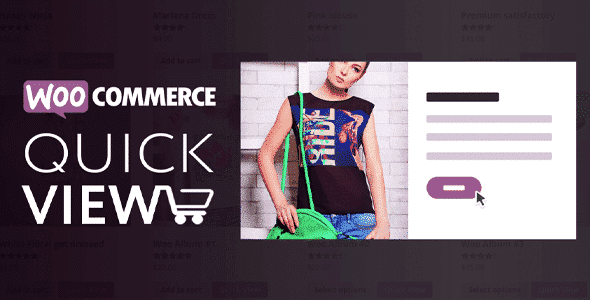
Elevate your customers’ shopping experience with WooCommerce Quick View. This powerful plugin allows your shoppers to view essential product details in a sleek, customizable popup without ever leaving the category or shop page. It’s designed for any WooCommerce store owner looking to streamline the browsing process, reduce friction, and provide a more engaging interface for their products. WooCommerce Quick View is an indispensable tool for enhancing user experience and driving conversions.
Key Features of WooCommerce Quick View
- Instant Product Previews: Enable customers to quickly view product images, descriptions, prices, and “Add to Cart” options in a modal window. WooCommerce Quick View dramatically speeds up the browsing process.
- Fully Customizable Popup: Tailor the quick view popup’s appearance to match your brand. Customize colors, fonts, button styles, and layout to ensure seamless integration with your existing WooCommerce theme.
- AJAX-Powered Functionality: Experience smooth and fast loading times with AJAX technology. Products load instantly into the quick view popup, providing a seamless user experience without full page reloads.
- Responsive Design: WooCommerce Quick View is built to be fully responsive, ensuring your quick view popups look great and function perfectly across all devices, from desktops to tablets and smartphones.
- Configurable “Quick View” Button: Decide where and when the “Quick View” button appears – on product images, alongside product titles, or as a hover-over element. You have full control over its placement and visibility.
- Support for Variable Products: Allow customers to select variations (size, color, etc.) directly within the quick view popup, making the purchasing decision faster and more convenient for complex products.
- Product Navigation within Popup: Enable “Next” and “Previous” buttons within the quick view modal, allowing customers to browse through multiple products without closing the popup and returning to the main shop page.
- Social Sharing Options: Integrate social media sharing buttons directly into the quick view popup, making it easy for customers to share products they love with their friends and followers.
Why Choose WooCommerce Quick View?
In today’s fast-paced online shopping environment, convenience and speed are paramount. WooCommerce Quick View addresses these needs directly by offering a refined browsing experience that keeps your customers engaged and moving towards a purchase. By eliminating the need to navigate back and forth between product pages and category listings, you significantly reduce the chances of cart abandonment and improve overall user satisfaction. This translates directly into higher conversion rates and a more profitable online store. WooCommerce Quick View empowers your customers to make informed decisions quickly, leading to a more efficient and enjoyable shopping journey.
Beyond just speed, WooCommerce Quick View adds a touch of modern sophistication to your online store. A well-implemented quick view feature communicates professionalism and a commitment to customer experience. It helps differentiate your store from competitors, making it a more attractive destination for shoppers. The ability to customize the popup ensures that this enhanced functionality integrates perfectly with your existing branding, maintaining a cohesive and professional look. Investing in WooCommerce Quick View is investing in a superior user experience that fosters loyalty and encourages repeat business.
Who Should Use WooCommerce Quick View?
WooCommerce Quick View is ideal for any online store owner utilizing the WooCommerce platform who wants to enhance their product display and improve customer journey efficiency. This includes small businesses, large e-commerce enterprises, dropshippers, retailers, and anyone selling a diverse range of products where quick browsing and comparison are beneficial. If you aim to reduce bounce rates, increase engagement, and provide a seamless, modern shopping experience, WooCommerce Quick View is an essential addition to your plugin arsenal.
How to Install WooCommerce Quick View
- Download the Plugin: After purchasing, download the WooCommerce Quick View plugin file from your account on GPLUniverse.
- Upload to WordPress: Log in to your WordPress admin dashboard. Navigate to `Plugins > Add New` and click the “Upload Plugin” button. Choose the downloaded zip file and click “Install Now.”
- Activate the Plugin: Once the plugin is installed, click the “Activate Plugin” link to enable WooCommerce Quick View on your site.
- Configure Settings: Go to the WooCommerce Quick View settings page (usually found under `WooCommerce > Settings` or a dedicated menu item) and customize the quick view options to suit your preferences.
- Test Functionality: Visit your shop or product category pages on the frontend to ensure the WooCommerce Quick View button appears and functions as expected.
Frequently Asked Questions About WooCommerce Quick View
Is WooCommerce Quick View compatible with all WooCommerce themes?
Yes, WooCommerce Quick View is designed to be highly compatible with most standard WooCommerce themes. It uses common WordPress and WooCommerce hooks, ensuring broad compatibility. In rare cases of specific theme conflicts, our support can often provide guidance.
Can I customize the content displayed within the WooCommerce Quick View popup?
Absolutely! WooCommerce Quick View offers extensive customization options for the popup’s content. You can typically choose which product elements (like title, price, description, SKU, categories, add to cart button, etc.) are visible or hidden, giving you full control over the quick view experience.
Does WooCommerce Quick View support different product types, including variable products?
Yes, WooCommerce Quick View fully supports various product types, including simple, variable, grouped, and external/affiliate products. For variable products, customers can select options like size and color directly within the quick view popup, making the shopping process seamless.
Get WooCommerce Quick View Today
Transform your WooCommerce store into a more efficient and user-friendly shopping destination with WooCommerce Quick View. Provide your customers with the convenience they expect and enjoy the benefits of improved engagement and higher conversion rates. Don’t let slow browsing hinder your sales – empower your shoppers with instant product insights. Explore WooCommerce Quick View and many other essential WordPress Plugins and GPL WordPress Products to enhance your site today!
Related Products You May Like
Here's everything you need to know about your purchase:
- 100% original files — Every product is the genuine, virus-free file, exactly as released by the original developer.
- Instant download — Access your files immediately after purchase from your account.
- Lifetime access — Re-download your purchased files anytime. No expiry, no limits.
- Free updates — Newer version released? Just request an update from us, free for all customers.
- Dedicated support — Our team is available 24/7 for installation and file-related help.
- Easy refunds — Not satisfied? Review our Refund Policy. We offer a hassle-free 7-day guarantee.
$100.00 Original price was: $100.00.$2.00Current price is: $2.00.
Version
1.8.3
Last Updated
02/02/2026
License
GPL v2
Compatibility
WordPress 5.0+
Need latest version?
Newer version released? Request an update from us — free for all customers!
Request Update →🎁 Your Purchase Includes
Overview of WooCommerce Quick View
Elevate your customers’ shopping experience with WooCommerce Quick View. This powerful plugin allows your shoppers to view essential product details in a sleek, customizable popup without ever leaving the category or shop page. It’s designed for any WooCommerce store owner looking to streamline the browsing process, reduce friction, and provide a more engaging interface for their products. WooCommerce Quick View is an indispensable tool for enhancing user experience and driving conversions.
Key Features of WooCommerce Quick View
- Instant Product Previews: Enable customers to quickly view product images, descriptions, prices, and “Add to Cart” options in a modal window. WooCommerce Quick View dramatically speeds up the browsing process.
- Fully Customizable Popup: Tailor the quick view popup’s appearance to match your brand. Customize colors, fonts, button styles, and layout to ensure seamless integration with your existing WooCommerce theme.
- AJAX-Powered Functionality: Experience smooth and fast loading times with AJAX technology. Products load instantly into the quick view popup, providing a seamless user experience without full page reloads.
- Responsive Design: WooCommerce Quick View is built to be fully responsive, ensuring your quick view popups look great and function perfectly across all devices, from desktops to tablets and smartphones.
- Configurable “Quick View” Button: Decide where and when the “Quick View” button appears – on product images, alongside product titles, or as a hover-over element. You have full control over its placement and visibility.
- Support for Variable Products: Allow customers to select variations (size, color, etc.) directly within the quick view popup, making the purchasing decision faster and more convenient for complex products.
- Product Navigation within Popup: Enable “Next” and “Previous” buttons within the quick view modal, allowing customers to browse through multiple products without closing the popup and returning to the main shop page.
- Social Sharing Options: Integrate social media sharing buttons directly into the quick view popup, making it easy for customers to share products they love with their friends and followers.
Why Choose WooCommerce Quick View?
In today’s fast-paced online shopping environment, convenience and speed are paramount. WooCommerce Quick View addresses these needs directly by offering a refined browsing experience that keeps your customers engaged and moving towards a purchase. By eliminating the need to navigate back and forth between product pages and category listings, you significantly reduce the chances of cart abandonment and improve overall user satisfaction. This translates directly into higher conversion rates and a more profitable online store. WooCommerce Quick View empowers your customers to make informed decisions quickly, leading to a more efficient and enjoyable shopping journey.
Beyond just speed, WooCommerce Quick View adds a touch of modern sophistication to your online store. A well-implemented quick view feature communicates professionalism and a commitment to customer experience. It helps differentiate your store from competitors, making it a more attractive destination for shoppers. The ability to customize the popup ensures that this enhanced functionality integrates perfectly with your existing branding, maintaining a cohesive and professional look. Investing in WooCommerce Quick View is investing in a superior user experience that fosters loyalty and encourages repeat business.
Who Should Use WooCommerce Quick View?
WooCommerce Quick View is ideal for any online store owner utilizing the WooCommerce platform who wants to enhance their product display and improve customer journey efficiency. This includes small businesses, large e-commerce enterprises, dropshippers, retailers, and anyone selling a diverse range of products where quick browsing and comparison are beneficial. If you aim to reduce bounce rates, increase engagement, and provide a seamless, modern shopping experience, WooCommerce Quick View is an essential addition to your plugin arsenal.
How to Install WooCommerce Quick View
- Download the Plugin: After purchasing, download the WooCommerce Quick View plugin file from your account on GPLUniverse.
- Upload to WordPress: Log in to your WordPress admin dashboard. Navigate to `Plugins > Add New` and click the “Upload Plugin” button. Choose the downloaded zip file and click “Install Now.”
- Activate the Plugin: Once the plugin is installed, click the “Activate Plugin” link to enable WooCommerce Quick View on your site.
- Configure Settings: Go to the WooCommerce Quick View settings page (usually found under `WooCommerce > Settings` or a dedicated menu item) and customize the quick view options to suit your preferences.
- Test Functionality: Visit your shop or product category pages on the frontend to ensure the WooCommerce Quick View button appears and functions as expected.
Frequently Asked Questions About WooCommerce Quick View
Is WooCommerce Quick View compatible with all WooCommerce themes?
Yes, WooCommerce Quick View is designed to be highly compatible with most standard WooCommerce themes. It uses common WordPress and WooCommerce hooks, ensuring broad compatibility. In rare cases of specific theme conflicts, our support can often provide guidance.
Can I customize the content displayed within the WooCommerce Quick View popup?
Absolutely! WooCommerce Quick View offers extensive customization options for the popup’s content. You can typically choose which product elements (like title, price, description, SKU, categories, add to cart button, etc.) are visible or hidden, giving you full control over the quick view experience.
Does WooCommerce Quick View support different product types, including variable products?
Yes, WooCommerce Quick View fully supports various product types, including simple, variable, grouped, and external/affiliate products. For variable products, customers can select options like size and color directly within the quick view popup, making the shopping process seamless.
Get WooCommerce Quick View Today
Transform your WooCommerce store into a more efficient and user-friendly shopping destination with WooCommerce Quick View. Provide your customers with the convenience they expect and enjoy the benefits of improved engagement and higher conversion rates. Don’t let slow browsing hinder your sales – empower your shoppers with instant product insights. Explore WooCommerce Quick View and many other essential WordPress Plugins and GPL WordPress Products to enhance your site today!
Related Products You May Like
Reviews
There are no reviews yet.
Here's everything you need to know about your purchase:
- 100% original files — Every product is the genuine, virus-free file, exactly as released by the original developer.
- Instant download — Access your files immediately after purchase from your account.
- Lifetime access — Re-download your purchased files anytime. No expiry, no limits.
- Free updates — Newer version released? Just request an update from us, free for all customers.
- Dedicated support — Our team is available 24/7 for installation and file-related help.
- Easy refunds — Not satisfied? Review our Refund Policy. We offer a hassle-free 7-day guarantee.
Reviews
There are no reviews yet.