

WooCommerce Private Store 1.8.3
Overview of WooCommerce Private Store
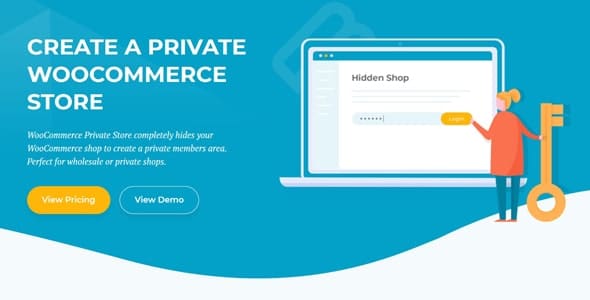
Transform your WooCommerce store into an exclusive, members-only, or private shopping experience with the powerful WooCommerce Private Store plugin. This essential tool allows you to restrict access to your entire shop, specific products, or categories, ensuring only authorized visitors can view your valuable content and make purchases. It’s perfect for wholesale businesses, membership sites, exclusive product launches, or simply creating a more controlled e-commerce environment.
Key Features of WooCommerce Private Store
- Complete Storefront Protection: Easily make your entire WooCommerce store private, requiring visitors to log in or enter a password to browse any products or pages. This ensures full control over who sees your merchandise.
- Granular Content Restriction: Beyond the whole store, you can selectively make individual products, specific product categories, or even certain pages private. This flexibility allows for a mix of public and private content.
- Customizable Login & Password Forms: Design attractive and user-friendly login or password entry forms that seamlessly integrate with your website’s aesthetic. You control the messaging and appearance for a professional look.
- Multiple Privacy Methods: Choose between requiring users to log in with an existing WordPress account, entering a simple site-wide password, or even a combination for different levels of access.
- Redirect Options for Unauthorized Access: Configure where unauthorized users are sent when they try to access private content. Redirect them to a custom login page, a specific information page, or even your homepage.
- Exclusion Rules for Public Content: Define specific pages, products, or categories that should remain public, even if the rest of your store is private. This is ideal for showcasing a public catalog or about us page.
- User Role Based Access: Grant access to private content based on WordPress user roles. This is incredibly useful for wholesale customers, VIP members, or staff, allowing different groups to see different products.
- SEO Friendly Implementation: The WooCommerce Private Store plugin is designed with SEO in mind, ensuring that private content is properly handled without negatively impacting your public site’s search engine visibility.
Why Choose WooCommerce Private Store?
Choosing the WooCommerce Private Store plugin means opting for unparalleled control and security for your online business. In today’s competitive e-commerce landscape, having the ability to segment your audience and offer exclusive access can be a game-changer. Whether you’re a B2B supplier needing to display wholesale pricing only to registered distributors, a creator launching limited-edition products for members, or an educator offering premium content, this plugin provides the robust framework you need.
It eliminates the need for complex custom coding or multiple plugins to achieve varying levels of privacy. With its intuitive interface, you can quickly set up your desired access rules, ensuring a smooth experience for both administrators and authorized users. The flexibility to protect your entire store or just specific elements means you can tailor your privacy strategy precisely to your business model, enhancing customer loyalty and creating a sense of exclusivity that drives value.
Furthermore, the WooCommerce Private Store solution is designed to integrate seamlessly with your existing WooCommerce setup, ensuring compatibility and stable performance. It’s a smart investment for any store owner looking to manage access to their products and content effectively, providing a secure, professional, and exclusive shopping environment.
Who Should Use WooCommerce Private Store?
The WooCommerce Private Store is ideal for a wide range of businesses and individuals, including:
- Wholesale Businesses: Display wholesale pricing and products exclusively to verified B2B customers.
- Membership Sites: Offer members-only products, services, or digital content.
- Exclusive Product Launches: Create a buzz around new products by granting early or exclusive access to a select group.
- Private Galleries & Portfolios: Share sensitive or client-specific work with authorized individuals only.
- Educational Platforms: Restrict access to premium courses or learning materials.
- Internal Company Stores: Manage and sell company merchandise or resources to employees.
- Subscription Box Services: Provide exclusive access to past boxes or special subscriber-only items.
How to Install WooCommerce Private Store
- Download the Plugin: After acquiring the WooCommerce Private Store plugin, download the plugin zip file to your computer.
- Upload to WordPress: Log in to your WordPress admin dashboard. Navigate to ‘Plugins’ > ‘Add New’ and then click the ‘Upload Plugin’ button at the top.
- Choose File & Install: Click ‘Choose File’, select the downloaded plugin zip file (e.g., `woocommerce-private-store.zip`), and then click ‘Install Now’.
- Activate the Plugin: Once the installation is complete, click ‘Activate Plugin’.
- Configure Settings: After activation, navigate to the plugin’s settings page (usually found under ‘WooCommerce’ or a dedicated menu item) to begin configuring your private store options, such as password protection, login requirements, and content exclusions for WooCommerce Private Store.
Frequently Asked Questions About WooCommerce Private Store
Can I make only certain products private with WooCommerce Private Store?
Yes, absolutely! The WooCommerce Private Store plugin offers granular control, allowing you to set individual products or entire product categories as private, while keeping the rest of your store public. This flexibility is one of its core strengths.
Does WooCommerce Private Store affect my website’s SEO?
The WooCommerce Private Store plugin is designed with SEO best practices in mind. Private content will typically not be indexed by search engines, as it requires authentication. Public content, however, remains fully discoverable and indexed, ensuring your public-facing pages maintain their SEO value.
Can I customize the login page or password form?
Yes, you can customize the appearance and messaging of the login or password entry form to match your website’s branding. This ensures a consistent and professional user experience for your private store visitors.
Get WooCommerce Private Store Today
Elevate your e-commerce strategy and secure your valuable content with the WooCommerce Private Store plugin. Providing a secure, exclusive shopping experience has never been easier. Explore this powerful addition and many other essential WordPress Plugins available at GPLUniverse. Enhance your site’s functionality and discover more premium GPL WordPress Products to build the ultimate online store.
Related Products You May Like
Here's everything you need to know about your purchase:
- 100% original files — Every product is the genuine, virus-free file, exactly as released by the original developer.
- Instant download — Access your files immediately after purchase from your account.
- Lifetime access — Re-download your purchased files anytime. No expiry, no limits.
- Free updates — Newer version released? Just request an update from us, free for all customers.
- Dedicated support — Our team is available 24/7 for installation and file-related help.
- Easy refunds — Not satisfied? Review our Refund Policy. We offer a hassle-free 7-day guarantee.
$59.00 Original price was: $59.00.$2.00Current price is: $2.00.
Version
1.8.3
Last Updated
03/03/2026
License
GPL v2
Compatibility
WordPress 5.0+
Need latest version?
Newer version released? Request an update from us — free for all customers!
Request Update →🎁 Your Purchase Includes
Overview of WooCommerce Private Store
Transform your WooCommerce store into an exclusive, members-only, or private shopping experience with the powerful WooCommerce Private Store plugin. This essential tool allows you to restrict access to your entire shop, specific products, or categories, ensuring only authorized visitors can view your valuable content and make purchases. It’s perfect for wholesale businesses, membership sites, exclusive product launches, or simply creating a more controlled e-commerce environment.
Key Features of WooCommerce Private Store
- Complete Storefront Protection: Easily make your entire WooCommerce store private, requiring visitors to log in or enter a password to browse any products or pages. This ensures full control over who sees your merchandise.
- Granular Content Restriction: Beyond the whole store, you can selectively make individual products, specific product categories, or even certain pages private. This flexibility allows for a mix of public and private content.
- Customizable Login & Password Forms: Design attractive and user-friendly login or password entry forms that seamlessly integrate with your website’s aesthetic. You control the messaging and appearance for a professional look.
- Multiple Privacy Methods: Choose between requiring users to log in with an existing WordPress account, entering a simple site-wide password, or even a combination for different levels of access.
- Redirect Options for Unauthorized Access: Configure where unauthorized users are sent when they try to access private content. Redirect them to a custom login page, a specific information page, or even your homepage.
- Exclusion Rules for Public Content: Define specific pages, products, or categories that should remain public, even if the rest of your store is private. This is ideal for showcasing a public catalog or about us page.
- User Role Based Access: Grant access to private content based on WordPress user roles. This is incredibly useful for wholesale customers, VIP members, or staff, allowing different groups to see different products.
- SEO Friendly Implementation: The WooCommerce Private Store plugin is designed with SEO in mind, ensuring that private content is properly handled without negatively impacting your public site’s search engine visibility.
Why Choose WooCommerce Private Store?
Choosing the WooCommerce Private Store plugin means opting for unparalleled control and security for your online business. In today’s competitive e-commerce landscape, having the ability to segment your audience and offer exclusive access can be a game-changer. Whether you’re a B2B supplier needing to display wholesale pricing only to registered distributors, a creator launching limited-edition products for members, or an educator offering premium content, this plugin provides the robust framework you need.
It eliminates the need for complex custom coding or multiple plugins to achieve varying levels of privacy. With its intuitive interface, you can quickly set up your desired access rules, ensuring a smooth experience for both administrators and authorized users. The flexibility to protect your entire store or just specific elements means you can tailor your privacy strategy precisely to your business model, enhancing customer loyalty and creating a sense of exclusivity that drives value.
Furthermore, the WooCommerce Private Store solution is designed to integrate seamlessly with your existing WooCommerce setup, ensuring compatibility and stable performance. It’s a smart investment for any store owner looking to manage access to their products and content effectively, providing a secure, professional, and exclusive shopping environment.
Who Should Use WooCommerce Private Store?
The WooCommerce Private Store is ideal for a wide range of businesses and individuals, including:
- Wholesale Businesses: Display wholesale pricing and products exclusively to verified B2B customers.
- Membership Sites: Offer members-only products, services, or digital content.
- Exclusive Product Launches: Create a buzz around new products by granting early or exclusive access to a select group.
- Private Galleries & Portfolios: Share sensitive or client-specific work with authorized individuals only.
- Educational Platforms: Restrict access to premium courses or learning materials.
- Internal Company Stores: Manage and sell company merchandise or resources to employees.
- Subscription Box Services: Provide exclusive access to past boxes or special subscriber-only items.
How to Install WooCommerce Private Store
- Download the Plugin: After acquiring the WooCommerce Private Store plugin, download the plugin zip file to your computer.
- Upload to WordPress: Log in to your WordPress admin dashboard. Navigate to ‘Plugins’ > ‘Add New’ and then click the ‘Upload Plugin’ button at the top.
- Choose File & Install: Click ‘Choose File’, select the downloaded plugin zip file (e.g., `woocommerce-private-store.zip`), and then click ‘Install Now’.
- Activate the Plugin: Once the installation is complete, click ‘Activate Plugin’.
- Configure Settings: After activation, navigate to the plugin’s settings page (usually found under ‘WooCommerce’ or a dedicated menu item) to begin configuring your private store options, such as password protection, login requirements, and content exclusions for WooCommerce Private Store.
Frequently Asked Questions About WooCommerce Private Store
Can I make only certain products private with WooCommerce Private Store?
Yes, absolutely! The WooCommerce Private Store plugin offers granular control, allowing you to set individual products or entire product categories as private, while keeping the rest of your store public. This flexibility is one of its core strengths.
Does WooCommerce Private Store affect my website’s SEO?
The WooCommerce Private Store plugin is designed with SEO best practices in mind. Private content will typically not be indexed by search engines, as it requires authentication. Public content, however, remains fully discoverable and indexed, ensuring your public-facing pages maintain their SEO value.
Can I customize the login page or password form?
Yes, you can customize the appearance and messaging of the login or password entry form to match your website’s branding. This ensures a consistent and professional user experience for your private store visitors.
Get WooCommerce Private Store Today
Elevate your e-commerce strategy and secure your valuable content with the WooCommerce Private Store plugin. Providing a secure, exclusive shopping experience has never been easier. Explore this powerful addition and many other essential WordPress Plugins available at GPLUniverse. Enhance your site’s functionality and discover more premium GPL WordPress Products to build the ultimate online store.
Related Products You May Like
Reviews
There are no reviews yet.
Here's everything you need to know about your purchase:
- 100% original files — Every product is the genuine, virus-free file, exactly as released by the original developer.
- Instant download — Access your files immediately after purchase from your account.
- Lifetime access — Re-download your purchased files anytime. No expiry, no limits.
- Free updates — Newer version released? Just request an update from us, free for all customers.
- Dedicated support — Our team is available 24/7 for installation and file-related help.
- Easy refunds — Not satisfied? Review our Refund Policy. We offer a hassle-free 7-day guarantee.
Reviews
There are no reviews yet.