

WooCommerce Multisite Product Sync 2.3.1
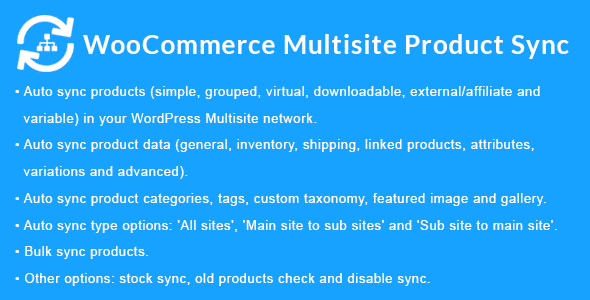
Overview of WooCommerce Multisite Product Sync
The WooCommerce Multisite Product Sync plugin is an essential tool designed to streamline product management across your entire WordPress Multisite network. This powerful solution enables store owners, agencies, and developers to effortlessly synchronize WooCommerce products, including their details, inventory, and images, from a central main site to any number of sub-sites within the same network. With WooCommerce Multisite Product Sync, you can maintain consistency, save countless hours, and ensure all your stores are always up-to-date without manual replication.
Key Features of WooCommerce Multisite Product Sync
- Centralized Product Management: Manage all your product data, including descriptions, prices, categories, and tags, from a single main site. WooCommerce Multisite Product Sync then pushes these updates across your network, ensuring uniformity and reducing administrative overhead.
- One-Click Product Synchronization: Easily sync individual products or entire catalogs with a simple click. This feature of WooCommerce Multisite Product Sync ensures that product information is consistent across all selected sub-sites instantly.
- Inventory Sync Capabilities: Keep stock levels accurate across your network. When a product is purchased on one sub-site, its inventory count is automatically updated on all other linked sites, preventing overselling and improving customer satisfaction.
- Attribute and Variation Sync: Sync complex product data, including custom attributes, variations (e.g., size, color), and their respective pricing and stock levels. WooCommerce Multisite Product Sync handles intricate product structures with ease.
- Image and Gallery Synchronization: Ensure product images and galleries are consistent across all stores. This feature helps maintain brand identity and provides a uniform shopping experience for your customers, no matter which sub-site they visit.
- Selective Site Synchronization: Choose precisely which sub-sites receive product updates. You have full control to sync products to all sites, specific sites, or exclude certain sites from the synchronization process using WooCommerce Multisite Product Sync.
- Scheduled Sync Options: Automate your product synchronization with scheduled tasks. Set up regular intervals for updates, ensuring your sub-sites always reflect the latest product information without manual intervention.
- User-Friendly Interface: Designed with simplicity in mind, the plugin offers an intuitive interface that makes managing product synchronization straightforward, even for those new to WordPress Multisite.
Why Choose WooCommerce Multisite Product Sync?
Choosing WooCommerce Multisite Product Sync means investing in efficiency, consistency, and scalability for your online retail operations. In a world where maintaining multiple WooCommerce stores can quickly become complex and time-consuming, this plugin offers a robust solution. It eliminates the need for manual data entry across various sites, drastically reducing the potential for errors and freeing up valuable time that can be redirected towards growth and customer engagement. Imagine updating a product description, price, or stock level just once and having it instantly propagate across all your relevant sub-stores – that’s the power and convenience that WooCommerce Multisite Product Sync delivers.
Beyond saving time, WooCommerce Multisite Product Sync ensures brand consistency and a seamless customer experience. When product information, images, and inventory are uniform across all your storefronts, customers benefit from a reliable and professional shopping environment. This consistency builds trust and reinforces your brand identity. For businesses managing numerous product lines or regional variations across a multisite network, this plugin is an indispensable asset. It empowers you to scale your operations without the accompanying administrative burden, making it easier to expand your product offerings and reach a wider audience while maintaining complete control over your inventory.
Who Should Use WooCommerce Multisite Product Sync?
WooCommerce Multisite Product Sync is ideal for anyone operating a WordPress Multisite network with multiple WooCommerce stores. This includes large enterprises with various brand storefronts, agencies managing client e-commerce sites, dropshippers with niche stores, and businesses with localized versions of their main store. If you find yourself repeatedly adding or updating the same products across several WooCommerce installations within your network, then WooCommerce Multisite Product Sync is specifically designed to solve your pain points and dramatically improve your workflow.
How to Install WooCommerce Multisite Product Sync
- Download the Plugin: After acquiring WooCommerce Multisite Product Sync, download the plugin .zip file to your computer.
- Upload to WordPress: Log in to your WordPress Multisite network dashboard. Navigate to ‘Plugins’ > ‘Add New’ > ‘Upload Plugin’. Choose the downloaded .zip file and click ‘Install Now’.
- Network Activate: Once installed, you will see an option to ‘Network Activate’ the plugin. Click this to enable WooCommerce Multisite Product Sync across your entire network.
- Configure Settings: Go to the plugin’s settings page, usually found under ‘WooCommerce’ or a dedicated menu item, to configure your synchronization preferences. Define your main product source site and set up any specific rules for syncing.
- Start Syncing: Begin synchronizing your products! You can now use the features of WooCommerce Multisite Product Sync to push products from your main site to your sub-sites as needed.
Frequently Asked Questions About WooCommerce Multisite Product Sync
Does WooCommerce Multisite Product Sync support product variations?
Yes, WooCommerce Multisite Product Sync fully supports product variations. You can synchronize all aspects of variable products, including their different attributes, prices, and individual stock levels, ensuring complex products are accurately represented across your network.
Can I choose which sub-sites a product syncs to?
Absolutely. WooCommerce Multisite Product Sync provides granular control over where your products are synchronized. You can select specific sub-sites for each product, ensuring only relevant stores receive particular items, or exclude certain sites from general sync operations.
What happens if a product is updated on a sub-site?
WooCommerce Multisite Product Sync is designed for one-way synchronization from a designated main site to sub-sites. If a product is manually updated on a sub-site, those changes may be overwritten during the next synchronization from the main site. It’s recommended to manage all product updates from your central main site for consistency.
Get WooCommerce Multisite Product Sync Today
Transform your WordPress Multisite network into a streamlined e-commerce powerhouse with WooCommerce Multisite Product Sync. Eliminate redundant tasks, ensure data accuracy, and provide a consistent shopping experience across all your stores. This powerful plugin is an invaluable asset for any serious online retailer operating a multisite setup. Explore this essential addition to your toolkit and discover other premium WordPress Plugins and GPL WordPress Products to further enhance your website’s functionality and performance.
Related Products You May Like
Here's everything you need to know about your purchase:
- 100% original files — Every product is the genuine, virus-free file, exactly as released by the original developer.
- Instant download — Access your files immediately after purchase from your account.
- Lifetime access — Re-download your purchased files anytime. No expiry, no limits.
- Free updates — Newer version released? Just request an update from us, free for all customers.
- Dedicated support — Our team is available 24/7 for installation and file-related help.
- Easy refunds — Not satisfied? Review our Refund Policy. We offer a hassle-free 7-day guarantee.
$100.00 Original price was: $100.00.$2.00Current price is: $2.00.
Version
2.3.1
Last Updated
03/03/2026
License
GPL v2
Compatibility
WordPress 5.0+
Need latest version?
Newer version released? Request an update from us — free for all customers!
Request Update →🎁 Your Purchase Includes
Overview of WooCommerce Multisite Product Sync
The WooCommerce Multisite Product Sync plugin is an essential tool designed to streamline product management across your entire WordPress Multisite network. This powerful solution enables store owners, agencies, and developers to effortlessly synchronize WooCommerce products, including their details, inventory, and images, from a central main site to any number of sub-sites within the same network. With WooCommerce Multisite Product Sync, you can maintain consistency, save countless hours, and ensure all your stores are always up-to-date without manual replication.
Key Features of WooCommerce Multisite Product Sync
- Centralized Product Management: Manage all your product data, including descriptions, prices, categories, and tags, from a single main site. WooCommerce Multisite Product Sync then pushes these updates across your network, ensuring uniformity and reducing administrative overhead.
- One-Click Product Synchronization: Easily sync individual products or entire catalogs with a simple click. This feature of WooCommerce Multisite Product Sync ensures that product information is consistent across all selected sub-sites instantly.
- Inventory Sync Capabilities: Keep stock levels accurate across your network. When a product is purchased on one sub-site, its inventory count is automatically updated on all other linked sites, preventing overselling and improving customer satisfaction.
- Attribute and Variation Sync: Sync complex product data, including custom attributes, variations (e.g., size, color), and their respective pricing and stock levels. WooCommerce Multisite Product Sync handles intricate product structures with ease.
- Image and Gallery Synchronization: Ensure product images and galleries are consistent across all stores. This feature helps maintain brand identity and provides a uniform shopping experience for your customers, no matter which sub-site they visit.
- Selective Site Synchronization: Choose precisely which sub-sites receive product updates. You have full control to sync products to all sites, specific sites, or exclude certain sites from the synchronization process using WooCommerce Multisite Product Sync.
- Scheduled Sync Options: Automate your product synchronization with scheduled tasks. Set up regular intervals for updates, ensuring your sub-sites always reflect the latest product information without manual intervention.
- User-Friendly Interface: Designed with simplicity in mind, the plugin offers an intuitive interface that makes managing product synchronization straightforward, even for those new to WordPress Multisite.
Why Choose WooCommerce Multisite Product Sync?
Choosing WooCommerce Multisite Product Sync means investing in efficiency, consistency, and scalability for your online retail operations. In a world where maintaining multiple WooCommerce stores can quickly become complex and time-consuming, this plugin offers a robust solution. It eliminates the need for manual data entry across various sites, drastically reducing the potential for errors and freeing up valuable time that can be redirected towards growth and customer engagement. Imagine updating a product description, price, or stock level just once and having it instantly propagate across all your relevant sub-stores – that’s the power and convenience that WooCommerce Multisite Product Sync delivers.
Beyond saving time, WooCommerce Multisite Product Sync ensures brand consistency and a seamless customer experience. When product information, images, and inventory are uniform across all your storefronts, customers benefit from a reliable and professional shopping environment. This consistency builds trust and reinforces your brand identity. For businesses managing numerous product lines or regional variations across a multisite network, this plugin is an indispensable asset. It empowers you to scale your operations without the accompanying administrative burden, making it easier to expand your product offerings and reach a wider audience while maintaining complete control over your inventory.
Who Should Use WooCommerce Multisite Product Sync?
WooCommerce Multisite Product Sync is ideal for anyone operating a WordPress Multisite network with multiple WooCommerce stores. This includes large enterprises with various brand storefronts, agencies managing client e-commerce sites, dropshippers with niche stores, and businesses with localized versions of their main store. If you find yourself repeatedly adding or updating the same products across several WooCommerce installations within your network, then WooCommerce Multisite Product Sync is specifically designed to solve your pain points and dramatically improve your workflow.
How to Install WooCommerce Multisite Product Sync
- Download the Plugin: After acquiring WooCommerce Multisite Product Sync, download the plugin .zip file to your computer.
- Upload to WordPress: Log in to your WordPress Multisite network dashboard. Navigate to ‘Plugins’ > ‘Add New’ > ‘Upload Plugin’. Choose the downloaded .zip file and click ‘Install Now’.
- Network Activate: Once installed, you will see an option to ‘Network Activate’ the plugin. Click this to enable WooCommerce Multisite Product Sync across your entire network.
- Configure Settings: Go to the plugin’s settings page, usually found under ‘WooCommerce’ or a dedicated menu item, to configure your synchronization preferences. Define your main product source site and set up any specific rules for syncing.
- Start Syncing: Begin synchronizing your products! You can now use the features of WooCommerce Multisite Product Sync to push products from your main site to your sub-sites as needed.
Frequently Asked Questions About WooCommerce Multisite Product Sync
Does WooCommerce Multisite Product Sync support product variations?
Yes, WooCommerce Multisite Product Sync fully supports product variations. You can synchronize all aspects of variable products, including their different attributes, prices, and individual stock levels, ensuring complex products are accurately represented across your network.
Can I choose which sub-sites a product syncs to?
Absolutely. WooCommerce Multisite Product Sync provides granular control over where your products are synchronized. You can select specific sub-sites for each product, ensuring only relevant stores receive particular items, or exclude certain sites from general sync operations.
What happens if a product is updated on a sub-site?
WooCommerce Multisite Product Sync is designed for one-way synchronization from a designated main site to sub-sites. If a product is manually updated on a sub-site, those changes may be overwritten during the next synchronization from the main site. It’s recommended to manage all product updates from your central main site for consistency.
Get WooCommerce Multisite Product Sync Today
Transform your WordPress Multisite network into a streamlined e-commerce powerhouse with WooCommerce Multisite Product Sync. Eliminate redundant tasks, ensure data accuracy, and provide a consistent shopping experience across all your stores. This powerful plugin is an invaluable asset for any serious online retailer operating a multisite setup. Explore this essential addition to your toolkit and discover other premium WordPress Plugins and GPL WordPress Products to further enhance your website’s functionality and performance.
Related Products You May Like
Reviews
There are no reviews yet.
Here's everything you need to know about your purchase:
- 100% original files — Every product is the genuine, virus-free file, exactly as released by the original developer.
- Instant download — Access your files immediately after purchase from your account.
- Lifetime access — Re-download your purchased files anytime. No expiry, no limits.
- Free updates — Newer version released? Just request an update from us, free for all customers.
- Dedicated support — Our team is available 24/7 for installation and file-related help.
- Easy refunds — Not satisfied? Review our Refund Policy. We offer a hassle-free 7-day guarantee.
Reviews
There are no reviews yet.