

WooCommerce Min Max Quantity & Step Control 2.0.8
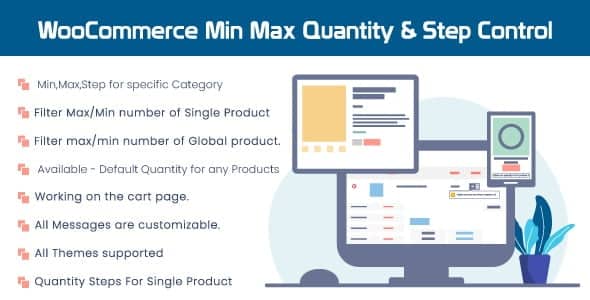
Overview of WooCommerce Min Max Quantity & Step Control
The **WooCommerce Min Max Quantity & Step Control** plugin is an essential tool for any online store looking to gain precise control over product ordering. This powerful extension allows store owners to define minimum and maximum purchase quantities, set quantity steps, and even apply these rules globally, per product, or per variation. It’s designed for businesses that need to enforce specific purchasing limits or encourage bulk buying, ensuring a smoother order fulfillment process and better inventory management.
Key Features of WooCommerce Min Max Quantity & Step Control
- Global Quantity Rules: Effortlessly set store-wide minimum and maximum quantity limits for all products, ensuring consistent order policies across your entire catalog with WooCommerce Min Max Quantity & Step Control.
- Product-Specific Control: Override global settings to define unique minimum, maximum, and step quantities for individual products, offering granular control where specific items require different rules.
- Variation-Level Management: Apply distinct quantity rules to specific product variations, perfect for items with different packaging sizes, bundles, or bulk options.
- Quantity Steps/Increments: Enforce purchasing in specific increments (e.g., buy in multiples of 5), preventing odd quantities and simplifying packaging and shipping.
- User Role Based Rules: Tailor quantity restrictions based on customer user roles, allowing you to offer different purchasing options to wholesale customers, retailers, or special members.
- Category-Wide Rules: Apply min/max quantity and step controls to entire product categories, streamlining the setup for large inventories with similar product types.
- Customizable Error Messages: Provide clear and user-friendly error messages when customers attempt to add quantities outside the defined limits, guiding them to correct their order.
- Flexible Rule Combinations: Combine various rules and settings to create complex quantity constraints that perfectly match your business model and inventory needs.
Why Choose WooCommerce Min Max Quantity & Step Control?
Choosing **WooCommerce Min Max Quantity & Step Control** empowers you with unparalleled flexibility and control over your product sales. This plugin is not just about setting limits; it’s about optimizing your sales strategy, improving inventory turnover, and enhancing the customer experience. By defining minimum purchase quantities, you can effectively manage bulk orders, reduce shipping costs for smaller items, and ensure that every sale meets your operational efficiencies. Conversely, setting maximum limits can prevent stockouts of popular items, ensuring fair access for all customers and preventing a single buyer from depleting your inventory.
Furthermore, the ability to set quantity steps is invaluable for products sold in specific packs, bundles, or weight increments. This ensures that customers always purchase in logical units, simplifying your picking, packing, and shipping processes. The granular control offered by **WooCommerce Min Max Quantity & Step Control** at global, product, and variation levels means you can tailor your approach precisely, without compromise. Whether you’re running a wholesale business, selling items with specific packaging requirements, or simply want to guide customer purchasing behavior, this plugin provides the robust framework you need to succeed.
Ultimately, investing in **WooCommerce Min Max Quantity & Step Control** translates into a more organized, efficient, and profitable online store. It minimizes errors, streamlines operations, and provides a professional shopping experience for your customers, all while giving you the peace of mind that your inventory and sales processes are perfectly aligned with your business goals.
Who Should Use WooCommerce Min Max Quantity & Step Control?
**WooCommerce Min Max Quantity & Step Control** is ideal for a wide range of WooCommerce store owners. Businesses selling wholesale goods, where minimum order quantities are crucial, will find it indispensable. Stores offering products in specific packaging sizes or bundles will benefit from the quantity step control. Retailers looking to prevent stock depletion of high-demand items or encourage bulk purchases to increase average order value will also find this plugin incredibly useful. Essentially, any online store that needs precise management over how many items customers can add to their cart will benefit from the robust features of WooCommerce Min Max Quantity & Step Control.
How to Install WooCommerce Min Max Quantity & Step Control
- Download the Plugin: After purchasing, download the plugin zip file for WooCommerce Min Max Quantity & Step Control from your account dashboard.
- Upload to WordPress: Log in to your WordPress admin area. Navigate to ‘Plugins’ > ‘Add New’ > ‘Upload Plugin’. Click ‘Choose File’, select the downloaded zip file, and then click ‘Install Now’.
- Activate the Plugin: Once the installation is complete, click the ‘Activate Plugin’ button. The WooCommerce Min Max Quantity & Step Control plugin is now active on your site.
- Configure Settings: Go to ‘WooCommerce’ > ‘Settings’ > ‘Min/Max Quantities’ (or similar menu item added by the plugin) to configure your global rules and default settings.
- Apply Rules to Products: Navigate to individual product edit pages to set specific min/max quantities and steps for products and their variations, overriding global settings as needed with WooCommerce Min Max Quantity & Step Control.
Frequently Asked Questions About WooCommerce Min Max Quantity & Step Control
Can I set different min/max quantities for different customer groups using WooCommerce Min Max Quantity & Step Control?
Yes, **WooCommerce Min Max Quantity & Step Control** allows you to define quantity rules based on specific user roles. This means you can create distinct purchasing limits for wholesale customers, retail customers, or any custom user role you have configured on your site, offering tailored experiences.
Does WooCommerce Min Max Quantity & Step Control work with product variations?
Absolutely! One of the key strengths of **WooCommerce Min Max Quantity & Step Control** is its ability to apply min/max quantity and step rules at the variation level. This provides immense flexibility for products that come in different sizes, colors, or packaging, ensuring each specific variant can have its own unique quantity constraints.
What happens if a customer tries to purchase outside the set quantity limits with WooCommerce Min Max Quantity & Step Control?
If a customer attempts to add a quantity that violates the rules set by **WooCommerce Min Max Quantity & Step Control**, the system will prevent the addition to the cart and display a customizable error message. This message clearly informs the customer about the valid quantity range or required step, guiding them to correct their input.
Get WooCommerce Min Max Quantity & Step Control Today
Take full command of your WooCommerce store’s quantity management with **WooCommerce Min Max Quantity & Step Control**. Enhance your sales strategy, streamline inventory, and provide a seamless shopping experience for your customers. This powerful plugin is an indispensable asset for any serious online business. Explore this and many other premium WordPress Plugins, and elevate your website’s functionality. Discover the full range of GPL WordPress Products available to help your store thrive.
Related Products You May Like
Here's everything you need to know about your purchase:
- 100% original files — Every product is the genuine, virus-free file, exactly as released by the original developer.
- Instant download — Access your files immediately after purchase from your account.
- Lifetime access — Re-download your purchased files anytime. No expiry, no limits.
- Free updates — Newer version released? Just request an update from us, free for all customers.
- Dedicated support — Our team is available 24/7 for installation and file-related help.
- Easy refunds — Not satisfied? Review our Refund Policy. We offer a hassle-free 7-day guarantee.
$100.00 Original price was: $100.00.$2.00Current price is: $2.00.
Version
2.0.8
Last Updated
13/11/2023
License
GPL v2
Compatibility
WordPress 5.0+
Need latest version?
Newer version released? Request an update from us — free for all customers!
Request Update →🎁 Your Purchase Includes
Overview of WooCommerce Min Max Quantity & Step Control
The **WooCommerce Min Max Quantity & Step Control** plugin is an essential tool for any online store looking to gain precise control over product ordering. This powerful extension allows store owners to define minimum and maximum purchase quantities, set quantity steps, and even apply these rules globally, per product, or per variation. It’s designed for businesses that need to enforce specific purchasing limits or encourage bulk buying, ensuring a smoother order fulfillment process and better inventory management.
Key Features of WooCommerce Min Max Quantity & Step Control
- Global Quantity Rules: Effortlessly set store-wide minimum and maximum quantity limits for all products, ensuring consistent order policies across your entire catalog with WooCommerce Min Max Quantity & Step Control.
- Product-Specific Control: Override global settings to define unique minimum, maximum, and step quantities for individual products, offering granular control where specific items require different rules.
- Variation-Level Management: Apply distinct quantity rules to specific product variations, perfect for items with different packaging sizes, bundles, or bulk options.
- Quantity Steps/Increments: Enforce purchasing in specific increments (e.g., buy in multiples of 5), preventing odd quantities and simplifying packaging and shipping.
- User Role Based Rules: Tailor quantity restrictions based on customer user roles, allowing you to offer different purchasing options to wholesale customers, retailers, or special members.
- Category-Wide Rules: Apply min/max quantity and step controls to entire product categories, streamlining the setup for large inventories with similar product types.
- Customizable Error Messages: Provide clear and user-friendly error messages when customers attempt to add quantities outside the defined limits, guiding them to correct their order.
- Flexible Rule Combinations: Combine various rules and settings to create complex quantity constraints that perfectly match your business model and inventory needs.
Why Choose WooCommerce Min Max Quantity & Step Control?
Choosing **WooCommerce Min Max Quantity & Step Control** empowers you with unparalleled flexibility and control over your product sales. This plugin is not just about setting limits; it’s about optimizing your sales strategy, improving inventory turnover, and enhancing the customer experience. By defining minimum purchase quantities, you can effectively manage bulk orders, reduce shipping costs for smaller items, and ensure that every sale meets your operational efficiencies. Conversely, setting maximum limits can prevent stockouts of popular items, ensuring fair access for all customers and preventing a single buyer from depleting your inventory.
Furthermore, the ability to set quantity steps is invaluable for products sold in specific packs, bundles, or weight increments. This ensures that customers always purchase in logical units, simplifying your picking, packing, and shipping processes. The granular control offered by **WooCommerce Min Max Quantity & Step Control** at global, product, and variation levels means you can tailor your approach precisely, without compromise. Whether you’re running a wholesale business, selling items with specific packaging requirements, or simply want to guide customer purchasing behavior, this plugin provides the robust framework you need to succeed.
Ultimately, investing in **WooCommerce Min Max Quantity & Step Control** translates into a more organized, efficient, and profitable online store. It minimizes errors, streamlines operations, and provides a professional shopping experience for your customers, all while giving you the peace of mind that your inventory and sales processes are perfectly aligned with your business goals.
Who Should Use WooCommerce Min Max Quantity & Step Control?
**WooCommerce Min Max Quantity & Step Control** is ideal for a wide range of WooCommerce store owners. Businesses selling wholesale goods, where minimum order quantities are crucial, will find it indispensable. Stores offering products in specific packaging sizes or bundles will benefit from the quantity step control. Retailers looking to prevent stock depletion of high-demand items or encourage bulk purchases to increase average order value will also find this plugin incredibly useful. Essentially, any online store that needs precise management over how many items customers can add to their cart will benefit from the robust features of WooCommerce Min Max Quantity & Step Control.
How to Install WooCommerce Min Max Quantity & Step Control
- Download the Plugin: After purchasing, download the plugin zip file for WooCommerce Min Max Quantity & Step Control from your account dashboard.
- Upload to WordPress: Log in to your WordPress admin area. Navigate to ‘Plugins’ > ‘Add New’ > ‘Upload Plugin’. Click ‘Choose File’, select the downloaded zip file, and then click ‘Install Now’.
- Activate the Plugin: Once the installation is complete, click the ‘Activate Plugin’ button. The WooCommerce Min Max Quantity & Step Control plugin is now active on your site.
- Configure Settings: Go to ‘WooCommerce’ > ‘Settings’ > ‘Min/Max Quantities’ (or similar menu item added by the plugin) to configure your global rules and default settings.
- Apply Rules to Products: Navigate to individual product edit pages to set specific min/max quantities and steps for products and their variations, overriding global settings as needed with WooCommerce Min Max Quantity & Step Control.
Frequently Asked Questions About WooCommerce Min Max Quantity & Step Control
Can I set different min/max quantities for different customer groups using WooCommerce Min Max Quantity & Step Control?
Yes, **WooCommerce Min Max Quantity & Step Control** allows you to define quantity rules based on specific user roles. This means you can create distinct purchasing limits for wholesale customers, retail customers, or any custom user role you have configured on your site, offering tailored experiences.
Does WooCommerce Min Max Quantity & Step Control work with product variations?
Absolutely! One of the key strengths of **WooCommerce Min Max Quantity & Step Control** is its ability to apply min/max quantity and step rules at the variation level. This provides immense flexibility for products that come in different sizes, colors, or packaging, ensuring each specific variant can have its own unique quantity constraints.
What happens if a customer tries to purchase outside the set quantity limits with WooCommerce Min Max Quantity & Step Control?
If a customer attempts to add a quantity that violates the rules set by **WooCommerce Min Max Quantity & Step Control**, the system will prevent the addition to the cart and display a customizable error message. This message clearly informs the customer about the valid quantity range or required step, guiding them to correct their input.
Get WooCommerce Min Max Quantity & Step Control Today
Take full command of your WooCommerce store’s quantity management with **WooCommerce Min Max Quantity & Step Control**. Enhance your sales strategy, streamline inventory, and provide a seamless shopping experience for your customers. This powerful plugin is an indispensable asset for any serious online business. Explore this and many other premium WordPress Plugins, and elevate your website’s functionality. Discover the full range of GPL WordPress Products available to help your store thrive.
Related Products You May Like
Reviews
There are no reviews yet.
Here's everything you need to know about your purchase:
- 100% original files — Every product is the genuine, virus-free file, exactly as released by the original developer.
- Instant download — Access your files immediately after purchase from your account.
- Lifetime access — Re-download your purchased files anytime. No expiry, no limits.
- Free updates — Newer version released? Just request an update from us, free for all customers.
- Dedicated support — Our team is available 24/7 for installation and file-related help.
- Easy refunds — Not satisfied? Review our Refund Policy. We offer a hassle-free 7-day guarantee.
Reviews
There are no reviews yet.