

WooCommerce License Manager 7.2.0
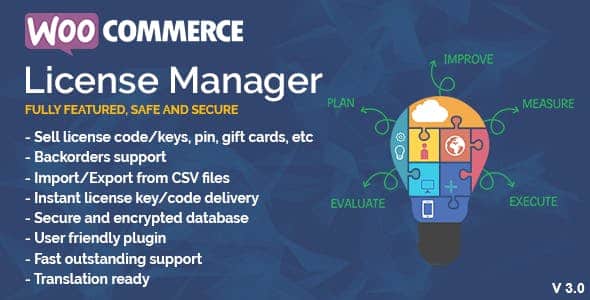
Overview of WooCommerce License Manager
The WooCommerce License Manager is an indispensable plugin designed for businesses selling software, digital products, or services that require license key activation. It provides a robust, automated system for generating, distributing, and managing license keys directly within your WooCommerce store, ensuring secure product access and streamlined operations for both you and your customers.
Key Features of WooCommerce License Manager
- Automated License Key Generation: Effortlessly create unique license keys for each product purchase. The WooCommerce License Manager can generate keys automatically upon order completion, saving you time and preventing manual errors.
- Flexible License Key Management: Gain full control over your license keys. You can manually add, edit, delete, or import license keys, ensuring your inventory is always accurate and up-to-date.
- Product-Specific License Association: Easily link license keys to specific WooCommerce products or variations. This ensures customers receive the correct license for their purchased item, enhancing the user experience.
- License Activation & Deactivation: Empower your users to activate and deactivate their licenses directly from their product or software. The WooCommerce License Manager tracks usage, preventing unauthorized sharing and ensuring compliance.
- Usage Tracking & Reporting: Monitor how many times a license has been activated and by whom. Detailed logs and reports help you understand license usage patterns and identify potential misuse.
- API Integration for External Applications: Seamlessly integrate your licensing system with external applications, software, or websites via a powerful API. This allows for real-time license validation and activation outside of your WordPress environment.
- Automatic Updates for Licensed Products: Deliver automatic updates to your customers’ licensed products, themes, or plugins directly from your WooCommerce store. The WooCommerce License Manager ensures only valid license holders receive updates.
- Customizable License Expiration: Set expiration dates for your licenses, offering options for subscription-based products, limited-time access, or trial periods. This feature is crucial for recurring revenue models.
Why Choose WooCommerce License Manager?
Choosing the WooCommerce License Manager means investing in the security and efficiency of your digital product business. It eliminates the complexities of manual license key distribution and tracking, allowing you to focus on product development and growth. This powerful plugin not only protects your intellectual property by preventing unauthorized usage but also significantly enhances the customer experience by providing a smooth, automated process for license activation and product access.
Beyond security, the WooCommerce License Manager is a cornerstone for building scalable and sustainable digital businesses. By automating critical processes like license generation, activation, and even product updates, you reduce operational overhead and potential human error. It empowers you to implement flexible licensing models, from one-time purchases to subscription-based access, opening up new revenue streams and fostering customer loyalty through reliable service.
Ultimately, the value of the WooCommerce License Manager lies in the peace of mind it offers. Developers and store owners can rest assured that their products are protected, and customers receive immediate, secure access to their purchases. It’s an essential tool for anyone serious about selling software, themes, plugins, or any digital product that benefits from a robust licensing system on their WooCommerce store.
Who Should Use WooCommerce License Manager?
The WooCommerce License Manager is ideal for a wide range of digital entrepreneurs and businesses. This includes software developers selling desktop applications, WordPress theme and plugin creators, SaaS businesses offering subscription-based services, digital content creators requiring access control, and anyone selling digital products that benefit from a secure, trackable license key system. If you want to protect your digital assets, automate license distribution, and provide a professional experience to your customers, then the WooCommerce License Manager is for you.
How to Install WooCommerce License Manager
- Download the Plugin: After acquiring the WooCommerce License Manager, download the plugin file (usually a .zip archive) to your computer.
- Upload to WordPress: Log in to your WordPress admin dashboard. Navigate to ‘Plugins’ > ‘Add New’ and click the ‘Upload Plugin’ button at the top of the page.
- Choose File & Install: Click ‘Choose File’, select the downloaded WooCommerce License Manager .zip file from your computer, and then click ‘Install Now’.
- Activate the Plugin: Once the installation is complete, click the ‘Activate Plugin’ button. The WooCommerce License Manager will now be active on your site.
- Configure Settings: After activation, navigate to the new ‘License Manager’ or ‘WooCommerce License Manager’ section in your WordPress admin menu to configure its settings, associate products with licenses, and define your licensing rules.
Frequently Asked Questions About WooCommerce License Manager
Can WooCommerce License Manager handle renewals and subscriptions?
Yes, the WooCommerce License Manager is designed to support various licensing models, including those with expiration dates. While it doesn’t directly manage subscriptions itself, it seamlessly integrates with WooCommerce Subscriptions (a separate plugin) to ensure licenses are renewed or expired in tandem with subscription status, making it a powerful combination for recurring revenue products.
How does WooCommerce License Manager prevent license key misuse?
The WooCommerce License Manager prevents misuse through several mechanisms, including activation limits, usage tracking, and API validation. You can set a maximum number of activations per license key, and the system records each activation attempt. Its robust API allows your external products to communicate with your store to verify license validity in real-time, effectively stopping unauthorized sharing and usage.
Is WooCommerce License Manager compatible with custom product types?
The WooCommerce License Manager is primarily built to integrate with standard WooCommerce products and their variations. For highly custom product types, some additional development or custom integration might be required to ensure seamless functionality. However, for most digital product sales, it works out-of-the-box with simple and variable products.
Get WooCommerce License Manager Today
Ready to secure your digital products and streamline your licensing process? The WooCommerce License Manager is the essential tool for any serious digital vendor. Enhance your store’s capabilities and provide a professional, secure experience for your customers. Explore this powerful solution and many other premium WordPress Plugins available. Discover the full range of GPL WordPress Products and elevate your online business today!
Related Products You May Like
Here's everything you need to know about your purchase:
- 100% original files — Every product is the genuine, virus-free file, exactly as released by the original developer.
- Instant download — Access your files immediately after purchase from your account.
- Lifetime access — Re-download your purchased files anytime. No expiry, no limits.
- Free updates — Newer version released? Just request an update from us, free for all customers.
- Dedicated support — Our team is available 24/7 for installation and file-related help.
- Easy refunds — Not satisfied? Review our Refund Policy. We offer a hassle-free 7-day guarantee.
$100.00 Original price was: $100.00.$2.00Current price is: $2.00.
Version
7.2.0
Last Updated
28/01/2025
License
GPL v2
Compatibility
WordPress 5.0+
Need latest version?
Newer version released? Request an update from us — free for all customers!
Request Update →🎁 Your Purchase Includes
Overview of WooCommerce License Manager
The WooCommerce License Manager is an indispensable plugin designed for businesses selling software, digital products, or services that require license key activation. It provides a robust, automated system for generating, distributing, and managing license keys directly within your WooCommerce store, ensuring secure product access and streamlined operations for both you and your customers.
Key Features of WooCommerce License Manager
- Automated License Key Generation: Effortlessly create unique license keys for each product purchase. The WooCommerce License Manager can generate keys automatically upon order completion, saving you time and preventing manual errors.
- Flexible License Key Management: Gain full control over your license keys. You can manually add, edit, delete, or import license keys, ensuring your inventory is always accurate and up-to-date.
- Product-Specific License Association: Easily link license keys to specific WooCommerce products or variations. This ensures customers receive the correct license for their purchased item, enhancing the user experience.
- License Activation & Deactivation: Empower your users to activate and deactivate their licenses directly from their product or software. The WooCommerce License Manager tracks usage, preventing unauthorized sharing and ensuring compliance.
- Usage Tracking & Reporting: Monitor how many times a license has been activated and by whom. Detailed logs and reports help you understand license usage patterns and identify potential misuse.
- API Integration for External Applications: Seamlessly integrate your licensing system with external applications, software, or websites via a powerful API. This allows for real-time license validation and activation outside of your WordPress environment.
- Automatic Updates for Licensed Products: Deliver automatic updates to your customers’ licensed products, themes, or plugins directly from your WooCommerce store. The WooCommerce License Manager ensures only valid license holders receive updates.
- Customizable License Expiration: Set expiration dates for your licenses, offering options for subscription-based products, limited-time access, or trial periods. This feature is crucial for recurring revenue models.
Why Choose WooCommerce License Manager?
Choosing the WooCommerce License Manager means investing in the security and efficiency of your digital product business. It eliminates the complexities of manual license key distribution and tracking, allowing you to focus on product development and growth. This powerful plugin not only protects your intellectual property by preventing unauthorized usage but also significantly enhances the customer experience by providing a smooth, automated process for license activation and product access.
Beyond security, the WooCommerce License Manager is a cornerstone for building scalable and sustainable digital businesses. By automating critical processes like license generation, activation, and even product updates, you reduce operational overhead and potential human error. It empowers you to implement flexible licensing models, from one-time purchases to subscription-based access, opening up new revenue streams and fostering customer loyalty through reliable service.
Ultimately, the value of the WooCommerce License Manager lies in the peace of mind it offers. Developers and store owners can rest assured that their products are protected, and customers receive immediate, secure access to their purchases. It’s an essential tool for anyone serious about selling software, themes, plugins, or any digital product that benefits from a robust licensing system on their WooCommerce store.
Who Should Use WooCommerce License Manager?
The WooCommerce License Manager is ideal for a wide range of digital entrepreneurs and businesses. This includes software developers selling desktop applications, WordPress theme and plugin creators, SaaS businesses offering subscription-based services, digital content creators requiring access control, and anyone selling digital products that benefit from a secure, trackable license key system. If you want to protect your digital assets, automate license distribution, and provide a professional experience to your customers, then the WooCommerce License Manager is for you.
How to Install WooCommerce License Manager
- Download the Plugin: After acquiring the WooCommerce License Manager, download the plugin file (usually a .zip archive) to your computer.
- Upload to WordPress: Log in to your WordPress admin dashboard. Navigate to ‘Plugins’ > ‘Add New’ and click the ‘Upload Plugin’ button at the top of the page.
- Choose File & Install: Click ‘Choose File’, select the downloaded WooCommerce License Manager .zip file from your computer, and then click ‘Install Now’.
- Activate the Plugin: Once the installation is complete, click the ‘Activate Plugin’ button. The WooCommerce License Manager will now be active on your site.
- Configure Settings: After activation, navigate to the new ‘License Manager’ or ‘WooCommerce License Manager’ section in your WordPress admin menu to configure its settings, associate products with licenses, and define your licensing rules.
Frequently Asked Questions About WooCommerce License Manager
Can WooCommerce License Manager handle renewals and subscriptions?
Yes, the WooCommerce License Manager is designed to support various licensing models, including those with expiration dates. While it doesn’t directly manage subscriptions itself, it seamlessly integrates with WooCommerce Subscriptions (a separate plugin) to ensure licenses are renewed or expired in tandem with subscription status, making it a powerful combination for recurring revenue products.
How does WooCommerce License Manager prevent license key misuse?
The WooCommerce License Manager prevents misuse through several mechanisms, including activation limits, usage tracking, and API validation. You can set a maximum number of activations per license key, and the system records each activation attempt. Its robust API allows your external products to communicate with your store to verify license validity in real-time, effectively stopping unauthorized sharing and usage.
Is WooCommerce License Manager compatible with custom product types?
The WooCommerce License Manager is primarily built to integrate with standard WooCommerce products and their variations. For highly custom product types, some additional development or custom integration might be required to ensure seamless functionality. However, for most digital product sales, it works out-of-the-box with simple and variable products.
Get WooCommerce License Manager Today
Ready to secure your digital products and streamline your licensing process? The WooCommerce License Manager is the essential tool for any serious digital vendor. Enhance your store’s capabilities and provide a professional, secure experience for your customers. Explore this powerful solution and many other premium WordPress Plugins available. Discover the full range of GPL WordPress Products and elevate your online business today!
Related Products You May Like
Reviews
There are no reviews yet.
Here's everything you need to know about your purchase:
- 100% original files — Every product is the genuine, virus-free file, exactly as released by the original developer.
- Instant download — Access your files immediately after purchase from your account.
- Lifetime access — Re-download your purchased files anytime. No expiry, no limits.
- Free updates — Newer version released? Just request an update from us, free for all customers.
- Dedicated support — Our team is available 24/7 for installation and file-related help.
- Easy refunds — Not satisfied? Review our Refund Policy. We offer a hassle-free 7-day guarantee.
Reviews
There are no reviews yet.