

WooCommerce Food 3.4.5 – Restaurant Menu & Food ordering
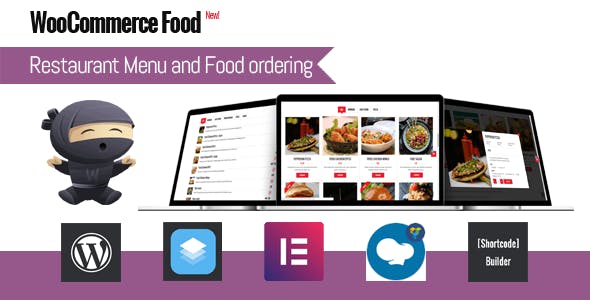
Overview of WooCommerce Food
WooCommerce Food is the ultimate solution for any restaurant, cafe, or food delivery service looking to establish a powerful online presence and streamline their ordering process. This robust WordPress plugin integrates seamlessly with WooCommerce, transforming your website into a fully functional digital menu and food ordering system. Designed for businesses of all sizes, WooCommerce Food empowers you to display your culinary offerings beautifully and manage customer orders efficiently.
Key Features of WooCommerce Food
- Highly Customizable Menu Layouts: Present your dishes with stunning visuals and detailed descriptions using a variety of flexible menu styles, ensuring your brand stands out.
- Intuitive Order Management System: Efficiently track and process incoming orders directly from your WordPress dashboard, simplifying operations for your staff.
- Flexible Delivery & Pickup Options: Offer customers the convenience of choosing between local delivery with adjustable zones and fees, or in-store pickup, catering to diverse preferences.
- Advanced Food Product Builder: Allow customers to customize their meals with optional add-ons, toppings, and variations, enhancing the personalized ordering experience.
- Seamless Payment Gateway Integration: Supports all standard WooCommerce payment methods, providing a smooth and secure checkout process for your customers.
- Responsive Design for All Devices: Ensure your online menu and ordering system look perfect and function flawlessly on desktops, tablets, and smartphones, maximizing accessibility.
- Customer Account & Order History: Enable customers to create accounts, save their details for faster reordering, and view their past purchases, fostering loyalty.
- Real-time Order Notifications: Receive instant alerts for new orders, ensuring prompt attention and improving operational efficiency for your kitchen and delivery teams.
Why Choose WooCommerce Food?
Choosing WooCommerce Food means investing in a solution that not only enhances your online visibility but also significantly improves your operational workflow. This plugin is meticulously crafted to meet the specific demands of the food industry, allowing you to create a professional, user-friendly online ordering experience without the need for extensive technical knowledge. Its deep integration with WooCommerce means you leverage a familiar and powerful e-commerce platform, ensuring scalability and compatibility with countless other tools and extensions.
The value of WooCommerce Food extends beyond mere functionality; it’s about providing convenience and reliability to your customers. With its intuitive interface, customers can easily browse your menu, customize their orders, and complete purchases in just a few clicks. This streamlined process not only boosts customer satisfaction but also encourages repeat business. For business owners, the comprehensive order management tools and detailed reporting capabilities offer invaluable insights, helping you optimize your menu, manage inventory, and make data-driven decisions to grow your restaurant.
Who Should Use WooCommerce Food?
WooCommerce Food is ideal for a wide range of food-related businesses looking to sell online. This includes restaurants, cafes, pizzerias, sushi bars, bakeries, ghost kitchens, catering services, and any establishment that offers food for delivery or pickup. If you’re currently taking orders over the phone or through third-party platforms with high commission fees, WooCommerce Food provides an excellent opportunity to take full control of your online sales, reduce costs, and build a direct relationship with your customers.
How to Install WooCommerce Food
- Download the Plugin: After your purchase, download the WooCommerce Food plugin file from your account on GPLUniverse.
- Upload to WordPress: Log in to your WordPress admin dashboard. Navigate to ‘Plugins’ > ‘Add New’ > ‘Upload Plugin’. Choose the downloaded zip file and click ‘Install Now’.
- Activate the Plugin: Once installed, click ‘Activate Plugin’. You will then see the WooCommerce Food settings appear in your WordPress dashboard menu.
- Configure Settings: Go through the WooCommerce Food settings to customize your menu, delivery options, payment methods, and other preferences to match your business needs.
- Add Your Menu Items: Begin adding your food products as WooCommerce products, utilizing the specific WooCommerce Food options to define variations, add-ons, and pricing.
Frequently Asked Questions About WooCommerce Food
Is WooCommerce Food compatible with all WordPress themes?
WooCommerce Food is designed to be highly compatible with most well-coded WordPress themes, especially those built to work with WooCommerce. While it should function correctly with most setups, we always recommend testing it on a staging site first to ensure full compatibility with your specific theme.
Can I set different delivery zones and charges with WooCommerce Food?
Yes, WooCommerce Food offers robust features for setting up various delivery zones based on location, postal codes, or radius. You can configure different delivery fees for each zone, minimum order amounts for delivery, and even free delivery thresholds.
Does WooCommerce Food support custom food item options like extra cheese or no onions?
Absolutely! WooCommerce Food includes a powerful food product builder that allows you to define custom options, add-ons, and variations for each menu item. This enables customers to personalize their orders exactly as they wish, from choosing toppings to specifying dietary preferences.
Get WooCommerce Food Today
Elevate your restaurant’s online presence and revolutionize your food ordering system with WooCommerce Food. This essential plugin provides all the tools you need to create a seamless, efficient, and customer-friendly online experience. Don’t miss out on the opportunity to boost your sales and streamline your operations. Explore our extensive collection of WordPress Plugins and other premium GPL WordPress Products to find everything you need to build and grow your digital business.
Related Products You May Like
Here's everything you need to know about your purchase:
- 100% original files — Every product is the genuine, virus-free file, exactly as released by the original developer.
- Instant download — Access your files immediately after purchase from your account.
- Lifetime access — Re-download your purchased files anytime. No expiry, no limits.
- Free updates — Newer version released? Just request an update from us, free for all customers.
- Dedicated support — Our team is available 24/7 for installation and file-related help.
- Easy refunds — Not satisfied? Review our Refund Policy. We offer a hassle-free 7-day guarantee.
$100.00 Original price was: $100.00.$2.00Current price is: $2.00.
Version
3.4.5
Last Updated
03/03/2026
License
GPL v2
Compatibility
WordPress 5.0+
Need latest version?
Newer version released? Request an update from us — free for all customers!
Request Update →🎁 Your Purchase Includes
Overview of WooCommerce Food
WooCommerce Food is the ultimate solution for any restaurant, cafe, or food delivery service looking to establish a powerful online presence and streamline their ordering process. This robust WordPress plugin integrates seamlessly with WooCommerce, transforming your website into a fully functional digital menu and food ordering system. Designed for businesses of all sizes, WooCommerce Food empowers you to display your culinary offerings beautifully and manage customer orders efficiently.
Key Features of WooCommerce Food
- Highly Customizable Menu Layouts: Present your dishes with stunning visuals and detailed descriptions using a variety of flexible menu styles, ensuring your brand stands out.
- Intuitive Order Management System: Efficiently track and process incoming orders directly from your WordPress dashboard, simplifying operations for your staff.
- Flexible Delivery & Pickup Options: Offer customers the convenience of choosing between local delivery with adjustable zones and fees, or in-store pickup, catering to diverse preferences.
- Advanced Food Product Builder: Allow customers to customize their meals with optional add-ons, toppings, and variations, enhancing the personalized ordering experience.
- Seamless Payment Gateway Integration: Supports all standard WooCommerce payment methods, providing a smooth and secure checkout process for your customers.
- Responsive Design for All Devices: Ensure your online menu and ordering system look perfect and function flawlessly on desktops, tablets, and smartphones, maximizing accessibility.
- Customer Account & Order History: Enable customers to create accounts, save their details for faster reordering, and view their past purchases, fostering loyalty.
- Real-time Order Notifications: Receive instant alerts for new orders, ensuring prompt attention and improving operational efficiency for your kitchen and delivery teams.
Why Choose WooCommerce Food?
Choosing WooCommerce Food means investing in a solution that not only enhances your online visibility but also significantly improves your operational workflow. This plugin is meticulously crafted to meet the specific demands of the food industry, allowing you to create a professional, user-friendly online ordering experience without the need for extensive technical knowledge. Its deep integration with WooCommerce means you leverage a familiar and powerful e-commerce platform, ensuring scalability and compatibility with countless other tools and extensions.
The value of WooCommerce Food extends beyond mere functionality; it’s about providing convenience and reliability to your customers. With its intuitive interface, customers can easily browse your menu, customize their orders, and complete purchases in just a few clicks. This streamlined process not only boosts customer satisfaction but also encourages repeat business. For business owners, the comprehensive order management tools and detailed reporting capabilities offer invaluable insights, helping you optimize your menu, manage inventory, and make data-driven decisions to grow your restaurant.
Who Should Use WooCommerce Food?
WooCommerce Food is ideal for a wide range of food-related businesses looking to sell online. This includes restaurants, cafes, pizzerias, sushi bars, bakeries, ghost kitchens, catering services, and any establishment that offers food for delivery or pickup. If you’re currently taking orders over the phone or through third-party platforms with high commission fees, WooCommerce Food provides an excellent opportunity to take full control of your online sales, reduce costs, and build a direct relationship with your customers.
How to Install WooCommerce Food
- Download the Plugin: After your purchase, download the WooCommerce Food plugin file from your account on GPLUniverse.
- Upload to WordPress: Log in to your WordPress admin dashboard. Navigate to ‘Plugins’ > ‘Add New’ > ‘Upload Plugin’. Choose the downloaded zip file and click ‘Install Now’.
- Activate the Plugin: Once installed, click ‘Activate Plugin’. You will then see the WooCommerce Food settings appear in your WordPress dashboard menu.
- Configure Settings: Go through the WooCommerce Food settings to customize your menu, delivery options, payment methods, and other preferences to match your business needs.
- Add Your Menu Items: Begin adding your food products as WooCommerce products, utilizing the specific WooCommerce Food options to define variations, add-ons, and pricing.
Frequently Asked Questions About WooCommerce Food
Is WooCommerce Food compatible with all WordPress themes?
WooCommerce Food is designed to be highly compatible with most well-coded WordPress themes, especially those built to work with WooCommerce. While it should function correctly with most setups, we always recommend testing it on a staging site first to ensure full compatibility with your specific theme.
Can I set different delivery zones and charges with WooCommerce Food?
Yes, WooCommerce Food offers robust features for setting up various delivery zones based on location, postal codes, or radius. You can configure different delivery fees for each zone, minimum order amounts for delivery, and even free delivery thresholds.
Does WooCommerce Food support custom food item options like extra cheese or no onions?
Absolutely! WooCommerce Food includes a powerful food product builder that allows you to define custom options, add-ons, and variations for each menu item. This enables customers to personalize their orders exactly as they wish, from choosing toppings to specifying dietary preferences.
Get WooCommerce Food Today
Elevate your restaurant’s online presence and revolutionize your food ordering system with WooCommerce Food. This essential plugin provides all the tools you need to create a seamless, efficient, and customer-friendly online experience. Don’t miss out on the opportunity to boost your sales and streamline your operations. Explore our extensive collection of WordPress Plugins and other premium GPL WordPress Products to find everything you need to build and grow your digital business.
Related Products You May Like
Reviews
There are no reviews yet.
Here's everything you need to know about your purchase:
- 100% original files — Every product is the genuine, virus-free file, exactly as released by the original developer.
- Instant download — Access your files immediately after purchase from your account.
- Lifetime access — Re-download your purchased files anytime. No expiry, no limits.
- Free updates — Newer version released? Just request an update from us, free for all customers.
- Dedicated support — Our team is available 24/7 for installation and file-related help.
- Easy refunds — Not satisfied? Review our Refund Policy. We offer a hassle-free 7-day guarantee.
Reviews
There are no reviews yet.