

WooCommerce Customize My Account Pro 4.4.0
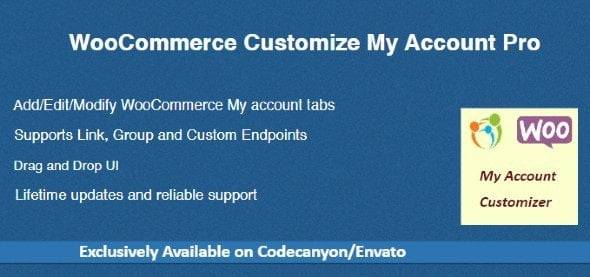
Overview of WooCommerce Customize My Account Pro
Transform your customer’s post-purchase experience with WooCommerce Customize My Account Pro. This powerful plugin empowers store owners to completely redesign and enhance the default WooCommerce My Account page, turning it into a branded, intuitive, and highly functional hub for your customers. It’s an essential tool for any e-commerce business looking to elevate user experience, streamline customer interactions, and reinforce brand identity, ensuring your customers feel valued and well-supported long after their initial purchase. With WooCommerce Customize My Account Pro, you’re not just customizing a page; you’re building a better relationship with your clientele.
Key Features of WooCommerce Customize My Account Pro
- Customizable My Account Tabs: Effortlessly add, edit, reorder, and remove default or custom tabs on the My Account page. Create unique endpoints for various content, services, or information specific to your store.
- Rich Content Editor for Endpoints: Utilize a full-featured visual editor to add any type of content – text, images, videos, shortcodes, or even custom HTML – to your custom My Account tabs, providing a rich and informative experience.
- User Role-Based Visibility: Control which tabs and content are visible to specific user roles. Tailor the My Account experience for different customer segments, offering personalized dashboards for wholesale buyers, VIPs, or standard customers.
- Customizable My Account Menu Icons: Enhance visual appeal and user navigation by assigning attractive icons to each tab in the My Account menu. Improve usability and make your customer portal more engaging and professional.
- Endpoint Redirects and External Links: Set up redirects for specific My Account endpoints, sending users to internal pages or external resources. This is perfect for integrating external support portals or specific product information.
- Advanced Styling Options: Take full control over the visual presentation of your My Account page. Customize colors, fonts, backgrounds, and layouts to perfectly match your brand’s aesthetic and provide a consistent user experience.
- Drag-and-Drop Reordering: Easily organize your My Account menu with an intuitive drag-and-drop interface. Arrange tabs in any order to prioritize essential information and improve navigation for your customers.
- Dedicated My Account Dashboard: Create a personalized dashboard experience for your customers with custom greetings, quick links, and relevant information, making their My Account page a true home base.
Why Choose WooCommerce Customize My Account Pro?
Choosing WooCommerce Customize My Account Pro is a strategic decision for any online store serious about customer retention and brand building. In today’s competitive e-commerce landscape, a seamless and personalized customer experience is paramount. The default WooCommerce My Account page, while functional, often lacks the branding and intuitive navigation that modern customers expect. This plugin fills that gap, allowing you to transform a generic page into a powerful tool that reflects your brand’s professionalism and commitment to user satisfaction. By providing a clear, well-organized, and branded customer portal, you reduce friction, improve self-service options, and ultimately build stronger relationships with your customers.
Beyond aesthetics, WooCommerce Customize My Account Pro offers practical benefits that save you time and resources. By making it easier for customers to find information, manage orders, and access support, you can significantly reduce the volume of direct customer service inquiries. This means your team can focus on more critical tasks, while customers enjoy a more efficient and satisfying experience. The ability to tailor content based on user roles also opens up opportunities for personalized marketing and exclusive content delivery, fostering loyalty and encouraging repeat business. Investing in WooCommerce Customize My Account Pro is investing in a superior customer journey and a more efficient operation for your business.
Who Should Use WooCommerce Customize My Account Pro?
WooCommerce Customize My Account Pro is ideal for any WooCommerce store owner who wants to enhance their customer’s post-purchase experience and reinforce their brand identity. This includes small businesses looking to professionalize their online presence, growing e-commerce stores needing to scale their customer service, and large enterprises aiming for consistent branding across all touchpoints. Agencies and developers building WooCommerce sites for clients will find it invaluable for delivering highly customized solutions without extensive custom coding. Essentially, anyone looking to move beyond the basic WooCommerce My Account page and offer a tailored, user-friendly, and branded customer portal will benefit immensely from WooCommerce Customize My Account Pro.
How to Install WooCommerce Customize My Account Pro
- Download the Plugin: After purchase from our store, download the plugin zip file for WooCommerce Customize My Account Pro to your computer.
- Upload to WordPress: Log in to your WordPress dashboard. Navigate to ‘Plugins’ > ‘Add New’ and then click the ‘Upload Plugin’ button at the top.
- Choose File and Install: Click ‘Choose File’, select the zip file you downloaded, and then click ‘Install Now’.
- Activate the Plugin: Once the installation is complete, click the ‘Activate Plugin’ button.
- Configure Settings: After activation, you will find the settings for WooCommerce Customize My Account Pro under the WooCommerce or a new dedicated menu item in your WordPress dashboard. Begin customizing your My Account page!
Frequently Asked Questions About WooCommerce Customize My Account Pro
Is WooCommerce Customize My Account Pro compatible with all themes?
WooCommerce Customize My Account Pro is designed to be highly compatible with most well-coded WordPress themes, especially those built to WooCommerce standards. However, due to the vast number of themes available, minor styling adjustments might be needed in rare cases to achieve a perfect visual match. It works seamlessly with popular themes and page builders.
Can I create custom tabs for specific user roles using WooCommerce Customize My Account Pro?
Yes, absolutely! One of the core features of WooCommerce Customize My Account Pro is the ability to control the visibility of tabs and content based on user roles. This allows you to create highly personalized experiences for different customer segments, showing specific information or resources only to relevant users.
Does WooCommerce Customize My Account Pro affect site performance?
WooCommerce Customize My Account Pro is developed with performance in mind. It’s built using best coding practices to ensure it’s lightweight and efficient, minimizing any impact on your website’s loading speed. Its features are optimized to run smoothly without bogging down your server resources.
Get WooCommerce Customize My Account Pro Today
Elevate your customer’s experience and strengthen your brand with the ultimate My Account page customization tool. WooCommerce Customize My Account Pro offers unparalleled flexibility and control, allowing you to create a professional, user-friendly, and branded customer portal that your customers will love. Don’t let your My Account page be an afterthought; transform it into a powerful asset for your business. Explore our range of WordPress Plugins and other high-quality GPL WordPress Products today to find more solutions that empower your online store.
Related Products You May Like
Here's everything you need to know about your purchase:
- 100% original files — Every product is the genuine, virus-free file, exactly as released by the original developer.
- Instant download — Access your files immediately after purchase from your account.
- Lifetime access — Re-download your purchased files anytime. No expiry, no limits.
- Free updates — Newer version released? Just request an update from us, free for all customers.
- Dedicated support — Our team is available 24/7 for installation and file-related help.
- Easy refunds — Not satisfied? Review our Refund Policy. We offer a hassle-free 7-day guarantee.
$100.00 Original price was: $100.00.$2.00Current price is: $2.00.
Version
4.4.0
Last Updated
14/05/2025
License
GPL v2
Compatibility
WordPress 5.0+
Need latest version?
Newer version released? Request an update from us — free for all customers!
Request Update →🎁 Your Purchase Includes
Overview of WooCommerce Customize My Account Pro
Transform your customer’s post-purchase experience with WooCommerce Customize My Account Pro. This powerful plugin empowers store owners to completely redesign and enhance the default WooCommerce My Account page, turning it into a branded, intuitive, and highly functional hub for your customers. It’s an essential tool for any e-commerce business looking to elevate user experience, streamline customer interactions, and reinforce brand identity, ensuring your customers feel valued and well-supported long after their initial purchase. With WooCommerce Customize My Account Pro, you’re not just customizing a page; you’re building a better relationship with your clientele.
Key Features of WooCommerce Customize My Account Pro
- Customizable My Account Tabs: Effortlessly add, edit, reorder, and remove default or custom tabs on the My Account page. Create unique endpoints for various content, services, or information specific to your store.
- Rich Content Editor for Endpoints: Utilize a full-featured visual editor to add any type of content – text, images, videos, shortcodes, or even custom HTML – to your custom My Account tabs, providing a rich and informative experience.
- User Role-Based Visibility: Control which tabs and content are visible to specific user roles. Tailor the My Account experience for different customer segments, offering personalized dashboards for wholesale buyers, VIPs, or standard customers.
- Customizable My Account Menu Icons: Enhance visual appeal and user navigation by assigning attractive icons to each tab in the My Account menu. Improve usability and make your customer portal more engaging and professional.
- Endpoint Redirects and External Links: Set up redirects for specific My Account endpoints, sending users to internal pages or external resources. This is perfect for integrating external support portals or specific product information.
- Advanced Styling Options: Take full control over the visual presentation of your My Account page. Customize colors, fonts, backgrounds, and layouts to perfectly match your brand’s aesthetic and provide a consistent user experience.
- Drag-and-Drop Reordering: Easily organize your My Account menu with an intuitive drag-and-drop interface. Arrange tabs in any order to prioritize essential information and improve navigation for your customers.
- Dedicated My Account Dashboard: Create a personalized dashboard experience for your customers with custom greetings, quick links, and relevant information, making their My Account page a true home base.
Why Choose WooCommerce Customize My Account Pro?
Choosing WooCommerce Customize My Account Pro is a strategic decision for any online store serious about customer retention and brand building. In today’s competitive e-commerce landscape, a seamless and personalized customer experience is paramount. The default WooCommerce My Account page, while functional, often lacks the branding and intuitive navigation that modern customers expect. This plugin fills that gap, allowing you to transform a generic page into a powerful tool that reflects your brand’s professionalism and commitment to user satisfaction. By providing a clear, well-organized, and branded customer portal, you reduce friction, improve self-service options, and ultimately build stronger relationships with your customers.
Beyond aesthetics, WooCommerce Customize My Account Pro offers practical benefits that save you time and resources. By making it easier for customers to find information, manage orders, and access support, you can significantly reduce the volume of direct customer service inquiries. This means your team can focus on more critical tasks, while customers enjoy a more efficient and satisfying experience. The ability to tailor content based on user roles also opens up opportunities for personalized marketing and exclusive content delivery, fostering loyalty and encouraging repeat business. Investing in WooCommerce Customize My Account Pro is investing in a superior customer journey and a more efficient operation for your business.
Who Should Use WooCommerce Customize My Account Pro?
WooCommerce Customize My Account Pro is ideal for any WooCommerce store owner who wants to enhance their customer’s post-purchase experience and reinforce their brand identity. This includes small businesses looking to professionalize their online presence, growing e-commerce stores needing to scale their customer service, and large enterprises aiming for consistent branding across all touchpoints. Agencies and developers building WooCommerce sites for clients will find it invaluable for delivering highly customized solutions without extensive custom coding. Essentially, anyone looking to move beyond the basic WooCommerce My Account page and offer a tailored, user-friendly, and branded customer portal will benefit immensely from WooCommerce Customize My Account Pro.
How to Install WooCommerce Customize My Account Pro
- Download the Plugin: After purchase from our store, download the plugin zip file for WooCommerce Customize My Account Pro to your computer.
- Upload to WordPress: Log in to your WordPress dashboard. Navigate to ‘Plugins’ > ‘Add New’ and then click the ‘Upload Plugin’ button at the top.
- Choose File and Install: Click ‘Choose File’, select the zip file you downloaded, and then click ‘Install Now’.
- Activate the Plugin: Once the installation is complete, click the ‘Activate Plugin’ button.
- Configure Settings: After activation, you will find the settings for WooCommerce Customize My Account Pro under the WooCommerce or a new dedicated menu item in your WordPress dashboard. Begin customizing your My Account page!
Frequently Asked Questions About WooCommerce Customize My Account Pro
Is WooCommerce Customize My Account Pro compatible with all themes?
WooCommerce Customize My Account Pro is designed to be highly compatible with most well-coded WordPress themes, especially those built to WooCommerce standards. However, due to the vast number of themes available, minor styling adjustments might be needed in rare cases to achieve a perfect visual match. It works seamlessly with popular themes and page builders.
Can I create custom tabs for specific user roles using WooCommerce Customize My Account Pro?
Yes, absolutely! One of the core features of WooCommerce Customize My Account Pro is the ability to control the visibility of tabs and content based on user roles. This allows you to create highly personalized experiences for different customer segments, showing specific information or resources only to relevant users.
Does WooCommerce Customize My Account Pro affect site performance?
WooCommerce Customize My Account Pro is developed with performance in mind. It’s built using best coding practices to ensure it’s lightweight and efficient, minimizing any impact on your website’s loading speed. Its features are optimized to run smoothly without bogging down your server resources.
Get WooCommerce Customize My Account Pro Today
Elevate your customer’s experience and strengthen your brand with the ultimate My Account page customization tool. WooCommerce Customize My Account Pro offers unparalleled flexibility and control, allowing you to create a professional, user-friendly, and branded customer portal that your customers will love. Don’t let your My Account page be an afterthought; transform it into a powerful asset for your business. Explore our range of WordPress Plugins and other high-quality GPL WordPress Products today to find more solutions that empower your online store.
Related Products You May Like
Reviews
There are no reviews yet.
Here's everything you need to know about your purchase:
- 100% original files — Every product is the genuine, virus-free file, exactly as released by the original developer.
- Instant download — Access your files immediately after purchase from your account.
- Lifetime access — Re-download your purchased files anytime. No expiry, no limits.
- Free updates — Newer version released? Just request an update from us, free for all customers.
- Dedicated support — Our team is available 24/7 for installation and file-related help.
- Easy refunds — Not satisfied? Review our Refund Policy. We offer a hassle-free 7-day guarantee.
Reviews
There are no reviews yet.