

WooCommerce Checkout Fields & Fees 11.2
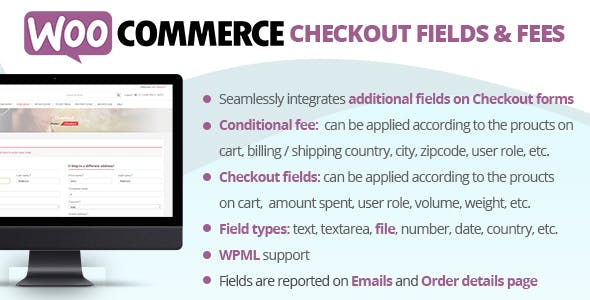
Overview of WooCommerce Checkout Fields & Fees
Transform your WooCommerce checkout experience with WooCommerce Checkout Fields & Fees. This powerful plugin empowers store owners to fully customize their checkout pages, adding, editing, or removing fields and applying conditional fees or discounts based on various criteria. It’s the essential tool for any e-commerce business looking to streamline their order process, gather specific customer information, and implement dynamic pricing strategies directly at checkout.
Key Features of WooCommerce Checkout Fields & Fees
- Custom Field Creation: Effortlessly add new custom fields to your WooCommerce checkout page. Choose from a wide range of field types including text, textarea, select, checkbox, radio, date picker, time picker, and more, ensuring you capture all necessary customer data.
- Conditional Fields Logic: Implement advanced conditional logic to show or hide checkout fields based on user roles, cart contents, product categories, shipping methods, or other field selections. This ensures a clean and relevant checkout for every customer.
- Dynamic Fee & Discount Management: Apply conditional fees or discounts to the total order based on specific conditions. Charge extra for certain payment methods, product types, or add a service fee, or offer discounts when conditions are met. WooCommerce Checkout Fields & Fees provides unparalleled flexibility.
- Field Reordering & Disabling: Easily reorder existing WooCommerce checkout fields with a drag-and-drop interface. You can also disable default fields that are not relevant to your business model, simplifying the checkout process.
- Field Validation & Required Status: Set custom validation rules for your fields and mark them as required to ensure customers provide accurate and complete information before proceeding with their purchase.
- Sections & Layout Customization: Organize your checkout fields into custom sections, improving readability and user experience. Control the layout and appearance of your checkout page without needing to touch any code.
- Product & Category-Specific Fields: Display fields only when specific products or product categories are present in the cart, allowing for highly targeted data collection relevant to the items being purchased.
- User Role-Based Customization: Tailor the checkout experience for different customer segments by displaying or hiding fields and applying fees based on the user’s assigned role on your site.
Why Choose WooCommerce Checkout Fields & Fees?
Choosing WooCommerce Checkout Fields & Fees means opting for unparalleled control over one of the most critical stages of your online store: the checkout. In today’s competitive e-commerce landscape, a smooth, efficient, and tailored checkout experience can significantly impact conversion rates and customer satisfaction. This plugin empowers you to move beyond the standard WooCommerce setup, allowing you to collect precise information, upsell effectively, and apply nuanced pricing strategies without complex coding or multiple conflicting extensions.
With WooCommerce Checkout Fields & Fees, you can eliminate unnecessary fields that clutter the user interface and introduce friction, while simultaneously adding vital fields that capture specific data crucial for order fulfillment, marketing, or compliance. Imagine being able to ask for a gift message only when a gift-wrapped product is in the cart, or applying an additional handling fee only for oversized items. This level of dynamic adaptability not only enhances the user experience but also provides valuable insights and revenue-generating opportunities that a generic checkout simply cannot offer.
Furthermore, the ability to manage conditional fees and discounts directly at checkout provides immense flexibility for your business model. Whether you need to implement a small fee for expedited processing, offer a discount for bulk orders, or apply a surcharge for specific payment methods, WooCommerce Checkout Fields & Fees makes it straightforward. This granular control helps optimize your profit margins and ensures your pricing structure can adapt to various scenarios, all while maintaining a professional and intuitive experience for your customers.
Who Should Use WooCommerce Checkout Fields & Fees?
WooCommerce Checkout Fields & Fees is ideal for any WooCommerce store owner who needs more than the default checkout options. This includes businesses that require specific information for custom orders, personalized products, event bookings, or compliance. It’s also perfect for stores looking to implement dynamic pricing, apply service charges, or offer targeted discounts based on cart contents or customer attributes. Essentially, if you want a checkout process that is as unique and flexible as your business, this plugin is for you.
How to Install WooCommerce Checkout Fields & Fees
- Download the Plugin: After acquiring WooCommerce Checkout Fields & Fees, download the plugin file (usually a .zip archive) to your computer.
- Upload to WordPress: Log in to your WordPress admin dashboard. Navigate to “Plugins” > “Add New”. Click on the “Upload Plugin” button at the top of the page.
- Choose File: Click “Choose File” and select the .zip file for WooCommerce Checkout Fields & Fees that you downloaded in step 1. Then, click “Install Now”.
- Activate the Plugin: Once the installation is complete, WordPress will prompt you to activate the plugin. Click on the “Activate Plugin” link.
- Configure Settings: After activation, you will find a new menu item, typically under “WooCommerce” or a dedicated section, where you can access the settings for WooCommerce Checkout Fields & Fees to begin customizing your checkout page.
Frequently Asked Questions About WooCommerce Checkout Fields & Fees
Can I add new fields to different sections of the checkout page?
Yes, WooCommerce Checkout Fields & Fees allows you to add custom fields to various default WooCommerce checkout sections, such as billing, shipping, and order notes. You can also create entirely new custom sections to organize your fields logically, providing a highly structured and user-friendly checkout experience for your customers.
Is it possible to make certain fields mandatory based on conditions?
Absolutely. One of the core strengths of WooCommerce Checkout Fields & Fees is its advanced conditional logic. You can easily configure fields to become required only when specific conditions are met, such as when a certain product is in the cart, a particular shipping method is chosen, or a previous field has a specific value. This ensures data integrity without unnecessary friction.
Can I apply a fee or discount to the order total using this plugin?
Yes, WooCommerce Checkout Fields & Fees provides robust functionality for applying conditional fees or discounts. You can set up rules to add a fixed amount or a percentage to the order total, or deduct from it, based on a wide array of conditions including cart contents, user roles, payment gateways, and more. This enables dynamic pricing strategies directly within your checkout flow.
Get WooCommerce Checkout Fields & Fees Today
Elevate your WooCommerce store’s checkout capabilities and provide a truly tailored shopping experience. By implementing WooCommerce Checkout Fields & Fees, you gain the power to customize every aspect of your checkout, from data collection to dynamic pricing. Explore this and many other essential WordPress Plugins to enhance your site’s functionality. Visit our extensive collection of GPL WordPress Products and take control of your e-commerce success today.
Related Products You May Like
Here's everything you need to know about your purchase:
- 100% original files — Every product is the genuine, virus-free file, exactly as released by the original developer.
- Instant download — Access your files immediately after purchase from your account.
- Lifetime access — Re-download your purchased files anytime. No expiry, no limits.
- Free updates — Newer version released? Just request an update from us, free for all customers.
- Dedicated support — Our team is available 24/7 for installation and file-related help.
- Easy refunds — Not satisfied? Review our Refund Policy. We offer a hassle-free 7-day guarantee.
$100.00 Original price was: $100.00.$2.00Current price is: $2.00.
Version
11.2
Last Updated
03/06/2025
License
GPL v2
Compatibility
WordPress 5.0+
Need latest version?
Newer version released? Request an update from us — free for all customers!
Request Update →🎁 Your Purchase Includes
Overview of WooCommerce Checkout Fields & Fees
Transform your WooCommerce checkout experience with WooCommerce Checkout Fields & Fees. This powerful plugin empowers store owners to fully customize their checkout pages, adding, editing, or removing fields and applying conditional fees or discounts based on various criteria. It’s the essential tool for any e-commerce business looking to streamline their order process, gather specific customer information, and implement dynamic pricing strategies directly at checkout.
Key Features of WooCommerce Checkout Fields & Fees
- Custom Field Creation: Effortlessly add new custom fields to your WooCommerce checkout page. Choose from a wide range of field types including text, textarea, select, checkbox, radio, date picker, time picker, and more, ensuring you capture all necessary customer data.
- Conditional Fields Logic: Implement advanced conditional logic to show or hide checkout fields based on user roles, cart contents, product categories, shipping methods, or other field selections. This ensures a clean and relevant checkout for every customer.
- Dynamic Fee & Discount Management: Apply conditional fees or discounts to the total order based on specific conditions. Charge extra for certain payment methods, product types, or add a service fee, or offer discounts when conditions are met. WooCommerce Checkout Fields & Fees provides unparalleled flexibility.
- Field Reordering & Disabling: Easily reorder existing WooCommerce checkout fields with a drag-and-drop interface. You can also disable default fields that are not relevant to your business model, simplifying the checkout process.
- Field Validation & Required Status: Set custom validation rules for your fields and mark them as required to ensure customers provide accurate and complete information before proceeding with their purchase.
- Sections & Layout Customization: Organize your checkout fields into custom sections, improving readability and user experience. Control the layout and appearance of your checkout page without needing to touch any code.
- Product & Category-Specific Fields: Display fields only when specific products or product categories are present in the cart, allowing for highly targeted data collection relevant to the items being purchased.
- User Role-Based Customization: Tailor the checkout experience for different customer segments by displaying or hiding fields and applying fees based on the user’s assigned role on your site.
Why Choose WooCommerce Checkout Fields & Fees?
Choosing WooCommerce Checkout Fields & Fees means opting for unparalleled control over one of the most critical stages of your online store: the checkout. In today’s competitive e-commerce landscape, a smooth, efficient, and tailored checkout experience can significantly impact conversion rates and customer satisfaction. This plugin empowers you to move beyond the standard WooCommerce setup, allowing you to collect precise information, upsell effectively, and apply nuanced pricing strategies without complex coding or multiple conflicting extensions.
With WooCommerce Checkout Fields & Fees, you can eliminate unnecessary fields that clutter the user interface and introduce friction, while simultaneously adding vital fields that capture specific data crucial for order fulfillment, marketing, or compliance. Imagine being able to ask for a gift message only when a gift-wrapped product is in the cart, or applying an additional handling fee only for oversized items. This level of dynamic adaptability not only enhances the user experience but also provides valuable insights and revenue-generating opportunities that a generic checkout simply cannot offer.
Furthermore, the ability to manage conditional fees and discounts directly at checkout provides immense flexibility for your business model. Whether you need to implement a small fee for expedited processing, offer a discount for bulk orders, or apply a surcharge for specific payment methods, WooCommerce Checkout Fields & Fees makes it straightforward. This granular control helps optimize your profit margins and ensures your pricing structure can adapt to various scenarios, all while maintaining a professional and intuitive experience for your customers.
Who Should Use WooCommerce Checkout Fields & Fees?
WooCommerce Checkout Fields & Fees is ideal for any WooCommerce store owner who needs more than the default checkout options. This includes businesses that require specific information for custom orders, personalized products, event bookings, or compliance. It’s also perfect for stores looking to implement dynamic pricing, apply service charges, or offer targeted discounts based on cart contents or customer attributes. Essentially, if you want a checkout process that is as unique and flexible as your business, this plugin is for you.
How to Install WooCommerce Checkout Fields & Fees
- Download the Plugin: After acquiring WooCommerce Checkout Fields & Fees, download the plugin file (usually a .zip archive) to your computer.
- Upload to WordPress: Log in to your WordPress admin dashboard. Navigate to “Plugins” > “Add New”. Click on the “Upload Plugin” button at the top of the page.
- Choose File: Click “Choose File” and select the .zip file for WooCommerce Checkout Fields & Fees that you downloaded in step 1. Then, click “Install Now”.
- Activate the Plugin: Once the installation is complete, WordPress will prompt you to activate the plugin. Click on the “Activate Plugin” link.
- Configure Settings: After activation, you will find a new menu item, typically under “WooCommerce” or a dedicated section, where you can access the settings for WooCommerce Checkout Fields & Fees to begin customizing your checkout page.
Frequently Asked Questions About WooCommerce Checkout Fields & Fees
Can I add new fields to different sections of the checkout page?
Yes, WooCommerce Checkout Fields & Fees allows you to add custom fields to various default WooCommerce checkout sections, such as billing, shipping, and order notes. You can also create entirely new custom sections to organize your fields logically, providing a highly structured and user-friendly checkout experience for your customers.
Is it possible to make certain fields mandatory based on conditions?
Absolutely. One of the core strengths of WooCommerce Checkout Fields & Fees is its advanced conditional logic. You can easily configure fields to become required only when specific conditions are met, such as when a certain product is in the cart, a particular shipping method is chosen, or a previous field has a specific value. This ensures data integrity without unnecessary friction.
Can I apply a fee or discount to the order total using this plugin?
Yes, WooCommerce Checkout Fields & Fees provides robust functionality for applying conditional fees or discounts. You can set up rules to add a fixed amount or a percentage to the order total, or deduct from it, based on a wide array of conditions including cart contents, user roles, payment gateways, and more. This enables dynamic pricing strategies directly within your checkout flow.
Get WooCommerce Checkout Fields & Fees Today
Elevate your WooCommerce store’s checkout capabilities and provide a truly tailored shopping experience. By implementing WooCommerce Checkout Fields & Fees, you gain the power to customize every aspect of your checkout, from data collection to dynamic pricing. Explore this and many other essential WordPress Plugins to enhance your site’s functionality. Visit our extensive collection of GPL WordPress Products and take control of your e-commerce success today.
Related Products You May Like
Reviews
There are no reviews yet.
Here's everything you need to know about your purchase:
- 100% original files — Every product is the genuine, virus-free file, exactly as released by the original developer.
- Instant download — Access your files immediately after purchase from your account.
- Lifetime access — Re-download your purchased files anytime. No expiry, no limits.
- Free updates — Newer version released? Just request an update from us, free for all customers.
- Dedicated support — Our team is available 24/7 for installation and file-related help.
- Easy refunds — Not satisfied? Review our Refund Policy. We offer a hassle-free 7-day guarantee.
Reviews
There are no reviews yet.