

WooCommerce AfterShip Plugin 9.4
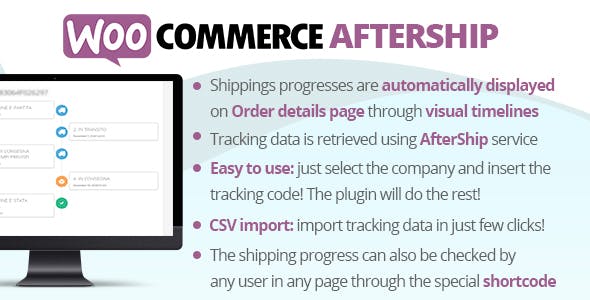
Overview of WooCommerce AfterShip Plugin
The WooCommerce AfterShip Plugin is an essential tool designed to empower WooCommerce store owners with superior post-purchase customer experience. It seamlessly integrates advanced shipment tracking and notification capabilities directly into your online store. This powerful WooCommerce AfterShip Plugin is perfect for any e-commerce business looking to elevate customer satisfaction, reduce “where is my order” inquiries, and build lasting brand loyalty through transparent and proactive communication.
Key Features of WooCommerce AfterShip Plugin
- Real-time Shipment Tracking: Provide your customers with instant, up-to-the-minute updates on their order’s journey, from dispatch to delivery. The WooCommerce AfterShip Plugin ensures transparency at every step.
- Branded Tracking Page: Customize a dedicated tracking page with your store’s logo and branding, keeping customers engaged with your brand even after they’ve made a purchase. This feature of the WooCommerce AfterShip Plugin enhances brand recall.
- Automated Shipping Notifications: Send proactive notifications via email or SMS for key tracking milestones like “In Transit,” “Out for Delivery,” and “Delivered.” This significantly reduces customer anxiety and support queries.
- Multi-Carrier Support: Connect with over 900+ shipping carriers worldwide, ensuring comprehensive tracking coverage no matter where your customers are or which logistics provider you use. The WooCommerce AfterShip Plugin offers unparalleled flexibility.
- Estimated Delivery Dates: Offer customers a clear expectation of when their package will arrive, helping them plan and improving overall satisfaction with your service.
- Performance Analytics & Insights: Gain valuable data on your shipping performance, delivery times, and customer engagement with tracking updates. Use these insights to optimize your logistics strategy and improve the customer journey.
- Customizable Tracking Statuses: Tailor tracking statuses to align with your specific shipping processes, providing even more precise information to your customers.
- Returns Management Integration: Streamline your returns process by integrating with AfterShip Returns, offering a cohesive post-purchase experience that covers both deliveries and potential returns.
Why Choose WooCommerce AfterShip Plugin?
Choosing the WooCommerce AfterShip Plugin means investing in an unparalleled post-purchase experience for your customers. In today’s competitive e-commerce landscape, simply selling a product isn’t enough; the entire customer journey, especially after a purchase, plays a crucial role in building trust and fostering repeat business. This plugin transforms what can often be a point of friction—waiting for a delivery—into an opportunity to impress. By providing real-time, branded tracking and proactive notifications, you empower your customers with information, significantly reducing the need for them to contact your support team with “where is my order?” questions. This not only frees up your customer service resources but also demonstrates a commitment to transparency and excellent service.
Beyond just customer satisfaction, the WooCommerce AfterShip Plugin offers tangible benefits for your business operations. Improved communication leads to higher customer retention rates, as satisfied customers are more likely to return for future purchases. The branded tracking page keeps your brand front and center, reinforcing your identity even during the delivery phase. Furthermore, the analytics features provide actionable insights into your shipping performance, allowing you to identify bottlenecks, optimize carrier choices, and ultimately enhance your operational efficiency. The robust multi-carrier support ensures that no matter your shipping strategy, the WooCommerce AfterShip Plugin can handle it, making it a scalable solution for businesses of all sizes. It’s more than just a tracking tool; it’s a comprehensive solution for elevating your entire post-purchase workflow and building a loyal customer base.
Who Should Use WooCommerce AfterShip Plugin?
The WooCommerce AfterShip Plugin is ideal for any WooCommerce store owner who prioritizes customer satisfaction and operational efficiency. E-commerce businesses experiencing a high volume of shipping inquiries will find it invaluable for reducing support tickets. Retailers looking to build stronger brand loyalty and enhance the overall post-purchase experience will benefit from its branded tracking pages and automated notifications. Whether you’re a small startup or a large enterprise, if you ship products to customers and want to provide transparent, proactive communication about their orders, the WooCommerce AfterShip Plugin is an essential addition to your toolkit.
How to Install WooCommerce AfterShip Plugin
Installing the WooCommerce AfterShip Plugin is a straightforward process that will quickly enhance your store’s capabilities. Follow these steps to get started:
- Download the Plugin: First, obtain the plugin file from your purchase source. Ensure you have the latest version of the WooCommerce AfterShip Plugin.
- Upload to WordPress: Log in to your WordPress admin dashboard. Navigate to “Plugins” > “Add New” and then click the “Upload Plugin” button at the top of the page. Choose the downloaded plugin .zip file and click “Install Now.”
- Activate the Plugin: Once the plugin is successfully uploaded and installed, you will see an “Activate Plugin” button. Click it to enable the WooCommerce AfterShip Plugin on your site.
- Connect to AfterShip Account: After activation, you’ll typically find a new menu item or a prompt within your WooCommerce settings. Follow the instructions to connect your store with your AfterShip account (you may need to create one if you don’t have it already). This usually involves generating and inputting an API key.
- Configure Settings: Explore the plugin’s settings within your WordPress dashboard. Here you can customize notification preferences, branded tracking page elements, and other features of the WooCommerce AfterShip Plugin to perfectly match your store’s needs.
Frequently Asked Questions About WooCommerce AfterShip Plugin
What is the primary function of the WooCommerce AfterShip Plugin?
The primary function of the WooCommerce AfterShip Plugin is to provide advanced, real-time shipment tracking and automated delivery notifications for WooCommerce stores. It helps store owners keep customers informed about their order’s journey from dispatch to delivery, significantly improving the post-purchase experience.
How does the WooCommerce AfterShip Plugin improve customer experience?
The WooCommerce AfterShip Plugin improves customer experience by offering transparency and proactive communication. Customers receive automated updates, can track their orders on a branded page, and gain clear visibility into delivery estimates, reducing anxiety and the need to contact customer support for updates.
Is the WooCommerce AfterShip Plugin compatible with multiple shipping carriers?
Yes, the WooCommerce AfterShip Plugin boasts extensive compatibility, supporting over 900+ shipping carriers worldwide. This broad integration ensures that regardless of which logistics providers you use, you can provide comprehensive tracking information to your customers.
Get WooCommerce AfterShip Plugin Today
Elevate your customer’s post-purchase experience and streamline your operations with the powerful WooCommerce AfterShip Plugin. Provide the transparency and communication your customers expect, fostering loyalty and reducing support queries. Don’t let the crucial final step of the customer journey be an afterthought. Explore this and many other premium WordPress Plugins to enhance your website’s functionality and discover a vast array of high-quality GPL WordPress Products to empower your online business.
Related Products You May Like
Here's everything you need to know about your purchase:
- 100% original files — Every product is the genuine, virus-free file, exactly as released by the original developer.
- Instant download — Access your files immediately after purchase from your account.
- Lifetime access — Re-download your purchased files anytime. No expiry, no limits.
- Free updates — Newer version released? Just request an update from us, free for all customers.
- Dedicated support — Our team is available 24/7 for installation and file-related help.
- Easy refunds — Not satisfied? Review our Refund Policy. We offer a hassle-free 7-day guarantee.
$59.00 Original price was: $59.00.$2.00Current price is: $2.00.
Version
9.4
Last Updated
03/01/2025
License
GPL v2
Compatibility
WordPress 5.0+
Need latest version?
Newer version released? Request an update from us — free for all customers!
Request Update →🎁 Your Purchase Includes
Overview of WooCommerce AfterShip Plugin
The WooCommerce AfterShip Plugin is an essential tool designed to empower WooCommerce store owners with superior post-purchase customer experience. It seamlessly integrates advanced shipment tracking and notification capabilities directly into your online store. This powerful WooCommerce AfterShip Plugin is perfect for any e-commerce business looking to elevate customer satisfaction, reduce “where is my order” inquiries, and build lasting brand loyalty through transparent and proactive communication.
Key Features of WooCommerce AfterShip Plugin
- Real-time Shipment Tracking: Provide your customers with instant, up-to-the-minute updates on their order’s journey, from dispatch to delivery. The WooCommerce AfterShip Plugin ensures transparency at every step.
- Branded Tracking Page: Customize a dedicated tracking page with your store’s logo and branding, keeping customers engaged with your brand even after they’ve made a purchase. This feature of the WooCommerce AfterShip Plugin enhances brand recall.
- Automated Shipping Notifications: Send proactive notifications via email or SMS for key tracking milestones like “In Transit,” “Out for Delivery,” and “Delivered.” This significantly reduces customer anxiety and support queries.
- Multi-Carrier Support: Connect with over 900+ shipping carriers worldwide, ensuring comprehensive tracking coverage no matter where your customers are or which logistics provider you use. The WooCommerce AfterShip Plugin offers unparalleled flexibility.
- Estimated Delivery Dates: Offer customers a clear expectation of when their package will arrive, helping them plan and improving overall satisfaction with your service.
- Performance Analytics & Insights: Gain valuable data on your shipping performance, delivery times, and customer engagement with tracking updates. Use these insights to optimize your logistics strategy and improve the customer journey.
- Customizable Tracking Statuses: Tailor tracking statuses to align with your specific shipping processes, providing even more precise information to your customers.
- Returns Management Integration: Streamline your returns process by integrating with AfterShip Returns, offering a cohesive post-purchase experience that covers both deliveries and potential returns.
Why Choose WooCommerce AfterShip Plugin?
Choosing the WooCommerce AfterShip Plugin means investing in an unparalleled post-purchase experience for your customers. In today’s competitive e-commerce landscape, simply selling a product isn’t enough; the entire customer journey, especially after a purchase, plays a crucial role in building trust and fostering repeat business. This plugin transforms what can often be a point of friction—waiting for a delivery—into an opportunity to impress. By providing real-time, branded tracking and proactive notifications, you empower your customers with information, significantly reducing the need for them to contact your support team with “where is my order?” questions. This not only frees up your customer service resources but also demonstrates a commitment to transparency and excellent service.
Beyond just customer satisfaction, the WooCommerce AfterShip Plugin offers tangible benefits for your business operations. Improved communication leads to higher customer retention rates, as satisfied customers are more likely to return for future purchases. The branded tracking page keeps your brand front and center, reinforcing your identity even during the delivery phase. Furthermore, the analytics features provide actionable insights into your shipping performance, allowing you to identify bottlenecks, optimize carrier choices, and ultimately enhance your operational efficiency. The robust multi-carrier support ensures that no matter your shipping strategy, the WooCommerce AfterShip Plugin can handle it, making it a scalable solution for businesses of all sizes. It’s more than just a tracking tool; it’s a comprehensive solution for elevating your entire post-purchase workflow and building a loyal customer base.
Who Should Use WooCommerce AfterShip Plugin?
The WooCommerce AfterShip Plugin is ideal for any WooCommerce store owner who prioritizes customer satisfaction and operational efficiency. E-commerce businesses experiencing a high volume of shipping inquiries will find it invaluable for reducing support tickets. Retailers looking to build stronger brand loyalty and enhance the overall post-purchase experience will benefit from its branded tracking pages and automated notifications. Whether you’re a small startup or a large enterprise, if you ship products to customers and want to provide transparent, proactive communication about their orders, the WooCommerce AfterShip Plugin is an essential addition to your toolkit.
How to Install WooCommerce AfterShip Plugin
Installing the WooCommerce AfterShip Plugin is a straightforward process that will quickly enhance your store’s capabilities. Follow these steps to get started:
- Download the Plugin: First, obtain the plugin file from your purchase source. Ensure you have the latest version of the WooCommerce AfterShip Plugin.
- Upload to WordPress: Log in to your WordPress admin dashboard. Navigate to “Plugins” > “Add New” and then click the “Upload Plugin” button at the top of the page. Choose the downloaded plugin .zip file and click “Install Now.”
- Activate the Plugin: Once the plugin is successfully uploaded and installed, you will see an “Activate Plugin” button. Click it to enable the WooCommerce AfterShip Plugin on your site.
- Connect to AfterShip Account: After activation, you’ll typically find a new menu item or a prompt within your WooCommerce settings. Follow the instructions to connect your store with your AfterShip account (you may need to create one if you don’t have it already). This usually involves generating and inputting an API key.
- Configure Settings: Explore the plugin’s settings within your WordPress dashboard. Here you can customize notification preferences, branded tracking page elements, and other features of the WooCommerce AfterShip Plugin to perfectly match your store’s needs.
Frequently Asked Questions About WooCommerce AfterShip Plugin
What is the primary function of the WooCommerce AfterShip Plugin?
The primary function of the WooCommerce AfterShip Plugin is to provide advanced, real-time shipment tracking and automated delivery notifications for WooCommerce stores. It helps store owners keep customers informed about their order’s journey from dispatch to delivery, significantly improving the post-purchase experience.
How does the WooCommerce AfterShip Plugin improve customer experience?
The WooCommerce AfterShip Plugin improves customer experience by offering transparency and proactive communication. Customers receive automated updates, can track their orders on a branded page, and gain clear visibility into delivery estimates, reducing anxiety and the need to contact customer support for updates.
Is the WooCommerce AfterShip Plugin compatible with multiple shipping carriers?
Yes, the WooCommerce AfterShip Plugin boasts extensive compatibility, supporting over 900+ shipping carriers worldwide. This broad integration ensures that regardless of which logistics providers you use, you can provide comprehensive tracking information to your customers.
Get WooCommerce AfterShip Plugin Today
Elevate your customer’s post-purchase experience and streamline your operations with the powerful WooCommerce AfterShip Plugin. Provide the transparency and communication your customers expect, fostering loyalty and reducing support queries. Don’t let the crucial final step of the customer journey be an afterthought. Explore this and many other premium WordPress Plugins to enhance your website’s functionality and discover a vast array of high-quality GPL WordPress Products to empower your online business.
Related Products You May Like
Reviews
There are no reviews yet.
Here's everything you need to know about your purchase:
- 100% original files — Every product is the genuine, virus-free file, exactly as released by the original developer.
- Instant download — Access your files immediately after purchase from your account.
- Lifetime access — Re-download your purchased files anytime. No expiry, no limits.
- Free updates — Newer version released? Just request an update from us, free for all customers.
- Dedicated support — Our team is available 24/7 for installation and file-related help.
- Easy refunds — Not satisfied? Review our Refund Policy. We offer a hassle-free 7-day guarantee.
Reviews
There are no reviews yet.