

White Label Branding for WordPress Multisite 4.2.8.98287
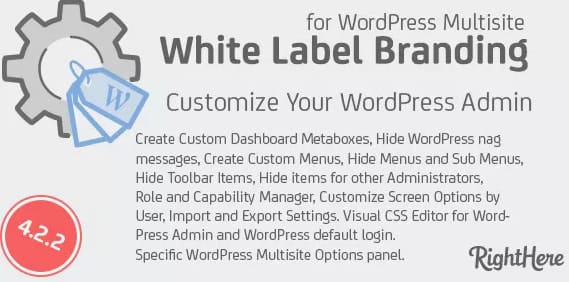
Overview of White Label Branding for WordPress Multisite
Transform your WordPress Multisite network into a fully customized, brand-centric environment with White Label Branding for WordPress Multisite. This essential plugin empowers network administrators, agencies, and developers to completely remove all traces of WordPress branding and replace them with their own or their clients’ unique identities. It’s the ultimate tool for delivering a seamless, professional experience across all sites within your network.
Key Features of White Label Branding for WordPress Multisite
- Comprehensive Branding Control: Effortlessly replace WordPress logos and text with your custom branding across the entire Multisite network, including the login screen, admin dashboard, and admin bar.
- Custom Login Page Design: Take full control of your login page’s appearance. Customize the logo, background, colors, and even add custom CSS to create a truly unique and branded entry point for your users and clients.
- Personalized Admin Experience: Tailor the WordPress admin area by removing default WordPress widgets, adding your own custom dashboard widgets, and reorganizing menu items to streamline the user experience.
- Custom Admin Bar & Footer: Implement your branding into the admin bar and footer, ensuring a consistent brand presence even when users are navigating the backend of their sites.
- Email Sender Customization: Configure all system emails sent from your Multisite network to use your custom sender name and email address, reinforcing your brand identity with every communication.
- Hide WordPress Update Notifications: Prevent clients from seeing core WordPress, theme, or plugin update notifications, maintaining a clean, professional interface and reducing potential confusion.
- Role-Based Branding: Apply different branding settings based on user roles, allowing for granular control over what specific user groups see and experience within the network.
- Custom CSS & JavaScript Injection: Easily inject custom CSS and JavaScript into the admin area to achieve advanced styling and functionality without modifying core files or child themes.
Why Choose White Label Branding for WordPress Multisite?
Choosing White Label Branding for WordPress Multisite is a strategic decision for any professional managing a network of sites. It elevates your service offering by providing a completely bespoke environment for your clients, fostering a sense of ownership and professionalism. Imagine clients logging into a system that looks and feels entirely like their own, rather than a generic WordPress installation. This level of customization significantly enhances client satisfaction and strengthens your brand reputation.
Beyond aesthetics, White Label Branding for WordPress Multisite streamlines your workflow and reduces potential support queries. By removing unfamiliar WordPress branding and simplifying the admin interface, you empower your clients to navigate their sites with greater confidence. This plugin is an invaluable asset for agencies looking to deliver high-quality, branded solutions at scale, ensuring every site within their network reflects their expertise and attention to detail. It’s an investment in your brand’s future, allowing you to present a polished, professional front that truly stands out.
Who Should Use White Label Branding for WordPress Multisite?
White Label Branding for WordPress Multisite is ideally suited for WordPress agencies, web development firms, hosting providers, educational institutions, and large organizations that manage multiple client or departmental websites on a single WordPress Multisite installation. It’s perfect for anyone who needs to present a unified, professional brand experience across an entire network, removing generic WordPress elements and replacing them with their own unique identity.
How to Install White Label Branding for WordPress Multisite
- Download the Plugin: After purchase, download the White Label Branding for WordPress Multisite plugin file (a .zip archive) from your account dashboard.
- Upload to WordPress: Log in to your WordPress Multisite network dashboard as a Super Administrator. Navigate to ‘Plugins’ > ‘Add New’ > ‘Upload Plugin’. Choose the downloaded .zip file and click ‘Install Now’.
- Network Activate: Once installed, click ‘Network Activate’ to enable White Label Branding for WordPress Multisite across your entire network.
- Configure Settings: Go to the plugin’s settings page (usually found under ‘Settings’ or a dedicated menu item in the network admin) to begin customizing your branding options.
- Save Changes: After making your desired branding adjustments, ensure you save your changes to apply them across your WordPress Multisite network.
Frequently Asked Questions About White Label Branding for WordPress Multisite
What specific areas of my WordPress Multisite network can I brand with this plugin?
With White Label Branding for WordPress Multisite, you gain comprehensive control over branding in many key areas. This includes the WordPress login page, the entire admin dashboard (including the admin bar, footer, and default widgets), email notifications, and even the ability to hide core WordPress update notifications. Essentially, any place where WordPress branding typically appears can be customized to reflect your own or your client’s brand.
Is White Label Branding for WordPress Multisite compatible with all themes and plugins?
White Label Branding for WordPress Multisite is designed to integrate seamlessly with the core WordPress system. While it generally works well with most themes and plugins, its focus is on modifying the administrative interface and login page. It does not typically interfere with front-end theme functionality or the core operations of other plugins, making it broadly compatible across various WordPress Multisite setups.
Does White Label Branding for WordPress Multisite affect the front-end appearance of my websites?
No, White Label Branding for WordPress Multisite is specifically designed to manage the branding of the backend administrative areas and the login page of your Multisite network. It does not alter the front-end appearance or design of the individual websites within your network. Your themes and content will remain unaffected, ensuring a clear separation between administrative branding and public-facing site design.
Get White Label Branding for WordPress Multisite Today
Elevate your WordPress Multisite network to new professional heights. Invest in White Label Branding for WordPress Multisite and provide your clients with an unparalleled, branded experience that truly reflects your expertise. Explore this and other powerful WordPress Plugins, and enhance your digital toolkit with premium GPL WordPress Products available on our store.
Related Products You May Like
Here's everything you need to know about your purchase:
- 100% original files — Every product is the genuine, virus-free file, exactly as released by the original developer.
- Instant download — Access your files immediately after purchase from your account.
- Lifetime access — Re-download your purchased files anytime. No expiry, no limits.
- Free updates — Newer version released? Just request an update from us, free for all customers.
- Dedicated support — Our team is available 24/7 for installation and file-related help.
- Easy refunds — Not satisfied? Review our Refund Policy. We offer a hassle-free 7-day guarantee.
$59.00 Original price was: $59.00.$2.00Current price is: $2.00.
Version
4.2.8.9
Last Updated
25/2/2026
License
GPL v2
Compatibility
WordPress 5.0+
Need latest version?
Newer version released? Request an update from us — free for all customers!
Request Update →🎁 Your Purchase Includes
Overview of White Label Branding for WordPress Multisite
Transform your WordPress Multisite network into a fully customized, brand-centric environment with White Label Branding for WordPress Multisite. This essential plugin empowers network administrators, agencies, and developers to completely remove all traces of WordPress branding and replace them with their own or their clients’ unique identities. It’s the ultimate tool for delivering a seamless, professional experience across all sites within your network.
Key Features of White Label Branding for WordPress Multisite
- Comprehensive Branding Control: Effortlessly replace WordPress logos and text with your custom branding across the entire Multisite network, including the login screen, admin dashboard, and admin bar.
- Custom Login Page Design: Take full control of your login page’s appearance. Customize the logo, background, colors, and even add custom CSS to create a truly unique and branded entry point for your users and clients.
- Personalized Admin Experience: Tailor the WordPress admin area by removing default WordPress widgets, adding your own custom dashboard widgets, and reorganizing menu items to streamline the user experience.
- Custom Admin Bar & Footer: Implement your branding into the admin bar and footer, ensuring a consistent brand presence even when users are navigating the backend of their sites.
- Email Sender Customization: Configure all system emails sent from your Multisite network to use your custom sender name and email address, reinforcing your brand identity with every communication.
- Hide WordPress Update Notifications: Prevent clients from seeing core WordPress, theme, or plugin update notifications, maintaining a clean, professional interface and reducing potential confusion.
- Role-Based Branding: Apply different branding settings based on user roles, allowing for granular control over what specific user groups see and experience within the network.
- Custom CSS & JavaScript Injection: Easily inject custom CSS and JavaScript into the admin area to achieve advanced styling and functionality without modifying core files or child themes.
Why Choose White Label Branding for WordPress Multisite?
Choosing White Label Branding for WordPress Multisite is a strategic decision for any professional managing a network of sites. It elevates your service offering by providing a completely bespoke environment for your clients, fostering a sense of ownership and professionalism. Imagine clients logging into a system that looks and feels entirely like their own, rather than a generic WordPress installation. This level of customization significantly enhances client satisfaction and strengthens your brand reputation.
Beyond aesthetics, White Label Branding for WordPress Multisite streamlines your workflow and reduces potential support queries. By removing unfamiliar WordPress branding and simplifying the admin interface, you empower your clients to navigate their sites with greater confidence. This plugin is an invaluable asset for agencies looking to deliver high-quality, branded solutions at scale, ensuring every site within their network reflects their expertise and attention to detail. It’s an investment in your brand’s future, allowing you to present a polished, professional front that truly stands out.
Who Should Use White Label Branding for WordPress Multisite?
White Label Branding for WordPress Multisite is ideally suited for WordPress agencies, web development firms, hosting providers, educational institutions, and large organizations that manage multiple client or departmental websites on a single WordPress Multisite installation. It’s perfect for anyone who needs to present a unified, professional brand experience across an entire network, removing generic WordPress elements and replacing them with their own unique identity.
How to Install White Label Branding for WordPress Multisite
- Download the Plugin: After purchase, download the White Label Branding for WordPress Multisite plugin file (a .zip archive) from your account dashboard.
- Upload to WordPress: Log in to your WordPress Multisite network dashboard as a Super Administrator. Navigate to ‘Plugins’ > ‘Add New’ > ‘Upload Plugin’. Choose the downloaded .zip file and click ‘Install Now’.
- Network Activate: Once installed, click ‘Network Activate’ to enable White Label Branding for WordPress Multisite across your entire network.
- Configure Settings: Go to the plugin’s settings page (usually found under ‘Settings’ or a dedicated menu item in the network admin) to begin customizing your branding options.
- Save Changes: After making your desired branding adjustments, ensure you save your changes to apply them across your WordPress Multisite network.
Frequently Asked Questions About White Label Branding for WordPress Multisite
What specific areas of my WordPress Multisite network can I brand with this plugin?
With White Label Branding for WordPress Multisite, you gain comprehensive control over branding in many key areas. This includes the WordPress login page, the entire admin dashboard (including the admin bar, footer, and default widgets), email notifications, and even the ability to hide core WordPress update notifications. Essentially, any place where WordPress branding typically appears can be customized to reflect your own or your client’s brand.
Is White Label Branding for WordPress Multisite compatible with all themes and plugins?
White Label Branding for WordPress Multisite is designed to integrate seamlessly with the core WordPress system. While it generally works well with most themes and plugins, its focus is on modifying the administrative interface and login page. It does not typically interfere with front-end theme functionality or the core operations of other plugins, making it broadly compatible across various WordPress Multisite setups.
Does White Label Branding for WordPress Multisite affect the front-end appearance of my websites?
No, White Label Branding for WordPress Multisite is specifically designed to manage the branding of the backend administrative areas and the login page of your Multisite network. It does not alter the front-end appearance or design of the individual websites within your network. Your themes and content will remain unaffected, ensuring a clear separation between administrative branding and public-facing site design.
Get White Label Branding for WordPress Multisite Today
Elevate your WordPress Multisite network to new professional heights. Invest in White Label Branding for WordPress Multisite and provide your clients with an unparalleled, branded experience that truly reflects your expertise. Explore this and other powerful WordPress Plugins, and enhance your digital toolkit with premium GPL WordPress Products available on our store.
Related Products You May Like
Reviews
There are no reviews yet.
Here's everything you need to know about your purchase:
- 100% original files — Every product is the genuine, virus-free file, exactly as released by the original developer.
- Instant download — Access your files immediately after purchase from your account.
- Lifetime access — Re-download your purchased files anytime. No expiry, no limits.
- Free updates — Newer version released? Just request an update from us, free for all customers.
- Dedicated support — Our team is available 24/7 for installation and file-related help.
- Easy refunds — Not satisfied? Review our Refund Policy. We offer a hassle-free 7-day guarantee.
Reviews
There are no reviews yet.