

UserPro User Profiles with Social Login 5.1.8
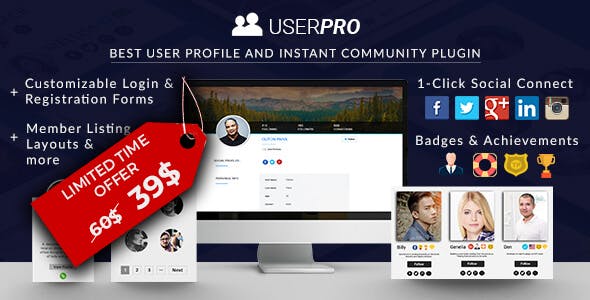
Overview of UserPro User Profiles with Social Login
Transform your WordPress website into a vibrant community hub with UserPro User Profiles with Social Login. This powerful plugin empowers you to create stunning, fully customizable user profiles, streamline registration and login processes with popular social networks, and foster a more engaging online experience. It’s the ultimate solution for anyone looking to build a robust membership site, an interactive community, or simply enhance user management on their WordPress platform.
Key Features of UserPro User Profiles with Social Login
- Comprehensive User Profiles: Create beautiful, fully customizable front-end user profiles that users can manage with ease. Control which fields are visible and editable, offering a personalized experience.
- Seamless Social Login & Registration: Integrate over a dozen social networks (Facebook, Twitter, Google, LinkedIn, Instagram, etc.) to allow users to register and log in quickly, dramatically reducing bounce rates and improving user experience.
- Front-end Login & Registration Forms: Offer elegant, secure, and user-friendly front-end forms for login, registration, and password recovery, keeping users on your site and away from the default WordPress backend.
- Member Directory & Search: Build a searchable member directory with advanced filters, allowing users to find and connect with each other based on various criteria, enhancing community interaction.
- Content Restriction Capabilities: Easily restrict access to specific content (posts, pages, categories) based on user roles or login status, perfect for membership sites or exclusive communities.
- Badges & Achievements System: Motivate and reward your users with a built-in badges and achievements system, encouraging participation and engagement within your community.
- Private Messaging & Follow/Unfollow: Foster deeper connections with private messaging and follow/unfollow features, turning your site into a true social network.
- Spam Protection & Moderation: Protect your community with robust spam protection and user moderation tools, ensuring a safe and clean environment for all members.
Why Choose UserPro User Profiles with Social Login?
Choosing UserPro User Profiles with Social Login means investing in a superior user experience and a more dynamic website. This plugin goes beyond basic user management, offering a comprehensive suite of tools designed to build and nurture a thriving online community. By simplifying the login and registration process through social networks, you not only reduce friction for new users but also gain access to richer profile data, which can be invaluable for understanding your audience. The intuitive front-end interface ensures that users feel in control of their profiles, fostering a sense of ownership and encouraging repeat visits.
Furthermore, the extensive customization options mean that UserPro User Profiles with Social Login seamlessly integrates with your site’s existing design, maintaining a consistent brand identity. Features like member directories, content restriction, and the badges system provide powerful incentives for engagement, transforming passive visitors into active community members. Whether you’re running a niche forum, a membership platform, or an e-commerce store, the ability to create structured, interactive profiles and streamline access can significantly boost user loyalty and overall site performance. It’s a complete package for modern WordPress communities.
Who Should Use UserPro User Profiles with Social Login?
UserPro User Profiles with Social Login is ideal for a wide range of WordPress users and businesses. It’s a must-have for membership websites, online courses, forums, social networks, and any platform that relies on user engagement and personalized experiences. E-commerce stores can leverage it to offer a more convenient login for shoppers, while blogs and news sites can use it to build commenter profiles and foster community discussions. If you aim to transform your WordPress site into an interactive hub where users can connect, share, and manage their own presence, then UserPro User Profiles with Social Login is the perfect solution for you.
How to Install UserPro User Profiles with Social Login
- Download the Plugin: After acquiring UserPro User Profiles with Social Login, download the plugin zip file to your computer.
- Upload to WordPress: Log in to your WordPress admin dashboard. Navigate to ‘Plugins’ > ‘Add New’ and then click the ‘Upload Plugin’ button at the top.
- Choose File & Install: Click ‘Choose File’, select the UserPro zip file you downloaded, and then click ‘Install Now’.
- Activate the Plugin: Once the installation is complete, click the ‘Activate Plugin’ button.
- Configure Settings: After activation, you’ll find a new ‘UserPro’ menu item in your WordPress dashboard. Click on it to access the settings and configure social login options, profile fields, forms, and other features of UserPro User Profiles with Social Login to suit your website’s needs.
Frequently Asked Questions About UserPro User Profiles with Social Login
Is UserPro User Profiles with Social Login compatible with all WordPress themes?
UserPro User Profiles with Social Login is designed to be highly compatible with most well-coded WordPress themes. It primarily works on the front-end, utilizing shortcodes and custom pages, which generally integrate smoothly. In rare cases of styling conflicts, minor CSS adjustments can often resolve them, ensuring a seamless look and feel for your site when using UserPro User Profiles with Social Login.
Can I customize the social login options in UserPro User Profiles with Social Login?
Absolutely! UserPro User Profiles with Social Login provides extensive customization options for social login. You can enable or disable specific social networks, customize the display order of the social login buttons, and even define the fields that are pulled from social profiles upon registration. This flexibility allows you to tailor the social login experience to your exact requirements with UserPro User Profiles with Social Login.
How does UserPro User Profiles with Social Login improve user engagement?
UserPro User Profiles with Social Login significantly boosts user engagement by simplifying access, offering personalized profiles, and fostering community features. The quick social login reduces barriers to entry, while customizable profiles encourage users to invest more in their online presence. Features like member directories, private messaging, and content restriction, all powered by UserPro User Profiles with Social Login, create a more interactive and sticky environment, encouraging users to spend more time on your site and interact with others.
Get UserPro User Profiles with Social Login Today
Ready to elevate your WordPress website with robust user profiles and effortless social login? Enhance your community features and user experience by integrating UserPro User Profiles with Social Login into your site today. Explore this powerful solution and many other premium WordPress Plugins available. Discover the full range of possibilities for your website by browsing our extensive collection of GPL WordPress Products.
Related Products You May Like
Here's everything you need to know about your purchase:
- 100% original files — Every product is the genuine, virus-free file, exactly as released by the original developer.
- Instant download — Access your files immediately after purchase from your account.
- Lifetime access — Re-download your purchased files anytime. No expiry, no limits.
- Free updates — Newer version released? Just request an update from us, free for all customers.
- Dedicated support — Our team is available 24/7 for installation and file-related help.
- Easy refunds — Not satisfied? Review our Refund Policy. We offer a hassle-free 7-day guarantee.
$59.00 Original price was: $59.00.$2.00Current price is: $2.00.
Version
5.1.8
Last Updated
10/07/2025
License
GPL v2
Compatibility
WordPress 5.0+
Need latest version?
Newer version released? Request an update from us — free for all customers!
Request Update →🎁 Your Purchase Includes
Overview of UserPro User Profiles with Social Login
Transform your WordPress website into a vibrant community hub with UserPro User Profiles with Social Login. This powerful plugin empowers you to create stunning, fully customizable user profiles, streamline registration and login processes with popular social networks, and foster a more engaging online experience. It’s the ultimate solution for anyone looking to build a robust membership site, an interactive community, or simply enhance user management on their WordPress platform.
Key Features of UserPro User Profiles with Social Login
- Comprehensive User Profiles: Create beautiful, fully customizable front-end user profiles that users can manage with ease. Control which fields are visible and editable, offering a personalized experience.
- Seamless Social Login & Registration: Integrate over a dozen social networks (Facebook, Twitter, Google, LinkedIn, Instagram, etc.) to allow users to register and log in quickly, dramatically reducing bounce rates and improving user experience.
- Front-end Login & Registration Forms: Offer elegant, secure, and user-friendly front-end forms for login, registration, and password recovery, keeping users on your site and away from the default WordPress backend.
- Member Directory & Search: Build a searchable member directory with advanced filters, allowing users to find and connect with each other based on various criteria, enhancing community interaction.
- Content Restriction Capabilities: Easily restrict access to specific content (posts, pages, categories) based on user roles or login status, perfect for membership sites or exclusive communities.
- Badges & Achievements System: Motivate and reward your users with a built-in badges and achievements system, encouraging participation and engagement within your community.
- Private Messaging & Follow/Unfollow: Foster deeper connections with private messaging and follow/unfollow features, turning your site into a true social network.
- Spam Protection & Moderation: Protect your community with robust spam protection and user moderation tools, ensuring a safe and clean environment for all members.
Why Choose UserPro User Profiles with Social Login?
Choosing UserPro User Profiles with Social Login means investing in a superior user experience and a more dynamic website. This plugin goes beyond basic user management, offering a comprehensive suite of tools designed to build and nurture a thriving online community. By simplifying the login and registration process through social networks, you not only reduce friction for new users but also gain access to richer profile data, which can be invaluable for understanding your audience. The intuitive front-end interface ensures that users feel in control of their profiles, fostering a sense of ownership and encouraging repeat visits.
Furthermore, the extensive customization options mean that UserPro User Profiles with Social Login seamlessly integrates with your site’s existing design, maintaining a consistent brand identity. Features like member directories, content restriction, and the badges system provide powerful incentives for engagement, transforming passive visitors into active community members. Whether you’re running a niche forum, a membership platform, or an e-commerce store, the ability to create structured, interactive profiles and streamline access can significantly boost user loyalty and overall site performance. It’s a complete package for modern WordPress communities.
Who Should Use UserPro User Profiles with Social Login?
UserPro User Profiles with Social Login is ideal for a wide range of WordPress users and businesses. It’s a must-have for membership websites, online courses, forums, social networks, and any platform that relies on user engagement and personalized experiences. E-commerce stores can leverage it to offer a more convenient login for shoppers, while blogs and news sites can use it to build commenter profiles and foster community discussions. If you aim to transform your WordPress site into an interactive hub where users can connect, share, and manage their own presence, then UserPro User Profiles with Social Login is the perfect solution for you.
How to Install UserPro User Profiles with Social Login
- Download the Plugin: After acquiring UserPro User Profiles with Social Login, download the plugin zip file to your computer.
- Upload to WordPress: Log in to your WordPress admin dashboard. Navigate to ‘Plugins’ > ‘Add New’ and then click the ‘Upload Plugin’ button at the top.
- Choose File & Install: Click ‘Choose File’, select the UserPro zip file you downloaded, and then click ‘Install Now’.
- Activate the Plugin: Once the installation is complete, click the ‘Activate Plugin’ button.
- Configure Settings: After activation, you’ll find a new ‘UserPro’ menu item in your WordPress dashboard. Click on it to access the settings and configure social login options, profile fields, forms, and other features of UserPro User Profiles with Social Login to suit your website’s needs.
Frequently Asked Questions About UserPro User Profiles with Social Login
Is UserPro User Profiles with Social Login compatible with all WordPress themes?
UserPro User Profiles with Social Login is designed to be highly compatible with most well-coded WordPress themes. It primarily works on the front-end, utilizing shortcodes and custom pages, which generally integrate smoothly. In rare cases of styling conflicts, minor CSS adjustments can often resolve them, ensuring a seamless look and feel for your site when using UserPro User Profiles with Social Login.
Can I customize the social login options in UserPro User Profiles with Social Login?
Absolutely! UserPro User Profiles with Social Login provides extensive customization options for social login. You can enable or disable specific social networks, customize the display order of the social login buttons, and even define the fields that are pulled from social profiles upon registration. This flexibility allows you to tailor the social login experience to your exact requirements with UserPro User Profiles with Social Login.
How does UserPro User Profiles with Social Login improve user engagement?
UserPro User Profiles with Social Login significantly boosts user engagement by simplifying access, offering personalized profiles, and fostering community features. The quick social login reduces barriers to entry, while customizable profiles encourage users to invest more in their online presence. Features like member directories, private messaging, and content restriction, all powered by UserPro User Profiles with Social Login, create a more interactive and sticky environment, encouraging users to spend more time on your site and interact with others.
Get UserPro User Profiles with Social Login Today
Ready to elevate your WordPress website with robust user profiles and effortless social login? Enhance your community features and user experience by integrating UserPro User Profiles with Social Login into your site today. Explore this powerful solution and many other premium WordPress Plugins available. Discover the full range of possibilities for your website by browsing our extensive collection of GPL WordPress Products.
Related Products You May Like
Reviews
There are no reviews yet.
Here's everything you need to know about your purchase:
- 100% original files — Every product is the genuine, virus-free file, exactly as released by the original developer.
- Instant download — Access your files immediately after purchase from your account.
- Lifetime access — Re-download your purchased files anytime. No expiry, no limits.
- Free updates — Newer version released? Just request an update from us, free for all customers.
- Dedicated support — Our team is available 24/7 for installation and file-related help.
- Easy refunds — Not satisfied? Review our Refund Policy. We offer a hassle-free 7-day guarantee.
Reviews
There are no reviews yet.