

User Activity Log PRO for WordPress 2.3.5
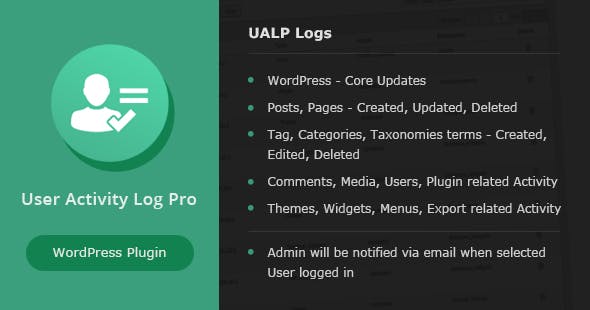
Overview of User Activity Log PRO for WordPress
User Activity Log PRO for WordPress is an essential tool for any WordPress site administrator looking to maintain a secure, transparent, and well-managed website. This powerful plugin provides comprehensive logging of all user and system activities, offering unparalleled insight into what’s happening on your site, when, and by whom. It’s designed for website owners, administrators, and developers who need to monitor changes, troubleshoot issues, ensure accountability, and enhance the overall security posture of their WordPress installation.
Key Features of User Activity Log PRO for WordPress
- Extensive Activity Tracking: Monitor a vast array of actions including post and page changes (creation, updates, deletion), user logins/logouts, profile modifications, plugin and theme installations/activations/deactivations, core WordPress updates, media uploads, and much more.
- Detailed Reporting & Filters: Access a user-friendly log viewer with robust filtering options. Search by user, role, date range, IP address, and specific activity types, making it easy to pinpoint critical events.
- Email Notifications & Alerts: Configure custom email alerts for specific actions, such as failed login attempts, critical plugin changes, or new user registrations, ensuring you’re immediately aware of important events.
- User Session Management: Gain control over active user sessions. View who is currently logged in, when they logged in, and from what IP address. You can even remotely terminate suspicious sessions.
- Data Export Capabilities: Export your activity logs in various formats (CSV, XML) for offline analysis, archiving, or compliance purposes, providing flexibility for data management.
- IP Address & Geolocation Tracking: Log the IP address for every activity and, where available, gain insights into the geographical location of the user performing the action, adding an extra layer of security context.
- GDPR Compliance Tools: Includes features to assist with GDPR compliance by providing clear records of data access and modifications, and options for data retention policies.
- Customizable Settings: Tailor the plugin to your specific needs by choosing which activities to track, setting retention periods for logs, and configuring notification preferences, making User Activity Log PRO for WordPress highly adaptable.
Why Choose User Activity Log PRO for WordPress?
Choosing User Activity Log PRO for WordPress means investing in peace of mind and robust site management. In today’s digital landscape, security breaches and internal errors can have significant consequences. This plugin acts as your site’s comprehensive audit trail, recording every move made by users, administrators, and even automated processes. It empowers you to quickly identify unauthorized changes, troubleshoot plugin conflicts, or determine the source of a broken page, saving you countless hours of frustration and potential data loss. With User Activity Log PRO for WordPress, accountability is significantly enhanced, as a clear record exists for every action, promoting more responsible use of your site’s backend.
Beyond security, User Activity Log PRO for WordPress is invaluable for maintaining operational efficiency. For agencies managing multiple client sites, or businesses with large teams, understanding who did what and when is crucial for collaboration and project management. The detailed reports help in training new staff, auditing compliance requirements, and optimizing workflows. Its intuitive interface ensures that even non-technical users can quickly grasp the insights it provides, making it an accessible yet powerful solution. Embrace the control and clarity that User Activity Log PRO for WordPress brings to your website management strategy.
Furthermore, the proactive nature of email notifications means you don’t have to constantly monitor your site. Set up alerts for critical events, and User Activity Log PRO for WordPress will inform you instantly, allowing for rapid response to potential threats or issues. This level of vigilance is crucial for maintaining a healthy and secure online presence.
Who Should Use User Activity Log PRO for WordPress?
User Activity Log PRO for WordPress is ideal for a wide range of users, including:
- Website Administrators: To monitor all site activities, ensure security, and troubleshoot issues efficiently.
- Developers & Agencies: To track changes made by clients or team members, debug problems, and maintain a clear development log.
- E-commerce Store Owners: To monitor changes to products, orders, and user accounts, helping to prevent fraud and maintain data integrity.
- Bloggers & Content Managers: To track content modifications, user registrations, and ensure editorial consistency across multiple authors.
- Organizations with Compliance Requirements: To maintain an audit trail for regulatory compliance (e.g., GDPR, HIPAA) and internal policies.
How to Install User Activity Log PRO for WordPress
Installing User Activity Log PRO for WordPress is a straightforward process, ensuring you can quickly begin monitoring your site.
- Download the Plugin: After purchasing, download the User Activity Log PRO for WordPress plugin file (a .zip file) from your account.
- Upload to WordPress: Log in to your WordPress admin dashboard. Navigate to ‘Plugins’ > ‘Add New’ > ‘Upload Plugin’. Click ‘Choose File’, select the downloaded .zip file, and click ‘Install Now’.
- Activate the Plugin: Once the installation is complete, click the ‘Activate Plugin’ button.
- Configure Settings: After activation, you’ll find a new menu item, typically labeled ‘Activity Log’ or similar, in your WordPress admin sidebar. Click on it to access the settings and configure which activities you want to track, set up email notifications, and define data retention policies for User Activity Log PRO for WordPress.
- Start Monitoring: Your User Activity Log PRO for WordPress is now active and will begin logging activities on your site. You can view the logs directly from your WordPress dashboard.
Frequently Asked Questions About User Activity Log PRO for WordPress
Does User Activity Log PRO for WordPress impact site performance?
User Activity Log PRO for WordPress is designed to be highly optimized and has a minimal impact on site performance. It uses efficient database queries and background processes to log activities without slowing down your website’s front-end or back-end operations.
Can I track specific user roles with User Activity Log PRO for WordPress?
Yes, User Activity Log PRO for WordPress offers granular control over tracking. You can configure the plugin to track activities of specific user roles, exclude certain roles, or even focus on individual users, giving you complete flexibility over what data is collected.
How long does User Activity Log PRO for WordPress store activity logs?
You have full control over log retention. User Activity Log PRO for WordPress allows you to set custom data retention periods, from a few days to indefinitely. This helps manage database size and comply with any data retention policies your organization may have.
Get User Activity Log PRO for WordPress Today
Elevate your WordPress site’s security and management with User Activity Log PRO for WordPress. Gain unparalleled visibility into every action, ensure accountability, and react swiftly to potential issues. Don’t leave your website’s integrity to chance. Browse our extensive collection of WordPress Plugins and other premium GPL WordPress Products to find all the tools you need for a robust online presence.
Related Products You May Like
Here's everything you need to know about your purchase:
- 100% original files — Every product is the genuine, virus-free file, exactly as released by the original developer.
- Instant download — Access your files immediately after purchase from your account.
- Lifetime access — Re-download your purchased files anytime. No expiry, no limits.
- Free updates — Newer version released? Just request an update from us, free for all customers.
- Dedicated support — Our team is available 24/7 for installation and file-related help.
- Easy refunds — Not satisfied? Review our Refund Policy. We offer a hassle-free 7-day guarantee.
$100.00 Original price was: $100.00.$2.00Current price is: $2.00.
Version
2.3.5
Last Updated
06/05/2024
License
GPL v2
Compatibility
WordPress 5.0+
Need latest version?
Newer version released? Request an update from us — free for all customers!
Request Update →🎁 Your Purchase Includes
Overview of User Activity Log PRO for WordPress
User Activity Log PRO for WordPress is an essential tool for any WordPress site administrator looking to maintain a secure, transparent, and well-managed website. This powerful plugin provides comprehensive logging of all user and system activities, offering unparalleled insight into what’s happening on your site, when, and by whom. It’s designed for website owners, administrators, and developers who need to monitor changes, troubleshoot issues, ensure accountability, and enhance the overall security posture of their WordPress installation.
Key Features of User Activity Log PRO for WordPress
- Extensive Activity Tracking: Monitor a vast array of actions including post and page changes (creation, updates, deletion), user logins/logouts, profile modifications, plugin and theme installations/activations/deactivations, core WordPress updates, media uploads, and much more.
- Detailed Reporting & Filters: Access a user-friendly log viewer with robust filtering options. Search by user, role, date range, IP address, and specific activity types, making it easy to pinpoint critical events.
- Email Notifications & Alerts: Configure custom email alerts for specific actions, such as failed login attempts, critical plugin changes, or new user registrations, ensuring you’re immediately aware of important events.
- User Session Management: Gain control over active user sessions. View who is currently logged in, when they logged in, and from what IP address. You can even remotely terminate suspicious sessions.
- Data Export Capabilities: Export your activity logs in various formats (CSV, XML) for offline analysis, archiving, or compliance purposes, providing flexibility for data management.
- IP Address & Geolocation Tracking: Log the IP address for every activity and, where available, gain insights into the geographical location of the user performing the action, adding an extra layer of security context.
- GDPR Compliance Tools: Includes features to assist with GDPR compliance by providing clear records of data access and modifications, and options for data retention policies.
- Customizable Settings: Tailor the plugin to your specific needs by choosing which activities to track, setting retention periods for logs, and configuring notification preferences, making User Activity Log PRO for WordPress highly adaptable.
Why Choose User Activity Log PRO for WordPress?
Choosing User Activity Log PRO for WordPress means investing in peace of mind and robust site management. In today’s digital landscape, security breaches and internal errors can have significant consequences. This plugin acts as your site’s comprehensive audit trail, recording every move made by users, administrators, and even automated processes. It empowers you to quickly identify unauthorized changes, troubleshoot plugin conflicts, or determine the source of a broken page, saving you countless hours of frustration and potential data loss. With User Activity Log PRO for WordPress, accountability is significantly enhanced, as a clear record exists for every action, promoting more responsible use of your site’s backend.
Beyond security, User Activity Log PRO for WordPress is invaluable for maintaining operational efficiency. For agencies managing multiple client sites, or businesses with large teams, understanding who did what and when is crucial for collaboration and project management. The detailed reports help in training new staff, auditing compliance requirements, and optimizing workflows. Its intuitive interface ensures that even non-technical users can quickly grasp the insights it provides, making it an accessible yet powerful solution. Embrace the control and clarity that User Activity Log PRO for WordPress brings to your website management strategy.
Furthermore, the proactive nature of email notifications means you don’t have to constantly monitor your site. Set up alerts for critical events, and User Activity Log PRO for WordPress will inform you instantly, allowing for rapid response to potential threats or issues. This level of vigilance is crucial for maintaining a healthy and secure online presence.
Who Should Use User Activity Log PRO for WordPress?
User Activity Log PRO for WordPress is ideal for a wide range of users, including:
- Website Administrators: To monitor all site activities, ensure security, and troubleshoot issues efficiently.
- Developers & Agencies: To track changes made by clients or team members, debug problems, and maintain a clear development log.
- E-commerce Store Owners: To monitor changes to products, orders, and user accounts, helping to prevent fraud and maintain data integrity.
- Bloggers & Content Managers: To track content modifications, user registrations, and ensure editorial consistency across multiple authors.
- Organizations with Compliance Requirements: To maintain an audit trail for regulatory compliance (e.g., GDPR, HIPAA) and internal policies.
How to Install User Activity Log PRO for WordPress
Installing User Activity Log PRO for WordPress is a straightforward process, ensuring you can quickly begin monitoring your site.
- Download the Plugin: After purchasing, download the User Activity Log PRO for WordPress plugin file (a .zip file) from your account.
- Upload to WordPress: Log in to your WordPress admin dashboard. Navigate to ‘Plugins’ > ‘Add New’ > ‘Upload Plugin’. Click ‘Choose File’, select the downloaded .zip file, and click ‘Install Now’.
- Activate the Plugin: Once the installation is complete, click the ‘Activate Plugin’ button.
- Configure Settings: After activation, you’ll find a new menu item, typically labeled ‘Activity Log’ or similar, in your WordPress admin sidebar. Click on it to access the settings and configure which activities you want to track, set up email notifications, and define data retention policies for User Activity Log PRO for WordPress.
- Start Monitoring: Your User Activity Log PRO for WordPress is now active and will begin logging activities on your site. You can view the logs directly from your WordPress dashboard.
Frequently Asked Questions About User Activity Log PRO for WordPress
Does User Activity Log PRO for WordPress impact site performance?
User Activity Log PRO for WordPress is designed to be highly optimized and has a minimal impact on site performance. It uses efficient database queries and background processes to log activities without slowing down your website’s front-end or back-end operations.
Can I track specific user roles with User Activity Log PRO for WordPress?
Yes, User Activity Log PRO for WordPress offers granular control over tracking. You can configure the plugin to track activities of specific user roles, exclude certain roles, or even focus on individual users, giving you complete flexibility over what data is collected.
How long does User Activity Log PRO for WordPress store activity logs?
You have full control over log retention. User Activity Log PRO for WordPress allows you to set custom data retention periods, from a few days to indefinitely. This helps manage database size and comply with any data retention policies your organization may have.
Get User Activity Log PRO for WordPress Today
Elevate your WordPress site’s security and management with User Activity Log PRO for WordPress. Gain unparalleled visibility into every action, ensure accountability, and react swiftly to potential issues. Don’t leave your website’s integrity to chance. Browse our extensive collection of WordPress Plugins and other premium GPL WordPress Products to find all the tools you need for a robust online presence.
Related Products You May Like
Reviews
There are no reviews yet.
Here's everything you need to know about your purchase:
- 100% original files — Every product is the genuine, virus-free file, exactly as released by the original developer.
- Instant download — Access your files immediately after purchase from your account.
- Lifetime access — Re-download your purchased files anytime. No expiry, no limits.
- Free updates — Newer version released? Just request an update from us, free for all customers.
- Dedicated support — Our team is available 24/7 for installation and file-related help.
- Easy refunds — Not satisfied? Review our Refund Policy. We offer a hassle-free 7-day guarantee.
Reviews
There are no reviews yet.