

ThemeIsle Nivo Slider 3.1.1
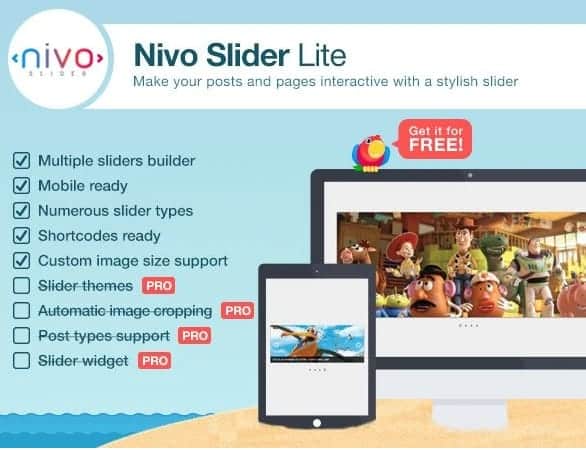
Overview of ThemeIsle Nivo Slider
The ThemeIsle Nivo Slider is a highly acclaimed and robust WordPress plugin designed to help you create stunning, responsive image sliders with unparalleled ease. It’s the perfect solution for anyone looking to captivate their audience with dynamic visual content, from showcasing product galleries to highlighting blog posts or portfolio pieces. This powerful tool transforms static images into engaging slideshows that enhance user experience and add a professional polish to any WordPress website.
Key Features of ThemeIsle Nivo Slider
- Responsive Design: Ensures your sliders look impeccable and function flawlessly on any device, from large desktop monitors to tablets and smartphones, providing an optimal viewing experience for all your visitors.
- Multiple Transition Effects: Offers a rich variety of animated transition effects, including fades, slides, slices, and box effects, allowing you to customize the visual flow and create a unique presentation for your content.
- Intuitive Image Management: Easily upload, reorder, and manage your images directly from the WordPress media library, streamlining the process of building and updating your sliders. The ThemeIsle Nivo Slider makes content management simple.
- Highly Customizable Options: Gain full control over slider behavior with options for animation speed, pause time, direction navigation, control navigation, and much more, enabling you to fine-tune every aspect to match your site’s aesthetic.
- SEO-Friendly Structure: Built with clean, semantic code and support for alt tags, ensuring your images are accessible and discoverable by search engines, contributing positively to your site’s overall SEO performance.
- Lightweight and Optimized Performance: Designed to be efficient and fast-loading, the ThemeIsle Nivo Slider minimizes impact on your website’s speed, providing a smooth experience for users without compromising performance.
- Shortcode & Widget Integration: Seamlessly integrate your sliders into any post, page, or widget area using simple shortcodes or the dedicated widget, offering maximum flexibility in placement across your site.
- Caption Support: Add descriptive captions to each slide, providing additional context or calls to action that further engage your audience and enhance the storytelling capabilities of your ThemeIsle Nivo Slider.
Why Choose ThemeIsle Nivo Slider?
Choosing the ThemeIsle Nivo Slider means opting for a blend of simplicity, power, and elegance in your WordPress site’s visual presentation. In today’s competitive online landscape, captivating visuals are non-negotiable, and this plugin delivers exactly that. It empowers you to create stunning, interactive image galleries that not only grab attention but also hold it, guiding your visitors through your most important content in an engaging manner. The ease of use ensures that even those without extensive technical knowledge can design professional-grade sliders in minutes, without touching a single line of code.
Beyond its user-friendliness, the ThemeIsle Nivo Slider stands out for its robust performance and adaptability. Its responsive nature guarantees that your beautiful sliders will look perfect on any device, which is crucial for reaching a broad audience in a mobile-first world. Furthermore, its lightweight code ensures that adding dynamic elements to your site doesn’t come at the cost of speed, a critical factor for SEO and user satisfaction. By enhancing your site’s visual appeal and engagement without compromising performance, the ThemeIsle Nivo Slider offers exceptional value, transforming ordinary pages into extraordinary visual experiences.
Who Should Use ThemeIsle Nivo Slider?
The ThemeIsle Nivo Slider is an indispensable tool for a wide range of WordPress users. Bloggers looking to showcase their latest articles or photography, e-commerce store owners wanting to highlight product features or promotions, and portfolio websites aiming to present their work dynamically will find it incredibly useful. Small businesses can use it to display testimonials or service offerings, while agencies and developers can leverage its flexibility to create custom solutions for clients. Essentially, anyone who wants to add a professional, engaging, and responsive image slider to their WordPress site without complexity will benefit immensely from the ThemeIsle Nivo Slider.
How to Install ThemeIsle Nivo Slider
- Download the Plugin: After purchasing, download the ThemeIsle Nivo Slider plugin file (a .zip file) from your account.
- Upload via WordPress Dashboard: Log in to your WordPress admin area. Navigate to ‘Plugins’ > ‘Add New’ and then click the ‘Upload Plugin’ button at the top.
- Choose File and Install: Click ‘Choose File’, select the ThemeIsle Nivo Slider .zip file you downloaded, and then click ‘Install Now’.
- Activate the Plugin: Once the installation is complete, click the ‘Activate Plugin’ button.
- Configure Your Slider: After activation, you’ll find new options in your WordPress dashboard to configure and create your first ThemeIsle Nivo Slider. Start adding images and customizing settings to your liking!
Frequently Asked Questions About ThemeIsle Nivo Slider
Is ThemeIsle Nivo Slider compatible with all WordPress themes?
The ThemeIsle Nivo Slider is designed for broad compatibility with most standard-compliant WordPress themes. While it works seamlessly with the majority of themes, in rare cases, conflicts might arise due to highly customized theme code. We recommend testing it with your specific theme to ensure optimal performance, though issues are uncommon.
Can I create multiple sliders on my website using ThemeIsle Nivo Slider?
Yes, absolutely! The ThemeIsle Nivo Slider allows you to create an unlimited number of distinct sliders, each with its own set of images, settings, and transition effects. You can then place these sliders on different pages, posts, or widget areas across your website using their unique shortcodes.
Does ThemeIsle Nivo Slider impact my website’s loading speed?
No, the ThemeIsle Nivo Slider is engineered with performance in mind. It uses optimized code and efficient loading techniques to ensure that your sliders enhance your website’s visual appeal without significantly impacting its loading speed. We prioritize a smooth user experience and fast site performance.
Get ThemeIsle Nivo Slider Today
Elevate your WordPress website with the dynamic visual power of the ThemeIsle Nivo Slider. This essential plugin is your gateway to creating captivating image sliders that engage visitors and showcase your content beautifully. Don’t miss out on the opportunity to enhance your site’s aesthetics and user experience. Explore the full range of WordPress Themes and other premium GPL WordPress Products available on GPL Universe to further customize and optimize your online presence.
Related Products You May Like
Here's everything you need to know about your purchase:
- 100% original files — Every product is the genuine, virus-free file, exactly as released by the original developer.
- Instant download — Access your files immediately after purchase from your account.
- Lifetime access — Re-download your purchased files anytime. No expiry, no limits.
- Free updates — Newer version released? Just request an update from us, free for all customers.
- Dedicated support — Our team is available 24/7 for installation and file-related help.
- Easy refunds — Not satisfied? Review our Refund Policy. We offer a hassle-free 7-day guarantee.
$59.00 Original price was: $59.00.$2.00Current price is: $2.00.
Version
3.1.1
Last Updated
20/2/2023
License
GPL v2
Compatibility
WordPress 5.0+
Need latest version?
Newer version released? Request an update from us — free for all customers!
Request Update →🎁 Your Purchase Includes
Overview of ThemeIsle Nivo Slider
The ThemeIsle Nivo Slider is a highly acclaimed and robust WordPress plugin designed to help you create stunning, responsive image sliders with unparalleled ease. It’s the perfect solution for anyone looking to captivate their audience with dynamic visual content, from showcasing product galleries to highlighting blog posts or portfolio pieces. This powerful tool transforms static images into engaging slideshows that enhance user experience and add a professional polish to any WordPress website.
Key Features of ThemeIsle Nivo Slider
- Responsive Design: Ensures your sliders look impeccable and function flawlessly on any device, from large desktop monitors to tablets and smartphones, providing an optimal viewing experience for all your visitors.
- Multiple Transition Effects: Offers a rich variety of animated transition effects, including fades, slides, slices, and box effects, allowing you to customize the visual flow and create a unique presentation for your content.
- Intuitive Image Management: Easily upload, reorder, and manage your images directly from the WordPress media library, streamlining the process of building and updating your sliders. The ThemeIsle Nivo Slider makes content management simple.
- Highly Customizable Options: Gain full control over slider behavior with options for animation speed, pause time, direction navigation, control navigation, and much more, enabling you to fine-tune every aspect to match your site’s aesthetic.
- SEO-Friendly Structure: Built with clean, semantic code and support for alt tags, ensuring your images are accessible and discoverable by search engines, contributing positively to your site’s overall SEO performance.
- Lightweight and Optimized Performance: Designed to be efficient and fast-loading, the ThemeIsle Nivo Slider minimizes impact on your website’s speed, providing a smooth experience for users without compromising performance.
- Shortcode & Widget Integration: Seamlessly integrate your sliders into any post, page, or widget area using simple shortcodes or the dedicated widget, offering maximum flexibility in placement across your site.
- Caption Support: Add descriptive captions to each slide, providing additional context or calls to action that further engage your audience and enhance the storytelling capabilities of your ThemeIsle Nivo Slider.
Why Choose ThemeIsle Nivo Slider?
Choosing the ThemeIsle Nivo Slider means opting for a blend of simplicity, power, and elegance in your WordPress site’s visual presentation. In today’s competitive online landscape, captivating visuals are non-negotiable, and this plugin delivers exactly that. It empowers you to create stunning, interactive image galleries that not only grab attention but also hold it, guiding your visitors through your most important content in an engaging manner. The ease of use ensures that even those without extensive technical knowledge can design professional-grade sliders in minutes, without touching a single line of code.
Beyond its user-friendliness, the ThemeIsle Nivo Slider stands out for its robust performance and adaptability. Its responsive nature guarantees that your beautiful sliders will look perfect on any device, which is crucial for reaching a broad audience in a mobile-first world. Furthermore, its lightweight code ensures that adding dynamic elements to your site doesn’t come at the cost of speed, a critical factor for SEO and user satisfaction. By enhancing your site’s visual appeal and engagement without compromising performance, the ThemeIsle Nivo Slider offers exceptional value, transforming ordinary pages into extraordinary visual experiences.
Who Should Use ThemeIsle Nivo Slider?
The ThemeIsle Nivo Slider is an indispensable tool for a wide range of WordPress users. Bloggers looking to showcase their latest articles or photography, e-commerce store owners wanting to highlight product features or promotions, and portfolio websites aiming to present their work dynamically will find it incredibly useful. Small businesses can use it to display testimonials or service offerings, while agencies and developers can leverage its flexibility to create custom solutions for clients. Essentially, anyone who wants to add a professional, engaging, and responsive image slider to their WordPress site without complexity will benefit immensely from the ThemeIsle Nivo Slider.
How to Install ThemeIsle Nivo Slider
- Download the Plugin: After purchasing, download the ThemeIsle Nivo Slider plugin file (a .zip file) from your account.
- Upload via WordPress Dashboard: Log in to your WordPress admin area. Navigate to ‘Plugins’ > ‘Add New’ and then click the ‘Upload Plugin’ button at the top.
- Choose File and Install: Click ‘Choose File’, select the ThemeIsle Nivo Slider .zip file you downloaded, and then click ‘Install Now’.
- Activate the Plugin: Once the installation is complete, click the ‘Activate Plugin’ button.
- Configure Your Slider: After activation, you’ll find new options in your WordPress dashboard to configure and create your first ThemeIsle Nivo Slider. Start adding images and customizing settings to your liking!
Frequently Asked Questions About ThemeIsle Nivo Slider
Is ThemeIsle Nivo Slider compatible with all WordPress themes?
The ThemeIsle Nivo Slider is designed for broad compatibility with most standard-compliant WordPress themes. While it works seamlessly with the majority of themes, in rare cases, conflicts might arise due to highly customized theme code. We recommend testing it with your specific theme to ensure optimal performance, though issues are uncommon.
Can I create multiple sliders on my website using ThemeIsle Nivo Slider?
Yes, absolutely! The ThemeIsle Nivo Slider allows you to create an unlimited number of distinct sliders, each with its own set of images, settings, and transition effects. You can then place these sliders on different pages, posts, or widget areas across your website using their unique shortcodes.
Does ThemeIsle Nivo Slider impact my website’s loading speed?
No, the ThemeIsle Nivo Slider is engineered with performance in mind. It uses optimized code and efficient loading techniques to ensure that your sliders enhance your website’s visual appeal without significantly impacting its loading speed. We prioritize a smooth user experience and fast site performance.
Get ThemeIsle Nivo Slider Today
Elevate your WordPress website with the dynamic visual power of the ThemeIsle Nivo Slider. This essential plugin is your gateway to creating captivating image sliders that engage visitors and showcase your content beautifully. Don’t miss out on the opportunity to enhance your site’s aesthetics and user experience. Explore the full range of WordPress Themes and other premium GPL WordPress Products available on GPL Universe to further customize and optimize your online presence.
Related Products You May Like
Reviews
There are no reviews yet.
Here's everything you need to know about your purchase:
- 100% original files — Every product is the genuine, virus-free file, exactly as released by the original developer.
- Instant download — Access your files immediately after purchase from your account.
- Lifetime access — Re-download your purchased files anytime. No expiry, no limits.
- Free updates — Newer version released? Just request an update from us, free for all customers.
- Dedicated support — Our team is available 24/7 for installation and file-related help.
- Easy refunds — Not satisfied? Review our Refund Policy. We offer a hassle-free 7-day guarantee.
Reviews
There are no reviews yet.