

TF IconBox 1.0.3 – Addon for elementor
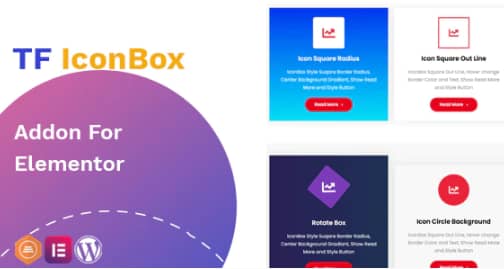
Overview of TF IconBox
Elevate your website’s visual appeal and information delivery with TF IconBox, the essential addon for Elementor. This powerful tool empowers you to create stunning and highly customizable icon boxes, perfect for showcasing features, services, testimonials, or any key information in a visually engaging format. TF IconBox is designed for Elementor users of all skill levels who want to add a professional touch to their WordPress sites without writing a single line of code.
Key Features of TF IconBox
- Extensive Icon Library Integration: Seamlessly integrates with Elementor’s vast icon libraries, including Font Awesome and other custom icon sets, giving you endless possibilities to find the perfect visual representation for your content.
- Flexible Layout Options: Choose from various pre-designed layouts or customize your own, allowing icons to be positioned above, below, or to the side of your text content. TF IconBox ensures your icon boxes fit perfectly within any design.
- Advanced Typography Controls: Gain complete control over the typography of your icon box titles and descriptions. Adjust font families, sizes, weights, line heights, and letter spacing to match your brand’s aesthetic precisely.
- Comprehensive Styling Options: Personalize every aspect of your icon boxes with extensive styling controls. Easily set custom colors for icons, titles, and descriptions, add background colors or images, and apply borders or shadows to create unique designs.
- Responsive Design Ready: Ensure your icon boxes look flawless on any device, from desktops to tablets and smartphones. TF IconBox is built with responsiveness in mind, automatically adapting to different screen sizes for an optimal user experience.
- Hover Effects and Animations: Add dynamic flair to your icon boxes with engaging hover effects and subtle entrance animations. Capture your visitors’ attention and make your content more interactive and memorable.
- Linkable Icon Boxes: Transform your icon boxes into clickable elements, directing users to specific pages, posts, or external URLs. This feature makes TF IconBox ideal for calls to action or navigation elements.
- Customizable Spacing and Padding: Fine-tune the spacing between your icons, titles, and descriptions, as well as the internal padding of the entire icon box. Achieve pixel-perfect layouts and maintain consistent design across your site.
Why Choose TF IconBox?
Choosing TF IconBox means opting for unparalleled flexibility and design freedom within your Elementor-powered website. This addon simplifies the process of creating professional and attractive content blocks, saving you valuable time and effort. Instead of wrestling with custom CSS or complex design tools, TF IconBox provides an intuitive interface that allows you to drag, drop, and customize with ease, ensuring your site always looks polished and engaging. It’s an indispensable tool for anyone looking to enhance their site’s visual communication.
The value of TF IconBox extends beyond just aesthetics; it significantly improves the user experience. By presenting information in bite-sized, visually appealing chunks, you make your content easier to digest and more memorable for your visitors. Whether you’re highlighting core services, outlining product features, or showcasing team members, TF IconBox helps convey your message clearly and effectively. Its lightweight code ensures that your website’s performance remains fast and optimized, contributing to better SEO and overall site satisfaction.
Furthermore, TF IconBox is engineered for seamless integration with Elementor, ensuring a smooth workflow and complete compatibility with your existing page builder setup. This means you can leverage all the power of Elementor while adding a specialized widget designed specifically for icon box creation. It’s a smart investment for designers, marketers, and business owners who demand high-quality, flexible, and efficient tools for their web projects.
Who Should Use TF IconBox?
TF IconBox is perfect for a wide range of users, including freelance web designers, digital marketing agencies, bloggers, small business owners, and anyone utilizing Elementor to build or manage WordPress websites. If you need to present information concisely and visually appealingly, whether for service descriptions, feature lists, team profiles, or testimonials, TF IconBox provides the ideal solution. It’s especially beneficial for those who want to create a professional look without delving into complex coding.
How to Install TF IconBox
- Download the Plugin: After purchase, download the TF IconBox plugin file (a .zip archive) from your account dashboard.
- Navigate to WordPress Dashboard: Log in to your WordPress admin area and go to ‘Plugins’ > ‘Add New’.
- Upload the Plugin: Click on the ‘Upload Plugin’ button at the top of the page. Choose the TF IconBox .zip file you downloaded and click ‘Install Now’.
- Activate the Plugin: Once the installation is complete, click the ‘Activate Plugin’ button. TF IconBox will now be active on your site.
- Start Using with Elementor: Open any page or post with Elementor. Search for “TF IconBox” in the Elementor widget panel, drag it onto your canvas, and start customizing your icon boxes.
Frequently Asked Questions About TF IconBox
Is TF IconBox compatible with all versions of Elementor?
TF IconBox is designed to work flawlessly with the latest versions of Elementor (both Free and Pro) and WordPress. We ensure regular updates to maintain compatibility and introduce new features, so you can always use TF IconBox with confidence, knowing it’s up-to-date.
Can I customize the icons and text individually within TF IconBox?
Absolutely! TF IconBox offers granular control over every element. You can choose different icons, set unique colors for each icon, customize the typography for titles and descriptions independently, and even apply distinct hover effects to create truly unique designs for your icon boxes.
Does TF IconBox affect my website’s loading speed?
No, TF IconBox is developed with performance in mind. It’s a lightweight addon that adds minimal overhead to your site. We prioritize clean code and efficient design to ensure that using TF IconBox enhances your site’s aesthetics without compromising its loading speed.
Get TF IconBox Today
Ready to transform the way you present information on your WordPress website? Acquire TF IconBox today and unlock a new level of design potential for your Elementor pages. Enhance your site’s visual appeal and user engagement with powerful, customizable icon boxes that truly stand out. Explore TF IconBox and many other premium WordPress Plugins and GPL WordPress Products to empower your web projects.
Related Products You May Like
Here's everything you need to know about your purchase:
- 100% original files — Every product is the genuine, virus-free file, exactly as released by the original developer.
- Instant download — Access your files immediately after purchase from your account.
- Lifetime access — Re-download your purchased files anytime. No expiry, no limits.
- Free updates — Newer version released? Just request an update from us, free for all customers.
- Dedicated support — Our team is available 24/7 for installation and file-related help.
- Easy refunds — Not satisfied? Review our Refund Policy. We offer a hassle-free 7-day guarantee.
$59.00 Original price was: $59.00.$2.00Current price is: $2.00.
Version
1.0.3
Last Updated
9/12/2023
License
GPL v2
Compatibility
WordPress 5.0+
Need latest version?
Newer version released? Request an update from us — free for all customers!
Request Update →🎁 Your Purchase Includes
Overview of TF IconBox
Elevate your website’s visual appeal and information delivery with TF IconBox, the essential addon for Elementor. This powerful tool empowers you to create stunning and highly customizable icon boxes, perfect for showcasing features, services, testimonials, or any key information in a visually engaging format. TF IconBox is designed for Elementor users of all skill levels who want to add a professional touch to their WordPress sites without writing a single line of code.
Key Features of TF IconBox
- Extensive Icon Library Integration: Seamlessly integrates with Elementor’s vast icon libraries, including Font Awesome and other custom icon sets, giving you endless possibilities to find the perfect visual representation for your content.
- Flexible Layout Options: Choose from various pre-designed layouts or customize your own, allowing icons to be positioned above, below, or to the side of your text content. TF IconBox ensures your icon boxes fit perfectly within any design.
- Advanced Typography Controls: Gain complete control over the typography of your icon box titles and descriptions. Adjust font families, sizes, weights, line heights, and letter spacing to match your brand’s aesthetic precisely.
- Comprehensive Styling Options: Personalize every aspect of your icon boxes with extensive styling controls. Easily set custom colors for icons, titles, and descriptions, add background colors or images, and apply borders or shadows to create unique designs.
- Responsive Design Ready: Ensure your icon boxes look flawless on any device, from desktops to tablets and smartphones. TF IconBox is built with responsiveness in mind, automatically adapting to different screen sizes for an optimal user experience.
- Hover Effects and Animations: Add dynamic flair to your icon boxes with engaging hover effects and subtle entrance animations. Capture your visitors’ attention and make your content more interactive and memorable.
- Linkable Icon Boxes: Transform your icon boxes into clickable elements, directing users to specific pages, posts, or external URLs. This feature makes TF IconBox ideal for calls to action or navigation elements.
- Customizable Spacing and Padding: Fine-tune the spacing between your icons, titles, and descriptions, as well as the internal padding of the entire icon box. Achieve pixel-perfect layouts and maintain consistent design across your site.
Why Choose TF IconBox?
Choosing TF IconBox means opting for unparalleled flexibility and design freedom within your Elementor-powered website. This addon simplifies the process of creating professional and attractive content blocks, saving you valuable time and effort. Instead of wrestling with custom CSS or complex design tools, TF IconBox provides an intuitive interface that allows you to drag, drop, and customize with ease, ensuring your site always looks polished and engaging. It’s an indispensable tool for anyone looking to enhance their site’s visual communication.
The value of TF IconBox extends beyond just aesthetics; it significantly improves the user experience. By presenting information in bite-sized, visually appealing chunks, you make your content easier to digest and more memorable for your visitors. Whether you’re highlighting core services, outlining product features, or showcasing team members, TF IconBox helps convey your message clearly and effectively. Its lightweight code ensures that your website’s performance remains fast and optimized, contributing to better SEO and overall site satisfaction.
Furthermore, TF IconBox is engineered for seamless integration with Elementor, ensuring a smooth workflow and complete compatibility with your existing page builder setup. This means you can leverage all the power of Elementor while adding a specialized widget designed specifically for icon box creation. It’s a smart investment for designers, marketers, and business owners who demand high-quality, flexible, and efficient tools for their web projects.
Who Should Use TF IconBox?
TF IconBox is perfect for a wide range of users, including freelance web designers, digital marketing agencies, bloggers, small business owners, and anyone utilizing Elementor to build or manage WordPress websites. If you need to present information concisely and visually appealingly, whether for service descriptions, feature lists, team profiles, or testimonials, TF IconBox provides the ideal solution. It’s especially beneficial for those who want to create a professional look without delving into complex coding.
How to Install TF IconBox
- Download the Plugin: After purchase, download the TF IconBox plugin file (a .zip archive) from your account dashboard.
- Navigate to WordPress Dashboard: Log in to your WordPress admin area and go to ‘Plugins’ > ‘Add New’.
- Upload the Plugin: Click on the ‘Upload Plugin’ button at the top of the page. Choose the TF IconBox .zip file you downloaded and click ‘Install Now’.
- Activate the Plugin: Once the installation is complete, click the ‘Activate Plugin’ button. TF IconBox will now be active on your site.
- Start Using with Elementor: Open any page or post with Elementor. Search for “TF IconBox” in the Elementor widget panel, drag it onto your canvas, and start customizing your icon boxes.
Frequently Asked Questions About TF IconBox
Is TF IconBox compatible with all versions of Elementor?
TF IconBox is designed to work flawlessly with the latest versions of Elementor (both Free and Pro) and WordPress. We ensure regular updates to maintain compatibility and introduce new features, so you can always use TF IconBox with confidence, knowing it’s up-to-date.
Can I customize the icons and text individually within TF IconBox?
Absolutely! TF IconBox offers granular control over every element. You can choose different icons, set unique colors for each icon, customize the typography for titles and descriptions independently, and even apply distinct hover effects to create truly unique designs for your icon boxes.
Does TF IconBox affect my website’s loading speed?
No, TF IconBox is developed with performance in mind. It’s a lightweight addon that adds minimal overhead to your site. We prioritize clean code and efficient design to ensure that using TF IconBox enhances your site’s aesthetics without compromising its loading speed.
Get TF IconBox Today
Ready to transform the way you present information on your WordPress website? Acquire TF IconBox today and unlock a new level of design potential for your Elementor pages. Enhance your site’s visual appeal and user engagement with powerful, customizable icon boxes that truly stand out. Explore TF IconBox and many other premium WordPress Plugins and GPL WordPress Products to empower your web projects.
Related Products You May Like
Reviews
There are no reviews yet.
Here's everything you need to know about your purchase:
- 100% original files — Every product is the genuine, virus-free file, exactly as released by the original developer.
- Instant download — Access your files immediately after purchase from your account.
- Lifetime access — Re-download your purchased files anytime. No expiry, no limits.
- Free updates — Newer version released? Just request an update from us, free for all customers.
- Dedicated support — Our team is available 24/7 for installation and file-related help.
- Easy refunds — Not satisfied? Review our Refund Policy. We offer a hassle-free 7-day guarantee.
Reviews
There are no reviews yet.