

Team Showcase 25.05.14
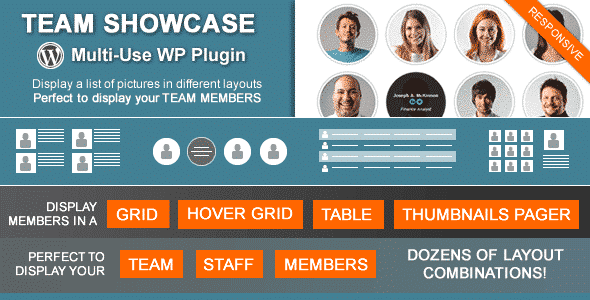
Overview of Team Showcase
Team Showcase is an essential WordPress plugin designed to beautifully display your team members, staff, or employees on your website. This powerful tool helps you present your team in a professional, engaging, and highly customizable manner, making it perfect for businesses, agencies, and organizations of all sizes looking to enhance their online presence and build trust with their audience. With Team Showcase, you can easily create stunning layouts that highlight individual profiles, skills, and social connections.
Key Features of Team Showcase
- Multiple Layout Options: Team Showcase offers a variety of visually appealing layouts, including grids, carousels, and lists, allowing you to choose the perfect presentation style that complements your website’s design.
- Responsive Design: Ensure your team profiles look flawless on any device, from desktops to tablets and smartphones, thanks to the fully responsive capabilities of Team Showcase.
- Customizable Profile Fields: Easily add and manage custom fields for each team member, such as job title, bio, contact information, and specific skills, providing comprehensive details to your visitors.
- Social Media Integration: Link directly to your team members’ social media profiles (LinkedIn, Twitter, Facebook, etc.), making it easy for visitors to connect and follow them.
- Drag-and-Drop Reordering: Effortlessly arrange your team members in any order you prefer using an intuitive drag-and-drop interface, giving you complete control over their display sequence.
- Shortcode Generator: Seamlessly integrate your team showcase into any page, post, or widget area using a simple shortcode generator, no coding knowledge required.
- Search and Filter Options: Enhance user experience by allowing visitors to search for specific team members or filter them by categories, departments, or skills.
- Extensive Styling Options: Customize colors, fonts, borders, and hover effects to match your brand’s aesthetic, ensuring your Team Showcase is perfectly integrated with your site’s design.
Why Choose Team Showcase?
Choosing Team Showcase is a strategic decision for any website looking to professionalize its ‘About Us’ or ‘Team’ page. In today’s digital landscape, showcasing the people behind your brand is crucial for building credibility and fostering a connection with your audience. A well-presented team page doesn’t just list names; it tells a story, highlights expertise, and humanizes your business. Team Showcase empowers you to do just that, offering a robust set of tools that make team management and display a breeze.
Beyond aesthetics, Team Showcase significantly enhances user engagement. Visitors are more likely to trust and interact with a company when they can see and learn about the individuals who make it successful. This plugin helps you create detailed, interactive profiles that can include photos, bios, and social links, providing a rich experience for anyone exploring your site. It saves you valuable time and effort by streamlining the process of adding, editing, and organizing team members, freeing you to focus on other core aspects of your business. Opt for Team Showcase to elevate your website’s professionalism and connect more deeply with your visitors.
Who Should Use Team Showcase?
Team Showcase is an ideal solution for a wide range of users and organizations. Small businesses can use it to introduce their core team, while larger corporations can manage extensive departments. Startups will find it invaluable for showcasing their innovative founders and early employees. Creative agencies, law firms, consulting groups, and non-profit organizations can all leverage Team Showcase to present their experts and staff in a compelling manner. Additionally, educational institutions, event organizers, and even personal portfolio sites looking to highlight collaborators will benefit greatly from its features. Essentially, anyone who needs to display a group of individuals on their WordPress website in an organized, attractive, and professional way will find Team Showcase to be an indispensable tool.
How to Install Team Showcase
- Download the Plugin: After acquiring Team Showcase, download the plugin package to your local computer.
- Upload via WordPress Dashboard: Log in to your WordPress admin area, navigate to ‘Plugins’ > ‘Add New’, then click the ‘Upload Plugin’ button at the top. Choose the downloaded zip file for Team Showcase and click ‘Install Now’.
- Activate the Plugin: Once the installation is complete, click the ‘Activate Plugin’ link to enable Team Showcase on your website.
- Configure Settings: Go to the newly added ‘Team Showcase’ menu item in your WordPress dashboard. Here you can start adding team members, configuring layouts, and customizing the display options to suit your needs.
- Insert Shortcode: Use the provided shortcode generator within the Team Showcase settings to create and insert your team display onto any page, post, or widget area.
Frequently Asked Questions About Team Showcase
Is Team Showcase compatible with all WordPress themes?
Team Showcase is developed with WordPress best practices in mind and is designed to be highly compatible with most well-coded WordPress themes. Its flexible styling options allow it to blend seamlessly with various designs, ensuring your team display looks integrated and professional on your site.
Can I categorize my team members using Team Showcase?
Yes, Team Showcase allows you to create categories or departments for your team members. This feature is incredibly useful for larger organizations or websites with diverse teams, enabling you to organize and display specific groups of individuals, and even offer filtering options for your visitors.
Does Team Showcase support custom styling and CSS?
Absolutely. Team Showcase provides extensive built-in styling options within its settings. For advanced users or specific branding requirements, you can also apply custom CSS to further tailor the appearance of your team profiles, giving you complete control over its look and feel.
Get Team Showcase Today
Elevate your website’s presentation and build stronger connections with your audience by integrating Team Showcase. This powerful plugin offers unparalleled flexibility and ease of use, making it simple to create a stunning, professional team page that reflects the strength and expertise of your organization. Don’t miss out on the opportunity to enhance your online presence and foster trust with your visitors. Explore Team Showcase and many other premium WordPress Plugins, along with a vast selection of GPL WordPress Products, to unlock your website’s full potential.
Related Products You May Like
Here's everything you need to know about your purchase:
- 100% original files — Every product is the genuine, virus-free file, exactly as released by the original developer.
- Instant download — Access your files immediately after purchase from your account.
- Lifetime access — Re-download your purchased files anytime. No expiry, no limits.
- Free updates — Newer version released? Just request an update from us, free for all customers.
- Dedicated support — Our team is available 24/7 for installation and file-related help.
- Easy refunds — Not satisfied? Review our Refund Policy. We offer a hassle-free 7-day guarantee.
$59.00 Original price was: $59.00.$2.00Current price is: $2.00.
Version
25.05.14
Last Updated
03/03/2026
License
GPL v2
Compatibility
WordPress 5.0+
Need latest version?
Newer version released? Request an update from us — free for all customers!
Request Update →🎁 Your Purchase Includes
Overview of Team Showcase
Team Showcase is an essential WordPress plugin designed to beautifully display your team members, staff, or employees on your website. This powerful tool helps you present your team in a professional, engaging, and highly customizable manner, making it perfect for businesses, agencies, and organizations of all sizes looking to enhance their online presence and build trust with their audience. With Team Showcase, you can easily create stunning layouts that highlight individual profiles, skills, and social connections.
Key Features of Team Showcase
- Multiple Layout Options: Team Showcase offers a variety of visually appealing layouts, including grids, carousels, and lists, allowing you to choose the perfect presentation style that complements your website’s design.
- Responsive Design: Ensure your team profiles look flawless on any device, from desktops to tablets and smartphones, thanks to the fully responsive capabilities of Team Showcase.
- Customizable Profile Fields: Easily add and manage custom fields for each team member, such as job title, bio, contact information, and specific skills, providing comprehensive details to your visitors.
- Social Media Integration: Link directly to your team members’ social media profiles (LinkedIn, Twitter, Facebook, etc.), making it easy for visitors to connect and follow them.
- Drag-and-Drop Reordering: Effortlessly arrange your team members in any order you prefer using an intuitive drag-and-drop interface, giving you complete control over their display sequence.
- Shortcode Generator: Seamlessly integrate your team showcase into any page, post, or widget area using a simple shortcode generator, no coding knowledge required.
- Search and Filter Options: Enhance user experience by allowing visitors to search for specific team members or filter them by categories, departments, or skills.
- Extensive Styling Options: Customize colors, fonts, borders, and hover effects to match your brand’s aesthetic, ensuring your Team Showcase is perfectly integrated with your site’s design.
Why Choose Team Showcase?
Choosing Team Showcase is a strategic decision for any website looking to professionalize its ‘About Us’ or ‘Team’ page. In today’s digital landscape, showcasing the people behind your brand is crucial for building credibility and fostering a connection with your audience. A well-presented team page doesn’t just list names; it tells a story, highlights expertise, and humanizes your business. Team Showcase empowers you to do just that, offering a robust set of tools that make team management and display a breeze.
Beyond aesthetics, Team Showcase significantly enhances user engagement. Visitors are more likely to trust and interact with a company when they can see and learn about the individuals who make it successful. This plugin helps you create detailed, interactive profiles that can include photos, bios, and social links, providing a rich experience for anyone exploring your site. It saves you valuable time and effort by streamlining the process of adding, editing, and organizing team members, freeing you to focus on other core aspects of your business. Opt for Team Showcase to elevate your website’s professionalism and connect more deeply with your visitors.
Who Should Use Team Showcase?
Team Showcase is an ideal solution for a wide range of users and organizations. Small businesses can use it to introduce their core team, while larger corporations can manage extensive departments. Startups will find it invaluable for showcasing their innovative founders and early employees. Creative agencies, law firms, consulting groups, and non-profit organizations can all leverage Team Showcase to present their experts and staff in a compelling manner. Additionally, educational institutions, event organizers, and even personal portfolio sites looking to highlight collaborators will benefit greatly from its features. Essentially, anyone who needs to display a group of individuals on their WordPress website in an organized, attractive, and professional way will find Team Showcase to be an indispensable tool.
How to Install Team Showcase
- Download the Plugin: After acquiring Team Showcase, download the plugin package to your local computer.
- Upload via WordPress Dashboard: Log in to your WordPress admin area, navigate to ‘Plugins’ > ‘Add New’, then click the ‘Upload Plugin’ button at the top. Choose the downloaded zip file for Team Showcase and click ‘Install Now’.
- Activate the Plugin: Once the installation is complete, click the ‘Activate Plugin’ link to enable Team Showcase on your website.
- Configure Settings: Go to the newly added ‘Team Showcase’ menu item in your WordPress dashboard. Here you can start adding team members, configuring layouts, and customizing the display options to suit your needs.
- Insert Shortcode: Use the provided shortcode generator within the Team Showcase settings to create and insert your team display onto any page, post, or widget area.
Frequently Asked Questions About Team Showcase
Is Team Showcase compatible with all WordPress themes?
Team Showcase is developed with WordPress best practices in mind and is designed to be highly compatible with most well-coded WordPress themes. Its flexible styling options allow it to blend seamlessly with various designs, ensuring your team display looks integrated and professional on your site.
Can I categorize my team members using Team Showcase?
Yes, Team Showcase allows you to create categories or departments for your team members. This feature is incredibly useful for larger organizations or websites with diverse teams, enabling you to organize and display specific groups of individuals, and even offer filtering options for your visitors.
Does Team Showcase support custom styling and CSS?
Absolutely. Team Showcase provides extensive built-in styling options within its settings. For advanced users or specific branding requirements, you can also apply custom CSS to further tailor the appearance of your team profiles, giving you complete control over its look and feel.
Get Team Showcase Today
Elevate your website’s presentation and build stronger connections with your audience by integrating Team Showcase. This powerful plugin offers unparalleled flexibility and ease of use, making it simple to create a stunning, professional team page that reflects the strength and expertise of your organization. Don’t miss out on the opportunity to enhance your online presence and foster trust with your visitors. Explore Team Showcase and many other premium WordPress Plugins, along with a vast selection of GPL WordPress Products, to unlock your website’s full potential.
Related Products You May Like
Reviews
There are no reviews yet.
Here's everything you need to know about your purchase:
- 100% original files — Every product is the genuine, virus-free file, exactly as released by the original developer.
- Instant download — Access your files immediately after purchase from your account.
- Lifetime access — Re-download your purchased files anytime. No expiry, no limits.
- Free updates — Newer version released? Just request an update from us, free for all customers.
- Dedicated support — Our team is available 24/7 for installation and file-related help.
- Easy refunds — Not satisfied? Review our Refund Policy. We offer a hassle-free 7-day guarantee.
Reviews
There are no reviews yet.