

Super Forms Drag Drop Form Builder 6.3.717
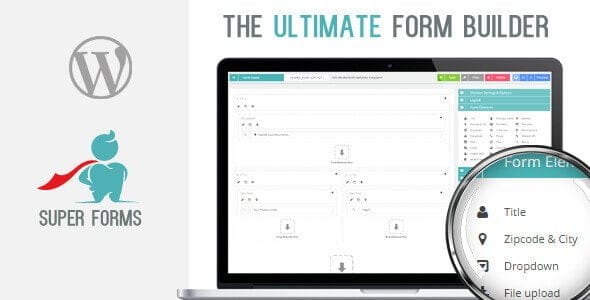
Overview of Super Forms Form Builder
Unlock the full potential of your WordPress website with Super Forms Form Builder, a highly intuitive and powerful drag-and-drop solution designed for creating any type of form imaginable. Whether you need contact forms, registration forms, survey forms, or complex multi-step forms, Super Forms Form Builder empowers individuals and businesses alike to build stunning, functional forms without writing a single line of code.
Key Features of Super Forms Form Builder
- Intuitive Drag & Drop Builder: Effortlessly design forms with a user-friendly interface that lets you drag elements, arrange fields, and customize layouts in real-time.
- Responsive Design: Ensure your forms look perfect and function flawlessly on any device, from desktops to tablets and smartphones, providing an optimal user experience.
- Conditional Logic: Create dynamic forms that adapt to user input, showing or hiding fields, sections, or even entire pages based on previous selections, streamlining the user journey.
- Multi-Step Forms: Break down long or complex forms into manageable steps, improving completion rates and reducing user fatigue.
- Advanced Calculation Fields: Implement sophisticated calculations directly within your forms, perfect for quotes, orders, or any scenario requiring dynamic numerical processing.
- Email Notifications & Autoresponders: Configure custom email notifications for administrators and automated confirmation emails for users upon form submission.
- Powerful Integrations: Seamlessly connect with popular third-party services like Mailchimp, Zapier, Google reCAPTCHA, and more to extend your form’s capabilities.
- File Uploads & Attachments: Allow users to upload files directly through your forms, making it easy to collect resumes, documents, images, or other necessary assets.
Why Choose Super Forms Form Builder?
Choosing Super Forms Form Builder means opting for a solution that combines robust functionality with unparalleled ease of use. This isn’t just another form builder; it’s a comprehensive tool designed to enhance user interaction and data collection on your WordPress site. Its drag-and-drop interface significantly reduces development time, allowing you to launch professional-grade forms in minutes, not hours or days. The flexibility offered by features like conditional logic and multi-step forms ensures that you can create a truly tailored experience for your visitors, guiding them efficiently through the data submission process.
Beyond its intuitive design capabilities, Super Forms Form Builder is built for performance and reliability. It helps you capture valuable leads, gather essential feedback, and streamline your workflows with its powerful backend management and integration options. With full control over every aspect of your forms, from styling to submission handling, Super Forms Form Builder empowers you to create engaging and effective communication channels that perfectly align with your brand’s aesthetic and functional requirements. It truly elevates the standard of form creation on WordPress.
Who Should Use Super Forms Form Builder?
Super Forms Form Builder is ideal for a wide range of WordPress users. Website owners, bloggers, small businesses, e-commerce stores, agencies, and developers can all benefit from its powerful features. If you need to collect leads, process orders, conduct surveys, manage registrations, or simply facilitate better communication with your audience, Super Forms Form Builder is the perfect tool. It’s especially beneficial for those who require dynamic, smart forms without needing to delve into complex coding.
How to Install Super Forms Form Builder
- Download the Plugin: After purchasing Super Forms Form Builder from GPLUniverse, download the plugin zip file to your computer.
- Upload to WordPress: Log in to your WordPress admin dashboard. Navigate to ‘Plugins’ > ‘Add New’ and click the ‘Upload Plugin’ button.
- Choose File and Install: Click ‘Choose File’, select the Super Forms Form Builder zip file you downloaded, and then click ‘Install Now’.
- Activate the Plugin: Once the installation is complete, click ‘Activate Plugin’.
- Start Building Forms: You will now see ‘Super Forms’ in your WordPress admin menu. Click on it to begin creating your first form with Super Forms Form Builder.
Frequently Asked Questions About Super Forms Form Builder
Is Super Forms Form Builder compatible with all WordPress themes?
Yes, Super Forms Form Builder is designed to be highly compatible with virtually all well-coded WordPress themes. Its styling can often be customized to match your theme’s aesthetics, and it uses standard WordPress practices to ensure broad compatibility.
Can I use Super Forms Form Builder to create payment forms?
While Super Forms Form Builder offers advanced calculation fields and can integrate with various services, direct payment gateway integration for processing transactions typically requires additional add-ons or specific configurations. Always check the plugin’s documentation or available extensions for payment capabilities.
Does Super Forms Form Builder store form submissions?
Yes, Super Forms Form Builder stores all form submissions within your WordPress database, allowing you to easily view, manage, and export entries directly from your admin panel. This ensures you never miss a submission and can effectively manage your data.
Get Super Forms Form Builder Today
Revolutionize how you interact with your audience and collect essential data. Super Forms Form Builder offers an unparalleled experience in form creation, blending power with simplicity. Enhance your website’s functionality and user engagement by integrating this essential tool. Explore this and many other premium WordPress Plugins available at GPLUniverse, your trusted source for high-quality GPL WordPress Products. Don’t wait to elevate your site’s capabilities!
Related Products You May Like
Here's everything you need to know about your purchase:
- 100% original files — Every product is the genuine, virus-free file, exactly as released by the original developer.
- Instant download — Access your files immediately after purchase from your account.
- Lifetime access — Re-download your purchased files anytime. No expiry, no limits.
- Free updates — Newer version released? Just request an update from us, free for all customers.
- Dedicated support — Our team is available 24/7 for installation and file-related help.
- Easy refunds — Not satisfied? Review our Refund Policy. We offer a hassle-free 7-day guarantee.
$100.00 Original price was: $100.00.$2.00Current price is: $2.00.
Version
6.3.717
Last Updated
09/05/2023
License
GPL v2
Compatibility
WordPress 5.0+
Need latest version?
Newer version released? Request an update from us — free for all customers!
Request Update →🎁 Your Purchase Includes
Overview of Super Forms Form Builder
Unlock the full potential of your WordPress website with Super Forms Form Builder, a highly intuitive and powerful drag-and-drop solution designed for creating any type of form imaginable. Whether you need contact forms, registration forms, survey forms, or complex multi-step forms, Super Forms Form Builder empowers individuals and businesses alike to build stunning, functional forms without writing a single line of code.
Key Features of Super Forms Form Builder
- Intuitive Drag & Drop Builder: Effortlessly design forms with a user-friendly interface that lets you drag elements, arrange fields, and customize layouts in real-time.
- Responsive Design: Ensure your forms look perfect and function flawlessly on any device, from desktops to tablets and smartphones, providing an optimal user experience.
- Conditional Logic: Create dynamic forms that adapt to user input, showing or hiding fields, sections, or even entire pages based on previous selections, streamlining the user journey.
- Multi-Step Forms: Break down long or complex forms into manageable steps, improving completion rates and reducing user fatigue.
- Advanced Calculation Fields: Implement sophisticated calculations directly within your forms, perfect for quotes, orders, or any scenario requiring dynamic numerical processing.
- Email Notifications & Autoresponders: Configure custom email notifications for administrators and automated confirmation emails for users upon form submission.
- Powerful Integrations: Seamlessly connect with popular third-party services like Mailchimp, Zapier, Google reCAPTCHA, and more to extend your form’s capabilities.
- File Uploads & Attachments: Allow users to upload files directly through your forms, making it easy to collect resumes, documents, images, or other necessary assets.
Why Choose Super Forms Form Builder?
Choosing Super Forms Form Builder means opting for a solution that combines robust functionality with unparalleled ease of use. This isn’t just another form builder; it’s a comprehensive tool designed to enhance user interaction and data collection on your WordPress site. Its drag-and-drop interface significantly reduces development time, allowing you to launch professional-grade forms in minutes, not hours or days. The flexibility offered by features like conditional logic and multi-step forms ensures that you can create a truly tailored experience for your visitors, guiding them efficiently through the data submission process.
Beyond its intuitive design capabilities, Super Forms Form Builder is built for performance and reliability. It helps you capture valuable leads, gather essential feedback, and streamline your workflows with its powerful backend management and integration options. With full control over every aspect of your forms, from styling to submission handling, Super Forms Form Builder empowers you to create engaging and effective communication channels that perfectly align with your brand’s aesthetic and functional requirements. It truly elevates the standard of form creation on WordPress.
Who Should Use Super Forms Form Builder?
Super Forms Form Builder is ideal for a wide range of WordPress users. Website owners, bloggers, small businesses, e-commerce stores, agencies, and developers can all benefit from its powerful features. If you need to collect leads, process orders, conduct surveys, manage registrations, or simply facilitate better communication with your audience, Super Forms Form Builder is the perfect tool. It’s especially beneficial for those who require dynamic, smart forms without needing to delve into complex coding.
How to Install Super Forms Form Builder
- Download the Plugin: After purchasing Super Forms Form Builder from GPLUniverse, download the plugin zip file to your computer.
- Upload to WordPress: Log in to your WordPress admin dashboard. Navigate to ‘Plugins’ > ‘Add New’ and click the ‘Upload Plugin’ button.
- Choose File and Install: Click ‘Choose File’, select the Super Forms Form Builder zip file you downloaded, and then click ‘Install Now’.
- Activate the Plugin: Once the installation is complete, click ‘Activate Plugin’.
- Start Building Forms: You will now see ‘Super Forms’ in your WordPress admin menu. Click on it to begin creating your first form with Super Forms Form Builder.
Frequently Asked Questions About Super Forms Form Builder
Is Super Forms Form Builder compatible with all WordPress themes?
Yes, Super Forms Form Builder is designed to be highly compatible with virtually all well-coded WordPress themes. Its styling can often be customized to match your theme’s aesthetics, and it uses standard WordPress practices to ensure broad compatibility.
Can I use Super Forms Form Builder to create payment forms?
While Super Forms Form Builder offers advanced calculation fields and can integrate with various services, direct payment gateway integration for processing transactions typically requires additional add-ons or specific configurations. Always check the plugin’s documentation or available extensions for payment capabilities.
Does Super Forms Form Builder store form submissions?
Yes, Super Forms Form Builder stores all form submissions within your WordPress database, allowing you to easily view, manage, and export entries directly from your admin panel. This ensures you never miss a submission and can effectively manage your data.
Get Super Forms Form Builder Today
Revolutionize how you interact with your audience and collect essential data. Super Forms Form Builder offers an unparalleled experience in form creation, blending power with simplicity. Enhance your website’s functionality and user engagement by integrating this essential tool. Explore this and many other premium WordPress Plugins available at GPLUniverse, your trusted source for high-quality GPL WordPress Products. Don’t wait to elevate your site’s capabilities!
Related Products You May Like
Reviews
There are no reviews yet.
Here's everything you need to know about your purchase:
- 100% original files — Every product is the genuine, virus-free file, exactly as released by the original developer.
- Instant download — Access your files immediately after purchase from your account.
- Lifetime access — Re-download your purchased files anytime. No expiry, no limits.
- Free updates — Newer version released? Just request an update from us, free for all customers.
- Dedicated support — Our team is available 24/7 for installation and file-related help.
- Easy refunds — Not satisfied? Review our Refund Policy. We offer a hassle-free 7-day guarantee.
Reviews
There are no reviews yet.