

TV Schedule and Timetable for WordPress 1.6
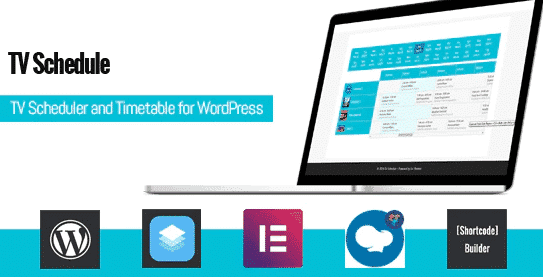
Overview of Schedule and Timetable for WordPress
Transform your WordPress site into a dynamic hub for event listings and program schedules with Schedule and Timetable for WordPress. This powerful plugin is specifically designed to help businesses, institutions, and content creators effectively display their events, classes, programs, or broadcast schedules in an organized, user-friendly format. Whether you’re managing a TV station’s program guide, a fitness center’s class schedule, or a university’s course timetable, Schedule and Timetable for WordPress provides the tools you need to present complex information clearly and attractively to your audience.
Key Features of Schedule and Timetable for WordPress
- Intuitive Event Creation: Easily add new events, classes, or program slots with comprehensive details including title, description, time, date, and custom fields.
- Flexible Timetable Views: Offer multiple display options such as weekly, daily, or list views, allowing visitors to browse schedules in a way that suits them best.
- Responsive Design: Ensure your schedules look impeccable and are fully functional on any device, from desktops to tablets and smartphones, providing an optimal user experience.
- Customizable Styling Options: Tailor the appearance of your schedules with extensive styling options, including colors, fonts, and layout settings, to seamlessly match your website’s branding.
- Shortcode Integration: Effortlessly embed your created schedules into any page, post, or widget area using simple shortcodes, offering maximum flexibility in content placement.
- Filtering and Sorting Capabilities: Empower users to quickly find relevant events by enabling filters for categories, locations, or other custom criteria, enhancing navigability.
- Recurring Event Support: Set up events that repeat daily, weekly, or on custom intervals, saving you time and effort in managing ongoing schedules.
- Categorization and Tagging: Organize your timetable entries with categories and tags, making it easier for both administrators and users to manage and locate specific schedules.
Why Choose Schedule and Timetable for WordPress?
Choosing Schedule and Timetable for WordPress means opting for efficiency, professionalism, and an enhanced user experience on your website. This plugin goes beyond basic event listing by providing a robust framework for managing and displaying complex timetables with ease. Its intuitive backend interface significantly reduces the time and effort required to update and maintain your schedules, freeing you up to focus on your core activities. The flexibility in display options ensures that whether your audience prefers a quick overview or detailed information, they can access it effortlessly.
Furthermore, the commitment to responsive design ensures that your schedules are accessible and visually appealing across all devices, which is crucial for today’s mobile-first audience. A well-presented and easily navigable schedule can significantly improve user engagement, reduce bounce rates, and ensure your visitors can quickly find the information they need. This translates into better attendance for your events, higher participation in your classes, or increased viewership for your programs. Schedule and Timetable for WordPress empowers you to present your offerings in the most professional and accessible manner possible.
The extensive customization options mean you never have to compromise on your brand’s aesthetic. You can fine-tune every aspect of your timetable’s appearance to integrate perfectly with your existing website design, maintaining a cohesive and polished look. By investing in Schedule and Timetable for WordPress, you’re not just getting a plugin; you’re gaining a powerful tool that enhances your site’s functionality, improves user satisfaction, and streamlines your operational workflow, making it an invaluable asset for any WordPress-powered platform requiring sophisticated scheduling capabilities.
Who Should Use Schedule and Timetable for WordPress?
Schedule and Timetable for WordPress is an ideal solution for a diverse range of users and industries. It’s perfect for educational institutions like schools and universities needing to display course schedules, exam timetables, or campus event listings. Fitness centers, yoga studios, and sports clubs will find it invaluable for showcasing class schedules, workshop timings, and trainer availability. Event organizers, conference planners, and festival promoters can use it to publish their program itineraries and session times. TV stations, radio channels, and online content creators can effectively present their broadcast schedules. Additionally, any business offering services with specific time slots, such as salons, clinics, or consulting firms, can utilize Schedule and Timetable for WordPress to manage and display their availability.
How to Install Schedule and Timetable for WordPress
- Download the Plugin: After your purchase, download the Schedule and Timetable for WordPress plugin file (a .zip archive) from your account dashboard.
- Upload via WordPress Dashboard: Log in to your WordPress admin area. Navigate to ‘Plugins’ > ‘Add New’. Click on the ‘Upload Plugin’ button at the top of the page.
- Choose File and Install: Click ‘Choose File’, select the downloaded .zip file for Schedule and Timetable for WordPress from your computer, and then click ‘Install Now’.
- Activate the Plugin: Once the installation is complete, WordPress will prompt you to activate the plugin. Click ‘Activate Plugin’.
- Configure Your Timetables: After activation, a new menu item related to Schedule and Timetable for WordPress will appear in your WordPress dashboard. Navigate to it to begin creating and customizing your schedules and timetables.
Frequently Asked Questions About Schedule and Timetable for WordPress
Is Schedule and Timetable for WordPress compatible with all WordPress themes?
Yes, Schedule and Timetable for WordPress is developed to be highly compatible with most standard-compliant WordPress themes. While it offers extensive customization options to match your theme’s design, we always recommend testing it with your specific theme to ensure a perfect fit and seamless integration.
Can I create multiple distinct timetables with Schedule and Timetable for WordPress?
Absolutely! Schedule and Timetable for WordPress allows you to create an unlimited number of separate timetables and schedules. This is perfect for websites that need to display different sets of events for various departments, locations, or types of activities.
Does Schedule and Timetable for WordPress support recurring events?
Yes, a key feature of Schedule and Timetable for WordPress is its robust support for recurring events. You can easily set up events to repeat daily, weekly, monthly, or on custom intervals, significantly simplifying the management of ongoing schedules and programs.
Get Schedule and Timetable for WordPress Today
Elevate your website’s functionality and provide an exceptional user experience by integrating Schedule and Timetable for WordPress. This essential plugin is your solution for elegant and efficient schedule management, ensuring your audience always has access to up-to-date and clearly presented information. Don’t miss out on enhancing your site’s capabilities. Explore our extensive range of WordPress Themes and other premium GPL WordPress Products to further empower your online presence. Add Schedule and Timetable for WordPress to your toolkit today and start building beautifully organized schedules.
Related Products You May Like
Here's everything you need to know about your purchase:
- 100% original files — Every product is the genuine, virus-free file, exactly as released by the original developer.
- Instant download — Access your files immediately after purchase from your account.
- Lifetime access — Re-download your purchased files anytime. No expiry, no limits.
- Free updates — Newer version released? Just request an update from us, free for all customers.
- Dedicated support — Our team is available 24/7 for installation and file-related help.
- Easy refunds — Not satisfied? Review our Refund Policy. We offer a hassle-free 7-day guarantee.
$59.00 Original price was: $59.00.$2.00Current price is: $2.00.
Version
1.6
Last Updated
08/10/2024
License
GPL v2
Compatibility
WordPress 5.0+
Need latest version?
Newer version released? Request an update from us — free for all customers!
Request Update →🎁 Your Purchase Includes
Overview of Schedule and Timetable for WordPress
Transform your WordPress site into a dynamic hub for event listings and program schedules with Schedule and Timetable for WordPress. This powerful plugin is specifically designed to help businesses, institutions, and content creators effectively display their events, classes, programs, or broadcast schedules in an organized, user-friendly format. Whether you’re managing a TV station’s program guide, a fitness center’s class schedule, or a university’s course timetable, Schedule and Timetable for WordPress provides the tools you need to present complex information clearly and attractively to your audience.
Key Features of Schedule and Timetable for WordPress
- Intuitive Event Creation: Easily add new events, classes, or program slots with comprehensive details including title, description, time, date, and custom fields.
- Flexible Timetable Views: Offer multiple display options such as weekly, daily, or list views, allowing visitors to browse schedules in a way that suits them best.
- Responsive Design: Ensure your schedules look impeccable and are fully functional on any device, from desktops to tablets and smartphones, providing an optimal user experience.
- Customizable Styling Options: Tailor the appearance of your schedules with extensive styling options, including colors, fonts, and layout settings, to seamlessly match your website’s branding.
- Shortcode Integration: Effortlessly embed your created schedules into any page, post, or widget area using simple shortcodes, offering maximum flexibility in content placement.
- Filtering and Sorting Capabilities: Empower users to quickly find relevant events by enabling filters for categories, locations, or other custom criteria, enhancing navigability.
- Recurring Event Support: Set up events that repeat daily, weekly, or on custom intervals, saving you time and effort in managing ongoing schedules.
- Categorization and Tagging: Organize your timetable entries with categories and tags, making it easier for both administrators and users to manage and locate specific schedules.
Why Choose Schedule and Timetable for WordPress?
Choosing Schedule and Timetable for WordPress means opting for efficiency, professionalism, and an enhanced user experience on your website. This plugin goes beyond basic event listing by providing a robust framework for managing and displaying complex timetables with ease. Its intuitive backend interface significantly reduces the time and effort required to update and maintain your schedules, freeing you up to focus on your core activities. The flexibility in display options ensures that whether your audience prefers a quick overview or detailed information, they can access it effortlessly.
Furthermore, the commitment to responsive design ensures that your schedules are accessible and visually appealing across all devices, which is crucial for today’s mobile-first audience. A well-presented and easily navigable schedule can significantly improve user engagement, reduce bounce rates, and ensure your visitors can quickly find the information they need. This translates into better attendance for your events, higher participation in your classes, or increased viewership for your programs. Schedule and Timetable for WordPress empowers you to present your offerings in the most professional and accessible manner possible.
The extensive customization options mean you never have to compromise on your brand’s aesthetic. You can fine-tune every aspect of your timetable’s appearance to integrate perfectly with your existing website design, maintaining a cohesive and polished look. By investing in Schedule and Timetable for WordPress, you’re not just getting a plugin; you’re gaining a powerful tool that enhances your site’s functionality, improves user satisfaction, and streamlines your operational workflow, making it an invaluable asset for any WordPress-powered platform requiring sophisticated scheduling capabilities.
Who Should Use Schedule and Timetable for WordPress?
Schedule and Timetable for WordPress is an ideal solution for a diverse range of users and industries. It’s perfect for educational institutions like schools and universities needing to display course schedules, exam timetables, or campus event listings. Fitness centers, yoga studios, and sports clubs will find it invaluable for showcasing class schedules, workshop timings, and trainer availability. Event organizers, conference planners, and festival promoters can use it to publish their program itineraries and session times. TV stations, radio channels, and online content creators can effectively present their broadcast schedules. Additionally, any business offering services with specific time slots, such as salons, clinics, or consulting firms, can utilize Schedule and Timetable for WordPress to manage and display their availability.
How to Install Schedule and Timetable for WordPress
- Download the Plugin: After your purchase, download the Schedule and Timetable for WordPress plugin file (a .zip archive) from your account dashboard.
- Upload via WordPress Dashboard: Log in to your WordPress admin area. Navigate to ‘Plugins’ > ‘Add New’. Click on the ‘Upload Plugin’ button at the top of the page.
- Choose File and Install: Click ‘Choose File’, select the downloaded .zip file for Schedule and Timetable for WordPress from your computer, and then click ‘Install Now’.
- Activate the Plugin: Once the installation is complete, WordPress will prompt you to activate the plugin. Click ‘Activate Plugin’.
- Configure Your Timetables: After activation, a new menu item related to Schedule and Timetable for WordPress will appear in your WordPress dashboard. Navigate to it to begin creating and customizing your schedules and timetables.
Frequently Asked Questions About Schedule and Timetable for WordPress
Is Schedule and Timetable for WordPress compatible with all WordPress themes?
Yes, Schedule and Timetable for WordPress is developed to be highly compatible with most standard-compliant WordPress themes. While it offers extensive customization options to match your theme’s design, we always recommend testing it with your specific theme to ensure a perfect fit and seamless integration.
Can I create multiple distinct timetables with Schedule and Timetable for WordPress?
Absolutely! Schedule and Timetable for WordPress allows you to create an unlimited number of separate timetables and schedules. This is perfect for websites that need to display different sets of events for various departments, locations, or types of activities.
Does Schedule and Timetable for WordPress support recurring events?
Yes, a key feature of Schedule and Timetable for WordPress is its robust support for recurring events. You can easily set up events to repeat daily, weekly, monthly, or on custom intervals, significantly simplifying the management of ongoing schedules and programs.
Get Schedule and Timetable for WordPress Today
Elevate your website’s functionality and provide an exceptional user experience by integrating Schedule and Timetable for WordPress. This essential plugin is your solution for elegant and efficient schedule management, ensuring your audience always has access to up-to-date and clearly presented information. Don’t miss out on enhancing your site’s capabilities. Explore our extensive range of WordPress Themes and other premium GPL WordPress Products to further empower your online presence. Add Schedule and Timetable for WordPress to your toolkit today and start building beautifully organized schedules.
Related Products You May Like
Reviews
There are no reviews yet.
Here's everything you need to know about your purchase:
- 100% original files — Every product is the genuine, virus-free file, exactly as released by the original developer.
- Instant download — Access your files immediately after purchase from your account.
- Lifetime access — Re-download your purchased files anytime. No expiry, no limits.
- Free updates — Newer version released? Just request an update from us, free for all customers.
- Dedicated support — Our team is available 24/7 for installation and file-related help.
- Easy refunds — Not satisfied? Review our Refund Policy. We offer a hassle-free 7-day guarantee.
Reviews
There are no reviews yet.