

Report Builder add-on for wpDataTables 2.3 – Generate Word DOCX and Excel XLSX documents
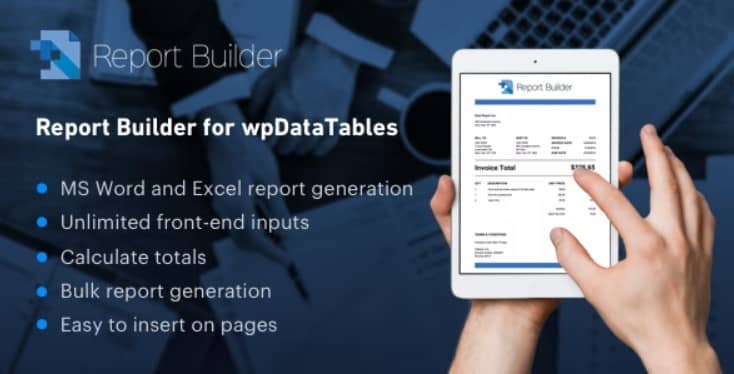
Overview of Report Builder add-on for wpDataTables
The Report Builder add-on for wpDataTables is an indispensable tool designed to transform your raw wpDataTables data into professional, ready-to-use Word DOCX and Excel XLSX documents. This powerful add-on empowers businesses, data analysts, and anyone managing data with wpDataTables to effortlessly generate custom reports, invoices, certificates, and more, directly from their WordPress site.
Key Features of Report Builder add-on for wpDataTables
- Effortless DOCX Generation: Create stunning Word documents directly from your wpDataTables data with dynamic content, images, and formatting, perfect for professional reports and proposals.
- Advanced XLSX Export: Generate complex Excel spreadsheets (XLSX) from your tables, allowing for advanced data analysis, calculations, and easy sharing with colleagues or clients.
- Customizable Templates: Design your own report templates using Word or Excel, complete with placeholders for dynamic data from your wpDataTables, ensuring your reports always match your brand.
- Dynamic Data Integration: Automatically populate your templates with data from any wpDataTable, ensuring accuracy and consistency without manual data entry.
- Conditional Logic Support: Implement advanced logic within your templates to display specific content or data based on conditions, making your reports smarter and more relevant.
- User-Friendly Interface: A straightforward and intuitive interface allows users of all skill levels to quickly set up and generate reports with the Report Builder add-on for wpDataTables.
- Seamless wpDataTables Integration: Works flawlessly with your existing wpDataTables, extending their functionality to include robust reporting capabilities without any compatibility issues.
- One-Click Report Generation: Save time and boost productivity by generating complex reports with just a single click, streamlining your data management workflow.
Why Choose Report Builder add-on for wpDataTables?
In today’s data-driven world, the ability to quickly and accurately generate professional reports is paramount. The Report Builder add-on for wpDataTables offers an unparalleled solution for converting your valuable WordPress data into actionable insights. It eliminates the tedious manual process of copying and pasting data, drastically reducing errors and saving countless hours. Imagine generating quarterly financial reports, client invoices, or project summaries with just a few clicks, all perfectly formatted and branded.
This add-on not only enhances efficiency but also elevates the professionalism of your output. By allowing you to design custom templates, every document generated from your wpDataTables will reflect your brand’s identity and maintain a consistent, high-quality appearance. Whether you need to present complex data to stakeholders, provide detailed reports to clients, or simply keep internal records organized, the Report Builder add-on for wpDataTables ensures your documents are always polished, precise, and ready for distribution. It transforms raw data into a powerful communication tool, giving you a competitive edge.
Choosing the Report Builder add-on for wpDataTables means investing in a solution that empowers you to maximize the utility of your WordPress data. It’s more than just a reporting tool; it’s a productivity enhancer that streamlines workflows, improves data integrity, and allows you to focus on analysis rather than data compilation. Unlock the full potential of your wpDataTables with this essential add-on.
Who Should Use Report Builder add-on for wpDataTables?
The Report Builder add-on for wpDataTables is ideal for a wide range of users and organizations. Businesses of all sizes can leverage it to generate sales reports, inventory lists, customer invoices, or employee performance reviews. Educational institutions might use it for student records, grade reports, or administrative summaries. Data analysts and researchers will find it invaluable for compiling complex datasets into presentable formats. Marketing agencies can create campaign performance reports, while freelancers and consultants can generate professional client deliverables. Essentially, anyone who uses wpDataTables to manage data on their WordPress site and needs to produce professional, exportable documents in Word or Excel format will find this add-on an indispensable asset.
How to Install Report Builder add-on for wpDataTables
- Download the Add-on: After obtaining the Report Builder add-on for wpDataTables, download the plugin file (a .zip archive) to your computer.
- Access Your WordPress Admin: Log in to your WordPress dashboard using your administrator credentials.
- Navigate to Plugins: In the WordPress admin menu, go to “Plugins” > “Add New”.
- Upload the Plugin: Click on the “Upload Plugin” button at the top of the page. Then, click “Choose File” and select the .zip file you downloaded in step 1.
- Install and Activate: Click “Install Now” and once the installation is complete, click “Activate Plugin”. The Report Builder add-on for wpDataTables will now be active on your site and ready for configuration.
Frequently Asked Questions About Report Builder add-on for wpDataTables
What document formats can the Report Builder add-on for wpDataTables generate?
The Report Builder add-on for wpDataTables is specifically designed to generate professional documents in two widely used formats: Microsoft Word DOCX and Microsoft Excel XLSX. This allows for versatile reporting and data analysis capabilities.
Does the Report Builder add-on for wpDataTables integrate with my existing wpDataTables?
Yes, absolutely! The Report Builder add-on for wpDataTables is built to integrate seamlessly with your existing wpDataTables. You can select any of your current tables as the data source for your reports without any complex setup.
Can I customize the design and content of the reports generated by the Report Builder add-on for wpDataTables?
Yes, extensive customization is a core feature of the Report Builder add-on for wpDataTables. You can create your own custom templates in Word or Excel, defining the layout, styling, and placeholders for your dynamic data. This ensures your reports perfectly match your branding and specific requirements.
Get Report Builder add-on for wpDataTables Today
Don’t let valuable data remain trapped in static tables. Empower your WordPress site with the ability to generate dynamic, professional reports with the Report Builder add-on for wpDataTables. Streamline your workflows, enhance your data presentation, and unlock new levels of efficiency. Explore this and many other premium WordPress Plugins available. Visit our complete collection of GPL WordPress Products to find all the tools you need to build and optimize your website.
Related Products You May Like
Here's everything you need to know about your purchase:
- 100% original files — Every product is the genuine, virus-free file, exactly as released by the original developer.
- Instant download — Access your files immediately after purchase from your account.
- Lifetime access — Re-download your purchased files anytime. No expiry, no limits.
- Free updates — Newer version released? Just request an update from us, free for all customers.
- Dedicated support — Our team is available 24/7 for installation and file-related help.
- Easy refunds — Not satisfied? Review our Refund Policy. We offer a hassle-free 7-day guarantee.
$59.00 Original price was: $59.00.$5.00Current price is: $5.00.
Version
2.3
Last Updated
01/02/2026
License
GPL v2
Compatibility
WordPress 5.0+
Need latest version?
Newer version released? Request an update from us — free for all customers!
Request Update →🎁 Your Purchase Includes
Overview of Report Builder add-on for wpDataTables
The Report Builder add-on for wpDataTables is an indispensable tool designed to transform your raw wpDataTables data into professional, ready-to-use Word DOCX and Excel XLSX documents. This powerful add-on empowers businesses, data analysts, and anyone managing data with wpDataTables to effortlessly generate custom reports, invoices, certificates, and more, directly from their WordPress site.
Key Features of Report Builder add-on for wpDataTables
- Effortless DOCX Generation: Create stunning Word documents directly from your wpDataTables data with dynamic content, images, and formatting, perfect for professional reports and proposals.
- Advanced XLSX Export: Generate complex Excel spreadsheets (XLSX) from your tables, allowing for advanced data analysis, calculations, and easy sharing with colleagues or clients.
- Customizable Templates: Design your own report templates using Word or Excel, complete with placeholders for dynamic data from your wpDataTables, ensuring your reports always match your brand.
- Dynamic Data Integration: Automatically populate your templates with data from any wpDataTable, ensuring accuracy and consistency without manual data entry.
- Conditional Logic Support: Implement advanced logic within your templates to display specific content or data based on conditions, making your reports smarter and more relevant.
- User-Friendly Interface: A straightforward and intuitive interface allows users of all skill levels to quickly set up and generate reports with the Report Builder add-on for wpDataTables.
- Seamless wpDataTables Integration: Works flawlessly with your existing wpDataTables, extending their functionality to include robust reporting capabilities without any compatibility issues.
- One-Click Report Generation: Save time and boost productivity by generating complex reports with just a single click, streamlining your data management workflow.
Why Choose Report Builder add-on for wpDataTables?
In today’s data-driven world, the ability to quickly and accurately generate professional reports is paramount. The Report Builder add-on for wpDataTables offers an unparalleled solution for converting your valuable WordPress data into actionable insights. It eliminates the tedious manual process of copying and pasting data, drastically reducing errors and saving countless hours. Imagine generating quarterly financial reports, client invoices, or project summaries with just a few clicks, all perfectly formatted and branded.
This add-on not only enhances efficiency but also elevates the professionalism of your output. By allowing you to design custom templates, every document generated from your wpDataTables will reflect your brand’s identity and maintain a consistent, high-quality appearance. Whether you need to present complex data to stakeholders, provide detailed reports to clients, or simply keep internal records organized, the Report Builder add-on for wpDataTables ensures your documents are always polished, precise, and ready for distribution. It transforms raw data into a powerful communication tool, giving you a competitive edge.
Choosing the Report Builder add-on for wpDataTables means investing in a solution that empowers you to maximize the utility of your WordPress data. It’s more than just a reporting tool; it’s a productivity enhancer that streamlines workflows, improves data integrity, and allows you to focus on analysis rather than data compilation. Unlock the full potential of your wpDataTables with this essential add-on.
Who Should Use Report Builder add-on for wpDataTables?
The Report Builder add-on for wpDataTables is ideal for a wide range of users and organizations. Businesses of all sizes can leverage it to generate sales reports, inventory lists, customer invoices, or employee performance reviews. Educational institutions might use it for student records, grade reports, or administrative summaries. Data analysts and researchers will find it invaluable for compiling complex datasets into presentable formats. Marketing agencies can create campaign performance reports, while freelancers and consultants can generate professional client deliverables. Essentially, anyone who uses wpDataTables to manage data on their WordPress site and needs to produce professional, exportable documents in Word or Excel format will find this add-on an indispensable asset.
How to Install Report Builder add-on for wpDataTables
- Download the Add-on: After obtaining the Report Builder add-on for wpDataTables, download the plugin file (a .zip archive) to your computer.
- Access Your WordPress Admin: Log in to your WordPress dashboard using your administrator credentials.
- Navigate to Plugins: In the WordPress admin menu, go to “Plugins” > “Add New”.
- Upload the Plugin: Click on the “Upload Plugin” button at the top of the page. Then, click “Choose File” and select the .zip file you downloaded in step 1.
- Install and Activate: Click “Install Now” and once the installation is complete, click “Activate Plugin”. The Report Builder add-on for wpDataTables will now be active on your site and ready for configuration.
Frequently Asked Questions About Report Builder add-on for wpDataTables
What document formats can the Report Builder add-on for wpDataTables generate?
The Report Builder add-on for wpDataTables is specifically designed to generate professional documents in two widely used formats: Microsoft Word DOCX and Microsoft Excel XLSX. This allows for versatile reporting and data analysis capabilities.
Does the Report Builder add-on for wpDataTables integrate with my existing wpDataTables?
Yes, absolutely! The Report Builder add-on for wpDataTables is built to integrate seamlessly with your existing wpDataTables. You can select any of your current tables as the data source for your reports without any complex setup.
Can I customize the design and content of the reports generated by the Report Builder add-on for wpDataTables?
Yes, extensive customization is a core feature of the Report Builder add-on for wpDataTables. You can create your own custom templates in Word or Excel, defining the layout, styling, and placeholders for your dynamic data. This ensures your reports perfectly match your branding and specific requirements.
Get Report Builder add-on for wpDataTables Today
Don’t let valuable data remain trapped in static tables. Empower your WordPress site with the ability to generate dynamic, professional reports with the Report Builder add-on for wpDataTables. Streamline your workflows, enhance your data presentation, and unlock new levels of efficiency. Explore this and many other premium WordPress Plugins available. Visit our complete collection of GPL WordPress Products to find all the tools you need to build and optimize your website.
Related Products You May Like
Reviews
There are no reviews yet.
Here's everything you need to know about your purchase:
- 100% original files — Every product is the genuine, virus-free file, exactly as released by the original developer.
- Instant download — Access your files immediately after purchase from your account.
- Lifetime access — Re-download your purchased files anytime. No expiry, no limits.
- Free updates — Newer version released? Just request an update from us, free for all customers.
- Dedicated support — Our team is available 24/7 for installation and file-related help.
- Easy refunds — Not satisfied? Review our Refund Policy. We offer a hassle-free 7-day guarantee.
Reviews
There are no reviews yet.