

WordPress Real Thumbnail Generator 2.6.136 – Efficiently force regenerate thumbnails in bulk or single
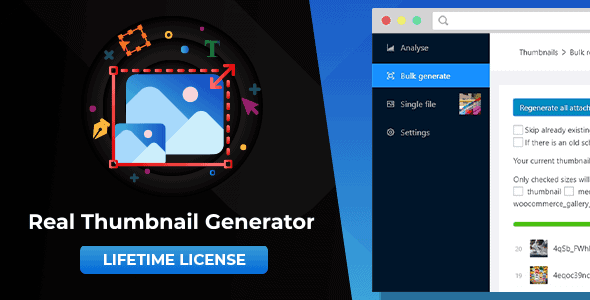
Overview of WordPress Real Thumbnail Generator
The WordPress Real Thumbnail Generator is an indispensable tool for any WordPress site owner managing a substantial amount of media. This powerful plugin allows you to efficiently regenerate all your WordPress image thumbnails in bulk, or selectively regenerate individual images, ensuring perfect display across your website after theme changes, new image sizes, or migration. It’s designed for bloggers, e-commerce stores, portfolio sites, and anyone who needs precise control over their image rendering without manual, time-consuming effort.
Key Features of WordPress Real Thumbnail Generator
- Bulk Thumbnail Regeneration: Effortlessly regenerate all your existing image thumbnails with just a few clicks. This is crucial after theme changes, plugin installations that add new image sizes, or when migrating your site, ensuring every image displays correctly according to your current settings.
- Single Image Regeneration: Need to fix just one image? The WordPress Real Thumbnail Generator provides the flexibility to regenerate thumbnails for specific images directly from your media library, saving time and resources compared to a full bulk regeneration.
- Automatic Thumbnail Deletion: Say goodbye to orphaned and unused image sizes. This intelligent feature automatically detects and deletes thumbnails no longer required by your theme or plugins, decluttering your server and improving site performance.
- Custom Thumbnail Sizes Support: Fully supports custom image sizes defined by your theme or other plugins. The WordPress Real Thumbnail Generator ensures that all registered image sizes, default or custom, are correctly generated and maintained.
- Efficient Resource Management: Designed with performance in mind, the plugin processes images in batches, preventing server timeouts and excessive resource consumption, even on sites with thousands of images.
- Clear Progress Indicator: Keep track of the regeneration process with a clear and intuitive progress bar. You’ll know exactly how many images have been processed and how many remain, offering peace of mind during large operations.
- User-Friendly Interface: The WordPress Real Thumbnail Generator boasts an intuitive and easy-to-navigate interface within your WordPress dashboard, making it accessible for users of all technical skill levels.
- Error Logging and Reporting: In the rare event of an issue, the plugin provides detailed error logs, helping you identify and troubleshoot any problems quickly and efficiently.
Why Choose WordPress Real Thumbnail Generator?
Choosing the WordPress Real Thumbnail Generator means investing in the visual integrity and performance of your WordPress website. Image display issues can significantly detract from user experience, leading to frustrated visitors and potential loss of engagement. Whether you’ve just switched to a new, responsive theme that requires different image dimensions, or you’ve installed a plugin that introduces new thumbnail sizes, this tool ensures every image on your site looks sharp and perfectly scaled. It eliminates the manual, often tedious, process of re-uploading or resizing images, saving you countless hours and preventing potential visual inconsistencies across your content.
Beyond fixing immediate display problems, the WordPress Real Thumbnail Generator contributes to better site health. Its ability to delete unused thumbnail sizes helps to reclaim valuable server space and reduces the overall footprint of your media library. A leaner media library means faster backups, quicker site migrations, and potentially improved loading times for your visitors. This proactive approach to media management is essential for maintaining a fast, efficient, and professional-looking WordPress site in the long run.
Ultimately, the value of the WordPress Real Thumbnail Generator lies in its reliability and ease of use. It’s a robust solution that simplifies a complex task, providing peace of mind that your images are always optimized and correctly displayed. For anyone serious about their WordPress site’s aesthetics and performance, this plugin is not just a convenience, but a necessity that ensures your visual content always makes the best impression.
Who Should Use WordPress Real Thumbnail Generator?
The WordPress Real Thumbnail Generator is ideal for a wide range of WordPress users. This includes web developers and designers who frequently work with different themes, bloggers and content creators who regularly upload images and might change their site’s design, e-commerce store owners who need product images to display perfectly across various devices, and anyone managing a large media library on their WordPress site. If you’ve ever faced blurry, stretched, or incorrectly cropped images after a site update, this plugin is for you.
How to Install WordPress Real Thumbnail Generator
- Download the Plugin: After purchasing, download the WordPress Real Thumbnail Generator plugin file (a .zip archive) from your account.
- Upload to WordPress: Log in to your WordPress admin dashboard. Navigate to ‘Plugins’ > ‘Add New’ and click the ‘Upload Plugin’ button at the top.
- Choose File and Install: Click ‘Choose File’, select the downloaded .zip file for the WordPress Real Thumbnail Generator, and then click ‘Install Now’.
- Activate the Plugin: Once the installation is complete, click the ‘Activate Plugin’ button.
- Access Settings: You can now find the plugin’s settings, typically under ‘Tools’ or a new dedicated menu item, ready to regenerate your thumbnails.
Frequently Asked Questions About WordPress Real Thumbnail Generator
What happens if I change my WordPress theme?
When you change your WordPress theme, it often introduces new image sizes. The WordPress Real Thumbnail Generator is essential in this scenario as it allows you to regenerate all your existing images to fit the new theme’s specifications, ensuring they display correctly and beautifully without manual re-uploads.
Will the WordPress Real Thumbnail Generator delete my original images?
No, the WordPress Real Thumbnail Generator will never delete your original, full-sized image files. It only works with the generated thumbnail versions. When you use the automatic deletion feature, it removes only the old, unused thumbnail sizes, keeping your primary media intact.
Is the WordPress Real Thumbnail Generator compatible with all WordPress versions and themes?
The WordPress Real Thumbnail Generator is developed to be highly compatible with the latest versions of WordPress and works seamlessly with most well-coded themes and plugins. It leverages standard WordPress media functions, ensuring broad compatibility across the ecosystem.
Get WordPress Real Thumbnail Generator Today
Don’t let inconsistent image displays detract from your website’s professionalism. The WordPress Real Thumbnail Generator is the definitive solution for maintaining pristine image quality and optimal site performance. Enhance your user experience and streamline your media management with this powerful tool. Explore our extensive collection of WordPress Plugins and other premium GPL WordPress Products to further empower your website today.
Related Products You May Like
Here's everything you need to know about your purchase:
- 100% original files — Every product is the genuine, virus-free file, exactly as released by the original developer.
- Instant download — Access your files immediately after purchase from your account.
- Lifetime access — Re-download your purchased files anytime. No expiry, no limits.
- Free updates — Newer version released? Just request an update from us, free for all customers.
- Dedicated support — Our team is available 24/7 for installation and file-related help.
- Easy refunds — Not satisfied? Review our Refund Policy. We offer a hassle-free 7-day guarantee.
$100.00 Original price was: $100.00.$2.00Current price is: $2.00.
Version
2.6.136
Last Updated
04/04/2025
License
GPL v2
Compatibility
WordPress 5.0+
Need latest version?
Newer version released? Request an update from us — free for all customers!
Request Update →🎁 Your Purchase Includes
Overview of WordPress Real Thumbnail Generator
The WordPress Real Thumbnail Generator is an indispensable tool for any WordPress site owner managing a substantial amount of media. This powerful plugin allows you to efficiently regenerate all your WordPress image thumbnails in bulk, or selectively regenerate individual images, ensuring perfect display across your website after theme changes, new image sizes, or migration. It’s designed for bloggers, e-commerce stores, portfolio sites, and anyone who needs precise control over their image rendering without manual, time-consuming effort.
Key Features of WordPress Real Thumbnail Generator
- Bulk Thumbnail Regeneration: Effortlessly regenerate all your existing image thumbnails with just a few clicks. This is crucial after theme changes, plugin installations that add new image sizes, or when migrating your site, ensuring every image displays correctly according to your current settings.
- Single Image Regeneration: Need to fix just one image? The WordPress Real Thumbnail Generator provides the flexibility to regenerate thumbnails for specific images directly from your media library, saving time and resources compared to a full bulk regeneration.
- Automatic Thumbnail Deletion: Say goodbye to orphaned and unused image sizes. This intelligent feature automatically detects and deletes thumbnails no longer required by your theme or plugins, decluttering your server and improving site performance.
- Custom Thumbnail Sizes Support: Fully supports custom image sizes defined by your theme or other plugins. The WordPress Real Thumbnail Generator ensures that all registered image sizes, default or custom, are correctly generated and maintained.
- Efficient Resource Management: Designed with performance in mind, the plugin processes images in batches, preventing server timeouts and excessive resource consumption, even on sites with thousands of images.
- Clear Progress Indicator: Keep track of the regeneration process with a clear and intuitive progress bar. You’ll know exactly how many images have been processed and how many remain, offering peace of mind during large operations.
- User-Friendly Interface: The WordPress Real Thumbnail Generator boasts an intuitive and easy-to-navigate interface within your WordPress dashboard, making it accessible for users of all technical skill levels.
- Error Logging and Reporting: In the rare event of an issue, the plugin provides detailed error logs, helping you identify and troubleshoot any problems quickly and efficiently.
Why Choose WordPress Real Thumbnail Generator?
Choosing the WordPress Real Thumbnail Generator means investing in the visual integrity and performance of your WordPress website. Image display issues can significantly detract from user experience, leading to frustrated visitors and potential loss of engagement. Whether you’ve just switched to a new, responsive theme that requires different image dimensions, or you’ve installed a plugin that introduces new thumbnail sizes, this tool ensures every image on your site looks sharp and perfectly scaled. It eliminates the manual, often tedious, process of re-uploading or resizing images, saving you countless hours and preventing potential visual inconsistencies across your content.
Beyond fixing immediate display problems, the WordPress Real Thumbnail Generator contributes to better site health. Its ability to delete unused thumbnail sizes helps to reclaim valuable server space and reduces the overall footprint of your media library. A leaner media library means faster backups, quicker site migrations, and potentially improved loading times for your visitors. This proactive approach to media management is essential for maintaining a fast, efficient, and professional-looking WordPress site in the long run.
Ultimately, the value of the WordPress Real Thumbnail Generator lies in its reliability and ease of use. It’s a robust solution that simplifies a complex task, providing peace of mind that your images are always optimized and correctly displayed. For anyone serious about their WordPress site’s aesthetics and performance, this plugin is not just a convenience, but a necessity that ensures your visual content always makes the best impression.
Who Should Use WordPress Real Thumbnail Generator?
The WordPress Real Thumbnail Generator is ideal for a wide range of WordPress users. This includes web developers and designers who frequently work with different themes, bloggers and content creators who regularly upload images and might change their site’s design, e-commerce store owners who need product images to display perfectly across various devices, and anyone managing a large media library on their WordPress site. If you’ve ever faced blurry, stretched, or incorrectly cropped images after a site update, this plugin is for you.
How to Install WordPress Real Thumbnail Generator
- Download the Plugin: After purchasing, download the WordPress Real Thumbnail Generator plugin file (a .zip archive) from your account.
- Upload to WordPress: Log in to your WordPress admin dashboard. Navigate to ‘Plugins’ > ‘Add New’ and click the ‘Upload Plugin’ button at the top.
- Choose File and Install: Click ‘Choose File’, select the downloaded .zip file for the WordPress Real Thumbnail Generator, and then click ‘Install Now’.
- Activate the Plugin: Once the installation is complete, click the ‘Activate Plugin’ button.
- Access Settings: You can now find the plugin’s settings, typically under ‘Tools’ or a new dedicated menu item, ready to regenerate your thumbnails.
Frequently Asked Questions About WordPress Real Thumbnail Generator
What happens if I change my WordPress theme?
When you change your WordPress theme, it often introduces new image sizes. The WordPress Real Thumbnail Generator is essential in this scenario as it allows you to regenerate all your existing images to fit the new theme’s specifications, ensuring they display correctly and beautifully without manual re-uploads.
Will the WordPress Real Thumbnail Generator delete my original images?
No, the WordPress Real Thumbnail Generator will never delete your original, full-sized image files. It only works with the generated thumbnail versions. When you use the automatic deletion feature, it removes only the old, unused thumbnail sizes, keeping your primary media intact.
Is the WordPress Real Thumbnail Generator compatible with all WordPress versions and themes?
The WordPress Real Thumbnail Generator is developed to be highly compatible with the latest versions of WordPress and works seamlessly with most well-coded themes and plugins. It leverages standard WordPress media functions, ensuring broad compatibility across the ecosystem.
Get WordPress Real Thumbnail Generator Today
Don’t let inconsistent image displays detract from your website’s professionalism. The WordPress Real Thumbnail Generator is the definitive solution for maintaining pristine image quality and optimal site performance. Enhance your user experience and streamline your media management with this powerful tool. Explore our extensive collection of WordPress Plugins and other premium GPL WordPress Products to further empower your website today.
Related Products You May Like
Reviews
There are no reviews yet.
Here's everything you need to know about your purchase:
- 100% original files — Every product is the genuine, virus-free file, exactly as released by the original developer.
- Instant download — Access your files immediately after purchase from your account.
- Lifetime access — Re-download your purchased files anytime. No expiry, no limits.
- Free updates — Newer version released? Just request an update from us, free for all customers.
- Dedicated support — Our team is available 24/7 for installation and file-related help.
- Easy refunds — Not satisfied? Review our Refund Policy. We offer a hassle-free 7-day guarantee.
Reviews
There are no reviews yet.