

Quform 2.23.0 – WordPress Form Builder
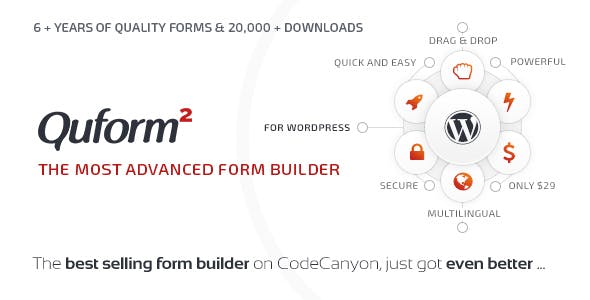
Overview of Quform
Quform is a premium WordPress form builder plugin designed to empower users to create stunning, highly functional forms with unparalleled ease. Whether you need a simple contact form, a complex booking system, a detailed survey, or a secure payment gateway, Quform provides all the tools necessary to build and manage forms directly within your WordPress dashboard. It’s the perfect solution for businesses, developers, and individuals who demand flexibility, power, and a user-friendly experience for their website’s data collection needs.
Key Features of Quform
- Intuitive Drag & Drop Builder: Create any form imaginable with a simple, visual interface. Drag elements, arrange them, and customize their appearance without touching a single line of code.
- Highly Responsive Design: Forms built with Quform automatically adapt to any screen size, ensuring a flawless user experience on desktops, tablets, and mobile devices.
- Advanced Conditional Logic: Make your forms dynamic and intelligent. Show or hide fields, sections, or even entire pages based on user input, creating a personalized experience.
- Extensive Field Types: From standard text inputs, checkboxes, and radio buttons to file uploads, date pickers, and reCAPTCHA, Quform offers a comprehensive suite of field types to meet every requirement.
- Robust Spam Protection: Keep unwanted submissions at bay with integrated reCAPTCHA and honeypot options, ensuring that your data is clean and legitimate.
- Powerful Email Notifications: Configure custom email notifications for both administrators and users upon form submission, ensuring timely communication and confirmation.
- Payment Gateway Integrations: Seamlessly integrate with popular payment gateways to collect payments directly through your forms, perfect for orders, donations, or event registrations.
- Customizable Styles & Themes: Tailor the look and feel of your forms to match your website’s branding with extensive styling options and pre-built themes, making every Quform unique.
Why Choose Quform?
Choosing Quform means opting for a form builder that doesn’t compromise on power or simplicity. Unlike many other solutions, Quform strikes a perfect balance, allowing even beginners to create sophisticated forms while offering advanced features that satisfy seasoned developers. Its intuitive drag-and-drop interface dramatically reduces the time and effort required to build complex forms, freeing you up to focus on other aspects of your business.
The flexibility of Quform is unmatched. Whether you’re gathering customer feedback, processing orders, registering attendees for an event, or conducting detailed market research, Quform handles it all with grace and efficiency. Its robust conditional logic capabilities mean you can create dynamic forms that respond intelligently to user input, leading to higher completion rates and more accurate data collection. Furthermore, with built-in spam protection and secure data handling, you can trust Quform to keep your information safe and your inbox clear.
Investing in Quform from GPLUniverse.com provides you with a reliable and regularly updated tool for all your form-building needs. You gain access to a powerful plugin that enhances user interaction, streamlines data collection, and ultimately contributes to a more professional and functional website. Experience the difference a truly premium form builder can make for your WordPress site.
Who Should Use Quform?
Quform is an indispensable tool for a wide range of users:
- Website Owners: Anyone needing contact forms, booking forms, registration forms, or surveys for their WordPress site.
- Small to Large Businesses: Ideal for lead generation, customer support requests, order forms, and internal data collection.
- Freelancers & Web Developers: A powerful solution to quickly build custom forms for client projects without extensive coding.
- E-commerce Stores: Perfect for custom product inquiries, return requests, or specialized order forms.
- Bloggers & Content Creators: Great for subscriber sign-ups, reader feedback, or content submission forms.
How to Install Quform
- Download Quform: After purchasing from GPLUniverse.com, download the plugin .zip file to your computer. Do not extract the file.
- Upload via WordPress Dashboard: Log in to your WordPress admin area. Navigate to “Plugins” > “Add New” and then click the “Upload Plugin” button at the top.
- Choose File & Install: Click “Choose File,” select the Quform .zip file you downloaded, and then click “Install Now.”
- Activate the Plugin: Once the installation is complete, click the “Activate Plugin” link.
- Start Building Forms: Quform will now be available in your WordPress admin menu. Click on its icon to begin creating your first form!
Frequently Asked Questions About Quform
Is Quform compatible with all WordPress themes?
Quform is designed to be highly compatible with most well-coded WordPress themes. Its styling options allow you to integrate forms seamlessly into your site’s design. While universal compatibility can’t be guaranteed for every unique theme, it generally works flawlessly out-of-the-box, and customization options help resolve any minor styling conflicts.
Can I collect payments using Quform?
Yes, absolutely! Quform supports integration with popular payment gateways, allowing you to create secure payment forms for products, services, donations, or event registrations directly on your WordPress site. This feature makes Quform an excellent choice for e-commerce and service-based businesses.
Does Quform support multi-page forms?
Yes, Quform includes robust functionality for creating multi-page forms. This is particularly useful for longer surveys, applications, or registration processes, as it helps improve user experience by breaking down complex forms into manageable steps. You can easily configure page breaks and navigation within the builder.
Get Quform Today
Elevate your WordPress website with the ultimate form-building solution. Quform offers unparalleled flexibility, power, and ease of use, ensuring that you can create any form your site needs with confidence. Don’t settle for basic forms; empower your site with advanced data collection capabilities. Explore Quform and many other premium WordPress Plugins at GPLUniverse.com, your trusted source for high-quality GPL WordPress Products. Enhance your site’s functionality and user engagement today!
Related Products You May Like
Here's everything you need to know about your purchase:
- 100% original files — Every product is the genuine, virus-free file, exactly as released by the original developer.
- Instant download — Access your files immediately after purchase from your account.
- Lifetime access — Re-download your purchased files anytime. No expiry, no limits.
- Free updates — Newer version released? Just request an update from us, free for all customers.
- Dedicated support — Our team is available 24/7 for installation and file-related help.
- Easy refunds — Not satisfied? Review our Refund Policy. We offer a hassle-free 7-day guarantee.
$100.00 Original price was: $100.00.$2.00Current price is: $2.00.
Version
2.23.0
Last Updated
11/06/2026
License
GPL v2
Compatibility
WordPress 5.0+
Need latest version?
Newer version released? Request an update from us — free for all customers!
Request Update →🎁 Your Purchase Includes
Overview of Quform
Quform is a premium WordPress form builder plugin designed to empower users to create stunning, highly functional forms with unparalleled ease. Whether you need a simple contact form, a complex booking system, a detailed survey, or a secure payment gateway, Quform provides all the tools necessary to build and manage forms directly within your WordPress dashboard. It’s the perfect solution for businesses, developers, and individuals who demand flexibility, power, and a user-friendly experience for their website’s data collection needs.
Key Features of Quform
- Intuitive Drag & Drop Builder: Create any form imaginable with a simple, visual interface. Drag elements, arrange them, and customize their appearance without touching a single line of code.
- Highly Responsive Design: Forms built with Quform automatically adapt to any screen size, ensuring a flawless user experience on desktops, tablets, and mobile devices.
- Advanced Conditional Logic: Make your forms dynamic and intelligent. Show or hide fields, sections, or even entire pages based on user input, creating a personalized experience.
- Extensive Field Types: From standard text inputs, checkboxes, and radio buttons to file uploads, date pickers, and reCAPTCHA, Quform offers a comprehensive suite of field types to meet every requirement.
- Robust Spam Protection: Keep unwanted submissions at bay with integrated reCAPTCHA and honeypot options, ensuring that your data is clean and legitimate.
- Powerful Email Notifications: Configure custom email notifications for both administrators and users upon form submission, ensuring timely communication and confirmation.
- Payment Gateway Integrations: Seamlessly integrate with popular payment gateways to collect payments directly through your forms, perfect for orders, donations, or event registrations.
- Customizable Styles & Themes: Tailor the look and feel of your forms to match your website’s branding with extensive styling options and pre-built themes, making every Quform unique.
Why Choose Quform?
Choosing Quform means opting for a form builder that doesn’t compromise on power or simplicity. Unlike many other solutions, Quform strikes a perfect balance, allowing even beginners to create sophisticated forms while offering advanced features that satisfy seasoned developers. Its intuitive drag-and-drop interface dramatically reduces the time and effort required to build complex forms, freeing you up to focus on other aspects of your business.
The flexibility of Quform is unmatched. Whether you’re gathering customer feedback, processing orders, registering attendees for an event, or conducting detailed market research, Quform handles it all with grace and efficiency. Its robust conditional logic capabilities mean you can create dynamic forms that respond intelligently to user input, leading to higher completion rates and more accurate data collection. Furthermore, with built-in spam protection and secure data handling, you can trust Quform to keep your information safe and your inbox clear.
Investing in Quform from GPLUniverse.com provides you with a reliable and regularly updated tool for all your form-building needs. You gain access to a powerful plugin that enhances user interaction, streamlines data collection, and ultimately contributes to a more professional and functional website. Experience the difference a truly premium form builder can make for your WordPress site.
Who Should Use Quform?
Quform is an indispensable tool for a wide range of users:
- Website Owners: Anyone needing contact forms, booking forms, registration forms, or surveys for their WordPress site.
- Small to Large Businesses: Ideal for lead generation, customer support requests, order forms, and internal data collection.
- Freelancers & Web Developers: A powerful solution to quickly build custom forms for client projects without extensive coding.
- E-commerce Stores: Perfect for custom product inquiries, return requests, or specialized order forms.
- Bloggers & Content Creators: Great for subscriber sign-ups, reader feedback, or content submission forms.
How to Install Quform
- Download Quform: After purchasing from GPLUniverse.com, download the plugin .zip file to your computer. Do not extract the file.
- Upload via WordPress Dashboard: Log in to your WordPress admin area. Navigate to “Plugins” > “Add New” and then click the “Upload Plugin” button at the top.
- Choose File & Install: Click “Choose File,” select the Quform .zip file you downloaded, and then click “Install Now.”
- Activate the Plugin: Once the installation is complete, click the “Activate Plugin” link.
- Start Building Forms: Quform will now be available in your WordPress admin menu. Click on its icon to begin creating your first form!
Frequently Asked Questions About Quform
Is Quform compatible with all WordPress themes?
Quform is designed to be highly compatible with most well-coded WordPress themes. Its styling options allow you to integrate forms seamlessly into your site’s design. While universal compatibility can’t be guaranteed for every unique theme, it generally works flawlessly out-of-the-box, and customization options help resolve any minor styling conflicts.
Can I collect payments using Quform?
Yes, absolutely! Quform supports integration with popular payment gateways, allowing you to create secure payment forms for products, services, donations, or event registrations directly on your WordPress site. This feature makes Quform an excellent choice for e-commerce and service-based businesses.
Does Quform support multi-page forms?
Yes, Quform includes robust functionality for creating multi-page forms. This is particularly useful for longer surveys, applications, or registration processes, as it helps improve user experience by breaking down complex forms into manageable steps. You can easily configure page breaks and navigation within the builder.
Get Quform Today
Elevate your WordPress website with the ultimate form-building solution. Quform offers unparalleled flexibility, power, and ease of use, ensuring that you can create any form your site needs with confidence. Don’t settle for basic forms; empower your site with advanced data collection capabilities. Explore Quform and many other premium WordPress Plugins at GPLUniverse.com, your trusted source for high-quality GPL WordPress Products. Enhance your site’s functionality and user engagement today!
Related Products You May Like
Reviews
There are no reviews yet.
Here's everything you need to know about your purchase:
- 100% original files — Every product is the genuine, virus-free file, exactly as released by the original developer.
- Instant download — Access your files immediately after purchase from your account.
- Lifetime access — Re-download your purchased files anytime. No expiry, no limits.
- Free updates — Newer version released? Just request an update from us, free for all customers.
- Dedicated support — Our team is available 24/7 for installation and file-related help.
- Easy refunds — Not satisfied? Review our Refund Policy. We offer a hassle-free 7-day guarantee.
Reviews
There are no reviews yet.