

PowerPack Elements WordPress Plugin 2.12.17
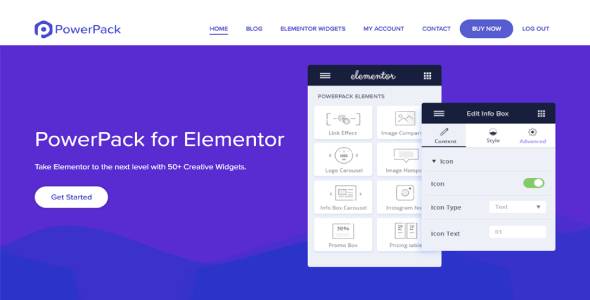
Overview of PowerPack Elements
Unlock the full potential of your Elementor page builder with PowerPack Elements, the ultimate collection of creative widgets and powerful extensions. This robust plugin is meticulously designed for web developers, designers, agencies, and anyone looking to build stunning, high-performing WordPress websites with unparalleled ease and flexibility. PowerPack Elements significantly extends Elementor’s capabilities, providing a vast array of tools to create professional and dynamic web pages without writing a single line of code.
Key Features of PowerPack Elements
- Advanced Widget Library: Dive into an extensive collection of over 70 unique and innovative widgets, ranging from advanced content modules and creative sections to interactive elements and sophisticated display options. PowerPack Elements empowers you to build virtually any layout imaginable.
- Elementor Enhancements & Extensions: Go beyond basic widgets with powerful extensions like White Labeling for agencies, advanced display conditions for dynamic content, and custom breakpoints for precise responsive design. PowerPack Elements transforms your Elementor workflow.
- WooCommerce Integration Widgets: Elevate your online store with dedicated WooCommerce widgets. Showcase products in engaging grids, carousels, and categories, design custom product pages, and enhance the shopping experience directly within Elementor using PowerPack Elements.
- Form Builder & Styler Widgets: Seamlessly integrate and style popular form builder plugins like Contact Form 7, WPForms, Gravity Forms, and Caldera Forms. PowerPack Elements provides dedicated widgets to match your forms perfectly with your website’s design.
- Header & Footer Builder: Take complete control over your site’s header and footer. Design custom, dynamic headers and footers using Elementor and PowerPack Elements, ensuring a consistent and professional look across your entire website.
- Pre-built Templates & Blocks: Accelerate your design process with a library of professionally designed section blocks and full-page templates. Import them with a single click and customize them to fit your brand, saving valuable time with PowerPack Elements.
- Performance Optimized: Engineered for speed and efficiency, PowerPack Elements ensures that your website remains fast and responsive. Its lightweight code and modular architecture mean you only load the assets you need.
- Responsive Design Controls: Achieve pixel-perfect responsiveness across all devices. PowerPack Elements offers granular control over design elements for desktops, tablets, and mobiles, guaranteeing a flawless user experience.
Why Choose PowerPack Elements?
Choosing PowerPack Elements means investing in a significant upgrade for your Elementor workflow. It’s not just another addon; it’s a comprehensive toolkit designed to eliminate limitations and unlock new creative possibilities. With its vast library of widgets and extensions, PowerPack Elements allows you to build complex and beautiful websites faster and more efficiently than ever before. Whether you’re a seasoned developer or a beginner, the intuitive interface and powerful features make advanced web design accessible to everyone. You’ll find yourself reaching for PowerPack Elements time and again to achieve designs that would otherwise require custom coding or multiple other plugins.
The value PowerPack Elements brings extends beyond just features. It’s about the time you save, the design possibilities you unlock, and the professional results you can consistently deliver. By providing highly customizable widgets and robust integration capabilities, PowerPack Elements ensures your website stands out with unique elements and seamless functionality. Its commitment to performance means your site remains fast and user-friendly, crucial for SEO and visitor engagement. Elevate your design game and streamline your development process with the unmatched power and flexibility of PowerPack Elements.
Furthermore, PowerPack Elements is developed with user experience in mind. Every widget and extension is crafted to be highly intuitive, allowing for extensive customization with simple drag-and-drop actions and clear settings panels. This ease of use, combined with its powerful capabilities, makes PowerPack Elements an indispensable tool for anyone serious about building professional WordPress websites with Elementor. It’s the smart choice for enhancing your design toolkit and delivering exceptional web projects.
Who Should Use PowerPack Elements?
PowerPack Elements is ideal for a broad range of users:
- Web Designers & Developers: Who want to expand their Elementor capabilities and build more complex, custom designs without coding.
- Marketing Agencies: Looking for a robust solution to quickly build and manage multiple client websites with consistent branding and advanced features.
- Small Business Owners: Who wish to create a professional online presence with advanced functionalities typically found in custom-developed sites, all within Elementor.
- Bloggers & Content Creators: Aiming to design visually engaging layouts for their articles, portfolios, and landing pages to captivate their audience.
- Anyone Using Elementor: Who wants to push the boundaries of what’s possible with the page builder and add more creative and functional elements to their site.
How to Install PowerPack Elements
Installing PowerPack Elements is a straightforward process, just like any other WordPress plugin. Follow these steps to get started:
- Download PowerPack Elements: After acquiring PowerPack Elements, you will receive a .zip file. Ensure you download this file to your computer.
- Log In to Your WordPress Dashboard: Access your WordPress admin area by navigating to yourdomain.com/wp-admin and entering your credentials.
- Navigate to Plugins Section: In the WordPress dashboard, go to “Plugins” > “Add New”.
- Upload the Plugin: Click on the “Upload Plugin” button at the top of the page. Then, click “Choose File” and select the PowerPack Elements .zip file you downloaded earlier.
- Install and Activate: After selecting the file, click “Install Now”. Once the installation is complete, click “Activate Plugin”. PowerPack Elements will now be active and ready to use with your Elementor page builder.
Frequently Asked Questions About PowerPack Elements
Is PowerPack Elements compatible with the latest version of Elementor?
Yes, PowerPack Elements is consistently updated to ensure full compatibility with the latest versions of Elementor and WordPress. Our goal is to provide a seamless experience, so you can always rely on PowerPack Elements to work flawlessly with your current setup.
Can PowerPack Elements be used on multiple websites?
With our GPL products, you typically have the flexibility to use them on an unlimited number of websites. This allows agencies and developers to leverage PowerPack Elements across all their projects without additional licensing concerns, making it a highly cost-effective solution.
Does PowerPack Elements offer pre-designed templates?
Absolutely! PowerPack Elements includes a comprehensive library of professionally designed section blocks and full-page templates. These pre-built assets can be easily imported and customized, significantly speeding up your design process and helping you create stunning pages in minutes.
Get PowerPack Elements Today
Ready to supercharge your Elementor designs and build breathtaking websites with ease? PowerPack Elements is your ultimate companion for unlocking advanced functionalities and creative freedom. Don’t miss out on the opportunity to transform your web development process. Explore this incredible tool and many other essential WordPress Plugins available. Dive into our extensive collection of GPL WordPress Products and elevate your website projects to new heights today!
Related Products You May Like
Here's everything you need to know about your purchase:
- 100% original files — Every product is the genuine, virus-free file, exactly as released by the original developer.
- Instant download — Access your files immediately after purchase from your account.
- Lifetime access — Re-download your purchased files anytime. No expiry, no limits.
- Free updates — Newer version released? Just request an update from us, free for all customers.
- Dedicated support — Our team is available 24/7 for installation and file-related help.
- Easy refunds — Not satisfied? Review our Refund Policy. We offer a hassle-free 7-day guarantee.
$100.00 Original price was: $100.00.$2.00Current price is: $2.00.
Version
2.12.7
Last Updated
6/5/2025
License
GPL v2
Compatibility
WordPress 5.0+
Need latest version?
Newer version released? Request an update from us — free for all customers!
Request Update →🎁 Your Purchase Includes
Overview of PowerPack Elements
Unlock the full potential of your Elementor page builder with PowerPack Elements, the ultimate collection of creative widgets and powerful extensions. This robust plugin is meticulously designed for web developers, designers, agencies, and anyone looking to build stunning, high-performing WordPress websites with unparalleled ease and flexibility. PowerPack Elements significantly extends Elementor’s capabilities, providing a vast array of tools to create professional and dynamic web pages without writing a single line of code.
Key Features of PowerPack Elements
- Advanced Widget Library: Dive into an extensive collection of over 70 unique and innovative widgets, ranging from advanced content modules and creative sections to interactive elements and sophisticated display options. PowerPack Elements empowers you to build virtually any layout imaginable.
- Elementor Enhancements & Extensions: Go beyond basic widgets with powerful extensions like White Labeling for agencies, advanced display conditions for dynamic content, and custom breakpoints for precise responsive design. PowerPack Elements transforms your Elementor workflow.
- WooCommerce Integration Widgets: Elevate your online store with dedicated WooCommerce widgets. Showcase products in engaging grids, carousels, and categories, design custom product pages, and enhance the shopping experience directly within Elementor using PowerPack Elements.
- Form Builder & Styler Widgets: Seamlessly integrate and style popular form builder plugins like Contact Form 7, WPForms, Gravity Forms, and Caldera Forms. PowerPack Elements provides dedicated widgets to match your forms perfectly with your website’s design.
- Header & Footer Builder: Take complete control over your site’s header and footer. Design custom, dynamic headers and footers using Elementor and PowerPack Elements, ensuring a consistent and professional look across your entire website.
- Pre-built Templates & Blocks: Accelerate your design process with a library of professionally designed section blocks and full-page templates. Import them with a single click and customize them to fit your brand, saving valuable time with PowerPack Elements.
- Performance Optimized: Engineered for speed and efficiency, PowerPack Elements ensures that your website remains fast and responsive. Its lightweight code and modular architecture mean you only load the assets you need.
- Responsive Design Controls: Achieve pixel-perfect responsiveness across all devices. PowerPack Elements offers granular control over design elements for desktops, tablets, and mobiles, guaranteeing a flawless user experience.
Why Choose PowerPack Elements?
Choosing PowerPack Elements means investing in a significant upgrade for your Elementor workflow. It’s not just another addon; it’s a comprehensive toolkit designed to eliminate limitations and unlock new creative possibilities. With its vast library of widgets and extensions, PowerPack Elements allows you to build complex and beautiful websites faster and more efficiently than ever before. Whether you’re a seasoned developer or a beginner, the intuitive interface and powerful features make advanced web design accessible to everyone. You’ll find yourself reaching for PowerPack Elements time and again to achieve designs that would otherwise require custom coding or multiple other plugins.
The value PowerPack Elements brings extends beyond just features. It’s about the time you save, the design possibilities you unlock, and the professional results you can consistently deliver. By providing highly customizable widgets and robust integration capabilities, PowerPack Elements ensures your website stands out with unique elements and seamless functionality. Its commitment to performance means your site remains fast and user-friendly, crucial for SEO and visitor engagement. Elevate your design game and streamline your development process with the unmatched power and flexibility of PowerPack Elements.
Furthermore, PowerPack Elements is developed with user experience in mind. Every widget and extension is crafted to be highly intuitive, allowing for extensive customization with simple drag-and-drop actions and clear settings panels. This ease of use, combined with its powerful capabilities, makes PowerPack Elements an indispensable tool for anyone serious about building professional WordPress websites with Elementor. It’s the smart choice for enhancing your design toolkit and delivering exceptional web projects.
Who Should Use PowerPack Elements?
PowerPack Elements is ideal for a broad range of users:
- Web Designers & Developers: Who want to expand their Elementor capabilities and build more complex, custom designs without coding.
- Marketing Agencies: Looking for a robust solution to quickly build and manage multiple client websites with consistent branding and advanced features.
- Small Business Owners: Who wish to create a professional online presence with advanced functionalities typically found in custom-developed sites, all within Elementor.
- Bloggers & Content Creators: Aiming to design visually engaging layouts for their articles, portfolios, and landing pages to captivate their audience.
- Anyone Using Elementor: Who wants to push the boundaries of what’s possible with the page builder and add more creative and functional elements to their site.
How to Install PowerPack Elements
Installing PowerPack Elements is a straightforward process, just like any other WordPress plugin. Follow these steps to get started:
- Download PowerPack Elements: After acquiring PowerPack Elements, you will receive a .zip file. Ensure you download this file to your computer.
- Log In to Your WordPress Dashboard: Access your WordPress admin area by navigating to yourdomain.com/wp-admin and entering your credentials.
- Navigate to Plugins Section: In the WordPress dashboard, go to “Plugins” > “Add New”.
- Upload the Plugin: Click on the “Upload Plugin” button at the top of the page. Then, click “Choose File” and select the PowerPack Elements .zip file you downloaded earlier.
- Install and Activate: After selecting the file, click “Install Now”. Once the installation is complete, click “Activate Plugin”. PowerPack Elements will now be active and ready to use with your Elementor page builder.
Frequently Asked Questions About PowerPack Elements
Is PowerPack Elements compatible with the latest version of Elementor?
Yes, PowerPack Elements is consistently updated to ensure full compatibility with the latest versions of Elementor and WordPress. Our goal is to provide a seamless experience, so you can always rely on PowerPack Elements to work flawlessly with your current setup.
Can PowerPack Elements be used on multiple websites?
With our GPL products, you typically have the flexibility to use them on an unlimited number of websites. This allows agencies and developers to leverage PowerPack Elements across all their projects without additional licensing concerns, making it a highly cost-effective solution.
Does PowerPack Elements offer pre-designed templates?
Absolutely! PowerPack Elements includes a comprehensive library of professionally designed section blocks and full-page templates. These pre-built assets can be easily imported and customized, significantly speeding up your design process and helping you create stunning pages in minutes.
Get PowerPack Elements Today
Ready to supercharge your Elementor designs and build breathtaking websites with ease? PowerPack Elements is your ultimate companion for unlocking advanced functionalities and creative freedom. Don’t miss out on the opportunity to transform your web development process. Explore this incredible tool and many other essential WordPress Plugins available. Dive into our extensive collection of GPL WordPress Products and elevate your website projects to new heights today!
Related Products You May Like
Reviews
There are no reviews yet.
Here's everything you need to know about your purchase:
- 100% original files — Every product is the genuine, virus-free file, exactly as released by the original developer.
- Instant download — Access your files immediately after purchase from your account.
- Lifetime access — Re-download your purchased files anytime. No expiry, no limits.
- Free updates — Newer version released? Just request an update from us, free for all customers.
- Dedicated support — Our team is available 24/7 for installation and file-related help.
- Easy refunds — Not satisfied? Review our Refund Policy. We offer a hassle-free 7-day guarantee.
Reviews
There are no reviews yet.