

Permalink Manager Pro 2.5.3.2
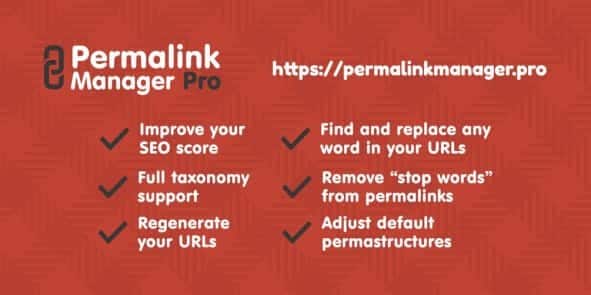
Overview of Permalink Manager Pro
Permalink Manager Pro is the ultimate solution for taking complete control over your WordPress website’s permalinks. This powerful plugin empowers site owners, SEO specialists, and content creators to fully customize, manage, and optimize their URLs for posts, pages, custom post types, categories, tags, and more. With Permalink Manager Pro, you can craft SEO-friendly permalinks that enhance search engine visibility and provide a cleaner, more intuitive user experience.
Key Features of Permalink Manager Pro
- Comprehensive Permalink Customization: Gain full control to edit permalinks for all post types (posts, pages, custom post types), taxonomies (categories, tags, custom taxonomies), and even WooCommerce products and their attributes, ensuring every URL is optimized.
- Automatic Redirects: Permalink Manager Pro automatically handles 301 redirects for old URLs when you change a permalink, preventing broken links and preserving your SEO rankings without manual intervention.
- Canonical URLs Management: Define custom canonical URLs for any post or term, giving you precise control over how search engines index your content and preventing duplicate content issues.
- Bulk Editing Capabilities: Efficiently update multiple permalinks at once using the intuitive bulk edit screen, saving you significant time when restructuring your site or making large-scale changes.
- Full WooCommerce Support: Seamlessly integrate with WooCommerce to manage permalinks for products, product categories, tags, and custom product attributes, crucial for e-commerce SEO.
- Permalink Structures for Taxonomies: Beyond post types, Permalink Manager Pro allows you to define custom permalink structures for all your taxonomies, offering unparalleled flexibility in your site’s architecture.
- Trailing Slash Control: Decide whether your permalinks should include or exclude a trailing slash, a small but important detail for SEO consistency and server configuration.
- Advanced URI Editor: Utilize a user-friendly interface to manually adjust individual permalinks, offering granular control for specific SEO strategies or unique content needs.
Why Choose Permalink Manager Pro?
Choosing Permalink Manager Pro means investing in the long-term SEO health and user experience of your WordPress site. In today’s competitive online landscape, well-structured, keyword-rich permalinks are not just a luxury; they are a necessity. This plugin provides the robust tools needed to move beyond WordPress’s default permalink limitations, giving you the power to create URLs that are both descriptive for users and highly appealing to search engine algorithms.
Beyond its powerful customization options, Permalink Manager Pro offers peace of mind. The automatic 301 redirects ensure that every permalink change you make is handled gracefully, preventing the dreaded “404 Not Found” errors that can harm your SEO and frustrate your visitors. This intelligent redirection system protects your existing search engine rankings and link equity, making site restructuring or content updates a smooth and risk-free process. The ability to manage canonical URLs further enhances your SEO strategy, helping you to consolidate ranking signals and avoid duplicate content penalties.
For any serious WordPress user, from bloggers to large e-commerce stores, Permalink Manager Pro is an indispensable tool. It simplifies complex permalink management tasks, allowing you to focus on creating great content while the plugin handles the technical intricacies of URL optimization. Its comprehensive support for all post types and taxonomies, including full WooCommerce integration, makes it a versatile and future-proof solution for any WordPress website looking to maximize its online presence and improve its crawlability.
Who Should Use Permalink Manager Pro?
Permalink Manager Pro is ideal for anyone running a WordPress website who needs advanced control over their URLs. This includes SEO professionals looking to fine-tune every aspect of their site’s structure, content marketers aiming for keyword-rich and user-friendly permalinks, e-commerce store owners using WooCommerce who need specific product URL structures, and web developers building complex sites with custom post types and taxonomies. If you’re serious about your site’s search engine performance and user experience, Permalink Manager Pro is for you.
How to Install Permalink Manager Pro
Installing Permalink Manager Pro is a straightforward process, typical for most WordPress plugins. Follow these steps to get started:
- Download the Plugin: After acquiring Permalink Manager Pro, you will receive a .zip file. Ensure you have this file ready for upload.
- Log In to WordPress: Access your WordPress admin dashboard by navigating to your website’s wp-admin URL and entering your credentials.
- Navigate to Plugins: In the WordPress dashboard, go to the sidebar menu, hover over “Plugins,” and click on “Add New.”
- Upload the Plugin: At the top of the “Add Plugins” page, click the “Upload Plugin” button. Then, click “Choose File,” select the Permalink Manager Pro .zip file from your computer, and click “Install Now.”
- Activate the Plugin: Once the plugin has been successfully uploaded and installed, click the “Activate Plugin” button. Permalink Manager Pro will now be active on your website, and you can find its settings under the “Tools” or “Settings” menu in your dashboard.
Frequently Asked Questions About Permalink Manager Pro
Does Permalink Manager Pro work with custom post types and taxonomies?
Yes, absolutely! Permalink Manager Pro is specifically designed to provide comprehensive control over permalinks for all custom post types and custom taxonomies, in addition to standard posts and pages. This flexibility is one of its core strengths, allowing you to create consistent and SEO-friendly URL structures across your entire site.
Will Permalink Manager Pro create 301 redirects automatically?
Yes, one of the most crucial features of Permalink Manager Pro is its ability to automatically generate 301 redirects for old permalinks whenever you change a URL. This ensures that visitors and search engines are seamlessly directed to the new URL, preventing broken links and preserving your valuable SEO equity.
Is Permalink Manager Pro compatible with WooCommerce?
Indeed! Permalink Manager Pro offers full and robust compatibility with WooCommerce. You can customize permalinks for your products, product categories, product tags, and even custom product attributes, giving e-commerce sites the granular control needed for optimal product SEO.
Get Permalink Manager Pro Today
Unlock the full potential of your website’s SEO and user experience with Permalink Manager Pro. Take charge of your URLs, craft perfect permalinks, and watch your search engine rankings soar. Don’t settle for default permalink structures when you can have complete customization and intelligent redirection. Explore this essential tool and many other high-quality WordPress Plugins available. Enhance your site’s performance and discover more valuable GPL WordPress Products to build the website of your dreams, all here at GPLUniverse.
Related Products You May Like
Here's everything you need to know about your purchase:
- 100% original files — Every product is the genuine, virus-free file, exactly as released by the original developer.
- Instant download — Access your files immediately after purchase from your account.
- Lifetime access — Re-download your purchased files anytime. No expiry, no limits.
- Free updates — Newer version released? Just request an update from us, free for all customers.
- Dedicated support — Our team is available 24/7 for installation and file-related help.
- Easy refunds — Not satisfied? Review our Refund Policy. We offer a hassle-free 7-day guarantee.
$100.00 Original price was: $100.00.$2.00Current price is: $2.00.
Version
2.5.3.2
Last Updated
28/04/2026
License
GPL v2
Compatibility
WordPress 5.0+
Need latest version?
Newer version released? Request an update from us — free for all customers!
Request Update →🎁 Your Purchase Includes
Overview of Permalink Manager Pro
Permalink Manager Pro is the ultimate solution for taking complete control over your WordPress website’s permalinks. This powerful plugin empowers site owners, SEO specialists, and content creators to fully customize, manage, and optimize their URLs for posts, pages, custom post types, categories, tags, and more. With Permalink Manager Pro, you can craft SEO-friendly permalinks that enhance search engine visibility and provide a cleaner, more intuitive user experience.
Key Features of Permalink Manager Pro
- Comprehensive Permalink Customization: Gain full control to edit permalinks for all post types (posts, pages, custom post types), taxonomies (categories, tags, custom taxonomies), and even WooCommerce products and their attributes, ensuring every URL is optimized.
- Automatic Redirects: Permalink Manager Pro automatically handles 301 redirects for old URLs when you change a permalink, preventing broken links and preserving your SEO rankings without manual intervention.
- Canonical URLs Management: Define custom canonical URLs for any post or term, giving you precise control over how search engines index your content and preventing duplicate content issues.
- Bulk Editing Capabilities: Efficiently update multiple permalinks at once using the intuitive bulk edit screen, saving you significant time when restructuring your site or making large-scale changes.
- Full WooCommerce Support: Seamlessly integrate with WooCommerce to manage permalinks for products, product categories, tags, and custom product attributes, crucial for e-commerce SEO.
- Permalink Structures for Taxonomies: Beyond post types, Permalink Manager Pro allows you to define custom permalink structures for all your taxonomies, offering unparalleled flexibility in your site’s architecture.
- Trailing Slash Control: Decide whether your permalinks should include or exclude a trailing slash, a small but important detail for SEO consistency and server configuration.
- Advanced URI Editor: Utilize a user-friendly interface to manually adjust individual permalinks, offering granular control for specific SEO strategies or unique content needs.
Why Choose Permalink Manager Pro?
Choosing Permalink Manager Pro means investing in the long-term SEO health and user experience of your WordPress site. In today’s competitive online landscape, well-structured, keyword-rich permalinks are not just a luxury; they are a necessity. This plugin provides the robust tools needed to move beyond WordPress’s default permalink limitations, giving you the power to create URLs that are both descriptive for users and highly appealing to search engine algorithms.
Beyond its powerful customization options, Permalink Manager Pro offers peace of mind. The automatic 301 redirects ensure that every permalink change you make is handled gracefully, preventing the dreaded “404 Not Found” errors that can harm your SEO and frustrate your visitors. This intelligent redirection system protects your existing search engine rankings and link equity, making site restructuring or content updates a smooth and risk-free process. The ability to manage canonical URLs further enhances your SEO strategy, helping you to consolidate ranking signals and avoid duplicate content penalties.
For any serious WordPress user, from bloggers to large e-commerce stores, Permalink Manager Pro is an indispensable tool. It simplifies complex permalink management tasks, allowing you to focus on creating great content while the plugin handles the technical intricacies of URL optimization. Its comprehensive support for all post types and taxonomies, including full WooCommerce integration, makes it a versatile and future-proof solution for any WordPress website looking to maximize its online presence and improve its crawlability.
Who Should Use Permalink Manager Pro?
Permalink Manager Pro is ideal for anyone running a WordPress website who needs advanced control over their URLs. This includes SEO professionals looking to fine-tune every aspect of their site’s structure, content marketers aiming for keyword-rich and user-friendly permalinks, e-commerce store owners using WooCommerce who need specific product URL structures, and web developers building complex sites with custom post types and taxonomies. If you’re serious about your site’s search engine performance and user experience, Permalink Manager Pro is for you.
How to Install Permalink Manager Pro
Installing Permalink Manager Pro is a straightforward process, typical for most WordPress plugins. Follow these steps to get started:
- Download the Plugin: After acquiring Permalink Manager Pro, you will receive a .zip file. Ensure you have this file ready for upload.
- Log In to WordPress: Access your WordPress admin dashboard by navigating to your website’s wp-admin URL and entering your credentials.
- Navigate to Plugins: In the WordPress dashboard, go to the sidebar menu, hover over “Plugins,” and click on “Add New.”
- Upload the Plugin: At the top of the “Add Plugins” page, click the “Upload Plugin” button. Then, click “Choose File,” select the Permalink Manager Pro .zip file from your computer, and click “Install Now.”
- Activate the Plugin: Once the plugin has been successfully uploaded and installed, click the “Activate Plugin” button. Permalink Manager Pro will now be active on your website, and you can find its settings under the “Tools” or “Settings” menu in your dashboard.
Frequently Asked Questions About Permalink Manager Pro
Does Permalink Manager Pro work with custom post types and taxonomies?
Yes, absolutely! Permalink Manager Pro is specifically designed to provide comprehensive control over permalinks for all custom post types and custom taxonomies, in addition to standard posts and pages. This flexibility is one of its core strengths, allowing you to create consistent and SEO-friendly URL structures across your entire site.
Will Permalink Manager Pro create 301 redirects automatically?
Yes, one of the most crucial features of Permalink Manager Pro is its ability to automatically generate 301 redirects for old permalinks whenever you change a URL. This ensures that visitors and search engines are seamlessly directed to the new URL, preventing broken links and preserving your valuable SEO equity.
Is Permalink Manager Pro compatible with WooCommerce?
Indeed! Permalink Manager Pro offers full and robust compatibility with WooCommerce. You can customize permalinks for your products, product categories, product tags, and even custom product attributes, giving e-commerce sites the granular control needed for optimal product SEO.
Get Permalink Manager Pro Today
Unlock the full potential of your website’s SEO and user experience with Permalink Manager Pro. Take charge of your URLs, craft perfect permalinks, and watch your search engine rankings soar. Don’t settle for default permalink structures when you can have complete customization and intelligent redirection. Explore this essential tool and many other high-quality WordPress Plugins available. Enhance your site’s performance and discover more valuable GPL WordPress Products to build the website of your dreams, all here at GPLUniverse.
Related Products You May Like
Reviews
There are no reviews yet.
Here's everything you need to know about your purchase:
- 100% original files — Every product is the genuine, virus-free file, exactly as released by the original developer.
- Instant download — Access your files immediately after purchase from your account.
- Lifetime access — Re-download your purchased files anytime. No expiry, no limits.
- Free updates — Newer version released? Just request an update from us, free for all customers.
- Dedicated support — Our team is available 24/7 for installation and file-related help.
- Easy refunds — Not satisfied? Review our Refund Policy. We offer a hassle-free 7-day guarantee.
Reviews
There are no reviews yet.