

WooCommerce Password Protected Categories 2.8.0 – Barn2 Media
Overview of WooCommerce Password Protected Categories
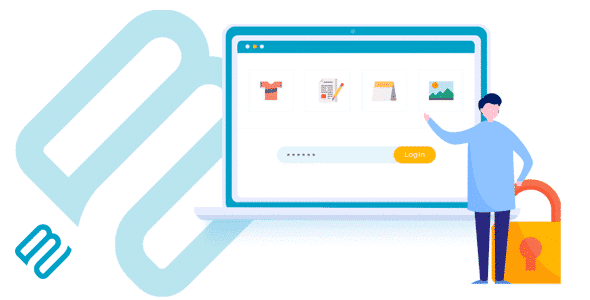
WooCommerce Password Protected Categories is an essential plugin designed to give store owners granular control over their product visibility. This powerful tool allows you to restrict access to specific WooCommerce product categories, ensuring that only authorized users can view certain products or content. It’s perfect for businesses that require private wholesale areas, exclusive member-only sections, or confidential product collections within their online store.
Key Features of WooCommerce Password Protected Categories
- Category-Wide Protection: Easily apply password protection to any WooCommerce product category, automatically protecting all products and subcategories within it.
- Multiple Password Options: Set a single password for a category, or create multiple unique passwords, providing flexibility for different user groups or access levels.
- User Role Restriction: Beyond passwords, you can restrict access to categories based on specific WordPress user roles, ideal for wholesale customers or premium members.
- Customizable Login Form: Brand your password entry page with custom messages, styling, and redirects to maintain a consistent user experience.
- Automatic Child Category Protection: When you protect a parent category, all its child categories are automatically secured, saving you time and ensuring comprehensive coverage.
- Hide Protected Categories: Option to completely hide protected categories and their products from your main shop page, menus, widgets, and search results for non-authorized users.
- Password Expiry and Usage Limits: Configure passwords to expire after a certain period or after a specific number of uses, perfect for time-sensitive promotions or temporary access.
- Direct Link Access: Users who know the password can directly access protected categories without needing to navigate through public areas of your store.
Why Choose WooCommerce Password Protected Categories?
Choosing WooCommerce Password Protected Categories means opting for a robust and user-friendly solution to manage sensitive product information and exclusive content on your WooCommerce store. This plugin empowers you to create private shopping experiences, catering to specific customer segments like wholesale buyers, VIP members, or internal teams, all within your existing WooCommerce setup. It eliminates the need for complex custom coding or separate storefronts, streamlining your operations and enhancing security.
The flexibility offered by WooCommerce Password Protected Categories is unparalleled. Whether you need to secure a single product line for a select few or create an entire hidden section for your B2B clients, this plugin handles it with ease. Its intuitive interface ensures that even non-technical users can set up and manage protected categories efficiently. By controlling who sees what, you can maintain exclusivity, manage pricing strategies for different customer tiers, and ensure your private data remains private, ultimately boosting your business’s professionalism and efficiency.
Who Should Use WooCommerce Password Protected Categories?
WooCommerce Password Protected Categories is ideal for a diverse range of businesses and use cases. This includes wholesale businesses needing to display specific products and pricing only to approved resellers, membership sites offering exclusive products or digital content to subscribers, and stores with private B2B catalogs. It’s also perfect for photographers or designers who want to create private client galleries, educational platforms selling restricted course materials, or any store looking to implement a tiered access system for their product offerings.
How to Install WooCommerce Password Protected Categories
- Download the Plugin: After acquiring WooCommerce Password Protected Categories, download the plugin .zip file to your computer.
- Upload via WordPress Dashboard: Log in to your WordPress admin area. Navigate to ‘Plugins’ > ‘Add New’ and click the ‘Upload Plugin’ button at the top. Choose the downloaded .zip file and click ‘Install Now’.
- Activate the Plugin: Once the plugin is installed, click the ‘Activate Plugin’ button to enable it on your site.
- Configure Settings: Go to ‘WooCommerce’ > ‘Settings’ > ‘Products’ > ‘Password Protected Categories’ to adjust the global settings.
- Protect Categories: Navigate to ‘Products’ > ‘Categories’. Edit any category and you will find new options to apply password protection, user role restrictions, and visibility settings for WooCommerce Password Protected Categories.
Frequently Asked Questions About WooCommerce Password Protected Categories
Can I protect individual products with WooCommerce Password Protected Categories?
While WooCommerce Password Protected Categories is designed to protect entire categories, any product placed within a protected category will automatically inherit that protection. To restrict individual products, you would typically create a dedicated category for them and apply the password protection there.
Can I set multiple passwords for a single category?
Yes, WooCommerce Password Protected Categories allows you to set multiple unique passwords for a single category. This is incredibly useful if you need to grant access to different groups of users or manage access more dynamically without creating separate categories.
Does WooCommerce Password Protected Categories work with all WordPress themes?
WooCommerce Password Protected Categories is built to be highly compatible with standard WooCommerce and WordPress setups. It integrates seamlessly with most well-coded themes, ensuring a smooth experience. If you encounter any theme-specific issues, our support resources can often provide guidance.
Get WooCommerce Password Protected Categories Today
Transform your WooCommerce store with enhanced privacy and controlled access. Invest in WooCommerce Password Protected Categories today to effortlessly manage who sees your exclusive products and content. Explore this and many other powerful WordPress Plugins available in our store to elevate your website’s functionality. Browse our extensive collection of premium GPL WordPress Products and unlock the full potential of your online business.
Related Products You May Like
Here's everything you need to know about your purchase:
- 100% original files — Every product is the genuine, virus-free file, exactly as released by the original developer.
- Instant download — Access your files immediately after purchase from your account.
- Lifetime access — Re-download your purchased files anytime. No expiry, no limits.
- Free updates — Newer version released? Just request an update from us, free for all customers.
- Dedicated support — Our team is available 24/7 for installation and file-related help.
- Easy refunds — Not satisfied? Review our Refund Policy. We offer a hassle-free 7-day guarantee.
$100.00 Original price was: $100.00.$2.00Current price is: $2.00.
Version
2.8.0
Last Updated
12/12/2025
License
GPL v2
Compatibility
WordPress 5.0+
Need latest version?
Newer version released? Request an update from us — free for all customers!
Request Update →🎁 Your Purchase Includes
Overview of WooCommerce Password Protected Categories
WooCommerce Password Protected Categories is an essential plugin designed to give store owners granular control over their product visibility. This powerful tool allows you to restrict access to specific WooCommerce product categories, ensuring that only authorized users can view certain products or content. It’s perfect for businesses that require private wholesale areas, exclusive member-only sections, or confidential product collections within their online store.
Key Features of WooCommerce Password Protected Categories
- Category-Wide Protection: Easily apply password protection to any WooCommerce product category, automatically protecting all products and subcategories within it.
- Multiple Password Options: Set a single password for a category, or create multiple unique passwords, providing flexibility for different user groups or access levels.
- User Role Restriction: Beyond passwords, you can restrict access to categories based on specific WordPress user roles, ideal for wholesale customers or premium members.
- Customizable Login Form: Brand your password entry page with custom messages, styling, and redirects to maintain a consistent user experience.
- Automatic Child Category Protection: When you protect a parent category, all its child categories are automatically secured, saving you time and ensuring comprehensive coverage.
- Hide Protected Categories: Option to completely hide protected categories and their products from your main shop page, menus, widgets, and search results for non-authorized users.
- Password Expiry and Usage Limits: Configure passwords to expire after a certain period or after a specific number of uses, perfect for time-sensitive promotions or temporary access.
- Direct Link Access: Users who know the password can directly access protected categories without needing to navigate through public areas of your store.
Why Choose WooCommerce Password Protected Categories?
Choosing WooCommerce Password Protected Categories means opting for a robust and user-friendly solution to manage sensitive product information and exclusive content on your WooCommerce store. This plugin empowers you to create private shopping experiences, catering to specific customer segments like wholesale buyers, VIP members, or internal teams, all within your existing WooCommerce setup. It eliminates the need for complex custom coding or separate storefronts, streamlining your operations and enhancing security.
The flexibility offered by WooCommerce Password Protected Categories is unparalleled. Whether you need to secure a single product line for a select few or create an entire hidden section for your B2B clients, this plugin handles it with ease. Its intuitive interface ensures that even non-technical users can set up and manage protected categories efficiently. By controlling who sees what, you can maintain exclusivity, manage pricing strategies for different customer tiers, and ensure your private data remains private, ultimately boosting your business’s professionalism and efficiency.
Who Should Use WooCommerce Password Protected Categories?
WooCommerce Password Protected Categories is ideal for a diverse range of businesses and use cases. This includes wholesale businesses needing to display specific products and pricing only to approved resellers, membership sites offering exclusive products or digital content to subscribers, and stores with private B2B catalogs. It’s also perfect for photographers or designers who want to create private client galleries, educational platforms selling restricted course materials, or any store looking to implement a tiered access system for their product offerings.
How to Install WooCommerce Password Protected Categories
- Download the Plugin: After acquiring WooCommerce Password Protected Categories, download the plugin .zip file to your computer.
- Upload via WordPress Dashboard: Log in to your WordPress admin area. Navigate to ‘Plugins’ > ‘Add New’ and click the ‘Upload Plugin’ button at the top. Choose the downloaded .zip file and click ‘Install Now’.
- Activate the Plugin: Once the plugin is installed, click the ‘Activate Plugin’ button to enable it on your site.
- Configure Settings: Go to ‘WooCommerce’ > ‘Settings’ > ‘Products’ > ‘Password Protected Categories’ to adjust the global settings.
- Protect Categories: Navigate to ‘Products’ > ‘Categories’. Edit any category and you will find new options to apply password protection, user role restrictions, and visibility settings for WooCommerce Password Protected Categories.
Frequently Asked Questions About WooCommerce Password Protected Categories
Can I protect individual products with WooCommerce Password Protected Categories?
While WooCommerce Password Protected Categories is designed to protect entire categories, any product placed within a protected category will automatically inherit that protection. To restrict individual products, you would typically create a dedicated category for them and apply the password protection there.
Can I set multiple passwords for a single category?
Yes, WooCommerce Password Protected Categories allows you to set multiple unique passwords for a single category. This is incredibly useful if you need to grant access to different groups of users or manage access more dynamically without creating separate categories.
Does WooCommerce Password Protected Categories work with all WordPress themes?
WooCommerce Password Protected Categories is built to be highly compatible with standard WooCommerce and WordPress setups. It integrates seamlessly with most well-coded themes, ensuring a smooth experience. If you encounter any theme-specific issues, our support resources can often provide guidance.
Get WooCommerce Password Protected Categories Today
Transform your WooCommerce store with enhanced privacy and controlled access. Invest in WooCommerce Password Protected Categories today to effortlessly manage who sees your exclusive products and content. Explore this and many other powerful WordPress Plugins available in our store to elevate your website’s functionality. Browse our extensive collection of premium GPL WordPress Products and unlock the full potential of your online business.
Related Products You May Like
Reviews
There are no reviews yet.
Here's everything you need to know about your purchase:
- 100% original files — Every product is the genuine, virus-free file, exactly as released by the original developer.
- Instant download — Access your files immediately after purchase from your account.
- Lifetime access — Re-download your purchased files anytime. No expiry, no limits.
- Free updates — Newer version released? Just request an update from us, free for all customers.
- Dedicated support — Our team is available 24/7 for installation and file-related help.
- Easy refunds — Not satisfied? Review our Refund Policy. We offer a hassle-free 7-day guarantee.
Reviews
There are no reviews yet.