

Palleon 3.8.5 – WordPress Image Editor
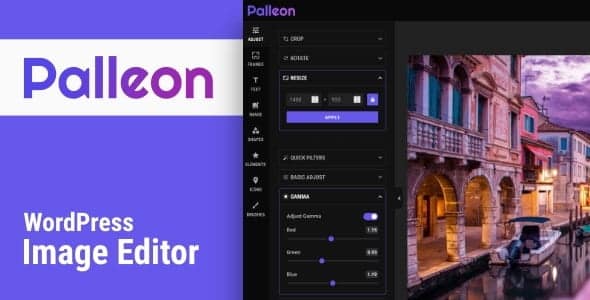
Overview of Palleon
Palleon is a robust and intuitive WordPress image editor designed to empower website owners and content creators with professional-grade image manipulation capabilities directly within their WordPress dashboard. Say goodbye to external software and clunky workflows; Palleon streamlines your image editing process, making it incredibly easy to enhance, optimize, and transform visuals for your website, blog, or online store. Whether you’re a seasoned designer or a complete beginner, Palleon provides all the tools you need to make your images shine.
Key Features of Palleon
- Comprehensive Layer Management: Palleon offers a powerful layer system, allowing you to work with multiple elements, organize them efficiently, and control their visibility and order for complex compositions.
- Advanced Image Adjustments: Fine-tune your images with a full suite of adjustments including brightness, contrast, saturation, exposure, and more. Palleon ensures your visuals are perfectly balanced and vibrant.
- Artistic Filters and Effects: Transform your photos with a wide array of built-in filters and effects. From vintage looks to modern aesthetics, Palleon provides creative options to give your images a unique touch.
- Intuitive Text Editor: Add stylish text overlays to your images with Palleon’s integrated text editor. Customize fonts, colors, sizes, and styles to create compelling banners, captions, or promotional graphics.
- Shapes, Stickers, and Frames: Enhance your images with a diverse collection of shapes, fun stickers, and elegant frames. Palleon makes it easy to add decorative elements that complement your content.
- Drawing and Brushes: Unleash your creativity with Palleon’s drawing tools. Use various brushes to add freehand elements, annotations, or artistic strokes directly onto your images.
- History and Undo/Redo: Experiment freely without fear. Palleon maintains a comprehensive history of your edits, allowing you to easily undo or redo actions and revert to previous states at any point.
- Responsive Design & Performance: Palleon is built to be fast and responsive, ensuring a smooth editing experience across different devices. It integrates seamlessly into your WordPress environment without slowing down your site.
Why Choose Palleon?
Choosing Palleon means opting for efficiency, creativity, and professional results, all within the familiar environment of WordPress. This powerful image editor eliminates the need to switch between your website and external, often expensive, software. With Palleon, every image you upload or create can be immediately enhanced and optimized, saving you valuable time and streamlining your content creation workflow. Its user-friendly interface ensures that even those new to image editing can quickly grasp its capabilities and produce stunning visuals.
Palleon is more than just a basic editor; it’s a comprehensive toolkit designed to help you stand out. From precision adjustments and artistic filters to robust layer management and custom text overlays, Palleon provides the flexibility to bring your visual ideas to life. Whether you’re preparing product images for an e-commerce store, crafting engaging featured images for blog posts, or designing promotional graphics, Palleon equips you with the tools to achieve high-quality results that capture attention and convey your message effectively.
Invest in Palleon and elevate your website’s visual appeal. Its seamless integration and extensive features make it an indispensable asset for anyone serious about their online presence. Palleon empowers you to maintain a consistent brand image and deliver compelling visual content that resonates with your audience, all without ever leaving your WordPress dashboard.
Who Should Use Palleon?
Palleon is ideal for a wide range of WordPress users. Bloggers and content creators will find it invaluable for quickly optimizing and stylizing images for their posts. E-commerce store owners can use Palleon to enhance product photos, create promotional banners, and ensure a professional look for their online shop. Digital marketers will appreciate its ability to craft engaging social media graphics and ad creatives. Web designers and developers can leverage Palleon to make quick image adjustments for clients or internal projects. Essentially, anyone who regularly manages or creates visual content on a WordPress website will benefit immensely from the power and convenience that Palleon offers.
How to Install Palleon
- Download Palleon: First, download the Palleon plugin file (a .zip archive) from your purchase source. Make sure you have the latest version of Palleon.
- Upload via WordPress Dashboard: Log in to your WordPress admin area. Navigate to ‘Plugins’ > ‘Add New’. Click the ‘Upload Plugin’ button at the top of the page.
- Choose File and Install: Click ‘Choose File’, locate the Palleon .zip file you downloaded, and select it. Then, click ‘Install Now’.
- Activate Palleon: Once the plugin has successfully uploaded and installed, you will see a link to ‘Activate Plugin’. Click this link to activate Palleon on your website.
- Access Palleon: After activation, you can usually find Palleon’s interface integrated into your Media Library or via a dedicated menu item in your WordPress dashboard, ready for use.
Frequently Asked Questions About Palleon
Is Palleon compatible with all WordPress themes?
Yes, Palleon is designed to be highly compatible with standard WordPress installations and should work seamlessly with virtually any well-coded WordPress theme. Its functionality operates independently within the WordPress media library, ensuring broad compatibility without theme conflicts.
Can I use Palleon to edit images directly from my media library?
Absolutely! One of the core benefits of Palleon is its deep integration with the WordPress media library. You can launch the Palleon editor directly from an image in your media library, make your edits, and save the updated version, streamlining your workflow significantly.
Does Palleon support multiple image formats?
Palleon supports all common web image formats that WordPress handles natively, including JPEG, PNG, GIF, and WebP. You can import and export images in these formats, ensuring flexibility for your diverse content needs.
Get Palleon Today
Ready to revolutionize your WordPress image editing workflow? Palleon offers an unparalleled suite of tools, making professional image manipulation accessible and efficient directly within your website. Enhance your visuals, streamline your content creation, and give your site the polished look it deserves. Explore Palleon and other essential WordPress Plugins, and discover the full range of GPL WordPress Products available to elevate your online presence.
Related Products You May Like
Here's everything you need to know about your purchase:
- 100% original files — Every product is the genuine, virus-free file, exactly as released by the original developer.
- Instant download — Access your files immediately after purchase from your account.
- Lifetime access — Re-download your purchased files anytime. No expiry, no limits.
- Free updates — Newer version released? Just request an update from us, free for all customers.
- Dedicated support — Our team is available 24/7 for installation and file-related help.
- Easy refunds — Not satisfied? Review our Refund Policy. We offer a hassle-free 7-day guarantee.
$100.00 Original price was: $100.00.$2.00Current price is: $2.00.
Version
3.8.5
Last Updated
30/02/2026
License
GPL v2
Compatibility
WordPress 5.0+
Need latest version?
Newer version released? Request an update from us — free for all customers!
Request Update →🎁 Your Purchase Includes
Overview of Palleon
Palleon is a robust and intuitive WordPress image editor designed to empower website owners and content creators with professional-grade image manipulation capabilities directly within their WordPress dashboard. Say goodbye to external software and clunky workflows; Palleon streamlines your image editing process, making it incredibly easy to enhance, optimize, and transform visuals for your website, blog, or online store. Whether you’re a seasoned designer or a complete beginner, Palleon provides all the tools you need to make your images shine.
Key Features of Palleon
- Comprehensive Layer Management: Palleon offers a powerful layer system, allowing you to work with multiple elements, organize them efficiently, and control their visibility and order for complex compositions.
- Advanced Image Adjustments: Fine-tune your images with a full suite of adjustments including brightness, contrast, saturation, exposure, and more. Palleon ensures your visuals are perfectly balanced and vibrant.
- Artistic Filters and Effects: Transform your photos with a wide array of built-in filters and effects. From vintage looks to modern aesthetics, Palleon provides creative options to give your images a unique touch.
- Intuitive Text Editor: Add stylish text overlays to your images with Palleon’s integrated text editor. Customize fonts, colors, sizes, and styles to create compelling banners, captions, or promotional graphics.
- Shapes, Stickers, and Frames: Enhance your images with a diverse collection of shapes, fun stickers, and elegant frames. Palleon makes it easy to add decorative elements that complement your content.
- Drawing and Brushes: Unleash your creativity with Palleon’s drawing tools. Use various brushes to add freehand elements, annotations, or artistic strokes directly onto your images.
- History and Undo/Redo: Experiment freely without fear. Palleon maintains a comprehensive history of your edits, allowing you to easily undo or redo actions and revert to previous states at any point.
- Responsive Design & Performance: Palleon is built to be fast and responsive, ensuring a smooth editing experience across different devices. It integrates seamlessly into your WordPress environment without slowing down your site.
Why Choose Palleon?
Choosing Palleon means opting for efficiency, creativity, and professional results, all within the familiar environment of WordPress. This powerful image editor eliminates the need to switch between your website and external, often expensive, software. With Palleon, every image you upload or create can be immediately enhanced and optimized, saving you valuable time and streamlining your content creation workflow. Its user-friendly interface ensures that even those new to image editing can quickly grasp its capabilities and produce stunning visuals.
Palleon is more than just a basic editor; it’s a comprehensive toolkit designed to help you stand out. From precision adjustments and artistic filters to robust layer management and custom text overlays, Palleon provides the flexibility to bring your visual ideas to life. Whether you’re preparing product images for an e-commerce store, crafting engaging featured images for blog posts, or designing promotional graphics, Palleon equips you with the tools to achieve high-quality results that capture attention and convey your message effectively.
Invest in Palleon and elevate your website’s visual appeal. Its seamless integration and extensive features make it an indispensable asset for anyone serious about their online presence. Palleon empowers you to maintain a consistent brand image and deliver compelling visual content that resonates with your audience, all without ever leaving your WordPress dashboard.
Who Should Use Palleon?
Palleon is ideal for a wide range of WordPress users. Bloggers and content creators will find it invaluable for quickly optimizing and stylizing images for their posts. E-commerce store owners can use Palleon to enhance product photos, create promotional banners, and ensure a professional look for their online shop. Digital marketers will appreciate its ability to craft engaging social media graphics and ad creatives. Web designers and developers can leverage Palleon to make quick image adjustments for clients or internal projects. Essentially, anyone who regularly manages or creates visual content on a WordPress website will benefit immensely from the power and convenience that Palleon offers.
How to Install Palleon
- Download Palleon: First, download the Palleon plugin file (a .zip archive) from your purchase source. Make sure you have the latest version of Palleon.
- Upload via WordPress Dashboard: Log in to your WordPress admin area. Navigate to ‘Plugins’ > ‘Add New’. Click the ‘Upload Plugin’ button at the top of the page.
- Choose File and Install: Click ‘Choose File’, locate the Palleon .zip file you downloaded, and select it. Then, click ‘Install Now’.
- Activate Palleon: Once the plugin has successfully uploaded and installed, you will see a link to ‘Activate Plugin’. Click this link to activate Palleon on your website.
- Access Palleon: After activation, you can usually find Palleon’s interface integrated into your Media Library or via a dedicated menu item in your WordPress dashboard, ready for use.
Frequently Asked Questions About Palleon
Is Palleon compatible with all WordPress themes?
Yes, Palleon is designed to be highly compatible with standard WordPress installations and should work seamlessly with virtually any well-coded WordPress theme. Its functionality operates independently within the WordPress media library, ensuring broad compatibility without theme conflicts.
Can I use Palleon to edit images directly from my media library?
Absolutely! One of the core benefits of Palleon is its deep integration with the WordPress media library. You can launch the Palleon editor directly from an image in your media library, make your edits, and save the updated version, streamlining your workflow significantly.
Does Palleon support multiple image formats?
Palleon supports all common web image formats that WordPress handles natively, including JPEG, PNG, GIF, and WebP. You can import and export images in these formats, ensuring flexibility for your diverse content needs.
Get Palleon Today
Ready to revolutionize your WordPress image editing workflow? Palleon offers an unparalleled suite of tools, making professional image manipulation accessible and efficient directly within your website. Enhance your visuals, streamline your content creation, and give your site the polished look it deserves. Explore Palleon and other essential WordPress Plugins, and discover the full range of GPL WordPress Products available to elevate your online presence.
Related Products You May Like
Reviews
There are no reviews yet.
Here's everything you need to know about your purchase:
- 100% original files — Every product is the genuine, virus-free file, exactly as released by the original developer.
- Instant download — Access your files immediately after purchase from your account.
- Lifetime access — Re-download your purchased files anytime. No expiry, no limits.
- Free updates — Newer version released? Just request an update from us, free for all customers.
- Dedicated support — Our team is available 24/7 for installation and file-related help.
- Easy refunds — Not satisfied? Review our Refund Policy. We offer a hassle-free 7-day guarantee.
Reviews
There are no reviews yet.