

Otter Blocks Pro 3.1.9
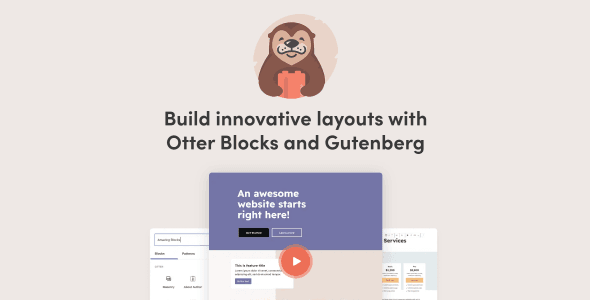
Overview of Otter Blocks Pro
Unlock the full potential of the WordPress Block Editor with Otter Blocks Pro, a powerful collection of advanced blocks and features designed to elevate your website creation experience. This essential plugin is perfect for designers, developers, and content creators looking to build stunning, high-performance websites with unparalleled flexibility and control, all within the intuitive Gutenberg interface. Otter Blocks Pro provides a comprehensive toolkit to craft beautiful layouts and dynamic content effortlessly.
Key Features of Otter Blocks Pro
- Extensive Block Library: Access a diverse range of beautifully designed and highly functional blocks, including advanced headings, post grids, pricing tables, service boxes, and much more. Otter Blocks Pro ensures you have the right tool for every design challenge.
- Advanced Design Options: Take complete control over your site’s aesthetics with granular design settings. Customize typography, colors, backgrounds, borders, spacing, and responsive visibility for every block to match your brand perfectly.
- Dynamic Content Integration: Seamlessly integrate dynamic content into your layouts. Display posts, pages, or custom post types in engaging grids or lists, creating powerful and automated content sections that update automatically.
- Section Templates & Layouts: Speed up your workflow with pre-built section templates and full-page layouts. Import professionally designed sections with a single click and customize them to fit your specific needs, saving valuable development time.
- Custom CSS & Global Styles: Apply custom CSS directly to individual blocks or define global styles for consistency across your entire website. Otter Blocks Pro empowers both beginners and advanced users with flexible styling options.
- Performance Optimized: Built with performance in mind, Otter Blocks Pro ensures that your website remains fast and lightweight. The plugin loads only the necessary assets, contributing to excellent page speed scores and an optimal user experience.
- Conditional Block Display: Implement sophisticated logic to display or hide blocks based on various conditions, such as user role, post type, or screen size. This feature adds a layer of personalization and interactivity to your content.
- Animations & Interactions: Bring your content to life with subtle yet engaging animations and interactive effects. Add entrance animations, hover effects, and more to capture visitor attention and enhance the user experience.
Why Choose Otter Blocks Pro?
Choosing Otter Blocks Pro means opting for a significant upgrade to your WordPress website building capabilities. It transforms the standard Block Editor into a professional-grade design studio, offering a vast array of tools that cater to both aesthetic appeal and robust functionality. With its intuitive interface and extensive customization options, Otter Blocks Pro empowers you to create complex layouts and dynamic content sections without needing to write a single line of code, making advanced web design accessible to everyone.
The value proposition of Otter Blocks Pro extends beyond just a richer set of blocks. It’s about efficiency, flexibility, and performance. The plugin’s pre-built templates and global styling options dramatically accelerate your design process, ensuring consistency and saving countless hours. Furthermore, its lightweight architecture ensures that your website remains fast and responsive, which is crucial for SEO and user engagement. For anyone serious about leveraging the power of the WordPress Block Editor, Otter Blocks Pro is an indispensable asset.
Moreover, Otter Blocks Pro is continuously updated and maintained, ensuring compatibility with the latest WordPress versions and introducing new features that keep your design toolkit cutting-edge. Its focus on user experience, combined with powerful backend capabilities, makes it a reliable choice for building everything from simple blogs to intricate business websites. Elevate your design game and streamline your development workflow with the unparalleled features of Otter Blocks Pro.
Who Should Use Otter Blocks Pro?
Otter Blocks Pro is ideal for a wide range of WordPress users. Freelance web designers and agencies will find it invaluable for rapid prototyping and delivering highly customized client sites. Bloggers and content creators can use it to craft visually engaging posts and pages that stand out. Small business owners and entrepreneurs can build professional-looking websites without hiring a developer. Essentially, anyone who wants to harness the full power of the WordPress Block Editor to create beautiful, functional, and high-performing websites will benefit immensely from Otter Blocks Pro.
How to Install Otter Blocks Pro
- Download the Plugin: After your purchase, download the Otter Blocks Pro plugin file (a .zip archive) from your account on our website. Ensure you have the latest version.
- Upload via WordPress Dashboard: Log in to your WordPress admin area. Navigate to ‘Plugins’ > ‘Add New’ and then click the ‘Upload Plugin’ button at the top of the page.
- Choose and Install: Click ‘Choose File’, select the Otter Blocks Pro .zip file you downloaded, and then click ‘Install Now’. WordPress will upload and unpack the plugin.
- Activate the Plugin: Once the installation is complete, you will see a success message. Click the ‘Activate Plugin’ link to enable Otter Blocks Pro on your website.
- Start Building: With Otter Blocks Pro activated, you can now access all its advanced blocks and features directly within the WordPress Block Editor when creating or editing posts and pages.
Frequently Asked Questions About Otter Blocks Pro
Does Otter Blocks Pro work with any WordPress theme?
Yes, Otter Blocks Pro is designed to be highly compatible with any well-coded WordPress theme, including popular block-based themes and classic themes. It extends the functionality of the Gutenberg editor, allowing you to use its blocks and features seamlessly within your existing theme’s structure and styling.
Is Otter Blocks Pro mobile-responsive?
Absolutely. All blocks and elements provided by Otter Blocks Pro are built with responsiveness in mind. You have granular control over how your content appears on different screen sizes, ensuring your website looks stunning and functions perfectly across desktops, tablets, and mobile devices.
Can I use Otter Blocks Pro alongside other block plugins?
While Otter Blocks Pro offers a comprehensive set of features, it is generally compatible with other block editor plugins. However, to avoid potential conflicts or redundancy, it’s always recommended to test such combinations in a staging environment first. Otter Blocks Pro aims to be your primary toolkit for block-based design.
Get Otter Blocks Pro Today
Elevate your WordPress website design and development with the advanced capabilities of Otter Blocks Pro. Streamline your workflow, unleash your creativity, and build stunning, high-performance websites with ease. Explore the full potential of the Block Editor and transform your site today. Don’t miss out on this essential addition to your toolkit – browse our extensive collection of WordPress Plugins and other premium GPL WordPress Products to enhance your digital presence.
Related Products You May Like
Here's everything you need to know about your purchase:
- 100% original files — Every product is the genuine, virus-free file, exactly as released by the original developer.
- Instant download — Access your files immediately after purchase from your account.
- Lifetime access — Re-download your purchased files anytime. No expiry, no limits.
- Free updates — Newer version released? Just request an update from us, free for all customers.
- Dedicated support — Our team is available 24/7 for installation and file-related help.
- Easy refunds — Not satisfied? Review our Refund Policy. We offer a hassle-free 7-day guarantee.
$100.00 Original price was: $100.00.$2.00Current price is: $2.00.
Version
3.1.9
Last Updated
22/04/2026
License
GPL v2
Compatibility
WordPress 5.0+
Need latest version?
Newer version released? Request an update from us — free for all customers!
Request Update →🎁 Your Purchase Includes
Overview of Otter Blocks Pro
Unlock the full potential of the WordPress Block Editor with Otter Blocks Pro, a powerful collection of advanced blocks and features designed to elevate your website creation experience. This essential plugin is perfect for designers, developers, and content creators looking to build stunning, high-performance websites with unparalleled flexibility and control, all within the intuitive Gutenberg interface. Otter Blocks Pro provides a comprehensive toolkit to craft beautiful layouts and dynamic content effortlessly.
Key Features of Otter Blocks Pro
- Extensive Block Library: Access a diverse range of beautifully designed and highly functional blocks, including advanced headings, post grids, pricing tables, service boxes, and much more. Otter Blocks Pro ensures you have the right tool for every design challenge.
- Advanced Design Options: Take complete control over your site’s aesthetics with granular design settings. Customize typography, colors, backgrounds, borders, spacing, and responsive visibility for every block to match your brand perfectly.
- Dynamic Content Integration: Seamlessly integrate dynamic content into your layouts. Display posts, pages, or custom post types in engaging grids or lists, creating powerful and automated content sections that update automatically.
- Section Templates & Layouts: Speed up your workflow with pre-built section templates and full-page layouts. Import professionally designed sections with a single click and customize them to fit your specific needs, saving valuable development time.
- Custom CSS & Global Styles: Apply custom CSS directly to individual blocks or define global styles for consistency across your entire website. Otter Blocks Pro empowers both beginners and advanced users with flexible styling options.
- Performance Optimized: Built with performance in mind, Otter Blocks Pro ensures that your website remains fast and lightweight. The plugin loads only the necessary assets, contributing to excellent page speed scores and an optimal user experience.
- Conditional Block Display: Implement sophisticated logic to display or hide blocks based on various conditions, such as user role, post type, or screen size. This feature adds a layer of personalization and interactivity to your content.
- Animations & Interactions: Bring your content to life with subtle yet engaging animations and interactive effects. Add entrance animations, hover effects, and more to capture visitor attention and enhance the user experience.
Why Choose Otter Blocks Pro?
Choosing Otter Blocks Pro means opting for a significant upgrade to your WordPress website building capabilities. It transforms the standard Block Editor into a professional-grade design studio, offering a vast array of tools that cater to both aesthetic appeal and robust functionality. With its intuitive interface and extensive customization options, Otter Blocks Pro empowers you to create complex layouts and dynamic content sections without needing to write a single line of code, making advanced web design accessible to everyone.
The value proposition of Otter Blocks Pro extends beyond just a richer set of blocks. It’s about efficiency, flexibility, and performance. The plugin’s pre-built templates and global styling options dramatically accelerate your design process, ensuring consistency and saving countless hours. Furthermore, its lightweight architecture ensures that your website remains fast and responsive, which is crucial for SEO and user engagement. For anyone serious about leveraging the power of the WordPress Block Editor, Otter Blocks Pro is an indispensable asset.
Moreover, Otter Blocks Pro is continuously updated and maintained, ensuring compatibility with the latest WordPress versions and introducing new features that keep your design toolkit cutting-edge. Its focus on user experience, combined with powerful backend capabilities, makes it a reliable choice for building everything from simple blogs to intricate business websites. Elevate your design game and streamline your development workflow with the unparalleled features of Otter Blocks Pro.
Who Should Use Otter Blocks Pro?
Otter Blocks Pro is ideal for a wide range of WordPress users. Freelance web designers and agencies will find it invaluable for rapid prototyping and delivering highly customized client sites. Bloggers and content creators can use it to craft visually engaging posts and pages that stand out. Small business owners and entrepreneurs can build professional-looking websites without hiring a developer. Essentially, anyone who wants to harness the full power of the WordPress Block Editor to create beautiful, functional, and high-performing websites will benefit immensely from Otter Blocks Pro.
How to Install Otter Blocks Pro
- Download the Plugin: After your purchase, download the Otter Blocks Pro plugin file (a .zip archive) from your account on our website. Ensure you have the latest version.
- Upload via WordPress Dashboard: Log in to your WordPress admin area. Navigate to ‘Plugins’ > ‘Add New’ and then click the ‘Upload Plugin’ button at the top of the page.
- Choose and Install: Click ‘Choose File’, select the Otter Blocks Pro .zip file you downloaded, and then click ‘Install Now’. WordPress will upload and unpack the plugin.
- Activate the Plugin: Once the installation is complete, you will see a success message. Click the ‘Activate Plugin’ link to enable Otter Blocks Pro on your website.
- Start Building: With Otter Blocks Pro activated, you can now access all its advanced blocks and features directly within the WordPress Block Editor when creating or editing posts and pages.
Frequently Asked Questions About Otter Blocks Pro
Does Otter Blocks Pro work with any WordPress theme?
Yes, Otter Blocks Pro is designed to be highly compatible with any well-coded WordPress theme, including popular block-based themes and classic themes. It extends the functionality of the Gutenberg editor, allowing you to use its blocks and features seamlessly within your existing theme’s structure and styling.
Is Otter Blocks Pro mobile-responsive?
Absolutely. All blocks and elements provided by Otter Blocks Pro are built with responsiveness in mind. You have granular control over how your content appears on different screen sizes, ensuring your website looks stunning and functions perfectly across desktops, tablets, and mobile devices.
Can I use Otter Blocks Pro alongside other block plugins?
While Otter Blocks Pro offers a comprehensive set of features, it is generally compatible with other block editor plugins. However, to avoid potential conflicts or redundancy, it’s always recommended to test such combinations in a staging environment first. Otter Blocks Pro aims to be your primary toolkit for block-based design.
Get Otter Blocks Pro Today
Elevate your WordPress website design and development with the advanced capabilities of Otter Blocks Pro. Streamline your workflow, unleash your creativity, and build stunning, high-performance websites with ease. Explore the full potential of the Block Editor and transform your site today. Don’t miss out on this essential addition to your toolkit – browse our extensive collection of WordPress Plugins and other premium GPL WordPress Products to enhance your digital presence.
Related Products You May Like
Reviews
There are no reviews yet.
Here's everything you need to know about your purchase:
- 100% original files — Every product is the genuine, virus-free file, exactly as released by the original developer.
- Instant download — Access your files immediately after purchase from your account.
- Lifetime access — Re-download your purchased files anytime. No expiry, no limits.
- Free updates — Newer version released? Just request an update from us, free for all customers.
- Dedicated support — Our team is available 24/7 for installation and file-related help.
- Easy refunds — Not satisfied? Review our Refund Policy. We offer a hassle-free 7-day guarantee.
Reviews
There are no reviews yet.