

OpenGraphiq 1.1.7 – WordPress Social Image Generator
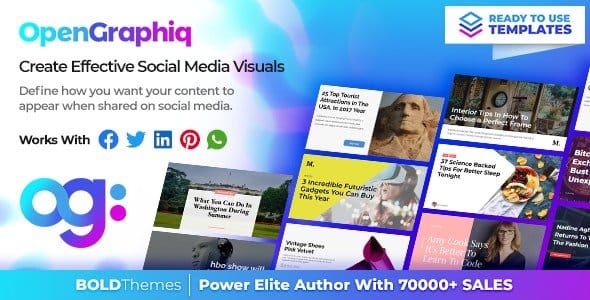
Overview of OpenGraphiq
Elevate your WordPress content’s social media presence with OpenGraphiq, the ultimate WordPress Social Image Generator. This powerful plugin is meticulously designed to help you automatically create stunning, shareable Open Graph images and Twitter Cards for all your posts, pages, and custom post types. OpenGraphiq is perfect for content creators, marketers, and businesses who want to maximize their social media engagement and ensure their content always looks professional and enticing when shared across platforms.
Key Features of OpenGraphiq
- Automated Social Image Generation: OpenGraphiq intelligently generates beautiful Open Graph images and Twitter Cards on the fly, ensuring every piece of your content is visually optimized for social sharing without manual effort.
- Dynamic Content Integration: Seamlessly pull data like post titles, featured images, and author names directly into your social images, making each graphic unique and relevant to its content.
- Extensive Template Library: Choose from a diverse collection of professional, pre-designed templates within OpenGraphiq, or create your own custom designs to perfectly match your brand’s aesthetic.
- Customization Options: Take full control over your social images with intuitive customization tools. Adjust fonts, colors, backgrounds, logos, and element positioning to create a truly bespoke look with OpenGraphiq.
- Live Previews: See exactly how your Open Graph images and Twitter Cards will appear on Facebook, Twitter, and other social networks with real-time previews, allowing for instant adjustments before sharing.
- WordPress Editor Integration: OpenGraphiq integrates smoothly into the WordPress post editor, giving you direct access to design and manage your social images for individual pieces of content.
- SEO Enhancement: By providing compelling visual content for social shares, OpenGraphiq indirectly boosts your click-through rates from social media, contributing positively to your content’s overall visibility and reach.
- Global Settings & Overrides: Set default social image templates for your entire site, and easily override them for specific posts or pages when you need a unique design.
Why Choose OpenGraphiq?
In today’s visually driven digital landscape, how your content appears on social media can significantly impact its reach and engagement. OpenGraphiq solves the common problem of generic or poorly optimized social shares by ensuring every link from your WordPress site is accompanied by a professional, eye-catching image. This isn’t just about aesthetics; it’s about strategy. A well-designed Open Graph image created by OpenGraphiq can dramatically increase click-through rates, drawing more traffic back to your website and improving brand recognition.
Choosing OpenGraphiq means investing in efficiency and impact. No longer will you need to manually design images for every single blog post or product page. OpenGraphiq automates this tedious process, freeing up valuable time for you to focus on content creation and marketing. The consistency in your social branding across all platforms, driven by OpenGraphiq, builds trust and professionalism, making your content more memorable and shareable. Embrace the power of automated visual storytelling and watch your social media presence flourish.
Who Should Use OpenGraphiq?
OpenGraphiq is an indispensable tool for anyone running a WordPress website who wants to enhance their social media presence. This includes:
- Bloggers and Content Creators: Ensure every blog post gets maximum visibility and clicks on social media.
- E-commerce Stores: Make product pages more appealing when shared, driving more potential customers to your shop.
- Digital Marketers: Streamline the social sharing process for client websites and improve campaign performance.
- Small Businesses and Agencies: Maintain a consistent, professional brand image across all social platforms without needing a dedicated graphic designer.
- Publishers and News Sites: Automate the creation of compelling social images for a high volume of articles.
How to Install OpenGraphiq
Installing OpenGraphiq on your WordPress website is a straightforward process, ensuring you can quickly start optimizing your social shares.
- Download the Plugin: After acquiring OpenGraphiq, download the plugin file (a .zip archive) to your computer.
- Upload to WordPress: Log in to your WordPress admin dashboard. Navigate to `Plugins > Add New`, then click on the “Upload Plugin” button at the top of the page.
- Choose File: Click “Choose File,” select the OpenGraphiq .zip file you downloaded, and then click “Install Now.”
- Activate Plugin: Once the plugin has been successfully uploaded and installed, click the “Activate Plugin” button.
- Configure OpenGraphiq: After activation, a new menu item for OpenGraphiq will appear in your WordPress dashboard. Click on it to access the settings and begin configuring your social image templates and preferences.
Frequently Asked Questions About OpenGraphiq
What kind of social images does OpenGraphiq generate?
OpenGraphiq primarily generates Open Graph images for platforms like Facebook, LinkedIn, and Pinterest, as well as Twitter Cards for X (formerly Twitter). These are the specific images that appear when your content is shared on these social networks, significantly impacting how your link is presented.
Is OpenGraphiq easy to use for non-designers?
Absolutely! OpenGraphiq is built with user-friendliness in mind. It comes with a robust library of pre-designed templates that you can easily customize without any graphic design experience. The intuitive interface allows you to adjust elements, add text, and upload logos with simple clicks, making professional social image creation accessible to everyone.
Does OpenGraphiq work with all WordPress themes?
Yes, OpenGraphiq is designed to be highly compatible with all standard WordPress themes. As a plugin, it operates independently of your theme’s design, focusing solely on generating and embedding the necessary meta tags for social images. This ensures that regardless of your theme, your Open Graph images will be displayed correctly across social media platforms.
Get OpenGraphiq Today
Don’t let your content go unnoticed on social media. Invest in OpenGraphiq and transform how your links are perceived and shared. Boost your engagement, drive more traffic, and establish a consistent, professional brand presence across all major social networks. Explore OpenGraphiq and other premium WordPress Plugins and high-quality GPL WordPress Products available at GPLUniverse today. Elevate your online strategy with OpenGraphiq!
Related Products You May Like
Here's everything you need to know about your purchase:
- 100% original files — Every product is the genuine, virus-free file, exactly as released by the original developer.
- Instant download — Access your files immediately after purchase from your account.
- Lifetime access — Re-download your purchased files anytime. No expiry, no limits.
- Free updates — Newer version released? Just request an update from us, free for all customers.
- Dedicated support — Our team is available 24/7 for installation and file-related help.
- Easy refunds — Not satisfied? Review our Refund Policy. We offer a hassle-free 7-day guarantee.
$100.00 Original price was: $100.00.$2.00Current price is: $2.00.
Version
1.1.7
Last Updated
26/04/2026
License
GPL v2
Compatibility
WordPress 5.0+
Need latest version?
Newer version released? Request an update from us — free for all customers!
Request Update →🎁 Your Purchase Includes
Overview of OpenGraphiq
Elevate your WordPress content’s social media presence with OpenGraphiq, the ultimate WordPress Social Image Generator. This powerful plugin is meticulously designed to help you automatically create stunning, shareable Open Graph images and Twitter Cards for all your posts, pages, and custom post types. OpenGraphiq is perfect for content creators, marketers, and businesses who want to maximize their social media engagement and ensure their content always looks professional and enticing when shared across platforms.
Key Features of OpenGraphiq
- Automated Social Image Generation: OpenGraphiq intelligently generates beautiful Open Graph images and Twitter Cards on the fly, ensuring every piece of your content is visually optimized for social sharing without manual effort.
- Dynamic Content Integration: Seamlessly pull data like post titles, featured images, and author names directly into your social images, making each graphic unique and relevant to its content.
- Extensive Template Library: Choose from a diverse collection of professional, pre-designed templates within OpenGraphiq, or create your own custom designs to perfectly match your brand’s aesthetic.
- Customization Options: Take full control over your social images with intuitive customization tools. Adjust fonts, colors, backgrounds, logos, and element positioning to create a truly bespoke look with OpenGraphiq.
- Live Previews: See exactly how your Open Graph images and Twitter Cards will appear on Facebook, Twitter, and other social networks with real-time previews, allowing for instant adjustments before sharing.
- WordPress Editor Integration: OpenGraphiq integrates smoothly into the WordPress post editor, giving you direct access to design and manage your social images for individual pieces of content.
- SEO Enhancement: By providing compelling visual content for social shares, OpenGraphiq indirectly boosts your click-through rates from social media, contributing positively to your content’s overall visibility and reach.
- Global Settings & Overrides: Set default social image templates for your entire site, and easily override them for specific posts or pages when you need a unique design.
Why Choose OpenGraphiq?
In today’s visually driven digital landscape, how your content appears on social media can significantly impact its reach and engagement. OpenGraphiq solves the common problem of generic or poorly optimized social shares by ensuring every link from your WordPress site is accompanied by a professional, eye-catching image. This isn’t just about aesthetics; it’s about strategy. A well-designed Open Graph image created by OpenGraphiq can dramatically increase click-through rates, drawing more traffic back to your website and improving brand recognition.
Choosing OpenGraphiq means investing in efficiency and impact. No longer will you need to manually design images for every single blog post or product page. OpenGraphiq automates this tedious process, freeing up valuable time for you to focus on content creation and marketing. The consistency in your social branding across all platforms, driven by OpenGraphiq, builds trust and professionalism, making your content more memorable and shareable. Embrace the power of automated visual storytelling and watch your social media presence flourish.
Who Should Use OpenGraphiq?
OpenGraphiq is an indispensable tool for anyone running a WordPress website who wants to enhance their social media presence. This includes:
- Bloggers and Content Creators: Ensure every blog post gets maximum visibility and clicks on social media.
- E-commerce Stores: Make product pages more appealing when shared, driving more potential customers to your shop.
- Digital Marketers: Streamline the social sharing process for client websites and improve campaign performance.
- Small Businesses and Agencies: Maintain a consistent, professional brand image across all social platforms without needing a dedicated graphic designer.
- Publishers and News Sites: Automate the creation of compelling social images for a high volume of articles.
How to Install OpenGraphiq
Installing OpenGraphiq on your WordPress website is a straightforward process, ensuring you can quickly start optimizing your social shares.
- Download the Plugin: After acquiring OpenGraphiq, download the plugin file (a .zip archive) to your computer.
- Upload to WordPress: Log in to your WordPress admin dashboard. Navigate to `Plugins > Add New`, then click on the “Upload Plugin” button at the top of the page.
- Choose File: Click “Choose File,” select the OpenGraphiq .zip file you downloaded, and then click “Install Now.”
- Activate Plugin: Once the plugin has been successfully uploaded and installed, click the “Activate Plugin” button.
- Configure OpenGraphiq: After activation, a new menu item for OpenGraphiq will appear in your WordPress dashboard. Click on it to access the settings and begin configuring your social image templates and preferences.
Frequently Asked Questions About OpenGraphiq
What kind of social images does OpenGraphiq generate?
OpenGraphiq primarily generates Open Graph images for platforms like Facebook, LinkedIn, and Pinterest, as well as Twitter Cards for X (formerly Twitter). These are the specific images that appear when your content is shared on these social networks, significantly impacting how your link is presented.
Is OpenGraphiq easy to use for non-designers?
Absolutely! OpenGraphiq is built with user-friendliness in mind. It comes with a robust library of pre-designed templates that you can easily customize without any graphic design experience. The intuitive interface allows you to adjust elements, add text, and upload logos with simple clicks, making professional social image creation accessible to everyone.
Does OpenGraphiq work with all WordPress themes?
Yes, OpenGraphiq is designed to be highly compatible with all standard WordPress themes. As a plugin, it operates independently of your theme’s design, focusing solely on generating and embedding the necessary meta tags for social images. This ensures that regardless of your theme, your Open Graph images will be displayed correctly across social media platforms.
Get OpenGraphiq Today
Don’t let your content go unnoticed on social media. Invest in OpenGraphiq and transform how your links are perceived and shared. Boost your engagement, drive more traffic, and establish a consistent, professional brand presence across all major social networks. Explore OpenGraphiq and other premium WordPress Plugins and high-quality GPL WordPress Products available at GPLUniverse today. Elevate your online strategy with OpenGraphiq!
Related Products You May Like
Reviews
There are no reviews yet.
Here's everything you need to know about your purchase:
- 100% original files — Every product is the genuine, virus-free file, exactly as released by the original developer.
- Instant download — Access your files immediately after purchase from your account.
- Lifetime access — Re-download your purchased files anytime. No expiry, no limits.
- Free updates — Newer version released? Just request an update from us, free for all customers.
- Dedicated support — Our team is available 24/7 for installation and file-related help.
- Easy refunds — Not satisfied? Review our Refund Policy. We offer a hassle-free 7-day guarantee.
Reviews
There are no reviews yet.