

Multi Host | WHMCS Hosting 3.0
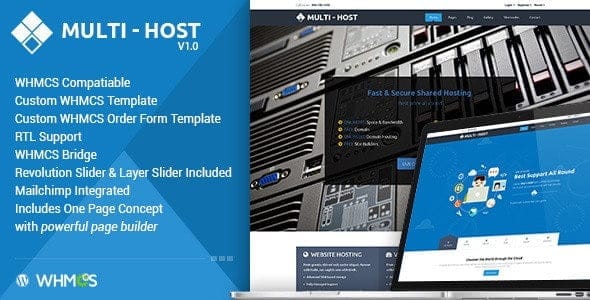
Overview of Multi Host WHMCS Hosting
Multi Host WHMCS Hosting is an advanced WHMCS module designed to empower hosting providers with seamless management and automation of various hosting services. This robust solution is perfect for businesses looking to offer shared hosting, reseller hosting, VPS, or dedicated servers through a unified, efficient platform, streamlining operations and enhancing customer satisfaction.
Key Features of Multi Host WHMCS Hosting
- Automated Provisioning & Management: Effortlessly set up new hosting accounts, suspend, unsuspend, and terminate services automatically, reducing manual workload and speeding up delivery.
- Comprehensive Client Area Integration: Provide your clients with a powerful, intuitive client area where they can manage their hosting services, view usage, and perform common tasks without needing to contact support.
- Flexible Product Configuration: Create and manage an unlimited number of hosting packages with custom resource limits, features, and pricing structures, ensuring you can cater to diverse client needs.
- Multi-Server & Multi-Datacenter Support: Seamlessly integrate and manage multiple hosting servers and even datacenters from a single WHMCS installation, providing scalability and redundancy for your infrastructure.
- Real-time Resource Monitoring: Keep a close eye on server load, disk usage, bandwidth consumption, and other critical metrics directly within your WHMCS admin area, helping you proactively manage resources.
- Automated Billing & Invoicing: Fully integrate with WHMCS’s powerful billing system to handle recurring payments, pro-rata billing, upgrades/downgrades, and automated invoice generation for all hosting services.
- Robust Security Measures: Implement various security features to protect both your infrastructure and your clients’ data, including IP restrictions, two-factor authentication for clients, and secure API communication.
- Easy Upgrades & Downgrades: Allow clients to easily upgrade or downgrade their hosting plans directly from their client area, with automated pro-rata billing adjustments handled by WHMCS.
Why Choose Multi Host WHMCS Hosting?
Choosing Multi Host WHMCS Hosting means opting for efficiency, scalability, and an enhanced user experience for both you and your clients. This module transforms your WHMCS installation into a powerful, automated hosting management hub, significantly reducing the time and effort traditionally associated with managing a diverse range of hosting services. From initial account provisioning to ongoing client support and billing, every aspect is streamlined, allowing your team to focus on growth and innovation rather than repetitive manual tasks.
The flexibility offered by Multi Host WHMCS Hosting ensures that your business can adapt and grow without limitations. Whether you’re a startup looking to offer your first hosting packages or an established provider seeking to consolidate and automate your existing services, this module provides the tools you need. Its ability to support multiple server types and datacenters means you can expand your infrastructure confidently, knowing your management system can keep pace.
Furthermore, by providing clients with a feature-rich, self-service portal, Multi Host WHMCS Hosting empowers them to manage their own services, reducing support tickets and improving overall client satisfaction. This professional approach not only builds trust but also frees up your support staff to handle more complex issues, contributing to a more efficient and profitable hosting business.
Who Should Use Multi Host WHMCS Hosting?
Multi Host WHMCS Hosting is ideal for a wide range of hosting businesses and IT service providers. This includes web hosting companies offering shared, reseller, VPS, or dedicated hosting services, data centers looking to automate their server provisioning, and IT consultants who manage client hosting. Any business utilizing WHMCS that aims to automate, scale, and provide a superior client experience for their hosting offerings will find immense value in this powerful module.
How to Install Multi Host WHMCS Hosting
- Download the Module: Obtain the Multi Host WHMCS Hosting module files from your purchase area.
- Upload Files: Unzip the downloaded package and upload the contents of the ‘modules’ folder to your WHMCS installation’s ‘/modules/’ directory via FTP or cPanel File Manager.
- Activate Module: Log into your WHMCS admin area, navigate to ‘System Settings’ -> ‘Addon Modules’, and activate the ‘Multi Host WHMCS Hosting’ module.
- Configure API Settings: Go to ‘System Settings’ -> ‘Servers’ and configure your hosting server details, ensuring the correct server type and access credentials are set for Multi Host WHMCS Hosting.
- Create Products: Create new products/services in WHMCS (‘System Settings’ -> ‘Products/Services’) and link them to the ‘Multi Host WHMCS Hosting’ module, defining your hosting packages.
- Set Up Cron Job (Optional but Recommended): Ensure your WHMCS cron job is properly set up to handle automated tasks like provisioning, suspensions, and billing cycles for Multi Host WHMCS Hosting.
Frequently Asked Questions About Multi Host WHMCS Hosting
What WHMCS versions are supported by Multi Host WHMCS Hosting?
Multi Host WHMCS Hosting is designed to be compatible with the latest stable versions of WHMCS. We recommend always running the most up-to-date WHMCS version for optimal performance and security.
Can I manage different types of hosting servers with this module?
Yes, Multi Host WHMCS Hosting is built to support a variety of hosting server types, including cPanel, DirectAdmin, Plesk, and custom server types, allowing you to manage a diverse infrastructure from a single WHMCS interface.
Is it easy to customize hosting plans and packages?
Absolutely. Multi Host WHMCS Hosting offers extensive flexibility in creating and customizing hosting packages. You can define resource limits, features, and pricing for each plan directly within your WHMCS product configuration, making it easy to tailor offerings to your market.
Get Multi Host WHMCS Hosting Today
Ready to revolutionize your hosting business? Integrate Multi Host WHMCS Hosting into your WHMCS setup and experience unparalleled automation, efficiency, and client satisfaction. This powerful module is a game-changer for any hosting provider aiming for growth and operational excellence. Explore this and many other premium WordPress Plugins and essential GPL WordPress Products to enhance your online ventures.
Related Products You May Like
Here's everything you need to know about your purchase:
- 100% original files — Every product is the genuine, virus-free file, exactly as released by the original developer.
- Instant download — Access your files immediately after purchase from your account.
- Lifetime access — Re-download your purchased files anytime. No expiry, no limits.
- Free updates — Newer version released? Just request an update from us, free for all customers.
- Dedicated support — Our team is available 24/7 for installation and file-related help.
- Easy refunds — Not satisfied? Review our Refund Policy. We offer a hassle-free 7-day guarantee.
$100.00 Original price was: $100.00.$2.00Current price is: $2.00.
Version
3.0
Last Updated
07/03/2026
License
GPL v2
Compatibility
WordPress 5.0+
Need latest version?
Newer version released? Request an update from us — free for all customers!
Request Update →🎁 Your Purchase Includes
Overview of Multi Host WHMCS Hosting
Multi Host WHMCS Hosting is an advanced WHMCS module designed to empower hosting providers with seamless management and automation of various hosting services. This robust solution is perfect for businesses looking to offer shared hosting, reseller hosting, VPS, or dedicated servers through a unified, efficient platform, streamlining operations and enhancing customer satisfaction.
Key Features of Multi Host WHMCS Hosting
- Automated Provisioning & Management: Effortlessly set up new hosting accounts, suspend, unsuspend, and terminate services automatically, reducing manual workload and speeding up delivery.
- Comprehensive Client Area Integration: Provide your clients with a powerful, intuitive client area where they can manage their hosting services, view usage, and perform common tasks without needing to contact support.
- Flexible Product Configuration: Create and manage an unlimited number of hosting packages with custom resource limits, features, and pricing structures, ensuring you can cater to diverse client needs.
- Multi-Server & Multi-Datacenter Support: Seamlessly integrate and manage multiple hosting servers and even datacenters from a single WHMCS installation, providing scalability and redundancy for your infrastructure.
- Real-time Resource Monitoring: Keep a close eye on server load, disk usage, bandwidth consumption, and other critical metrics directly within your WHMCS admin area, helping you proactively manage resources.
- Automated Billing & Invoicing: Fully integrate with WHMCS’s powerful billing system to handle recurring payments, pro-rata billing, upgrades/downgrades, and automated invoice generation for all hosting services.
- Robust Security Measures: Implement various security features to protect both your infrastructure and your clients’ data, including IP restrictions, two-factor authentication for clients, and secure API communication.
- Easy Upgrades & Downgrades: Allow clients to easily upgrade or downgrade their hosting plans directly from their client area, with automated pro-rata billing adjustments handled by WHMCS.
Why Choose Multi Host WHMCS Hosting?
Choosing Multi Host WHMCS Hosting means opting for efficiency, scalability, and an enhanced user experience for both you and your clients. This module transforms your WHMCS installation into a powerful, automated hosting management hub, significantly reducing the time and effort traditionally associated with managing a diverse range of hosting services. From initial account provisioning to ongoing client support and billing, every aspect is streamlined, allowing your team to focus on growth and innovation rather than repetitive manual tasks.
The flexibility offered by Multi Host WHMCS Hosting ensures that your business can adapt and grow without limitations. Whether you’re a startup looking to offer your first hosting packages or an established provider seeking to consolidate and automate your existing services, this module provides the tools you need. Its ability to support multiple server types and datacenters means you can expand your infrastructure confidently, knowing your management system can keep pace.
Furthermore, by providing clients with a feature-rich, self-service portal, Multi Host WHMCS Hosting empowers them to manage their own services, reducing support tickets and improving overall client satisfaction. This professional approach not only builds trust but also frees up your support staff to handle more complex issues, contributing to a more efficient and profitable hosting business.
Who Should Use Multi Host WHMCS Hosting?
Multi Host WHMCS Hosting is ideal for a wide range of hosting businesses and IT service providers. This includes web hosting companies offering shared, reseller, VPS, or dedicated hosting services, data centers looking to automate their server provisioning, and IT consultants who manage client hosting. Any business utilizing WHMCS that aims to automate, scale, and provide a superior client experience for their hosting offerings will find immense value in this powerful module.
How to Install Multi Host WHMCS Hosting
- Download the Module: Obtain the Multi Host WHMCS Hosting module files from your purchase area.
- Upload Files: Unzip the downloaded package and upload the contents of the ‘modules’ folder to your WHMCS installation’s ‘/modules/’ directory via FTP or cPanel File Manager.
- Activate Module: Log into your WHMCS admin area, navigate to ‘System Settings’ -> ‘Addon Modules’, and activate the ‘Multi Host WHMCS Hosting’ module.
- Configure API Settings: Go to ‘System Settings’ -> ‘Servers’ and configure your hosting server details, ensuring the correct server type and access credentials are set for Multi Host WHMCS Hosting.
- Create Products: Create new products/services in WHMCS (‘System Settings’ -> ‘Products/Services’) and link them to the ‘Multi Host WHMCS Hosting’ module, defining your hosting packages.
- Set Up Cron Job (Optional but Recommended): Ensure your WHMCS cron job is properly set up to handle automated tasks like provisioning, suspensions, and billing cycles for Multi Host WHMCS Hosting.
Frequently Asked Questions About Multi Host WHMCS Hosting
What WHMCS versions are supported by Multi Host WHMCS Hosting?
Multi Host WHMCS Hosting is designed to be compatible with the latest stable versions of WHMCS. We recommend always running the most up-to-date WHMCS version for optimal performance and security.
Can I manage different types of hosting servers with this module?
Yes, Multi Host WHMCS Hosting is built to support a variety of hosting server types, including cPanel, DirectAdmin, Plesk, and custom server types, allowing you to manage a diverse infrastructure from a single WHMCS interface.
Is it easy to customize hosting plans and packages?
Absolutely. Multi Host WHMCS Hosting offers extensive flexibility in creating and customizing hosting packages. You can define resource limits, features, and pricing for each plan directly within your WHMCS product configuration, making it easy to tailor offerings to your market.
Get Multi Host WHMCS Hosting Today
Ready to revolutionize your hosting business? Integrate Multi Host WHMCS Hosting into your WHMCS setup and experience unparalleled automation, efficiency, and client satisfaction. This powerful module is a game-changer for any hosting provider aiming for growth and operational excellence. Explore this and many other premium WordPress Plugins and essential GPL WordPress Products to enhance your online ventures.
Related Products You May Like
Reviews
There are no reviews yet.
Here's everything you need to know about your purchase:
- 100% original files — Every product is the genuine, virus-free file, exactly as released by the original developer.
- Instant download — Access your files immediately after purchase from your account.
- Lifetime access — Re-download your purchased files anytime. No expiry, no limits.
- Free updates — Newer version released? Just request an update from us, free for all customers.
- Dedicated support — Our team is available 24/7 for installation and file-related help.
- Easy refunds — Not satisfied? Review our Refund Policy. We offer a hassle-free 7-day guarantee.
Reviews
There are no reviews yet.