

MotoPress Content Editor 3.0.4
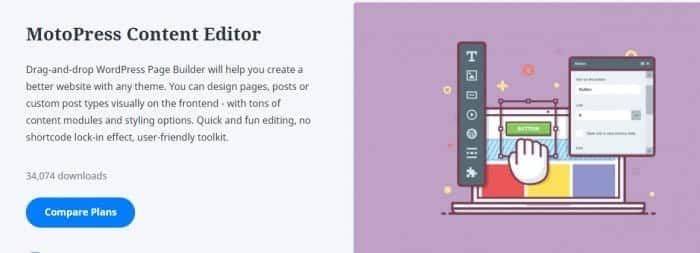
Overview of MotoPress Content Editor
The MotoPress Content Editor is a powerful and intuitive drag-and-drop page builder designed to transform the way you create content in WordPress. It empowers users of all skill levels, from beginners to seasoned developers, to build stunning, professional-grade layouts without touching a single line of code. With MotoPress Content Editor, you gain complete creative control over your WordPress pages and posts, allowing you to design visually rich and engaging experiences directly from the frontend.
Key Features of MotoPress Content Editor
- Intuitive Drag & Drop Interface: Effortlessly arrange and customize content elements on your page with a simple drag-and-drop mechanism, making design both fast and fun.
- Frontend Editing Experience: See your changes in real-time as you build. The MotoPress Content Editor allows you to design directly on the frontend of your website, providing an immediate visual feedback loop.
- Responsive Design Controls: Ensure your website looks flawless on any device. MotoPress Content Editor includes built-in tools to adjust your layouts and elements for optimal viewing across desktops, tablets, and smartphones.
- Extensive Content Elements: Access a rich library of pre-built modules like text blocks, images, videos, buttons, accordions, tabs, counters, and more, all ready to be dropped into your design.
- Pre-designed Layouts & Templates: Jumpstart your projects with a selection of professionally designed templates and section layouts, saving you time and inspiring your creativity.
- No Coding Required: Build complex and beautiful layouts without needing any HTML, CSS, or PHP knowledge, democratizing web design for everyone.
- Custom Styling Options: Fine-tune every aspect of your elements with comprehensive styling controls, including fonts, colors, backgrounds, margins, padding, and animations.
- Seamless WordPress Integration: MotoPress Content Editor works harmoniously with your existing WordPress theme and the block editor, enhancing your content creation workflow rather than replacing it.
Why Choose MotoPress Content Editor?
Choosing MotoPress Content Editor means choosing efficiency, flexibility, and creative freedom for your WordPress website. It eliminates the frustrations of the default WordPress editor for complex layouts, allowing you to visualize and construct your pages exactly as you imagine them. Whether you’re building a landing page, a detailed service page, or a captivating blog post, MotoPress Content Editor provides the tools to achieve a polished, professional look without the need for a web designer or developer.
The value of MotoPress Content Editor lies in its ability to empower you. It significantly reduces development time, enabling you to launch new content and designs faster. Its intuitive nature means a shorter learning curve, allowing you to focus more on your content and less on technical hurdles. Furthermore, its responsive design capabilities ensure that your website will always deliver an excellent user experience, regardless of the device your visitors are using, which is crucial for SEO and user engagement in today’s mobile-first world.
By investing in MotoPress Content Editor, you’re not just getting a plugin; you’re gaining a powerful ally in your WordPress journey. It integrates smoothly, offers robust functionality, and provides the visual control necessary to make your website stand out. This powerful tool enhances your WordPress experience, giving you the power to craft truly unique and dynamic pages.
Who Should Use MotoPress Content Editor?
MotoPress Content Editor is ideal for a wide range of WordPress users. Bloggers and content creators will love its ability to create visually engaging articles and custom post layouts. Small business owners and entrepreneurs can quickly build professional landing pages, service pages, and product showcases without hiring a developer. Marketers will find it invaluable for creating high-converting sales pages and campaign-specific content. Even web designers and agencies can leverage MotoPress Content Editor to speed up their workflow and deliver custom designs more efficiently for their clients, making it a versatile addition to any WordPress toolkit.
How to Install MotoPress Content Editor
- Download the Plugin: After purchasing, download the MotoPress Content Editor plugin file (a .zip archive) from your account on GPLUniverse.
- Upload via WordPress Dashboard: Log in to your WordPress admin area. Navigate to ‘Plugins’ > ‘Add New’ and click the ‘Upload Plugin’ button at the top.
- Choose File and Install: Click ‘Choose File’, select the MotoPress Content Editor .zip file you downloaded, and then click ‘Install Now’.
- Activate the Plugin: Once the installation is complete, click the ‘Activate Plugin’ button.
- Start Building: After activation, you’ll find the MotoPress Content Editor integrated into your page and post editing screens, ready for you to start creating stunning layouts.
Frequently Asked Questions About MotoPress Content Editor
Is MotoPress Content Editor compatible with all WordPress themes?
Yes, MotoPress Content Editor is designed to be highly compatible with virtually any well-coded WordPress theme. It works by adding a layer of content editing functionality, allowing you to build layouts within your theme’s structure without conflicting with its core design principles. This ensures your custom designs blend seamlessly with your chosen WordPress Themes.
Does MotoPress Content Editor replace the default WordPress editor?
No, MotoPress Content Editor does not replace the default WordPress editor entirely. Instead, it offers an alternative visual building experience that you can choose to use for specific pages or posts. You can switch between the standard block editor and the MotoPress Content Editor whenever you need, giving you flexibility in how you create and manage your content.
Can I use MotoPress Content Editor on multiple websites?
When you acquire MotoPress Content Editor from GPLUniverse, you benefit from the GPL license, which generally allows you to use the software on as many websites as you own or manage. This provides incredible value and flexibility for web developers, agencies, and users with multiple WordPress installations.
Get MotoPress Content Editor Today
Unlock the full potential of your WordPress website with the MotoPress Content Editor. Say goodbye to restrictive layouts and hello to limitless creative possibilities. Enhance your site’s aesthetics, improve user engagement, and streamline your content creation process. Don’t miss out on this essential tool for building beautiful, responsive, and functional pages with ease. Explore our full range of GPL WordPress Products and elevate your web presence today!
Related Products You May Like
Here's everything you need to know about your purchase:
- 100% original files — Every product is the genuine, virus-free file, exactly as released by the original developer.
- Instant download — Access your files immediately after purchase from your account.
- Lifetime access — Re-download your purchased files anytime. No expiry, no limits.
- Free updates — Newer version released? Just request an update from us, free for all customers.
- Dedicated support — Our team is available 24/7 for installation and file-related help.
- Easy refunds — Not satisfied? Review our Refund Policy. We offer a hassle-free 7-day guarantee.
$59.00 Original price was: $59.00.$2.00Current price is: $2.00.
Version
3.0.4
Last Updated
25/2/2026
License
GPL v2
Compatibility
WordPress 5.0+
Need latest version?
Newer version released? Request an update from us — free for all customers!
Request Update →🎁 Your Purchase Includes
Overview of MotoPress Content Editor
The MotoPress Content Editor is a powerful and intuitive drag-and-drop page builder designed to transform the way you create content in WordPress. It empowers users of all skill levels, from beginners to seasoned developers, to build stunning, professional-grade layouts without touching a single line of code. With MotoPress Content Editor, you gain complete creative control over your WordPress pages and posts, allowing you to design visually rich and engaging experiences directly from the frontend.
Key Features of MotoPress Content Editor
- Intuitive Drag & Drop Interface: Effortlessly arrange and customize content elements on your page with a simple drag-and-drop mechanism, making design both fast and fun.
- Frontend Editing Experience: See your changes in real-time as you build. The MotoPress Content Editor allows you to design directly on the frontend of your website, providing an immediate visual feedback loop.
- Responsive Design Controls: Ensure your website looks flawless on any device. MotoPress Content Editor includes built-in tools to adjust your layouts and elements for optimal viewing across desktops, tablets, and smartphones.
- Extensive Content Elements: Access a rich library of pre-built modules like text blocks, images, videos, buttons, accordions, tabs, counters, and more, all ready to be dropped into your design.
- Pre-designed Layouts & Templates: Jumpstart your projects with a selection of professionally designed templates and section layouts, saving you time and inspiring your creativity.
- No Coding Required: Build complex and beautiful layouts without needing any HTML, CSS, or PHP knowledge, democratizing web design for everyone.
- Custom Styling Options: Fine-tune every aspect of your elements with comprehensive styling controls, including fonts, colors, backgrounds, margins, padding, and animations.
- Seamless WordPress Integration: MotoPress Content Editor works harmoniously with your existing WordPress theme and the block editor, enhancing your content creation workflow rather than replacing it.
Why Choose MotoPress Content Editor?
Choosing MotoPress Content Editor means choosing efficiency, flexibility, and creative freedom for your WordPress website. It eliminates the frustrations of the default WordPress editor for complex layouts, allowing you to visualize and construct your pages exactly as you imagine them. Whether you’re building a landing page, a detailed service page, or a captivating blog post, MotoPress Content Editor provides the tools to achieve a polished, professional look without the need for a web designer or developer.
The value of MotoPress Content Editor lies in its ability to empower you. It significantly reduces development time, enabling you to launch new content and designs faster. Its intuitive nature means a shorter learning curve, allowing you to focus more on your content and less on technical hurdles. Furthermore, its responsive design capabilities ensure that your website will always deliver an excellent user experience, regardless of the device your visitors are using, which is crucial for SEO and user engagement in today’s mobile-first world.
By investing in MotoPress Content Editor, you’re not just getting a plugin; you’re gaining a powerful ally in your WordPress journey. It integrates smoothly, offers robust functionality, and provides the visual control necessary to make your website stand out. This powerful tool enhances your WordPress experience, giving you the power to craft truly unique and dynamic pages.
Who Should Use MotoPress Content Editor?
MotoPress Content Editor is ideal for a wide range of WordPress users. Bloggers and content creators will love its ability to create visually engaging articles and custom post layouts. Small business owners and entrepreneurs can quickly build professional landing pages, service pages, and product showcases without hiring a developer. Marketers will find it invaluable for creating high-converting sales pages and campaign-specific content. Even web designers and agencies can leverage MotoPress Content Editor to speed up their workflow and deliver custom designs more efficiently for their clients, making it a versatile addition to any WordPress toolkit.
How to Install MotoPress Content Editor
- Download the Plugin: After purchasing, download the MotoPress Content Editor plugin file (a .zip archive) from your account on GPLUniverse.
- Upload via WordPress Dashboard: Log in to your WordPress admin area. Navigate to ‘Plugins’ > ‘Add New’ and click the ‘Upload Plugin’ button at the top.
- Choose File and Install: Click ‘Choose File’, select the MotoPress Content Editor .zip file you downloaded, and then click ‘Install Now’.
- Activate the Plugin: Once the installation is complete, click the ‘Activate Plugin’ button.
- Start Building: After activation, you’ll find the MotoPress Content Editor integrated into your page and post editing screens, ready for you to start creating stunning layouts.
Frequently Asked Questions About MotoPress Content Editor
Is MotoPress Content Editor compatible with all WordPress themes?
Yes, MotoPress Content Editor is designed to be highly compatible with virtually any well-coded WordPress theme. It works by adding a layer of content editing functionality, allowing you to build layouts within your theme’s structure without conflicting with its core design principles. This ensures your custom designs blend seamlessly with your chosen WordPress Themes.
Does MotoPress Content Editor replace the default WordPress editor?
No, MotoPress Content Editor does not replace the default WordPress editor entirely. Instead, it offers an alternative visual building experience that you can choose to use for specific pages or posts. You can switch between the standard block editor and the MotoPress Content Editor whenever you need, giving you flexibility in how you create and manage your content.
Can I use MotoPress Content Editor on multiple websites?
When you acquire MotoPress Content Editor from GPLUniverse, you benefit from the GPL license, which generally allows you to use the software on as many websites as you own or manage. This provides incredible value and flexibility for web developers, agencies, and users with multiple WordPress installations.
Get MotoPress Content Editor Today
Unlock the full potential of your WordPress website with the MotoPress Content Editor. Say goodbye to restrictive layouts and hello to limitless creative possibilities. Enhance your site’s aesthetics, improve user engagement, and streamline your content creation process. Don’t miss out on this essential tool for building beautiful, responsive, and functional pages with ease. Explore our full range of GPL WordPress Products and elevate your web presence today!
Related Products You May Like
Reviews
There are no reviews yet.
Here's everything you need to know about your purchase:
- 100% original files — Every product is the genuine, virus-free file, exactly as released by the original developer.
- Instant download — Access your files immediately after purchase from your account.
- Lifetime access — Re-download your purchased files anytime. No expiry, no limits.
- Free updates — Newer version released? Just request an update from us, free for all customers.
- Dedicated support — Our team is available 24/7 for installation and file-related help.
- Easy refunds — Not satisfied? Review our Refund Policy. We offer a hassle-free 7-day guarantee.
Reviews
There are no reviews yet.