

Meta Box AIO 3.6.1
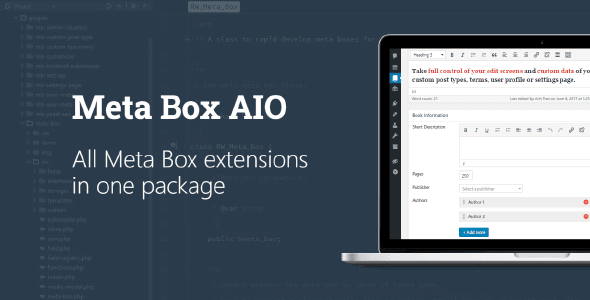
Overview of Meta Box AIO
Meta Box AIO is the ultimate toolkit for WordPress developers and site builders seeking to extend the core functionality of WordPress with custom fields, custom post types, and custom taxonomies. This powerful suite centralizes all the necessary tools to create highly customized content structures, making it an indispensable asset for anyone building dynamic and data-rich websites. With Meta Box AIO, you gain unparalleled control over your site’s data, allowing for intricate content modeling without touching a single line of PHP, or for developers, with clean and efficient code.
Key Features of Meta Box AIO
- Extensive Custom Field Types: Meta Box AIO offers a vast array of custom field types, from text inputs, text areas, and numbers to rich text editors, images, files, and complex repeatable groups. This ensures you have the perfect field for every data point your project requires.
- Custom Post Type & Taxonomy Builder: Effortlessly create custom post types (CPTs) and custom taxonomies directly from the WordPress admin interface. Meta Box AIO simplifies the registration and management of these core WordPress elements, enhancing content organization.
- Relationships Between Content: Establish powerful connections between different post types, pages, users, or even terms. Meta Box AIO allows you to create one-to-many, many-to-many, and one-to-one relationships, providing a robust framework for interconnected content.
- Conditional Logic for Fields: Implement dynamic field visibility based on user roles, post formats, template choices, or other field values. This feature in Meta Box AIO streamlines the content entry process by showing only relevant fields when needed.
- Frontend Submission Forms: Empower users to submit content directly from the frontend of your website. Meta Box AIO includes tools to build custom forms for posts, pages, or any custom post type, perfect for directories, listings, or user-generated content sites.
- Gutenberg Block Integration: Seamlessly integrate custom fields into the Gutenberg editor. Meta Box AIO allows you to create custom blocks that display and manage your custom data directly within the modern WordPress editing experience.
- User Profile & Settings Pages: Extend user profiles with custom fields or create custom settings pages for themes and plugins. Meta Box AIO provides the flexibility to add and manage data beyond standard posts and pages.
- Optimized for Performance: Built with clean, efficient code, Meta Box AIO is designed to be lightweight and performant. It only loads the necessary assets, ensuring your website remains fast and responsive even with complex custom data structures.
Why Choose Meta Box AIO?
Choosing Meta Box AIO means opting for a comprehensive and developer-friendly solution to enhance your WordPress site’s data management capabilities. Unlike fragmented approaches, Meta Box AIO provides a unified ecosystem where all your custom fields, post types, and relationships are managed cohesively. This not only streamlines development but also ensures consistency and maintainability across your projects. Its modular design means you only activate the extensions you need, preventing unnecessary bloat and keeping your WordPress installation lean and efficient. For agencies and freelancers, Meta Box AIO is a game-changer, significantly reducing development time for complex client requirements.
The power of Meta Box AIO lies in its flexibility and extensibility. It doesn’t just add fields; it transforms WordPress into a truly custom content management system capable of handling virtually any data structure you can imagine. Whether you’re building a real estate directory, an e-commerce site with custom product attributes, a portfolio, or a knowledge base, Meta Box AIO provides the robust foundation you need. Its active development and strong community support ensure that it remains cutting-edge, compatible with the latest WordPress versions, and continuously evolving with new features and improvements.
Furthermore, by utilizing Meta Box AIO, you empower content creators with intuitive interfaces, making content entry a breeze. The ability to create conditional fields, repeatable groups, and custom admin pages means the backend experience can be tailored precisely to your team’s workflow, reducing errors and increasing productivity. For those who value clean code and powerful customization without compromise, Meta Box AIO stands out as the premier choice among WordPress Plugins.
Who Should Use Meta Box AIO?
Meta Box AIO is ideally suited for WordPress developers, theme designers, web agencies, and advanced site builders who need to create complex, data-driven websites. If you’re looking to move beyond the standard post and page structure of WordPress and build highly customized content types with specific fields and relationships, Meta Box AIO is for you. It’s perfect for projects requiring custom directories, listing sites, e-commerce enhancements, portfolio sites, or any application where precise control over data input and display is crucial.
How to Install Meta Box AIO
- Download Meta Box AIO: After obtaining Meta Box AIO, download the plugin package to your computer.
- Upload to WordPress: Log in to your WordPress admin dashboard. Navigate to “Plugins” > “Add New”. Click on the “Upload Plugin” button at the top of the page.
- Choose File: Click “Choose File” and select the downloaded Meta Box AIO .zip file from your computer. Then, click “Install Now”.
- Activate Plugin: Once the installation is complete, WordPress will prompt you with a success message. Click on the “Activate Plugin” link to enable Meta Box AIO on your site.
- Start Customizing: After activation, you will find the Meta Box AIO menu item in your WordPress dashboard, ready for you to begin creating custom fields, post types, and more.
Frequently Asked Questions About Meta Box AIO
Is Meta Box AIO compatible with other plugins and themes?
Yes, Meta Box AIO is developed with WordPress best practices in mind, making it highly compatible with most well-coded themes and plugins. It integrates seamlessly with popular page builders and the Gutenberg editor, ensuring a smooth experience across your WordPress ecosystem.
What is the difference between Meta Box AIO and other custom field solutions?
Meta Box AIO distinguishes itself by offering a comprehensive, modular suite of tools rather than just a single custom field solution. It provides an extensive range of field types, builders for custom post types and taxonomies, relationship management, frontend forms, and much more, all within a single, optimized package designed for developers.
Can I migrate existing custom fields to Meta Box AIO?
While Meta Box AIO doesn’t have a direct migration tool built-in for all custom field solutions, it is possible to migrate data using custom scripts or third-party migration tools. For specific scenarios, consulting the Meta Box documentation or community forums can provide guidance on the best approach.
Get Meta Box AIO Today
Elevate your WordPress development capabilities and build truly dynamic, bespoke websites with Meta Box AIO. This powerful suite provides all the tools you need to manage custom content types, fields, and relationships with unparalleled flexibility and efficiency. Stop wrestling with limited content structures and start creating exactly what your projects demand. Explore Meta Box AIO and a world of other premium GPL WordPress Products and WordPress Plugins at GPLUniverse.
Related Products You May Like
Here's everything you need to know about your purchase:
- 100% original files — Every product is the genuine, virus-free file, exactly as released by the original developer.
- Instant download — Access your files immediately after purchase from your account.
- Lifetime access — Re-download your purchased files anytime. No expiry, no limits.
- Free updates — Newer version released? Just request an update from us, free for all customers.
- Dedicated support — Our team is available 24/7 for installation and file-related help.
- Easy refunds — Not satisfied? Review our Refund Policy. We offer a hassle-free 7-day guarantee.
$100.00 Original price was: $100.00.$2.00Current price is: $2.00.
Version
3.6.1
Last Updated
03/03/2026
License
GPL v2
Compatibility
WordPress 5.0+
Need latest version?
Newer version released? Request an update from us — free for all customers!
Request Update →🎁 Your Purchase Includes
Overview of Meta Box AIO
Meta Box AIO is the ultimate toolkit for WordPress developers and site builders seeking to extend the core functionality of WordPress with custom fields, custom post types, and custom taxonomies. This powerful suite centralizes all the necessary tools to create highly customized content structures, making it an indispensable asset for anyone building dynamic and data-rich websites. With Meta Box AIO, you gain unparalleled control over your site’s data, allowing for intricate content modeling without touching a single line of PHP, or for developers, with clean and efficient code.
Key Features of Meta Box AIO
- Extensive Custom Field Types: Meta Box AIO offers a vast array of custom field types, from text inputs, text areas, and numbers to rich text editors, images, files, and complex repeatable groups. This ensures you have the perfect field for every data point your project requires.
- Custom Post Type & Taxonomy Builder: Effortlessly create custom post types (CPTs) and custom taxonomies directly from the WordPress admin interface. Meta Box AIO simplifies the registration and management of these core WordPress elements, enhancing content organization.
- Relationships Between Content: Establish powerful connections between different post types, pages, users, or even terms. Meta Box AIO allows you to create one-to-many, many-to-many, and one-to-one relationships, providing a robust framework for interconnected content.
- Conditional Logic for Fields: Implement dynamic field visibility based on user roles, post formats, template choices, or other field values. This feature in Meta Box AIO streamlines the content entry process by showing only relevant fields when needed.
- Frontend Submission Forms: Empower users to submit content directly from the frontend of your website. Meta Box AIO includes tools to build custom forms for posts, pages, or any custom post type, perfect for directories, listings, or user-generated content sites.
- Gutenberg Block Integration: Seamlessly integrate custom fields into the Gutenberg editor. Meta Box AIO allows you to create custom blocks that display and manage your custom data directly within the modern WordPress editing experience.
- User Profile & Settings Pages: Extend user profiles with custom fields or create custom settings pages for themes and plugins. Meta Box AIO provides the flexibility to add and manage data beyond standard posts and pages.
- Optimized for Performance: Built with clean, efficient code, Meta Box AIO is designed to be lightweight and performant. It only loads the necessary assets, ensuring your website remains fast and responsive even with complex custom data structures.
Why Choose Meta Box AIO?
Choosing Meta Box AIO means opting for a comprehensive and developer-friendly solution to enhance your WordPress site’s data management capabilities. Unlike fragmented approaches, Meta Box AIO provides a unified ecosystem where all your custom fields, post types, and relationships are managed cohesively. This not only streamlines development but also ensures consistency and maintainability across your projects. Its modular design means you only activate the extensions you need, preventing unnecessary bloat and keeping your WordPress installation lean and efficient. For agencies and freelancers, Meta Box AIO is a game-changer, significantly reducing development time for complex client requirements.
The power of Meta Box AIO lies in its flexibility and extensibility. It doesn’t just add fields; it transforms WordPress into a truly custom content management system capable of handling virtually any data structure you can imagine. Whether you’re building a real estate directory, an e-commerce site with custom product attributes, a portfolio, or a knowledge base, Meta Box AIO provides the robust foundation you need. Its active development and strong community support ensure that it remains cutting-edge, compatible with the latest WordPress versions, and continuously evolving with new features and improvements.
Furthermore, by utilizing Meta Box AIO, you empower content creators with intuitive interfaces, making content entry a breeze. The ability to create conditional fields, repeatable groups, and custom admin pages means the backend experience can be tailored precisely to your team’s workflow, reducing errors and increasing productivity. For those who value clean code and powerful customization without compromise, Meta Box AIO stands out as the premier choice among WordPress Plugins.
Who Should Use Meta Box AIO?
Meta Box AIO is ideally suited for WordPress developers, theme designers, web agencies, and advanced site builders who need to create complex, data-driven websites. If you’re looking to move beyond the standard post and page structure of WordPress and build highly customized content types with specific fields and relationships, Meta Box AIO is for you. It’s perfect for projects requiring custom directories, listing sites, e-commerce enhancements, portfolio sites, or any application where precise control over data input and display is crucial.
How to Install Meta Box AIO
- Download Meta Box AIO: After obtaining Meta Box AIO, download the plugin package to your computer.
- Upload to WordPress: Log in to your WordPress admin dashboard. Navigate to “Plugins” > “Add New”. Click on the “Upload Plugin” button at the top of the page.
- Choose File: Click “Choose File” and select the downloaded Meta Box AIO .zip file from your computer. Then, click “Install Now”.
- Activate Plugin: Once the installation is complete, WordPress will prompt you with a success message. Click on the “Activate Plugin” link to enable Meta Box AIO on your site.
- Start Customizing: After activation, you will find the Meta Box AIO menu item in your WordPress dashboard, ready for you to begin creating custom fields, post types, and more.
Frequently Asked Questions About Meta Box AIO
Is Meta Box AIO compatible with other plugins and themes?
Yes, Meta Box AIO is developed with WordPress best practices in mind, making it highly compatible with most well-coded themes and plugins. It integrates seamlessly with popular page builders and the Gutenberg editor, ensuring a smooth experience across your WordPress ecosystem.
What is the difference between Meta Box AIO and other custom field solutions?
Meta Box AIO distinguishes itself by offering a comprehensive, modular suite of tools rather than just a single custom field solution. It provides an extensive range of field types, builders for custom post types and taxonomies, relationship management, frontend forms, and much more, all within a single, optimized package designed for developers.
Can I migrate existing custom fields to Meta Box AIO?
While Meta Box AIO doesn’t have a direct migration tool built-in for all custom field solutions, it is possible to migrate data using custom scripts or third-party migration tools. For specific scenarios, consulting the Meta Box documentation or community forums can provide guidance on the best approach.
Get Meta Box AIO Today
Elevate your WordPress development capabilities and build truly dynamic, bespoke websites with Meta Box AIO. This powerful suite provides all the tools you need to manage custom content types, fields, and relationships with unparalleled flexibility and efficiency. Stop wrestling with limited content structures and start creating exactly what your projects demand. Explore Meta Box AIO and a world of other premium GPL WordPress Products and WordPress Plugins at GPLUniverse.
Related Products You May Like
Reviews
There are no reviews yet.
Here's everything you need to know about your purchase:
- 100% original files — Every product is the genuine, virus-free file, exactly as released by the original developer.
- Instant download — Access your files immediately after purchase from your account.
- Lifetime access — Re-download your purchased files anytime. No expiry, no limits.
- Free updates — Newer version released? Just request an update from us, free for all customers.
- Dedicated support — Our team is available 24/7 for installation and file-related help.
- Easy refunds — Not satisfied? Review our Refund Policy. We offer a hassle-free 7-day guarantee.
Reviews
There are no reviews yet.