

LatePoint 5.4.0 – Appointment Booking & Reservation plugin and Addons
Overview of LatePoint
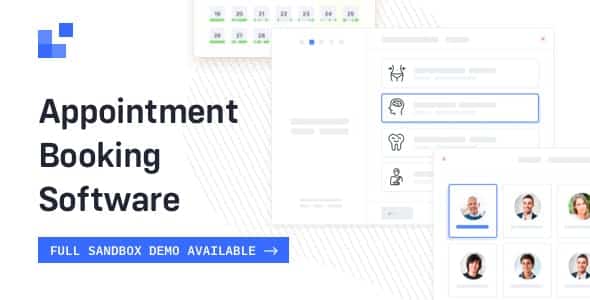
LatePoint is a premium WordPress plugin designed to streamline appointment booking and reservation processes for any service-based business. This robust solution empowers your clients to effortlessly schedule appointments directly on your website, while providing you with comprehensive tools to manage your team, services, and availability. LatePoint is ideal for salons, consultants, clinics, fitness studios, educators, and any professional needing an efficient online booking system to enhance customer experience and operational flow.
Key Features of LatePoint
- Intuitive Booking Flow: LatePoint offers a user-friendly, step-by-step booking wizard that guides customers through service selection, staff choice, date/time picking, and confirmation, ensuring a smooth and pleasant experience.
- Flexible Service Management: Easily create and manage an unlimited number of services, defining durations, pricing, buffer times, and even assigning specific staff members who can perform each service with LatePoint.
- Comprehensive Staff Management: Add and manage your team members, set their individual working hours, days off, and link them to specific services. LatePoint ensures your staff’s schedules are always up-to-date and manageable.
- Customizable Booking Forms: Tailor your booking forms with custom fields to gather all necessary information from your clients, making LatePoint adaptable to various business needs.
- Real-time Availability Display: Clients see only the available slots based on service duration, staff schedules, and existing bookings, preventing double bookings and reducing administrative overhead.
- Email and SMS Notifications: Keep both clients and staff informed with automated, customizable notifications for new bookings, reminders, cancellations, and reschedules, enhancing communication with LatePoint.
- Payment Gateway Integration: Securely accept payments online directly through LatePoint with popular payment gateways, offering convenience to your customers and ensuring bookings are confirmed.
- Powerful Admin Dashboard: Gain a bird’s-eye view of your business with a detailed admin dashboard showing upcoming appointments, revenue reports, staff performance, and more, all managed within LatePoint.
Why Choose LatePoint?
Choosing LatePoint means investing in efficiency, professionalism, and customer satisfaction. This plugin isn’t just an appointment scheduler; it’s a complete booking ecosystem designed to free up your time and resources. By automating the booking process, LatePoint allows your staff to focus on delivering excellent service rather than managing calendars and phone calls. Its elegant design ensures that your booking interface is not only functional but also visually appealing, reflecting positively on your brand. The seamless user experience for your clients translates into higher conversion rates and repeat bookings, making LatePoint a valuable asset for growth.
Furthermore, LatePoint is built with scalability in mind, making it suitable for businesses of all sizes, from solo practitioners to large enterprises with multiple locations and numerous staff members. Its robust backend provides all the tools you need to manage complex schedules, track performance, and gain insights into your business operations. With LatePoint, you gain control over your appointments, reduce no-shows through automated reminders, and provide a modern, convenient booking solution that today’s customers expect. Embrace the power of LatePoint to transform your online presence and streamline your service delivery.
Who Should Use LatePoint?
LatePoint is an indispensable tool for any business that relies on appointments or reservations. This includes, but is not limited to, beauty salons, barbershops, spas, fitness coaches, personal trainers, medical clinics, dentists, therapists, consultants, lawyers, educational institutions, repair services, photographers, and event organizers. Essentially, if your business requires clients to book a specific time slot for a service, LatePoint provides the perfect solution to manage those interactions efficiently and professionally.
How to Install LatePoint
- Download LatePoint: After purchasing, download the LatePoint plugin package from your GPLUniverse account.
- Upload to WordPress: Log in to your WordPress admin dashboard, navigate to “Plugins” > “Add New” > “Upload Plugin,” then select the LatePoint .zip file you downloaded and click “Install Now.”
- Activate the Plugin: Once the installation is complete, click the “Activate Plugin” link. LatePoint will now appear in your list of installed plugins.
- Initial Setup: Follow the on-screen prompts or navigate to the new “LatePoint” menu item in your WordPress dashboard to begin configuring your services, staff, and general settings.
- Integrate and Publish: Embed the LatePoint booking form onto any page or post using the provided shortcode, and you’re ready to start accepting appointments!
Frequently Asked Questions About LatePoint
Can LatePoint handle multiple staff members and services?
Yes, LatePoint is specifically designed to manage an unlimited number of staff members, services, and even locations. You can assign specific services to staff members, set individual working hours, and manage their availability with ease.
Does LatePoint support online payments?
Absolutely. LatePoint integrates with popular payment gateways, allowing you to securely accept payments from your clients directly during the booking process, ensuring confirmed appointments and reducing no-shows.
Is LatePoint mobile-friendly?
Yes, LatePoint is built with a responsive design, ensuring that the booking interface looks great and functions perfectly on all devices, from desktops to tablets and smartphones, providing a seamless experience for your clients.
Get LatePoint Today
Elevate your service business with the power of LatePoint. This comprehensive appointment booking and reservation plugin will transform how you manage your schedule, interact with clients, and grow your business. Stop losing potential bookings to complicated systems and embrace the simplicity and power of LatePoint. Explore this and other essential WordPress Plugins available at GPLUniverse. Discover a world of premium GPL WordPress Products designed to enhance your website’s functionality and performance.
Related Products You May Like
Here's everything you need to know about your purchase:
- 100% original files — Every product is the genuine, virus-free file, exactly as released by the original developer.
- Instant download — Access your files immediately after purchase from your account.
- Lifetime access — Re-download your purchased files anytime. No expiry, no limits.
- Free updates — Newer version released? Just request an update from us, free for all customers.
- Dedicated support — Our team is available 24/7 for installation and file-related help.
- Easy refunds — Not satisfied? Review our Refund Policy. We offer a hassle-free 7-day guarantee.
$100.00 Original price was: $100.00.$2.00Current price is: $2.00.
Version
5.4.0
Last Updated
03/03/2026
License
GPL v2
Compatibility
WordPress 5.0+
Need latest version?
Newer version released? Request an update from us — free for all customers!
Request Update →🎁 Your Purchase Includes
Overview of LatePoint
LatePoint is a premium WordPress plugin designed to streamline appointment booking and reservation processes for any service-based business. This robust solution empowers your clients to effortlessly schedule appointments directly on your website, while providing you with comprehensive tools to manage your team, services, and availability. LatePoint is ideal for salons, consultants, clinics, fitness studios, educators, and any professional needing an efficient online booking system to enhance customer experience and operational flow.
Key Features of LatePoint
- Intuitive Booking Flow: LatePoint offers a user-friendly, step-by-step booking wizard that guides customers through service selection, staff choice, date/time picking, and confirmation, ensuring a smooth and pleasant experience.
- Flexible Service Management: Easily create and manage an unlimited number of services, defining durations, pricing, buffer times, and even assigning specific staff members who can perform each service with LatePoint.
- Comprehensive Staff Management: Add and manage your team members, set their individual working hours, days off, and link them to specific services. LatePoint ensures your staff’s schedules are always up-to-date and manageable.
- Customizable Booking Forms: Tailor your booking forms with custom fields to gather all necessary information from your clients, making LatePoint adaptable to various business needs.
- Real-time Availability Display: Clients see only the available slots based on service duration, staff schedules, and existing bookings, preventing double bookings and reducing administrative overhead.
- Email and SMS Notifications: Keep both clients and staff informed with automated, customizable notifications for new bookings, reminders, cancellations, and reschedules, enhancing communication with LatePoint.
- Payment Gateway Integration: Securely accept payments online directly through LatePoint with popular payment gateways, offering convenience to your customers and ensuring bookings are confirmed.
- Powerful Admin Dashboard: Gain a bird’s-eye view of your business with a detailed admin dashboard showing upcoming appointments, revenue reports, staff performance, and more, all managed within LatePoint.
Why Choose LatePoint?
Choosing LatePoint means investing in efficiency, professionalism, and customer satisfaction. This plugin isn’t just an appointment scheduler; it’s a complete booking ecosystem designed to free up your time and resources. By automating the booking process, LatePoint allows your staff to focus on delivering excellent service rather than managing calendars and phone calls. Its elegant design ensures that your booking interface is not only functional but also visually appealing, reflecting positively on your brand. The seamless user experience for your clients translates into higher conversion rates and repeat bookings, making LatePoint a valuable asset for growth.
Furthermore, LatePoint is built with scalability in mind, making it suitable for businesses of all sizes, from solo practitioners to large enterprises with multiple locations and numerous staff members. Its robust backend provides all the tools you need to manage complex schedules, track performance, and gain insights into your business operations. With LatePoint, you gain control over your appointments, reduce no-shows through automated reminders, and provide a modern, convenient booking solution that today’s customers expect. Embrace the power of LatePoint to transform your online presence and streamline your service delivery.
Who Should Use LatePoint?
LatePoint is an indispensable tool for any business that relies on appointments or reservations. This includes, but is not limited to, beauty salons, barbershops, spas, fitness coaches, personal trainers, medical clinics, dentists, therapists, consultants, lawyers, educational institutions, repair services, photographers, and event organizers. Essentially, if your business requires clients to book a specific time slot for a service, LatePoint provides the perfect solution to manage those interactions efficiently and professionally.
How to Install LatePoint
- Download LatePoint: After purchasing, download the LatePoint plugin package from your GPLUniverse account.
- Upload to WordPress: Log in to your WordPress admin dashboard, navigate to “Plugins” > “Add New” > “Upload Plugin,” then select the LatePoint .zip file you downloaded and click “Install Now.”
- Activate the Plugin: Once the installation is complete, click the “Activate Plugin” link. LatePoint will now appear in your list of installed plugins.
- Initial Setup: Follow the on-screen prompts or navigate to the new “LatePoint” menu item in your WordPress dashboard to begin configuring your services, staff, and general settings.
- Integrate and Publish: Embed the LatePoint booking form onto any page or post using the provided shortcode, and you’re ready to start accepting appointments!
Frequently Asked Questions About LatePoint
Can LatePoint handle multiple staff members and services?
Yes, LatePoint is specifically designed to manage an unlimited number of staff members, services, and even locations. You can assign specific services to staff members, set individual working hours, and manage their availability with ease.
Does LatePoint support online payments?
Absolutely. LatePoint integrates with popular payment gateways, allowing you to securely accept payments from your clients directly during the booking process, ensuring confirmed appointments and reducing no-shows.
Is LatePoint mobile-friendly?
Yes, LatePoint is built with a responsive design, ensuring that the booking interface looks great and functions perfectly on all devices, from desktops to tablets and smartphones, providing a seamless experience for your clients.
Get LatePoint Today
Elevate your service business with the power of LatePoint. This comprehensive appointment booking and reservation plugin will transform how you manage your schedule, interact with clients, and grow your business. Stop losing potential bookings to complicated systems and embrace the simplicity and power of LatePoint. Explore this and other essential WordPress Plugins available at GPLUniverse. Discover a world of premium GPL WordPress Products designed to enhance your website’s functionality and performance.
Related Products You May Like
Reviews
There are no reviews yet.
Here's everything you need to know about your purchase:
- 100% original files — Every product is the genuine, virus-free file, exactly as released by the original developer.
- Instant download — Access your files immediately after purchase from your account.
- Lifetime access — Re-download your purchased files anytime. No expiry, no limits.
- Free updates — Newer version released? Just request an update from us, free for all customers.
- Dedicated support — Our team is available 24/7 for installation and file-related help.
- Easy refunds — Not satisfied? Review our Refund Policy. We offer a hassle-free 7-day guarantee.
Reviews
There are no reviews yet.