

Interlinks Manager 1.42
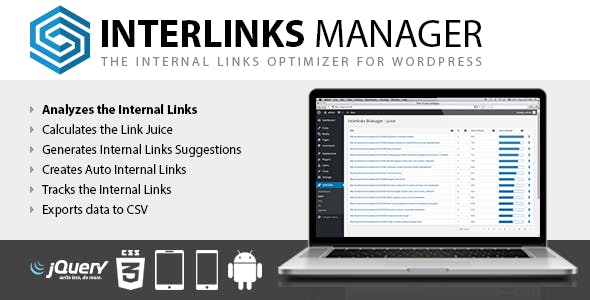
Overview of Interlinks Manager
Interlinks Manager is an essential WordPress plugin designed to help you efficiently manage, track, and optimize the internal links within your website. Whether you’re a blogger, an e-commerce store owner, or a content marketer, Interlinks Manager provides powerful tools to improve your site’s SEO, user experience, and overall navigation by giving you complete control over your internal linking strategy.
Key Features of Interlinks Manager
- Detailed Interlinks Analysis: Gain deep insights into your current internal linking structure. Interlinks Manager scans your entire website to provide comprehensive data on existing links, helping you identify opportunities for improvement and ensure no page is an island.
- Link Juice Optimization: Strategically distribute “link juice” across your posts and pages. With Interlinks Manager, you can direct authority to your most important content, signaling to search engines which pages are most valuable and should rank higher.
- Automatic Link Suggestions: Save time and effort with intelligent link suggestions. As you write, Interlinks Manager proposes relevant internal links based on your content, making it easier to build a robust and interconnected website.
- Advanced Link Tracking: Monitor the performance of your internal links with detailed tracking. Understand which links are clicked most often, helping you refine your content strategy and improve user engagement across your site.
- Target Keyword Integration: Seamlessly integrate your target keywords into your internal linking strategy. Interlinks Manager allows you to associate specific keywords with pages, ensuring consistent and SEO-friendly anchor text distribution.
- Customizable Link Settings: Tailor your internal links to meet your specific needs. Adjust settings for link types, nofollow attributes, and open-in-new-tab options, giving you granular control over how links behave on your site.
- Broken Link Detection: Keep your website healthy and user-friendly by easily identifying and fixing broken internal links. Interlinks Manager helps prevent frustrating dead ends for your visitors and negative SEO impacts.
- User-Friendly Interface: Manage all aspects of your internal linking from a clean, intuitive dashboard. Interlinks Manager is designed for ease of use, making complex SEO tasks accessible to users of all technical levels.
Why Choose Interlinks Manager?
In the competitive digital landscape, a strong internal linking strategy is no longer a luxury but a necessity for SEO success and an optimal user experience. Interlinks Manager empowers you to take full control of this critical aspect of your website. By providing comprehensive analysis, intelligent suggestions, and robust tracking, Interlinks Manager transforms the often tedious task of internal linking into a streamlined, strategic process. It helps you build a logical and interconnected site structure that search engines love, leading to better crawlability, improved rankings, and increased organic traffic.
Beyond SEO benefits, Interlinks Manager significantly enhances user navigation. When visitors can easily discover related content through well-placed internal links, their time on your site increases, bounce rates decrease, and the likelihood of conversions improves. This plugin isn’t just about links; it’s about creating a more engaging and valuable experience for your audience. Investing in Interlinks Manager means investing in the long-term health and performance of your WordPress site, ensuring your content reaches its full potential and your users find exactly what they’re looking for.
Who Should Use Interlinks Manager?
Interlinks Manager is ideal for anyone running a WordPress website who wants to improve their SEO, enhance user experience, and efficiently manage their content. This includes bloggers and content creators looking to distribute link juice and improve content discoverability, e-commerce stores aiming to guide customers through product categories, affiliate marketers needing to strategically link to offers, and digital agencies managing multiple client sites. If you have more than a handful of pages and are serious about your site’s performance, Interlinks Manager is for you.
How to Install Interlinks Manager
- Download the Plugin: After purchasing Interlinks Manager, download the plugin zip file from your account. Ensure you have the latest version for optimal performance and security.
- Upload to WordPress: Log in to your WordPress admin dashboard. Navigate to ‘Plugins’ > ‘Add New’ and then click the ‘Upload Plugin’ button at the top of the page.
- Choose File and Install: Click ‘Choose File’, select the Interlinks Manager zip file you downloaded, and then click ‘Install Now’. WordPress will handle the upload and unpacking of the plugin.
- Activate the Plugin: Once the installation is complete, you will see a success message. Click the ‘Activate Plugin’ button to enable Interlinks Manager on your website.
- Configure Settings: After activation, a new menu item for Interlinks Manager will appear in your WordPress dashboard. Click on it to access the settings and begin configuring your internal linking strategy.
Frequently Asked Questions About Interlinks Manager
Does Interlinks Manager work with all WordPress themes?
Yes, Interlinks Manager is designed to be compatible with all standard WordPress themes. It integrates directly with the WordPress core functionality and content editor, ensuring seamless operation regardless of your theme choice. If you encounter any theme-specific issues, our support team is ready to assist.
Can Interlinks Manager help improve my search engine rankings?
Absolutely. By optimizing your internal linking structure, Interlinks Manager helps search engines better understand the hierarchy and relevance of your content. This improved crawlability and distribution of “link juice” can significantly contribute to higher search engine rankings for your key pages and posts.
Is Interlinks Manager easy for beginners to use?
Yes, Interlinks Manager is built with user-friendliness in mind. While it offers advanced features, its intuitive dashboard and clear instructions make it accessible for beginners. The automatic link suggestions and detailed analytics simplify the process of implementing an effective internal linking strategy.
Get Interlinks Manager Today
Revolutionize your website’s SEO and user experience by taking control of your internal linking. Interlinks Manager offers a comprehensive suite of tools to analyze, optimize, and track your links with unparalleled efficiency. Don’t let your valuable content get lost; empower it with a strategic internal linking structure. Explore Interlinks Manager and other powerful WordPress Plugins to enhance your site, or browse our full range of GPL WordPress Products today!
Related Products You May Like
Here's everything you need to know about your purchase:
- 100% original files — Every product is the genuine, virus-free file, exactly as released by the original developer.
- Instant download — Access your files immediately after purchase from your account.
- Lifetime access — Re-download your purchased files anytime. No expiry, no limits.
- Free updates — Newer version released? Just request an update from us, free for all customers.
- Dedicated support — Our team is available 24/7 for installation and file-related help.
- Easy refunds — Not satisfied? Review our Refund Policy. We offer a hassle-free 7-day guarantee.
$100.00 Original price was: $100.00.$2.00Current price is: $2.00.
Version
1.42
Last Updated
03/03/2026
License
GPL v2
Compatibility
WordPress 5.0+
Need latest version?
Newer version released? Request an update from us — free for all customers!
Request Update →🎁 Your Purchase Includes
Overview of Interlinks Manager
Interlinks Manager is an essential WordPress plugin designed to help you efficiently manage, track, and optimize the internal links within your website. Whether you’re a blogger, an e-commerce store owner, or a content marketer, Interlinks Manager provides powerful tools to improve your site’s SEO, user experience, and overall navigation by giving you complete control over your internal linking strategy.
Key Features of Interlinks Manager
- Detailed Interlinks Analysis: Gain deep insights into your current internal linking structure. Interlinks Manager scans your entire website to provide comprehensive data on existing links, helping you identify opportunities for improvement and ensure no page is an island.
- Link Juice Optimization: Strategically distribute “link juice” across your posts and pages. With Interlinks Manager, you can direct authority to your most important content, signaling to search engines which pages are most valuable and should rank higher.
- Automatic Link Suggestions: Save time and effort with intelligent link suggestions. As you write, Interlinks Manager proposes relevant internal links based on your content, making it easier to build a robust and interconnected website.
- Advanced Link Tracking: Monitor the performance of your internal links with detailed tracking. Understand which links are clicked most often, helping you refine your content strategy and improve user engagement across your site.
- Target Keyword Integration: Seamlessly integrate your target keywords into your internal linking strategy. Interlinks Manager allows you to associate specific keywords with pages, ensuring consistent and SEO-friendly anchor text distribution.
- Customizable Link Settings: Tailor your internal links to meet your specific needs. Adjust settings for link types, nofollow attributes, and open-in-new-tab options, giving you granular control over how links behave on your site.
- Broken Link Detection: Keep your website healthy and user-friendly by easily identifying and fixing broken internal links. Interlinks Manager helps prevent frustrating dead ends for your visitors and negative SEO impacts.
- User-Friendly Interface: Manage all aspects of your internal linking from a clean, intuitive dashboard. Interlinks Manager is designed for ease of use, making complex SEO tasks accessible to users of all technical levels.
Why Choose Interlinks Manager?
In the competitive digital landscape, a strong internal linking strategy is no longer a luxury but a necessity for SEO success and an optimal user experience. Interlinks Manager empowers you to take full control of this critical aspect of your website. By providing comprehensive analysis, intelligent suggestions, and robust tracking, Interlinks Manager transforms the often tedious task of internal linking into a streamlined, strategic process. It helps you build a logical and interconnected site structure that search engines love, leading to better crawlability, improved rankings, and increased organic traffic.
Beyond SEO benefits, Interlinks Manager significantly enhances user navigation. When visitors can easily discover related content through well-placed internal links, their time on your site increases, bounce rates decrease, and the likelihood of conversions improves. This plugin isn’t just about links; it’s about creating a more engaging and valuable experience for your audience. Investing in Interlinks Manager means investing in the long-term health and performance of your WordPress site, ensuring your content reaches its full potential and your users find exactly what they’re looking for.
Who Should Use Interlinks Manager?
Interlinks Manager is ideal for anyone running a WordPress website who wants to improve their SEO, enhance user experience, and efficiently manage their content. This includes bloggers and content creators looking to distribute link juice and improve content discoverability, e-commerce stores aiming to guide customers through product categories, affiliate marketers needing to strategically link to offers, and digital agencies managing multiple client sites. If you have more than a handful of pages and are serious about your site’s performance, Interlinks Manager is for you.
How to Install Interlinks Manager
- Download the Plugin: After purchasing Interlinks Manager, download the plugin zip file from your account. Ensure you have the latest version for optimal performance and security.
- Upload to WordPress: Log in to your WordPress admin dashboard. Navigate to ‘Plugins’ > ‘Add New’ and then click the ‘Upload Plugin’ button at the top of the page.
- Choose File and Install: Click ‘Choose File’, select the Interlinks Manager zip file you downloaded, and then click ‘Install Now’. WordPress will handle the upload and unpacking of the plugin.
- Activate the Plugin: Once the installation is complete, you will see a success message. Click the ‘Activate Plugin’ button to enable Interlinks Manager on your website.
- Configure Settings: After activation, a new menu item for Interlinks Manager will appear in your WordPress dashboard. Click on it to access the settings and begin configuring your internal linking strategy.
Frequently Asked Questions About Interlinks Manager
Does Interlinks Manager work with all WordPress themes?
Yes, Interlinks Manager is designed to be compatible with all standard WordPress themes. It integrates directly with the WordPress core functionality and content editor, ensuring seamless operation regardless of your theme choice. If you encounter any theme-specific issues, our support team is ready to assist.
Can Interlinks Manager help improve my search engine rankings?
Absolutely. By optimizing your internal linking structure, Interlinks Manager helps search engines better understand the hierarchy and relevance of your content. This improved crawlability and distribution of “link juice” can significantly contribute to higher search engine rankings for your key pages and posts.
Is Interlinks Manager easy for beginners to use?
Yes, Interlinks Manager is built with user-friendliness in mind. While it offers advanced features, its intuitive dashboard and clear instructions make it accessible for beginners. The automatic link suggestions and detailed analytics simplify the process of implementing an effective internal linking strategy.
Get Interlinks Manager Today
Revolutionize your website’s SEO and user experience by taking control of your internal linking. Interlinks Manager offers a comprehensive suite of tools to analyze, optimize, and track your links with unparalleled efficiency. Don’t let your valuable content get lost; empower it with a strategic internal linking structure. Explore Interlinks Manager and other powerful WordPress Plugins to enhance your site, or browse our full range of GPL WordPress Products today!
Related Products You May Like
Reviews
There are no reviews yet.
Here's everything you need to know about your purchase:
- 100% original files — Every product is the genuine, virus-free file, exactly as released by the original developer.
- Instant download — Access your files immediately after purchase from your account.
- Lifetime access — Re-download your purchased files anytime. No expiry, no limits.
- Free updates — Newer version released? Just request an update from us, free for all customers.
- Dedicated support — Our team is available 24/7 for installation and file-related help.
- Easy refunds — Not satisfied? Review our Refund Policy. We offer a hassle-free 7-day guarantee.
Reviews
There are no reviews yet.