

Image Map Pro for WordPress 6.1.3
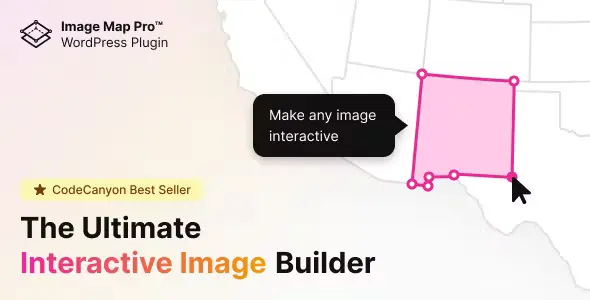
Overview of Image Map Pro for WordPress
Transform your static images into captivating, interactive experiences with Image Map Pro for WordPress. This powerful plugin empowers website owners, marketers, and designers to create stunning, responsive image maps directly within their WordPress dashboard, no coding required. Whether you’re showcasing product features, highlighting geographical locations, creating interactive infographics, or simply adding a dynamic touch to your content, Image Map Pro for WordPress provides the tools you need to engage your audience like never before.
Key Features of Image Map Pro for WordPress
- Intuitive Drag-and-Drop Editor: Craft complex image maps with unparalleled ease using a user-friendly visual editor that makes designing a breeze. Every aspect of your interactive image map can be customized in real-time.
- Fully Responsive Design: Ensure your interactive image maps look flawless on any device, from desktops to tablets and smartphones, thanks to built-in responsiveness that adapts to screen sizes automatically.
- Extensive Shape Library: Choose from a wide array of predefined shapes including rectangles, circles, polygons, and even custom SVG shapes, giving you complete creative control over your interactive areas with Image Map Pro for WordPress.
- Rich Animation & Tooltip Effects: Elevate user engagement with a diverse range of animation styles for shapes and hover effects for tooltips, making your image maps truly come alive.
- Custom Actions & Links: Assign custom actions to your interactive areas, such as opening links, displaying rich content tooltips, triggering JavaScript events, or even playing sounds when a user interacts with your Image Map Pro for WordPress creation.
- Advanced Styling Options: Personalize every detail with comprehensive styling options for shapes, tooltips, and popovers, including colors, borders, shadows, and typography, ensuring your image maps perfectly match your brand.
- SVG & Retina Ready: Enjoy crisp, high-quality visuals on all screens, including retina displays, and integrate custom SVG icons or shapes for ultimate flexibility and scalability with Image Map Pro for WordPress.
- Seamless WordPress Integration: Easily embed your created image maps anywhere on your site using shortcodes, Gutenberg blocks, or even directly within your theme files, making Image Map Pro for WordPress incredibly versatile.
Why Choose Image Map Pro for WordPress?
Choosing Image Map Pro for WordPress means opting for a solution that combines powerful functionality with exceptional ease of use. This plugin isn’t just about creating interactive images; it’s about enhancing user engagement, improving content comprehension, and providing a more dynamic browsing experience for your visitors. By transforming static visuals into clickable, informative elements, you can guide users through complex information, highlight key features, or simply make your website more memorable and interactive. It’s an invaluable tool for anyone looking to stand out in a crowded digital landscape without needing to hire a developer.
The value of Image Map Pro for WordPress extends beyond aesthetics. Interactive content has been shown to increase time on page, reduce bounce rates, and improve overall user satisfaction. With its robust feature set, including responsive design and custom actions, Image Map Pro for WordPress ensures your interactive content is accessible and effective across all devices and user scenarios. From educational websites and e-commerce stores to portfolios and corporate sites, the possibilities for creative expression and practical application are virtually limitless, making it a smart investment for any WordPress professional.
Who Should Use Image Map Pro for WordPress?
Image Map Pro for WordPress is ideal for a wide range of users. E-commerce store owners can use it to create interactive product showcases, highlighting features on an image. Bloggers and content creators can transform infographics and tutorials into engaging, clickable experiences. Web designers and agencies will find it an indispensable tool for delivering dynamic and professional client websites. Educators can build interactive learning materials, while real estate agents can create virtual tours with clickable floor plans. Essentially, anyone who wants to add a layer of interactivity and visual appeal to their WordPress site will benefit immensely from Image Map Pro for WordPress.
How to Install Image Map Pro for WordPress
- Download the Plugin: After purchasing Image Map Pro for WordPress from our store, download the plugin zip file to your computer.
- Upload to WordPress: Log in to your WordPress admin dashboard. Navigate to ‘Plugins’ > ‘Add New’. Click the ‘Upload Plugin’ button at the top of the page.
- Choose File: Click ‘Choose File’, locate the downloaded `image-map-pro-for-wordpress.zip` file on your computer, and click ‘Install Now’.
- Activate Plugin: Once the installation is complete, click the ‘Activate Plugin’ button.
- Start Creating: You will now find ‘Image Map Pro’ in your WordPress admin menu, ready for you to start creating stunning interactive image maps with Image Map Pro for WordPress.
Frequently Asked Questions About Image Map Pro for WordPress
Is Image Map Pro for WordPress compatible with all WordPress themes?
Yes, Image Map Pro for WordPress is designed to be highly compatible with virtually any well-coded WordPress theme. It integrates seamlessly and outputs standard HTML, CSS, and JavaScript, ensuring it works well without conflicts. If you encounter any theme-specific issues, our community and resources can often provide solutions.
Can I use Image Map Pro for WordPress to create multiple image maps on my site?
Absolutely! Image Map Pro for WordPress allows you to create an unlimited number of interactive image maps. Each map can be uniquely designed and embedded on different pages, posts, or even custom post types across your WordPress website using its dedicated shortcode or Gutenberg block.
Does Image Map Pro for WordPress support custom SVG images?
Yes, a key feature of Image Map Pro for WordPress is its robust support for custom SVG images. You can upload your own SVG files to use as shapes or icons within your image maps, providing unparalleled flexibility for designers and ensuring sharp, scalable visuals on any screen.
Get Image Map Pro for WordPress Today
Don’t let your images remain static and unengaging. Elevate your website’s interactivity and user experience with Image Map Pro for WordPress. This powerful plugin is your gateway to creating dynamic, visually stunning content that captures attention and delivers information effectively. Explore the full potential of interactive imagery and bring your WordPress site to life. Browse our extensive collection of high-quality WordPress Plugins and other premium GPL WordPress Products to further enhance your website’s capabilities. Unlock a new dimension of engagement for your audience with Image Map Pro for WordPress.
Related Products You May Like
Here's everything you need to know about your purchase:
- 100% original files — Every product is the genuine, virus-free file, exactly as released by the original developer.
- Instant download — Access your files immediately after purchase from your account.
- Lifetime access — Re-download your purchased files anytime. No expiry, no limits.
- Free updates — Newer version released? Just request an update from us, free for all customers.
- Dedicated support — Our team is available 24/7 for installation and file-related help.
- Easy refunds — Not satisfied? Review our Refund Policy. We offer a hassle-free 7-day guarantee.
$100.00 Original price was: $100.00.$2.00Current price is: $2.00.
Version
6.1.3
Last Updated
02/02/2026
License
GPL v2
Compatibility
WordPress 5.0+
Need latest version?
Newer version released? Request an update from us — free for all customers!
Request Update →🎁 Your Purchase Includes
Overview of Image Map Pro for WordPress
Transform your static images into captivating, interactive experiences with Image Map Pro for WordPress. This powerful plugin empowers website owners, marketers, and designers to create stunning, responsive image maps directly within their WordPress dashboard, no coding required. Whether you’re showcasing product features, highlighting geographical locations, creating interactive infographics, or simply adding a dynamic touch to your content, Image Map Pro for WordPress provides the tools you need to engage your audience like never before.
Key Features of Image Map Pro for WordPress
- Intuitive Drag-and-Drop Editor: Craft complex image maps with unparalleled ease using a user-friendly visual editor that makes designing a breeze. Every aspect of your interactive image map can be customized in real-time.
- Fully Responsive Design: Ensure your interactive image maps look flawless on any device, from desktops to tablets and smartphones, thanks to built-in responsiveness that adapts to screen sizes automatically.
- Extensive Shape Library: Choose from a wide array of predefined shapes including rectangles, circles, polygons, and even custom SVG shapes, giving you complete creative control over your interactive areas with Image Map Pro for WordPress.
- Rich Animation & Tooltip Effects: Elevate user engagement with a diverse range of animation styles for shapes and hover effects for tooltips, making your image maps truly come alive.
- Custom Actions & Links: Assign custom actions to your interactive areas, such as opening links, displaying rich content tooltips, triggering JavaScript events, or even playing sounds when a user interacts with your Image Map Pro for WordPress creation.
- Advanced Styling Options: Personalize every detail with comprehensive styling options for shapes, tooltips, and popovers, including colors, borders, shadows, and typography, ensuring your image maps perfectly match your brand.
- SVG & Retina Ready: Enjoy crisp, high-quality visuals on all screens, including retina displays, and integrate custom SVG icons or shapes for ultimate flexibility and scalability with Image Map Pro for WordPress.
- Seamless WordPress Integration: Easily embed your created image maps anywhere on your site using shortcodes, Gutenberg blocks, or even directly within your theme files, making Image Map Pro for WordPress incredibly versatile.
Why Choose Image Map Pro for WordPress?
Choosing Image Map Pro for WordPress means opting for a solution that combines powerful functionality with exceptional ease of use. This plugin isn’t just about creating interactive images; it’s about enhancing user engagement, improving content comprehension, and providing a more dynamic browsing experience for your visitors. By transforming static visuals into clickable, informative elements, you can guide users through complex information, highlight key features, or simply make your website more memorable and interactive. It’s an invaluable tool for anyone looking to stand out in a crowded digital landscape without needing to hire a developer.
The value of Image Map Pro for WordPress extends beyond aesthetics. Interactive content has been shown to increase time on page, reduce bounce rates, and improve overall user satisfaction. With its robust feature set, including responsive design and custom actions, Image Map Pro for WordPress ensures your interactive content is accessible and effective across all devices and user scenarios. From educational websites and e-commerce stores to portfolios and corporate sites, the possibilities for creative expression and practical application are virtually limitless, making it a smart investment for any WordPress professional.
Who Should Use Image Map Pro for WordPress?
Image Map Pro for WordPress is ideal for a wide range of users. E-commerce store owners can use it to create interactive product showcases, highlighting features on an image. Bloggers and content creators can transform infographics and tutorials into engaging, clickable experiences. Web designers and agencies will find it an indispensable tool for delivering dynamic and professional client websites. Educators can build interactive learning materials, while real estate agents can create virtual tours with clickable floor plans. Essentially, anyone who wants to add a layer of interactivity and visual appeal to their WordPress site will benefit immensely from Image Map Pro for WordPress.
How to Install Image Map Pro for WordPress
- Download the Plugin: After purchasing Image Map Pro for WordPress from our store, download the plugin zip file to your computer.
- Upload to WordPress: Log in to your WordPress admin dashboard. Navigate to ‘Plugins’ > ‘Add New’. Click the ‘Upload Plugin’ button at the top of the page.
- Choose File: Click ‘Choose File’, locate the downloaded `image-map-pro-for-wordpress.zip` file on your computer, and click ‘Install Now’.
- Activate Plugin: Once the installation is complete, click the ‘Activate Plugin’ button.
- Start Creating: You will now find ‘Image Map Pro’ in your WordPress admin menu, ready for you to start creating stunning interactive image maps with Image Map Pro for WordPress.
Frequently Asked Questions About Image Map Pro for WordPress
Is Image Map Pro for WordPress compatible with all WordPress themes?
Yes, Image Map Pro for WordPress is designed to be highly compatible with virtually any well-coded WordPress theme. It integrates seamlessly and outputs standard HTML, CSS, and JavaScript, ensuring it works well without conflicts. If you encounter any theme-specific issues, our community and resources can often provide solutions.
Can I use Image Map Pro for WordPress to create multiple image maps on my site?
Absolutely! Image Map Pro for WordPress allows you to create an unlimited number of interactive image maps. Each map can be uniquely designed and embedded on different pages, posts, or even custom post types across your WordPress website using its dedicated shortcode or Gutenberg block.
Does Image Map Pro for WordPress support custom SVG images?
Yes, a key feature of Image Map Pro for WordPress is its robust support for custom SVG images. You can upload your own SVG files to use as shapes or icons within your image maps, providing unparalleled flexibility for designers and ensuring sharp, scalable visuals on any screen.
Get Image Map Pro for WordPress Today
Don’t let your images remain static and unengaging. Elevate your website’s interactivity and user experience with Image Map Pro for WordPress. This powerful plugin is your gateway to creating dynamic, visually stunning content that captures attention and delivers information effectively. Explore the full potential of interactive imagery and bring your WordPress site to life. Browse our extensive collection of high-quality WordPress Plugins and other premium GPL WordPress Products to further enhance your website’s capabilities. Unlock a new dimension of engagement for your audience with Image Map Pro for WordPress.
Related Products You May Like
Reviews
There are no reviews yet.
Here's everything you need to know about your purchase:
- 100% original files — Every product is the genuine, virus-free file, exactly as released by the original developer.
- Instant download — Access your files immediately after purchase from your account.
- Lifetime access — Re-download your purchased files anytime. No expiry, no limits.
- Free updates — Newer version released? Just request an update from us, free for all customers.
- Dedicated support — Our team is available 24/7 for installation and file-related help.
- Easy refunds — Not satisfied? Review our Refund Policy. We offer a hassle-free 7-day guarantee.
Reviews
There are no reviews yet.