

Hoskia 3.6.1 – Multipurpose Hosting with WHMCS Theme
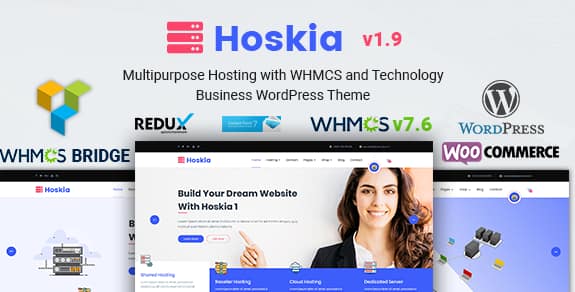
Overview of Hoskia
Step into the competitive world of web hosting and domain registration with confidence, powered by Hoskia. This premium WordPress theme is meticulously crafted for businesses offering hosting services, domain sales, and related tech solutions. Hoskia provides a robust, professional, and fully responsive foundation for your online presence, ensuring your customers experience seamless navigation and clear service offerings.
Key Features of Hoskia
- Seamless WHMCS Integration: Hoskia is built from the ground up to integrate flawlessly with WHMCS, the leading web hosting automation platform. Manage billing, client support, and product provisioning effortlessly, all while maintaining a consistent brand experience on your WordPress site.
- Fully Responsive & Retina Ready: Ensure your website looks stunning and functions perfectly on any device, from desktops to tablets and smartphones. Hoskia adapts beautifully, providing an optimal viewing experience for all your potential customers.
- Powerful Page Builder Compatibility: Customize every aspect of your site with ease using popular drag-and-drop page builders like Elementor or WPBakery Page Builder (depending on the theme’s core integration). No coding knowledge is required to create unique layouts and designs with Hoskia.
- One-Click Demo Import: Get your hosting website up and running in minutes. Hoskia offers a one-click demo import feature, allowing you to replicate the beautiful demo content and structure, then simply replace it with your own information.
- Dedicated Hosting & Domain Pages: Hoskia comes packed with pre-designed, conversion-focused pages for various hosting types (shared, VPS, dedicated, cloud) and a robust domain search and registration system, making it simple for users to find and purchase services.
- SEO Optimized: Built with best SEO practices in mind, Hoskia helps your website rank higher in search engine results. Its clean code and fast loading times contribute to a better user experience and improved visibility for your hosting business.
- Advanced Theme Options: Take full control of your website’s aesthetics and functionality through a comprehensive theme options panel. Customize colors, fonts, layouts, headers, footers, and more to perfectly match your brand identity using Hoskia.
- Extensive Documentation & Support: Hoskia is accompanied by detailed documentation to guide you through installation, setup, and customization. Should you encounter any questions, dedicated support ensures you get the help you need.
Why Choose Hoskia?
Choosing the right theme for your hosting business is paramount, and Hoskia stands out as the ultimate solution for several compelling reasons. Firstly, its deep and native integration with WHMCS sets it apart. This isn’t just a superficial link; Hoskia provides a truly unified experience where your WordPress front-end and WHMCS back-end work in perfect harmony. This means less time managing disparate systems and more time focusing on growing your business. The professional design instantly conveys trust and reliability, which are critical factors for customers entrusting you with their online presence. With Hoskia, you present a polished, high-performance platform that speaks volumes about the quality of your services.
Furthermore, Hoskia is engineered for both beauty and performance. Its responsive design ensures that whether your customers are browsing on a desktop, tablet, or smartphone, they will have an impeccable experience. This adaptability is crucial in today’s multi-device world, ensuring you never miss a potential client. The inclusion of powerful page builder compatibility means that even without a single line of code, you can customize your site to reflect your unique brand and service offerings. This flexibility, combined with the one-click demo import, drastically reduces development time, allowing you to launch a sophisticated hosting website quickly and efficiently. Hoskia is truly an investment in your business’s future.
Ultimately, Hoskia provides a complete ecosystem for your hosting venture. From showcasing your services with stunning layouts to facilitating seamless domain search and product ordering, every aspect is designed to convert visitors into loyal customers. Its SEO optimization features mean your business will be more discoverable, attracting organic traffic and expanding your reach. When you choose Hoskia, you’re not just getting a theme; you’re acquiring a powerful, scalable, and user-friendly platform that empowers you to compete effectively in the dynamic hosting market. It’s the intelligent choice for anyone serious about building a successful hosting or tech-related service business online.
Who Should Use Hoskia?
Hoskia is the ideal WordPress theme for a wide range of businesses and individuals in the web hosting and technology sectors. This includes shared hosting providers, VPS hosting companies, dedicated server providers, cloud hosting services, domain registrars, IT service companies, web design agencies offering hosting solutions, and entrepreneurs looking to launch a new hosting business. If you need a professional, feature-rich, and WHMCS-integrated platform to showcase and sell your digital services, Hoskia is built for you.
How to Install Hoskia
Installing Hoskia is a straightforward process, designed to get your hosting website online quickly. Follow these steps to set up your new theme:
- Download the Theme Files: After purchasing, download the Hoskia theme package from your account. Ensure you download the installable WordPress theme file (usually a .zip file).
- Upload to WordPress: Log in to your WordPress dashboard. Navigate to Appearance > Themes and click on the “Add New” button at the top. Then, click “Upload Theme,” choose the Hoskia .zip file you downloaded, and click “Install Now.”
- Activate Hoskia: Once the theme is successfully uploaded, you will see an “Activate” link. Click it to make Hoskia your active theme.
- Install Required Plugins: Upon activation, Hoskia will prompt you to install and activate a set of recommended plugins (e.g., WHMCS Bridge, Elementor/WPBakery, etc.). Install all of these to ensure full theme functionality.
- Import Demo Content (Optional): For a quick start, navigate to the theme options or a dedicated demo importer section (usually found under Appearance or a custom theme menu). Use the one-click demo importer to populate your site with content similar to the Hoskia demo.
- Configure & Customize: Begin customizing your site through the WordPress Customizer, theme options panel, and page builder. Set up your WHMCS integration, add your services, and tailor the content to match your brand.
Frequently Asked Questions About Hoskia
Is Hoskia compatible with the latest version of WordPress?
Yes, Hoskia is regularly updated to ensure full compatibility with the latest stable version of WordPress, as well as the most recent versions of WHMCS and popular plugins, guaranteeing security and optimal performance for your site.
Does Hoskia require coding knowledge to customize?
Not at all! Hoskia is designed for ease of use. With its seamless integration with popular drag-and-drop page builders and a comprehensive theme options panel, you can customize virtually every aspect of your website without writing a single line of code.
How difficult is it to set up WHMCS integration with Hoskia?
Hoskia is built to make WHMCS integration as smooth as possible. The theme comes with dedicated documentation and often uses a WHMCS Bridge plugin to connect your WordPress site with your WHMCS installation, providing a unified experience with clear instructions for setup.
Get Hoskia Today
Ready to launch or elevate your hosting business with a professional, robust, and feature-rich website? Hoskia provides the perfect foundation, combining stunning design with powerful functionality and essential WHMCS integration. Don’t let a generic website hold back your potential. Empower your business with a theme designed for success in the competitive hosting market. Explore our extensive collection of WordPress Themes and other premium GPL WordPress Products to find everything you need to build an outstanding online presence.
Related Products You May Like
Here's everything you need to know about your purchase:
- 100% original files — Every product is the genuine, virus-free file, exactly as released by the original developer.
- Instant download — Access your files immediately after purchase from your account.
- Lifetime access — Re-download your purchased files anytime. No expiry, no limits.
- Free updates — Newer version released? Just request an update from us, free for all customers.
- Dedicated support — Our team is available 24/7 for installation and file-related help.
- Easy refunds — Not satisfied? Review our Refund Policy. We offer a hassle-free 7-day guarantee.
$59.00 Original price was: $59.00.$3.99Current price is: $3.99.
Version
3.6.1
Last Updated
25/2/2026
License
GPL v2
Compatibility
WordPress 5.0+
Need latest version?
Newer version released? Request an update from us — free for all customers!
Request Update →🎁 Your Purchase Includes
Overview of Hoskia
Step into the competitive world of web hosting and domain registration with confidence, powered by Hoskia. This premium WordPress theme is meticulously crafted for businesses offering hosting services, domain sales, and related tech solutions. Hoskia provides a robust, professional, and fully responsive foundation for your online presence, ensuring your customers experience seamless navigation and clear service offerings.
Key Features of Hoskia
- Seamless WHMCS Integration: Hoskia is built from the ground up to integrate flawlessly with WHMCS, the leading web hosting automation platform. Manage billing, client support, and product provisioning effortlessly, all while maintaining a consistent brand experience on your WordPress site.
- Fully Responsive & Retina Ready: Ensure your website looks stunning and functions perfectly on any device, from desktops to tablets and smartphones. Hoskia adapts beautifully, providing an optimal viewing experience for all your potential customers.
- Powerful Page Builder Compatibility: Customize every aspect of your site with ease using popular drag-and-drop page builders like Elementor or WPBakery Page Builder (depending on the theme’s core integration). No coding knowledge is required to create unique layouts and designs with Hoskia.
- One-Click Demo Import: Get your hosting website up and running in minutes. Hoskia offers a one-click demo import feature, allowing you to replicate the beautiful demo content and structure, then simply replace it with your own information.
- Dedicated Hosting & Domain Pages: Hoskia comes packed with pre-designed, conversion-focused pages for various hosting types (shared, VPS, dedicated, cloud) and a robust domain search and registration system, making it simple for users to find and purchase services.
- SEO Optimized: Built with best SEO practices in mind, Hoskia helps your website rank higher in search engine results. Its clean code and fast loading times contribute to a better user experience and improved visibility for your hosting business.
- Advanced Theme Options: Take full control of your website’s aesthetics and functionality through a comprehensive theme options panel. Customize colors, fonts, layouts, headers, footers, and more to perfectly match your brand identity using Hoskia.
- Extensive Documentation & Support: Hoskia is accompanied by detailed documentation to guide you through installation, setup, and customization. Should you encounter any questions, dedicated support ensures you get the help you need.
Why Choose Hoskia?
Choosing the right theme for your hosting business is paramount, and Hoskia stands out as the ultimate solution for several compelling reasons. Firstly, its deep and native integration with WHMCS sets it apart. This isn’t just a superficial link; Hoskia provides a truly unified experience where your WordPress front-end and WHMCS back-end work in perfect harmony. This means less time managing disparate systems and more time focusing on growing your business. The professional design instantly conveys trust and reliability, which are critical factors for customers entrusting you with their online presence. With Hoskia, you present a polished, high-performance platform that speaks volumes about the quality of your services.
Furthermore, Hoskia is engineered for both beauty and performance. Its responsive design ensures that whether your customers are browsing on a desktop, tablet, or smartphone, they will have an impeccable experience. This adaptability is crucial in today’s multi-device world, ensuring you never miss a potential client. The inclusion of powerful page builder compatibility means that even without a single line of code, you can customize your site to reflect your unique brand and service offerings. This flexibility, combined with the one-click demo import, drastically reduces development time, allowing you to launch a sophisticated hosting website quickly and efficiently. Hoskia is truly an investment in your business’s future.
Ultimately, Hoskia provides a complete ecosystem for your hosting venture. From showcasing your services with stunning layouts to facilitating seamless domain search and product ordering, every aspect is designed to convert visitors into loyal customers. Its SEO optimization features mean your business will be more discoverable, attracting organic traffic and expanding your reach. When you choose Hoskia, you’re not just getting a theme; you’re acquiring a powerful, scalable, and user-friendly platform that empowers you to compete effectively in the dynamic hosting market. It’s the intelligent choice for anyone serious about building a successful hosting or tech-related service business online.
Who Should Use Hoskia?
Hoskia is the ideal WordPress theme for a wide range of businesses and individuals in the web hosting and technology sectors. This includes shared hosting providers, VPS hosting companies, dedicated server providers, cloud hosting services, domain registrars, IT service companies, web design agencies offering hosting solutions, and entrepreneurs looking to launch a new hosting business. If you need a professional, feature-rich, and WHMCS-integrated platform to showcase and sell your digital services, Hoskia is built for you.
How to Install Hoskia
Installing Hoskia is a straightforward process, designed to get your hosting website online quickly. Follow these steps to set up your new theme:
- Download the Theme Files: After purchasing, download the Hoskia theme package from your account. Ensure you download the installable WordPress theme file (usually a .zip file).
- Upload to WordPress: Log in to your WordPress dashboard. Navigate to Appearance > Themes and click on the “Add New” button at the top. Then, click “Upload Theme,” choose the Hoskia .zip file you downloaded, and click “Install Now.”
- Activate Hoskia: Once the theme is successfully uploaded, you will see an “Activate” link. Click it to make Hoskia your active theme.
- Install Required Plugins: Upon activation, Hoskia will prompt you to install and activate a set of recommended plugins (e.g., WHMCS Bridge, Elementor/WPBakery, etc.). Install all of these to ensure full theme functionality.
- Import Demo Content (Optional): For a quick start, navigate to the theme options or a dedicated demo importer section (usually found under Appearance or a custom theme menu). Use the one-click demo importer to populate your site with content similar to the Hoskia demo.
- Configure & Customize: Begin customizing your site through the WordPress Customizer, theme options panel, and page builder. Set up your WHMCS integration, add your services, and tailor the content to match your brand.
Frequently Asked Questions About Hoskia
Is Hoskia compatible with the latest version of WordPress?
Yes, Hoskia is regularly updated to ensure full compatibility with the latest stable version of WordPress, as well as the most recent versions of WHMCS and popular plugins, guaranteeing security and optimal performance for your site.
Does Hoskia require coding knowledge to customize?
Not at all! Hoskia is designed for ease of use. With its seamless integration with popular drag-and-drop page builders and a comprehensive theme options panel, you can customize virtually every aspect of your website without writing a single line of code.
How difficult is it to set up WHMCS integration with Hoskia?
Hoskia is built to make WHMCS integration as smooth as possible. The theme comes with dedicated documentation and often uses a WHMCS Bridge plugin to connect your WordPress site with your WHMCS installation, providing a unified experience with clear instructions for setup.
Get Hoskia Today
Ready to launch or elevate your hosting business with a professional, robust, and feature-rich website? Hoskia provides the perfect foundation, combining stunning design with powerful functionality and essential WHMCS integration. Don’t let a generic website hold back your potential. Empower your business with a theme designed for success in the competitive hosting market. Explore our extensive collection of WordPress Themes and other premium GPL WordPress Products to find everything you need to build an outstanding online presence.
Related Products You May Like
Reviews
There are no reviews yet.
Here's everything you need to know about your purchase:
- 100% original files — Every product is the genuine, virus-free file, exactly as released by the original developer.
- Instant download — Access your files immediately after purchase from your account.
- Lifetime access — Re-download your purchased files anytime. No expiry, no limits.
- Free updates — Newer version released? Just request an update from us, free for all customers.
- Dedicated support — Our team is available 24/7 for installation and file-related help.
- Easy refunds — Not satisfied? Review our Refund Policy. We offer a hassle-free 7-day guarantee.
Reviews
There are no reviews yet.