

Hide My WP Ghost 8.2.18
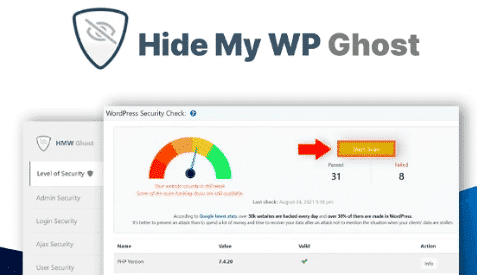
Overview of Hide My WP Ghost
Hide My WP Ghost is a robust WordPress security plugin engineered to obscure your site’s WordPress footprint, making it significantly harder for attackers, bots, and vulnerability scanners to detect common weaknesses. It’s an indispensable tool for any website owner or developer aiming to drastically enhance their site’s defenses and proactively protect against automated and targeted attacks. With Hide My WP Ghost, you gain peace of mind knowing your WordPress installation is less exposed.
Key Features of Hide My WP Ghost
- Hide WordPress Paths: Hide My WP Ghost allows you to effortlessly change and obscure common WordPress paths like `wp-admin`, `wp-content`, `wp-includes`, and even individual plugin and theme directories. This makes it challenging for automated scanners to identify your site as a WordPress installation, effectively reducing your attack surface.
- Change Default Login URL: Protect your site from brute-force login attempts by rerouting the default `wp-login.php` to a custom, secret URL. Hide My WP Ghost ensures that unauthorized users won’t even find your login page, significantly enhancing login security.
- Block XML-RPC & REST API: Take control over potential attack vectors by disabling or restricting access to the XML-RPC and WordPress REST API. This feature, provided by Hide My WP Ghost, helps prevent various exploits and unsolicited data access.
- File & Directory Protection: Shield sensitive files and directories from direct access, preventing information disclosure and unauthorized execution. Hide My WP Ghost ensures that critical WordPress files are not easily discoverable or exploitable.
- Bot & Firewall Protection: Implement advanced rules to detect and block malicious bots and suspicious traffic before they can harm your site. Hide My WP Ghost acts as a proactive defense, filtering out threats at the entry point.
- Smart Obfuscation & Rewriting: Beyond simple renaming, Hide My WP Ghost employs smart obfuscation techniques and URL rewriting to seamlessly disguise your WordPress structure without breaking functionality, ensuring a smooth user experience while boosting security.
- Custom Error Pages: Configure custom 404 error pages to prevent attackers from gathering information about your site’s structure when attempting to access non-existent pages, a subtle yet effective security measure from Hide My WP Ghost.
- Easy Configuration: Despite its powerful capabilities, Hide My WP Ghost is designed for ease of use, offering an intuitive interface that allows you to configure advanced security settings without needing deep technical expertise.
Why Choose Hide My WP Ghost?
Choosing Hide My WP Ghost means opting for a proactive and intelligent approach to WordPress security. Unlike reactive security solutions that primarily focus on detecting and cleaning up after an attack, Hide My WP Ghost works by making your site less visible and harder to target in the first place. By obscuring your WordPress footprint, changing default paths, and hardening critical access points, it dramatically reduces the likelihood of your site falling victim to common automated attacks, such as those targeting known WordPress vulnerabilities or brute-force login attempts. This preventative measure saves you time, money, and the stress associated with recovering from a security breach.
Furthermore, Hide My WP Ghost offers a seamless integration with your existing WordPress setup. It operates efficiently in the background, providing robust protection without impacting your site’s performance or user experience. Its comprehensive suite of features means you get professional-grade security tools that are typically complex to implement, all within an accessible and user-friendly plugin. Whether you’re running a personal blog, an e-commerce store, or a corporate website, Hide My WP Ghost offers an invaluable layer of defense, giving you the confidence that your digital assets are well-protected against the ever-evolving landscape of online threats. It’s an investment in your site’s future, ensuring stability and trustworthiness for your visitors.
Who Should Use Hide My WP Ghost?
Hide My WP Ghost is an essential plugin for virtually anyone operating a WordPress website. This includes bloggers, small business owners, e-commerce stores, online agencies, and developers. If you are concerned about the security of your data, your visitors’ information, or simply want to prevent your site from being an easy target for hackers and bots, then Hide My WP Ghost is for you. It’s particularly beneficial for sites that may not have dedicated security teams but still require professional-grade protection.
How to Install Hide My WP Ghost
- Download the Plugin: After acquiring Hide My WP Ghost from GPLUniverse, download the plugin zip file to your computer. Ensure you have the latest version for optimal security and features.
- Upload to WordPress: Log in to your WordPress dashboard. Navigate to “Plugins” > “Add New” and then click the “Upload Plugin” button at the top of the page.
- Choose File and Install: Click “Choose File,” select the Hide My WP Ghost zip file you downloaded, and then click “Install Now.” WordPress will upload and unpack the plugin.
- Activate the Plugin: Once the installation is complete, click the “Activate Plugin” link. Hide My WP Ghost will now be active on your site.
- Configure Settings: Go to the new “Hide My WP Ghost” menu item in your WordPress dashboard. Follow the setup wizard or navigate through the settings to configure your desired security measures, such as changing paths and login URLs.
Frequently Asked Questions About Hide My WP Ghost
What exactly does Hide My WP Ghost do to improve security?
Hide My WP Ghost primarily enhances security by making your WordPress site less identifiable and thus a less attractive target for automated attacks. It achieves this by obscuring common WordPress identifiers like file paths, changing default URLs (e.g., login page), blocking suspicious bots, and providing a firewall. This proactive approach significantly reduces your site’s attack surface, preventing many common exploits before they can even be attempted.
Is Hide My WP Ghost compatible with other WordPress plugins and themes?
Yes, Hide My WP Ghost is designed with compatibility in mind. It utilizes standard WordPress APIs and best practices, making it highly compatible with most well-coded themes and plugins. While conflicts are rare, it’s always recommended to perform a backup before installing any new plugin and test thoroughly, especially if you have a complex setup with many security or performance-related plugins. Our GPL versions provide the flexibility to test and integrate seamlessly.
How does Hide My WP Ghost prevent brute-force attacks?
Hide My WP Ghost prevents brute-force attacks primarily by changing your default WordPress login URL (`wp-login.php`) to a custom, secret one. This means that automated bots attempting to guess login credentials won’t even find your login page. Additionally, it can block IP addresses after multiple failed login attempts and integrate with firewall features to further deter malicious access attempts, making Hide My WP Ghost an excellent defense against such threats.
Get Hide My WP Ghost Today
Elevate your WordPress security to an expert level and protect your site from the ground up. Hide My WP Ghost provides an unparalleled layer of defense, ensuring your website remains secure, stable, and resilient against modern cyber threats. Don’t leave your site vulnerable; make the smart choice for robust security. Explore our extensive collection of WordPress Plugins and other premium GPL WordPress Products to empower your website further.
Related Products You May Like
Here's everything you need to know about your purchase:
- 100% original files — Every product is the genuine, virus-free file, exactly as released by the original developer.
- Instant download — Access your files immediately after purchase from your account.
- Lifetime access — Re-download your purchased files anytime. No expiry, no limits.
- Free updates — Newer version released? Just request an update from us, free for all customers.
- Dedicated support — Our team is available 24/7 for installation and file-related help.
- Easy refunds — Not satisfied? Review our Refund Policy. We offer a hassle-free 7-day guarantee.
$59.00 Original price was: $59.00.$2.00Current price is: $2.00.
Version
8.2.18
Last Updated
18/02/2026
License
GPL v2
Compatibility
WordPress 5.0+
Need latest version?
Newer version released? Request an update from us — free for all customers!
Request Update →🎁 Your Purchase Includes
Overview of Hide My WP Ghost
Hide My WP Ghost is a robust WordPress security plugin engineered to obscure your site’s WordPress footprint, making it significantly harder for attackers, bots, and vulnerability scanners to detect common weaknesses. It’s an indispensable tool for any website owner or developer aiming to drastically enhance their site’s defenses and proactively protect against automated and targeted attacks. With Hide My WP Ghost, you gain peace of mind knowing your WordPress installation is less exposed.
Key Features of Hide My WP Ghost
- Hide WordPress Paths: Hide My WP Ghost allows you to effortlessly change and obscure common WordPress paths like `wp-admin`, `wp-content`, `wp-includes`, and even individual plugin and theme directories. This makes it challenging for automated scanners to identify your site as a WordPress installation, effectively reducing your attack surface.
- Change Default Login URL: Protect your site from brute-force login attempts by rerouting the default `wp-login.php` to a custom, secret URL. Hide My WP Ghost ensures that unauthorized users won’t even find your login page, significantly enhancing login security.
- Block XML-RPC & REST API: Take control over potential attack vectors by disabling or restricting access to the XML-RPC and WordPress REST API. This feature, provided by Hide My WP Ghost, helps prevent various exploits and unsolicited data access.
- File & Directory Protection: Shield sensitive files and directories from direct access, preventing information disclosure and unauthorized execution. Hide My WP Ghost ensures that critical WordPress files are not easily discoverable or exploitable.
- Bot & Firewall Protection: Implement advanced rules to detect and block malicious bots and suspicious traffic before they can harm your site. Hide My WP Ghost acts as a proactive defense, filtering out threats at the entry point.
- Smart Obfuscation & Rewriting: Beyond simple renaming, Hide My WP Ghost employs smart obfuscation techniques and URL rewriting to seamlessly disguise your WordPress structure without breaking functionality, ensuring a smooth user experience while boosting security.
- Custom Error Pages: Configure custom 404 error pages to prevent attackers from gathering information about your site’s structure when attempting to access non-existent pages, a subtle yet effective security measure from Hide My WP Ghost.
- Easy Configuration: Despite its powerful capabilities, Hide My WP Ghost is designed for ease of use, offering an intuitive interface that allows you to configure advanced security settings without needing deep technical expertise.
Why Choose Hide My WP Ghost?
Choosing Hide My WP Ghost means opting for a proactive and intelligent approach to WordPress security. Unlike reactive security solutions that primarily focus on detecting and cleaning up after an attack, Hide My WP Ghost works by making your site less visible and harder to target in the first place. By obscuring your WordPress footprint, changing default paths, and hardening critical access points, it dramatically reduces the likelihood of your site falling victim to common automated attacks, such as those targeting known WordPress vulnerabilities or brute-force login attempts. This preventative measure saves you time, money, and the stress associated with recovering from a security breach.
Furthermore, Hide My WP Ghost offers a seamless integration with your existing WordPress setup. It operates efficiently in the background, providing robust protection without impacting your site’s performance or user experience. Its comprehensive suite of features means you get professional-grade security tools that are typically complex to implement, all within an accessible and user-friendly plugin. Whether you’re running a personal blog, an e-commerce store, or a corporate website, Hide My WP Ghost offers an invaluable layer of defense, giving you the confidence that your digital assets are well-protected against the ever-evolving landscape of online threats. It’s an investment in your site’s future, ensuring stability and trustworthiness for your visitors.
Who Should Use Hide My WP Ghost?
Hide My WP Ghost is an essential plugin for virtually anyone operating a WordPress website. This includes bloggers, small business owners, e-commerce stores, online agencies, and developers. If you are concerned about the security of your data, your visitors’ information, or simply want to prevent your site from being an easy target for hackers and bots, then Hide My WP Ghost is for you. It’s particularly beneficial for sites that may not have dedicated security teams but still require professional-grade protection.
How to Install Hide My WP Ghost
- Download the Plugin: After acquiring Hide My WP Ghost from GPLUniverse, download the plugin zip file to your computer. Ensure you have the latest version for optimal security and features.
- Upload to WordPress: Log in to your WordPress dashboard. Navigate to “Plugins” > “Add New” and then click the “Upload Plugin” button at the top of the page.
- Choose File and Install: Click “Choose File,” select the Hide My WP Ghost zip file you downloaded, and then click “Install Now.” WordPress will upload and unpack the plugin.
- Activate the Plugin: Once the installation is complete, click the “Activate Plugin” link. Hide My WP Ghost will now be active on your site.
- Configure Settings: Go to the new “Hide My WP Ghost” menu item in your WordPress dashboard. Follow the setup wizard or navigate through the settings to configure your desired security measures, such as changing paths and login URLs.
Frequently Asked Questions About Hide My WP Ghost
What exactly does Hide My WP Ghost do to improve security?
Hide My WP Ghost primarily enhances security by making your WordPress site less identifiable and thus a less attractive target for automated attacks. It achieves this by obscuring common WordPress identifiers like file paths, changing default URLs (e.g., login page), blocking suspicious bots, and providing a firewall. This proactive approach significantly reduces your site’s attack surface, preventing many common exploits before they can even be attempted.
Is Hide My WP Ghost compatible with other WordPress plugins and themes?
Yes, Hide My WP Ghost is designed with compatibility in mind. It utilizes standard WordPress APIs and best practices, making it highly compatible with most well-coded themes and plugins. While conflicts are rare, it’s always recommended to perform a backup before installing any new plugin and test thoroughly, especially if you have a complex setup with many security or performance-related plugins. Our GPL versions provide the flexibility to test and integrate seamlessly.
How does Hide My WP Ghost prevent brute-force attacks?
Hide My WP Ghost prevents brute-force attacks primarily by changing your default WordPress login URL (`wp-login.php`) to a custom, secret one. This means that automated bots attempting to guess login credentials won’t even find your login page. Additionally, it can block IP addresses after multiple failed login attempts and integrate with firewall features to further deter malicious access attempts, making Hide My WP Ghost an excellent defense against such threats.
Get Hide My WP Ghost Today
Elevate your WordPress security to an expert level and protect your site from the ground up. Hide My WP Ghost provides an unparalleled layer of defense, ensuring your website remains secure, stable, and resilient against modern cyber threats. Don’t leave your site vulnerable; make the smart choice for robust security. Explore our extensive collection of WordPress Plugins and other premium GPL WordPress Products to empower your website further.
Related Products You May Like
Reviews
There are no reviews yet.
Here's everything you need to know about your purchase:
- 100% original files — Every product is the genuine, virus-free file, exactly as released by the original developer.
- Instant download — Access your files immediately after purchase from your account.
- Lifetime access — Re-download your purchased files anytime. No expiry, no limits.
- Free updates — Newer version released? Just request an update from us, free for all customers.
- Dedicated support — Our team is available 24/7 for installation and file-related help.
- Easy refunds — Not satisfied? Review our Refund Policy. We offer a hassle-free 7-day guarantee.
Reviews
There are no reviews yet.