

Hide My WP Ghost Premium 8.3.05
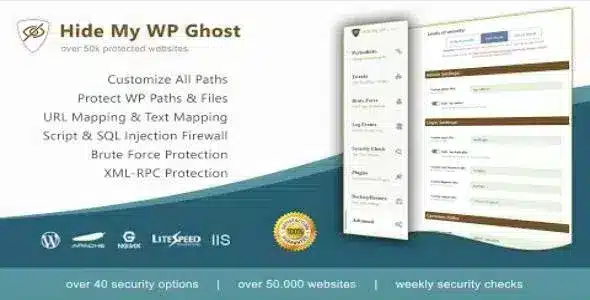
Overview of Hide My WP Ghost
Transform your WordPress website’s security posture with Hide My WP Ghost, the ultimate solution for cloaking your site’s vulnerabilities and deterring malicious attacks. This premium plugin is meticulously designed for WordPress site owners, developers, and agencies who prioritize robust security without compromising performance or user experience. Hide My WP Ghost works by obscuring common WordPress fingerprints, making it significantly harder for bots and attackers to identify your site as a WordPress installation and exploit known weaknesses.
Key Features of Hide My WP Ghost
- WP Core Files Hiding: Cloak essential WordPress files and paths, including wp-content, wp-includes, and the wp-admin URL, making it difficult for automated scanners to detect your site’s core structure. This foundational security measure significantly reduces your attack surface.
- Change Default URLs: Effortlessly modify default WordPress URLs like login, admin, and registration pages. Customizing these paths adds an extra layer of obscurity, preventing direct access attempts from common bot attacks.
- Advanced Brute-Force Protection: Implement smart brute-force protection mechanisms that detect and block repeated login attempts, safeguarding your admin area from unauthorized access. Hide My WP Ghost actively monitors and responds to suspicious login patterns.
- XML-RPC & REST API Control: Gain granular control over XML-RPC and REST API access, allowing you to disable or limit their functionality to trusted sources. This prevents common attack vectors often exploited through these interfaces.
- Security Header Implementation: Automatically add crucial security headers such as X-Content-Type-Options, X-XSS-Protection, and Content-Security-Policy. These headers fortify your site against various client-side attacks, including cross-site scripting.
- Database Prefix Change: Easily change your default WordPress database prefix, a critical step in preventing SQL injection attacks that target common database table names. This feature enhances the overall integrity of your data.
- Disable Directory Listing: Prevent unauthorized browsing of your site’s directories, which could expose sensitive files or information. Hide My WP Ghost ensures that directory contents remain private and inaccessible.
- Custom Login Page Design: Personalize your WordPress login page with custom branding and styling, not only improving user experience but also adding another layer of visual camouflage against standard WordPress login interfaces.
Why Choose Hide My WP Ghost?
In an increasingly hostile online environment, proactive security is paramount. Choosing Hide My WP Ghost means investing in a sophisticated defense mechanism that goes beyond basic firewalls. It’s not just about blocking attacks; it’s about making your WordPress site invisible to the most common scanning tools and automated bots that constantly probe for vulnerabilities. By obscuring your site’s WordPress footprint, you drastically reduce the chances of becoming a target for opportunistic attackers, allowing you to focus on content creation and business growth.
The value of Hide My WP Ghost extends to its ease of use and comprehensive approach. You don’t need to be a security expert to implement its powerful features. The intuitive interface guides you through critical security configurations, ensuring that even complex protections are just a few clicks away. Furthermore, Hide My WP Ghost is designed to be lightweight and efficient, ensuring that your site’s performance remains optimal while benefiting from top-tier security. This combination of robust protection and user-friendliness makes it an indispensable tool for any serious WordPress website.
Opting for Hide My WP Ghost from our store also provides the peace of mind that comes with GPL licensing. You get access to a premium, fully functional plugin that empowers you to take full control of your website’s security, helping you maintain a secure online presence and protect your valuable digital assets from evolving threats.
Who Should Use Hide My WP Ghost?
Hide My WP Ghost is ideal for any WordPress user concerned about their website’s security. This includes bloggers, small business owners, e-commerce stores, web developers, and agencies managing multiple client sites. If you want to protect your site from automated attacks, reduce spam, and maintain a professional, secure online presence, then Hide My WP Ghost is the perfect solution for you.
How to Install Hide My WP Ghost
- Download the Hide My WP Ghost plugin file (a .zip archive) from your purchase history on our website.
- Log in to your WordPress admin dashboard.
- Navigate to ‘Plugins’ > ‘Add New’ and click the ‘Upload Plugin’ button at the top of the page.
- Click ‘Choose File’, select the downloaded Hide My WP Ghost .zip file, and then click ‘Install Now’.
- Once the installation is complete, click ‘Activate Plugin’. You will then find ‘Hide My WP Ghost’ listed in your WordPress admin menu, ready for configuration.
Frequently Asked Questions About Hide My WP Ghost
Does Hide My WP Ghost affect website performance?
No, Hide My WP Ghost is engineered for optimal performance. Its security measures are implemented efficiently, ensuring that your website’s loading speed and overall performance remain unaffected. It’s designed to provide robust security without any noticeable impact on user experience.
Is Hide My WP Ghost compatible with other security plugins?
While Hide My WP Ghost offers comprehensive security features, it generally works well alongside other reputable security plugins. However, it’s always recommended to test compatibility, especially with plugins that modify similar core WordPress functionalities. For best results, use Hide My WP Ghost as your primary hardening solution.
What if I forget my custom login URL set by Hide My WP Ghost?
Hide My WP Ghost provides a safe fallback mechanism. If you ever forget your custom login URL, you can typically access your site via a specific recovery URL or by temporarily disabling the plugin via FTP. Detailed instructions for recovery are usually available in the plugin’s documentation or support resources.
Get Hide My WP Ghost Today
Don’t leave your WordPress website vulnerable to the ever-increasing threats of the internet. Empower your site with the advanced security features of Hide My WP Ghost and enjoy unparalleled peace of mind. Browse our extensive collection of WordPress Plugins and other premium GPL WordPress Products to further enhance your website’s capabilities and security. Secure your digital future today with Hide My WP Ghost!
Related Products You May Like
Here's everything you need to know about your purchase:
- 100% original files — Every product is the genuine, virus-free file, exactly as released by the original developer.
- Instant download — Access your files immediately after purchase from your account.
- Lifetime access — Re-download your purchased files anytime. No expiry, no limits.
- Free updates — Newer version released? Just request an update from us, free for all customers.
- Dedicated support — Our team is available 24/7 for installation and file-related help.
- Easy refunds — Not satisfied? Review our Refund Policy. We offer a hassle-free 7-day guarantee.
$100.00 Original price was: $100.00.$2.00Current price is: $2.00.
Version
8.3.05
Last Updated
03/03/2026
License
GPL v2
Compatibility
WordPress 5.0+
Need latest version?
Newer version released? Request an update from us — free for all customers!
Request Update →🎁 Your Purchase Includes
Overview of Hide My WP Ghost
Transform your WordPress website’s security posture with Hide My WP Ghost, the ultimate solution for cloaking your site’s vulnerabilities and deterring malicious attacks. This premium plugin is meticulously designed for WordPress site owners, developers, and agencies who prioritize robust security without compromising performance or user experience. Hide My WP Ghost works by obscuring common WordPress fingerprints, making it significantly harder for bots and attackers to identify your site as a WordPress installation and exploit known weaknesses.
Key Features of Hide My WP Ghost
- WP Core Files Hiding: Cloak essential WordPress files and paths, including wp-content, wp-includes, and the wp-admin URL, making it difficult for automated scanners to detect your site’s core structure. This foundational security measure significantly reduces your attack surface.
- Change Default URLs: Effortlessly modify default WordPress URLs like login, admin, and registration pages. Customizing these paths adds an extra layer of obscurity, preventing direct access attempts from common bot attacks.
- Advanced Brute-Force Protection: Implement smart brute-force protection mechanisms that detect and block repeated login attempts, safeguarding your admin area from unauthorized access. Hide My WP Ghost actively monitors and responds to suspicious login patterns.
- XML-RPC & REST API Control: Gain granular control over XML-RPC and REST API access, allowing you to disable or limit their functionality to trusted sources. This prevents common attack vectors often exploited through these interfaces.
- Security Header Implementation: Automatically add crucial security headers such as X-Content-Type-Options, X-XSS-Protection, and Content-Security-Policy. These headers fortify your site against various client-side attacks, including cross-site scripting.
- Database Prefix Change: Easily change your default WordPress database prefix, a critical step in preventing SQL injection attacks that target common database table names. This feature enhances the overall integrity of your data.
- Disable Directory Listing: Prevent unauthorized browsing of your site’s directories, which could expose sensitive files or information. Hide My WP Ghost ensures that directory contents remain private and inaccessible.
- Custom Login Page Design: Personalize your WordPress login page with custom branding and styling, not only improving user experience but also adding another layer of visual camouflage against standard WordPress login interfaces.
Why Choose Hide My WP Ghost?
In an increasingly hostile online environment, proactive security is paramount. Choosing Hide My WP Ghost means investing in a sophisticated defense mechanism that goes beyond basic firewalls. It’s not just about blocking attacks; it’s about making your WordPress site invisible to the most common scanning tools and automated bots that constantly probe for vulnerabilities. By obscuring your site’s WordPress footprint, you drastically reduce the chances of becoming a target for opportunistic attackers, allowing you to focus on content creation and business growth.
The value of Hide My WP Ghost extends to its ease of use and comprehensive approach. You don’t need to be a security expert to implement its powerful features. The intuitive interface guides you through critical security configurations, ensuring that even complex protections are just a few clicks away. Furthermore, Hide My WP Ghost is designed to be lightweight and efficient, ensuring that your site’s performance remains optimal while benefiting from top-tier security. This combination of robust protection and user-friendliness makes it an indispensable tool for any serious WordPress website.
Opting for Hide My WP Ghost from our store also provides the peace of mind that comes with GPL licensing. You get access to a premium, fully functional plugin that empowers you to take full control of your website’s security, helping you maintain a secure online presence and protect your valuable digital assets from evolving threats.
Who Should Use Hide My WP Ghost?
Hide My WP Ghost is ideal for any WordPress user concerned about their website’s security. This includes bloggers, small business owners, e-commerce stores, web developers, and agencies managing multiple client sites. If you want to protect your site from automated attacks, reduce spam, and maintain a professional, secure online presence, then Hide My WP Ghost is the perfect solution for you.
How to Install Hide My WP Ghost
- Download the Hide My WP Ghost plugin file (a .zip archive) from your purchase history on our website.
- Log in to your WordPress admin dashboard.
- Navigate to ‘Plugins’ > ‘Add New’ and click the ‘Upload Plugin’ button at the top of the page.
- Click ‘Choose File’, select the downloaded Hide My WP Ghost .zip file, and then click ‘Install Now’.
- Once the installation is complete, click ‘Activate Plugin’. You will then find ‘Hide My WP Ghost’ listed in your WordPress admin menu, ready for configuration.
Frequently Asked Questions About Hide My WP Ghost
Does Hide My WP Ghost affect website performance?
No, Hide My WP Ghost is engineered for optimal performance. Its security measures are implemented efficiently, ensuring that your website’s loading speed and overall performance remain unaffected. It’s designed to provide robust security without any noticeable impact on user experience.
Is Hide My WP Ghost compatible with other security plugins?
While Hide My WP Ghost offers comprehensive security features, it generally works well alongside other reputable security plugins. However, it’s always recommended to test compatibility, especially with plugins that modify similar core WordPress functionalities. For best results, use Hide My WP Ghost as your primary hardening solution.
What if I forget my custom login URL set by Hide My WP Ghost?
Hide My WP Ghost provides a safe fallback mechanism. If you ever forget your custom login URL, you can typically access your site via a specific recovery URL or by temporarily disabling the plugin via FTP. Detailed instructions for recovery are usually available in the plugin’s documentation or support resources.
Get Hide My WP Ghost Today
Don’t leave your WordPress website vulnerable to the ever-increasing threats of the internet. Empower your site with the advanced security features of Hide My WP Ghost and enjoy unparalleled peace of mind. Browse our extensive collection of WordPress Plugins and other premium GPL WordPress Products to further enhance your website’s capabilities and security. Secure your digital future today with Hide My WP Ghost!
Related Products You May Like
Reviews
There are no reviews yet.
Here's everything you need to know about your purchase:
- 100% original files — Every product is the genuine, virus-free file, exactly as released by the original developer.
- Instant download — Access your files immediately after purchase from your account.
- Lifetime access — Re-download your purchased files anytime. No expiry, no limits.
- Free updates — Newer version released? Just request an update from us, free for all customers.
- Dedicated support — Our team is available 24/7 for installation and file-related help.
- Easy refunds — Not satisfied? Review our Refund Policy. We offer a hassle-free 7-day guarantee.
Reviews
There are no reviews yet.