

Gravity Forms Tooltips 1.2.14
Overview of Gravity Forms Tooltips
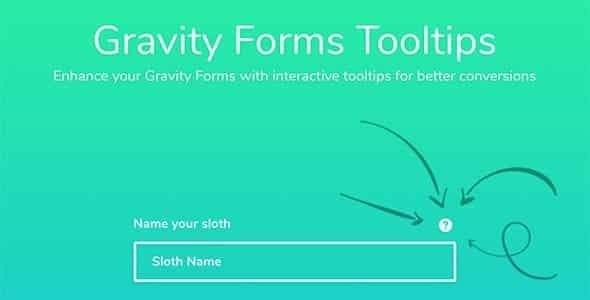
Enhance your user experience and streamline form completion with Gravity Forms Tooltips. This essential plugin allows you to effortlessly add informative tooltips to any field within your Gravity Forms, providing instant context and guidance to your users. It’s the perfect solution for anyone looking to clarify complex fields, offer helpful hints, or improve the overall usability of their WordPress forms without cluttering the interface.
Key Features of Gravity Forms Tooltips
- Effortless Integration: Seamlessly integrates with Gravity Forms, allowing you to add tooltips directly from the form editor with no coding required.
- Customizable Tooltip Content: Easily add rich text, images, or even shortcodes within your tooltips, providing comprehensive information to your users.
- Multiple Trigger Options: Configure tooltips to appear on hover, click, or focus, giving you flexibility to match user interaction preferences.
- Styling & Positioning Control: Customize the appearance, color, size, and position of your tooltips to perfectly match your website’s design and ensure optimal visibility.
- Responsive Design: Ensures your tooltips look great and function flawlessly across all devices, from desktops to tablets and smartphones.
- Accessibility Focused: Designed with accessibility in mind, helping to make your forms more user-friendly for everyone.
- Field-Specific Tooltips: Assign unique tooltips to individual form fields, providing targeted assistance exactly where it’s needed most.
- Lightweight & Optimized: Adds functionality without bogging down your site, ensuring fast loading times and a smooth user experience.
Why Choose Gravity Forms Tooltips?
Choosing Gravity Forms Tooltips means investing in a smoother, more intuitive experience for your website visitors. By providing immediate, on-demand information, you can significantly reduce user confusion, minimize abandonment rates, and ensure forms are completed accurately. This leads to higher conversion rates for your leads, sales, or sign-ups, making your Gravity Forms more effective than ever before. It’s a small addition that delivers a massive impact on user satisfaction and data quality.
Beyond improving user experience, Gravity Forms Tooltips offers significant benefits for website administrators and developers. It helps in clarifying complex form fields without the need for lengthy field descriptions that can visually overwhelm users. This keeps your forms clean, professional, and easy to navigate. Furthermore, by proactively answering common user questions through tooltips, you can reduce the volume of support requests related to form completion, freeing up valuable time and resources.
Ultimately, Gravity Forms Tooltips empowers you to create more effective and user-friendly forms. Whether you’re gathering customer data, processing orders, or managing registrations, this plugin ensures your users have all the necessary information at their fingertips, leading to a more positive interaction with your site and better outcomes for your business. It’s an indispensable tool for anyone serious about optimizing their Gravity Forms.
Who Should Use Gravity Forms Tooltips?
Gravity Forms Tooltips is ideal for website owners, marketers, developers, and businesses of all sizes who utilize Gravity Forms on their WordPress sites. If you have complex forms, require users to input specific data, or simply want to enhance the clarity and usability of your forms, this plugin is for you. It’s perfect for e-commerce sites, lead generation forms, registration pages, surveys, and any scenario where clear, concise guidance can improve the user journey.
How to Install Gravity Forms Tooltips
- Download the Plugin: After purchase, download the Gravity Forms Tooltips plugin file (a .zip archive) to your computer.
- Upload to WordPress: Log in to your WordPress admin dashboard. Navigate to ‘Plugins’ > ‘Add New’. Click the ‘Upload Plugin’ button at the top of the page.
- Choose File & Install: Click ‘Choose File’, select the downloaded Gravity Forms Tooltips .zip file, and then click ‘Install Now’.
- Activate the Plugin: Once the installation is complete, click the ‘Activate Plugin’ button.
- Configure Tooltips: Go to your Gravity Forms settings or individual form editor to begin adding and customizing your Gravity Forms Tooltips for your fields.
Frequently Asked Questions About Gravity Forms Tooltips
Is Gravity Forms Tooltips compatible with all Gravity Forms field types?
Yes, Gravity Forms Tooltips is designed to be highly compatible with virtually all standard Gravity Forms field types, including text fields, radio buttons, checkboxes, dropdowns, and more. You can easily add a tooltip to any field where additional clarification would be beneficial for your users.
Can I customize the appearance of the tooltips?
Absolutely! Gravity Forms Tooltips offers extensive customization options. You can control various aspects of the tooltip’s appearance, including background color, text color, font size, border styles, and even the positioning relative to the field. This ensures your tooltips seamlessly integrate with your website’s overall design and branding.
What kind of content can I put inside a tooltip?
With Gravity Forms Tooltips, you’re not limited to plain text. You can include rich HTML content, such as bold or italic text, links, images, and even shortcodes, to provide comprehensive and engaging information to your users. This flexibility allows for highly informative and visually appealing tooltips.
Get Gravity Forms Tooltips Today
Ready to transform your Gravity Forms into a more user-friendly and efficient experience? Don’t let confusing forms deter your visitors. Integrate Gravity Forms Tooltips into your WordPress site today and provide your users with the clear, concise guidance they need for seamless form completion. Explore this and many other powerful WordPress Plugins available to enhance your website’s functionality. Browse our full range of premium GPL WordPress Products and take your site to the next level.
Related Products You May Like
Here's everything you need to know about your purchase:
- 100% original files — Every product is the genuine, virus-free file, exactly as released by the original developer.
- Instant download — Access your files immediately after purchase from your account.
- Lifetime access — Re-download your purchased files anytime. No expiry, no limits.
- Free updates — Newer version released? Just request an update from us, free for all customers.
- Dedicated support — Our team is available 24/7 for installation and file-related help.
- Easy refunds — Not satisfied? Review our Refund Policy. We offer a hassle-free 7-day guarantee.
$100.00 Original price was: $100.00.$2.00Current price is: $2.00.
Version
1.2.14
Last Updated
03/03/2026
License
GPL v2
Compatibility
WordPress 5.0+
Need latest version?
Newer version released? Request an update from us — free for all customers!
Request Update →🎁 Your Purchase Includes
Overview of Gravity Forms Tooltips
Enhance your user experience and streamline form completion with Gravity Forms Tooltips. This essential plugin allows you to effortlessly add informative tooltips to any field within your Gravity Forms, providing instant context and guidance to your users. It’s the perfect solution for anyone looking to clarify complex fields, offer helpful hints, or improve the overall usability of their WordPress forms without cluttering the interface.
Key Features of Gravity Forms Tooltips
- Effortless Integration: Seamlessly integrates with Gravity Forms, allowing you to add tooltips directly from the form editor with no coding required.
- Customizable Tooltip Content: Easily add rich text, images, or even shortcodes within your tooltips, providing comprehensive information to your users.
- Multiple Trigger Options: Configure tooltips to appear on hover, click, or focus, giving you flexibility to match user interaction preferences.
- Styling & Positioning Control: Customize the appearance, color, size, and position of your tooltips to perfectly match your website’s design and ensure optimal visibility.
- Responsive Design: Ensures your tooltips look great and function flawlessly across all devices, from desktops to tablets and smartphones.
- Accessibility Focused: Designed with accessibility in mind, helping to make your forms more user-friendly for everyone.
- Field-Specific Tooltips: Assign unique tooltips to individual form fields, providing targeted assistance exactly where it’s needed most.
- Lightweight & Optimized: Adds functionality without bogging down your site, ensuring fast loading times and a smooth user experience.
Why Choose Gravity Forms Tooltips?
Choosing Gravity Forms Tooltips means investing in a smoother, more intuitive experience for your website visitors. By providing immediate, on-demand information, you can significantly reduce user confusion, minimize abandonment rates, and ensure forms are completed accurately. This leads to higher conversion rates for your leads, sales, or sign-ups, making your Gravity Forms more effective than ever before. It’s a small addition that delivers a massive impact on user satisfaction and data quality.
Beyond improving user experience, Gravity Forms Tooltips offers significant benefits for website administrators and developers. It helps in clarifying complex form fields without the need for lengthy field descriptions that can visually overwhelm users. This keeps your forms clean, professional, and easy to navigate. Furthermore, by proactively answering common user questions through tooltips, you can reduce the volume of support requests related to form completion, freeing up valuable time and resources.
Ultimately, Gravity Forms Tooltips empowers you to create more effective and user-friendly forms. Whether you’re gathering customer data, processing orders, or managing registrations, this plugin ensures your users have all the necessary information at their fingertips, leading to a more positive interaction with your site and better outcomes for your business. It’s an indispensable tool for anyone serious about optimizing their Gravity Forms.
Who Should Use Gravity Forms Tooltips?
Gravity Forms Tooltips is ideal for website owners, marketers, developers, and businesses of all sizes who utilize Gravity Forms on their WordPress sites. If you have complex forms, require users to input specific data, or simply want to enhance the clarity and usability of your forms, this plugin is for you. It’s perfect for e-commerce sites, lead generation forms, registration pages, surveys, and any scenario where clear, concise guidance can improve the user journey.
How to Install Gravity Forms Tooltips
- Download the Plugin: After purchase, download the Gravity Forms Tooltips plugin file (a .zip archive) to your computer.
- Upload to WordPress: Log in to your WordPress admin dashboard. Navigate to ‘Plugins’ > ‘Add New’. Click the ‘Upload Plugin’ button at the top of the page.
- Choose File & Install: Click ‘Choose File’, select the downloaded Gravity Forms Tooltips .zip file, and then click ‘Install Now’.
- Activate the Plugin: Once the installation is complete, click the ‘Activate Plugin’ button.
- Configure Tooltips: Go to your Gravity Forms settings or individual form editor to begin adding and customizing your Gravity Forms Tooltips for your fields.
Frequently Asked Questions About Gravity Forms Tooltips
Is Gravity Forms Tooltips compatible with all Gravity Forms field types?
Yes, Gravity Forms Tooltips is designed to be highly compatible with virtually all standard Gravity Forms field types, including text fields, radio buttons, checkboxes, dropdowns, and more. You can easily add a tooltip to any field where additional clarification would be beneficial for your users.
Can I customize the appearance of the tooltips?
Absolutely! Gravity Forms Tooltips offers extensive customization options. You can control various aspects of the tooltip’s appearance, including background color, text color, font size, border styles, and even the positioning relative to the field. This ensures your tooltips seamlessly integrate with your website’s overall design and branding.
What kind of content can I put inside a tooltip?
With Gravity Forms Tooltips, you’re not limited to plain text. You can include rich HTML content, such as bold or italic text, links, images, and even shortcodes, to provide comprehensive and engaging information to your users. This flexibility allows for highly informative and visually appealing tooltips.
Get Gravity Forms Tooltips Today
Ready to transform your Gravity Forms into a more user-friendly and efficient experience? Don’t let confusing forms deter your visitors. Integrate Gravity Forms Tooltips into your WordPress site today and provide your users with the clear, concise guidance they need for seamless form completion. Explore this and many other powerful WordPress Plugins available to enhance your website’s functionality. Browse our full range of premium GPL WordPress Products and take your site to the next level.
Related Products You May Like
Reviews
There are no reviews yet.
Here's everything you need to know about your purchase:
- 100% original files — Every product is the genuine, virus-free file, exactly as released by the original developer.
- Instant download — Access your files immediately after purchase from your account.
- Lifetime access — Re-download your purchased files anytime. No expiry, no limits.
- Free updates — Newer version released? Just request an update from us, free for all customers.
- Dedicated support — Our team is available 24/7 for installation and file-related help.
- Easy refunds — Not satisfied? Review our Refund Policy. We offer a hassle-free 7-day guarantee.
Reviews
There are no reviews yet.