

Gravity Forms Styles Pro Add-on 3.1.4
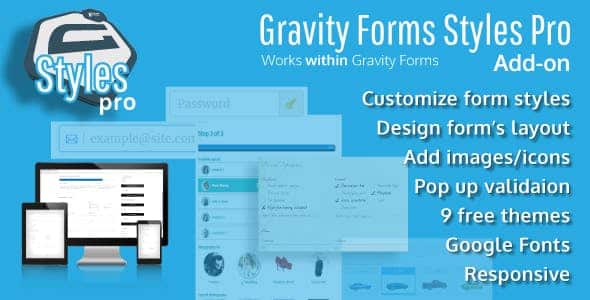
Overview of Gravity Forms Styles Pro Add-on
The Gravity Forms Styles Pro Add-on is an essential tool for anyone looking to elevate the visual appeal and user experience of their Gravity Forms. This powerful add-on empowers WordPress users, designers, and developers to effortlessly customize the look and feel of their forms without needing to write a single line of CSS code. It provides an intuitive interface to style every element of your forms, ensuring they perfectly match your brand’s aesthetic and enhance user engagement.
Key Features of Gravity Forms Styles Pro Add-on
- Comprehensive Styling Options: Gain complete control over the design of your Gravity Forms. The Gravity Forms Styles Pro Add-on allows you to customize fonts, colors, backgrounds, borders, and spacing for all form elements, including fields, labels, buttons, and confirmation messages.
- Live Customization Preview: See your design changes in real-time as you make them. This live preview functionality ensures you can fine-tune every detail of your forms instantly, saving time and ensuring pixel-perfect results before publishing.
- No Coding Required: Achieve stunning form designs without touching any code. The Gravity Forms Styles Pro Add-on is built for users of all skill levels, offering a user-friendly interface that makes professional form styling accessible to everyone.
- Pre-built Templates and Presets: Kickstart your design process with a selection of professionally designed templates and presets. These ready-to-use styles can be applied with a single click and then further customized to fit your specific needs, making the Gravity Forms Styles Pro Add-on incredibly efficient.
- Responsive Design Controls: Ensure your forms look impeccable on any device. The add-on includes options to optimize your form styles for desktops, tablets, and mobile phones, providing a consistent and engaging user experience across all screen sizes.
- Conditional Styling Logic: Implement dynamic styling based on user input or form conditions. This advanced feature allows you to create highly interactive and personalized forms, adding another layer of sophistication to your user interactions with the Gravity Forms Styles Pro Add-on.
- Integration with Theme Styles: Seamlessly integrate your form designs with your existing WordPress theme. The Gravity Forms Styles Pro Add-on is designed to work harmoniously with various themes, maintaining brand consistency across your entire website.
- Export/Import Styles: Easily transfer your custom form styles between different websites or forms. This feature is invaluable for agencies and developers managing multiple sites, allowing for efficient reuse of design assets created with the Gravity Forms Styles Pro Add-on.
Why Choose Gravity Forms Styles Pro Add-on?
Choosing the Gravity Forms Styles Pro Add-on means investing in the professional appearance and user-friendliness of your website. In today’s competitive digital landscape, a well-designed form is crucial for lead generation, data collection, and overall user satisfaction. This add-on eliminates the common frustration of trying to make forms match your brand, often requiring custom CSS or developer intervention. With its intuitive drag-and-drop-like interface, you gain immediate control, allowing you to focus on your content and conversions rather than complex coding.
The value proposition of the Gravity Forms Styles Pro Add-on extends beyond just aesthetics. By providing a visually appealing and easy-to-navigate form, you significantly improve completion rates and reduce abandonment. A consistent brand experience builds trust and professionalism, and this add-on ensures your forms reflect that commitment to quality. Whether you’re collecting customer feedback, managing event registrations, or processing online orders, the Gravity Forms Styles Pro Add-on transforms mundane forms into engaging interactive elements that align perfectly with your site’s design.
Furthermore, the time and resources saved by not having to hire a developer for custom CSS work are substantial. The Gravity Forms Styles Pro Add-on empowers you to take charge of your form’s design, making updates and tweaks whenever necessary without external dependencies. This agility is invaluable for businesses and individuals who need to adapt quickly to new campaigns or design trends, ensuring your Gravity Forms are always at their best.
Who Should Use Gravity Forms Styles Pro Add-on?
The Gravity Forms Styles Pro Add-on is ideal for a wide range of WordPress users. Website owners who want their forms to perfectly match their brand without hiring a designer will find it indispensable. Digital marketers looking to optimize conversion rates through visually appealing forms, and web developers seeking a faster, more efficient way to style Gravity Forms for clients, will also greatly benefit. Anyone using Gravity Forms who desires greater control over their form’s appearance and user experience should consider the Gravity Forms Styles Pro Add-on.
How to Install Gravity Forms Styles Pro Add-on
- Download the Add-on: After acquiring the Gravity Forms Styles Pro Add-on from our store, download the plugin .zip file to your computer. Ensure you do not unzip the file.
- Upload via WordPress Dashboard: Log in to your WordPress admin area. Navigate to ‘Plugins’ > ‘Add New’. Click on the ‘Upload Plugin’ button at the top of the page.
- Choose and Install: Click ‘Choose File’, locate the Gravity Forms Styles Pro Add-on .zip file you downloaded, and select it. Then, click ‘Install Now’. WordPress will handle the upload and installation process.
- Activate the Plugin: Once the installation is complete, you will see a success message. Click on the ‘Activate Plugin’ link to enable the Gravity Forms Styles Pro Add-on on your website.
- Start Styling Your Forms: With the add-on activated, navigate to your Gravity Forms settings or individual form editor to access the new styling options provided by the Gravity Forms Styles Pro Add-on and begin customizing your forms.
Frequently Asked Questions About Gravity Forms Styles Pro Add-on
Does the Gravity Forms Styles Pro Add-on require the core Gravity Forms plugin?
Yes, the Gravity Forms Styles Pro Add-on is an extension and requires the Gravity Forms plugin to be installed and active on your WordPress website. It builds upon the functionality of Gravity Forms, providing advanced styling capabilities that integrate seamlessly with your existing forms. Without Gravity Forms, this add-on cannot function independently.
Can I customize individual form elements with the Gravity Forms Styles Pro Add-on?
Absolutely! The Gravity Forms Styles Pro Add-on offers granular control over every aspect of your form’s design. You can customize individual fields, labels, input boxes, radio buttons, checkboxes, submit buttons, confirmation messages, and more. This level of detail ensures that your forms are not just styled, but perfectly tailored to your specific design requirements and user experience goals.
Is the Gravity Forms Styles Pro Add-on compatible with all WordPress themes?
The Gravity Forms Styles Pro Add-on is designed for broad compatibility with most well-coded WordPress themes. It uses standard WordPress styling methods and provides options to override theme styles where necessary. While it aims for universal compatibility, minor adjustments might occasionally be needed depending on highly customized or unusually structured themes. It generally works harmoniously to integrate your form styles with your site’s overall look.
Get Gravity Forms Styles Pro Add-on Today
Transform your Gravity Forms from standard to spectacular with the powerful and intuitive Gravity Forms Styles Pro Add-on. Enhance your website’s aesthetics, improve user experience, and boost conversion rates without writing a single line of code. Don’t let generic forms detract from your brand’s professionalism. Explore this and other essential WordPress Plugins available in our store. Elevate your online presence today with our premium GPL WordPress Products.
Related Products You May Like
Here's everything you need to know about your purchase:
- 100% original files — Every product is the genuine, virus-free file, exactly as released by the original developer.
- Instant download — Access your files immediately after purchase from your account.
- Lifetime access — Re-download your purchased files anytime. No expiry, no limits.
- Free updates — Newer version released? Just request an update from us, free for all customers.
- Dedicated support — Our team is available 24/7 for installation and file-related help.
- Easy refunds — Not satisfied? Review our Refund Policy. We offer a hassle-free 7-day guarantee.
$59.00 Original price was: $59.00.$2.00Current price is: $2.00.
Version
3.1.4
Last Updated
25/2/2026
License
GPL v2
Compatibility
WordPress 5.0+
Need latest version?
Newer version released? Request an update from us — free for all customers!
Request Update →🎁 Your Purchase Includes
Overview of Gravity Forms Styles Pro Add-on
The Gravity Forms Styles Pro Add-on is an essential tool for anyone looking to elevate the visual appeal and user experience of their Gravity Forms. This powerful add-on empowers WordPress users, designers, and developers to effortlessly customize the look and feel of their forms without needing to write a single line of CSS code. It provides an intuitive interface to style every element of your forms, ensuring they perfectly match your brand’s aesthetic and enhance user engagement.
Key Features of Gravity Forms Styles Pro Add-on
- Comprehensive Styling Options: Gain complete control over the design of your Gravity Forms. The Gravity Forms Styles Pro Add-on allows you to customize fonts, colors, backgrounds, borders, and spacing for all form elements, including fields, labels, buttons, and confirmation messages.
- Live Customization Preview: See your design changes in real-time as you make them. This live preview functionality ensures you can fine-tune every detail of your forms instantly, saving time and ensuring pixel-perfect results before publishing.
- No Coding Required: Achieve stunning form designs without touching any code. The Gravity Forms Styles Pro Add-on is built for users of all skill levels, offering a user-friendly interface that makes professional form styling accessible to everyone.
- Pre-built Templates and Presets: Kickstart your design process with a selection of professionally designed templates and presets. These ready-to-use styles can be applied with a single click and then further customized to fit your specific needs, making the Gravity Forms Styles Pro Add-on incredibly efficient.
- Responsive Design Controls: Ensure your forms look impeccable on any device. The add-on includes options to optimize your form styles for desktops, tablets, and mobile phones, providing a consistent and engaging user experience across all screen sizes.
- Conditional Styling Logic: Implement dynamic styling based on user input or form conditions. This advanced feature allows you to create highly interactive and personalized forms, adding another layer of sophistication to your user interactions with the Gravity Forms Styles Pro Add-on.
- Integration with Theme Styles: Seamlessly integrate your form designs with your existing WordPress theme. The Gravity Forms Styles Pro Add-on is designed to work harmoniously with various themes, maintaining brand consistency across your entire website.
- Export/Import Styles: Easily transfer your custom form styles between different websites or forms. This feature is invaluable for agencies and developers managing multiple sites, allowing for efficient reuse of design assets created with the Gravity Forms Styles Pro Add-on.
Why Choose Gravity Forms Styles Pro Add-on?
Choosing the Gravity Forms Styles Pro Add-on means investing in the professional appearance and user-friendliness of your website. In today’s competitive digital landscape, a well-designed form is crucial for lead generation, data collection, and overall user satisfaction. This add-on eliminates the common frustration of trying to make forms match your brand, often requiring custom CSS or developer intervention. With its intuitive drag-and-drop-like interface, you gain immediate control, allowing you to focus on your content and conversions rather than complex coding.
The value proposition of the Gravity Forms Styles Pro Add-on extends beyond just aesthetics. By providing a visually appealing and easy-to-navigate form, you significantly improve completion rates and reduce abandonment. A consistent brand experience builds trust and professionalism, and this add-on ensures your forms reflect that commitment to quality. Whether you’re collecting customer feedback, managing event registrations, or processing online orders, the Gravity Forms Styles Pro Add-on transforms mundane forms into engaging interactive elements that align perfectly with your site’s design.
Furthermore, the time and resources saved by not having to hire a developer for custom CSS work are substantial. The Gravity Forms Styles Pro Add-on empowers you to take charge of your form’s design, making updates and tweaks whenever necessary without external dependencies. This agility is invaluable for businesses and individuals who need to adapt quickly to new campaigns or design trends, ensuring your Gravity Forms are always at their best.
Who Should Use Gravity Forms Styles Pro Add-on?
The Gravity Forms Styles Pro Add-on is ideal for a wide range of WordPress users. Website owners who want their forms to perfectly match their brand without hiring a designer will find it indispensable. Digital marketers looking to optimize conversion rates through visually appealing forms, and web developers seeking a faster, more efficient way to style Gravity Forms for clients, will also greatly benefit. Anyone using Gravity Forms who desires greater control over their form’s appearance and user experience should consider the Gravity Forms Styles Pro Add-on.
How to Install Gravity Forms Styles Pro Add-on
- Download the Add-on: After acquiring the Gravity Forms Styles Pro Add-on from our store, download the plugin .zip file to your computer. Ensure you do not unzip the file.
- Upload via WordPress Dashboard: Log in to your WordPress admin area. Navigate to ‘Plugins’ > ‘Add New’. Click on the ‘Upload Plugin’ button at the top of the page.
- Choose and Install: Click ‘Choose File’, locate the Gravity Forms Styles Pro Add-on .zip file you downloaded, and select it. Then, click ‘Install Now’. WordPress will handle the upload and installation process.
- Activate the Plugin: Once the installation is complete, you will see a success message. Click on the ‘Activate Plugin’ link to enable the Gravity Forms Styles Pro Add-on on your website.
- Start Styling Your Forms: With the add-on activated, navigate to your Gravity Forms settings or individual form editor to access the new styling options provided by the Gravity Forms Styles Pro Add-on and begin customizing your forms.
Frequently Asked Questions About Gravity Forms Styles Pro Add-on
Does the Gravity Forms Styles Pro Add-on require the core Gravity Forms plugin?
Yes, the Gravity Forms Styles Pro Add-on is an extension and requires the Gravity Forms plugin to be installed and active on your WordPress website. It builds upon the functionality of Gravity Forms, providing advanced styling capabilities that integrate seamlessly with your existing forms. Without Gravity Forms, this add-on cannot function independently.
Can I customize individual form elements with the Gravity Forms Styles Pro Add-on?
Absolutely! The Gravity Forms Styles Pro Add-on offers granular control over every aspect of your form’s design. You can customize individual fields, labels, input boxes, radio buttons, checkboxes, submit buttons, confirmation messages, and more. This level of detail ensures that your forms are not just styled, but perfectly tailored to your specific design requirements and user experience goals.
Is the Gravity Forms Styles Pro Add-on compatible with all WordPress themes?
The Gravity Forms Styles Pro Add-on is designed for broad compatibility with most well-coded WordPress themes. It uses standard WordPress styling methods and provides options to override theme styles where necessary. While it aims for universal compatibility, minor adjustments might occasionally be needed depending on highly customized or unusually structured themes. It generally works harmoniously to integrate your form styles with your site’s overall look.
Get Gravity Forms Styles Pro Add-on Today
Transform your Gravity Forms from standard to spectacular with the powerful and intuitive Gravity Forms Styles Pro Add-on. Enhance your website’s aesthetics, improve user experience, and boost conversion rates without writing a single line of code. Don’t let generic forms detract from your brand’s professionalism. Explore this and other essential WordPress Plugins available in our store. Elevate your online presence today with our premium GPL WordPress Products.
Related Products You May Like
Reviews
There are no reviews yet.
Here's everything you need to know about your purchase:
- 100% original files — Every product is the genuine, virus-free file, exactly as released by the original developer.
- Instant download — Access your files immediately after purchase from your account.
- Lifetime access — Re-download your purchased files anytime. No expiry, no limits.
- Free updates — Newer version released? Just request an update from us, free for all customers.
- Dedicated support — Our team is available 24/7 for installation and file-related help.
- Easy refunds — Not satisfied? Review our Refund Policy. We offer a hassle-free 7-day guarantee.
Reviews
There are no reviews yet.