

Gravity Forms Geolocation 1.6.1
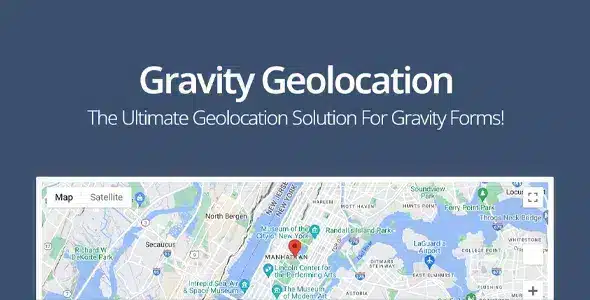
Overview of Gravity Forms Geolocation
Unlock the power of location intelligence for your Gravity Forms with Gravity Forms Geolocation. This essential addon seamlessly integrates advanced geolocation capabilities into your WordPress forms, allowing you to capture, display, and utilize location data with unparalleled accuracy. Whether you’re building contact forms, event registrations, service request forms, or any application requiring precise geographical information, Gravity Forms Geolocation empowers you to create more dynamic and user-friendly experiences for your website visitors.
Key Features of Gravity Forms Geolocation
- Address Autocomplete: Enhance user experience by providing real-time address suggestions as users type, significantly speeding up form completion and reducing errors. This feature leverages robust mapping services to ensure accuracy.
- Automatic Location Detection: Automatically detect and pre-fill location fields based on the user’s IP address or browser geolocation, making forms even quicker to submit and gather precise data from the outset.
- Interactive Map Display: Visually represent submitted addresses or specific locations on an interactive map directly within your form or on submission entries, offering a clear geographical context.
- Latitude and Longitude Storage: Beyond just addresses, Gravity Forms Geolocation captures and stores the exact latitude and longitude coordinates for each submission, enabling advanced spatial analysis and custom integrations.
- Conditional Logic Integration: Build sophisticated forms by employing conditional logic based on location data. Show or hide fields, sections, or even entire pages depending on the user’s detected or entered geographical information.
- Distance Calculation: Implement features that calculate distances between two points, useful for service radius checks, delivery estimates, or finding the nearest store/agent based on a user’s location.
- Location Restrictions: Restrict form submissions or specific field options based on geographical boundaries, ensuring that only users from designated areas can complete certain parts of your forms.
- Customizable Map Settings: Tailor the appearance and functionality of your embedded maps, including zoom levels, map types (roadmap, satellite), and custom markers, to perfectly match your website’s design and user needs.
Why Choose Gravity Forms Geolocation?
Choosing Gravity Forms Geolocation means investing in a robust solution that significantly enhances both your form functionality and your data collection capabilities. Its seamless integration with Gravity Forms, a leading WordPress form builder, ensures that you can leverage powerful geolocation features without needing extensive coding knowledge. This addon transforms ordinary forms into intelligent tools that understand and respond to your users’ physical locations, opening up a myriad of possibilities for personalized content, localized services, and more accurate data insights. The ability to automatically detect locations, provide address autocomplete, and store precise coordinates drastically improves user experience by simplifying the submission process and minimizing manual input errors.
Furthermore, the advanced features of Gravity Forms Geolocation, such as conditional logic based on location and distance calculation, empower you to create highly dynamic and targeted forms. Imagine a service provider’s form that only shows specific options if the user is within their service area, or an event registration form that displays local recommendations based on the registrant’s city. This level of personalization not only makes your forms more efficient but also significantly boosts conversion rates and user satisfaction. For businesses and organizations that rely on location-specific data, Gravity Forms Geolocation is an indispensable tool for optimizing operations and making data-driven decisions.
Who Should Use Gravity Forms Geolocation?
Gravity Forms Geolocation is ideal for a wide range of users and businesses. Event organizers can use it to pinpoint attendee locations. Service providers can verify client addresses and calculate service areas. E-commerce stores can optimize shipping and delivery options. Real estate agencies can display property locations and search by proximity. Directory websites can help users find nearby businesses. Any website requiring accurate geographical data for forms, from simple contact forms to complex booking systems, will benefit immensely from the precision and convenience offered by Gravity Forms Geolocation.
How to Install Gravity Forms Geolocation
- Download the Plugin: After purchasing, download the Gravity Forms Geolocation plugin file (a .zip file) from your account dashboard.
- Upload to WordPress: Log in to your WordPress admin area, navigate to ‘Plugins’ > ‘Add New’, then click ‘Upload Plugin’. Choose the downloaded .zip file and click ‘Install Now’.
- Activate the Plugin: Once the installation is complete, click the ‘Activate Plugin’ button. This will enable Gravity Forms Geolocation on your WordPress site.
- Configure Settings: Go to ‘Forms’ > ‘Settings’ > ‘Geolocation’ (or a similar path) within your WordPress dashboard. You may need to enter API keys (e.g., Google Maps API) and configure general settings to ensure proper functionality of Gravity Forms Geolocation.
- Integrate with Forms: Edit an existing Gravity Form or create a new one. You will now find new field types or options related to geolocation that you can drag and drop or enable for your existing fields. Configure these fields as needed to utilize the powerful features of Gravity Forms Geolocation.
Frequently Asked Questions About Gravity Forms Geolocation
Does Gravity Forms Geolocation require an API key?
Yes, to fully utilize the mapping and geolocation features, Gravity Forms Geolocation typically requires an API key from a mapping service provider, such as Google Maps Platform. Detailed instructions on how to obtain and configure this key are usually provided within the plugin’s documentation or settings interface.
Can I use Gravity Forms Geolocation to restrict form submissions by country?
Absolutely! Gravity Forms Geolocation allows you to set up conditional logic or specific validation rules based on the detected or entered country, state, or even postal code. This enables you to restrict submissions to specific geographical regions, ensuring your forms collect data only from your target areas.
Is Gravity Forms Geolocation compatible with other Gravity Forms add-ons?
Yes, Gravity Forms Geolocation is designed to integrate seamlessly with the core Gravity Forms plugin and is generally compatible with most other official Gravity Forms add-ons. It enhances your forms by adding a layer of location intelligence without conflicting with existing functionalities, allowing you to combine features like payment gateways or user registration with robust geolocation.
Get Gravity Forms Geolocation Today
Empower your WordPress forms with advanced location intelligence and provide a superior user experience. Download Gravity Forms Geolocation today and transform the way you collect and utilize geographical data. Explore this and many other premium WordPress Plugins available at GPLUniverse.com, your trusted source for high-quality GPL WordPress Products.
Related Products You May Like
Here's everything you need to know about your purchase:
- 100% original files — Every product is the genuine, virus-free file, exactly as released by the original developer.
- Instant download — Access your files immediately after purchase from your account.
- Lifetime access — Re-download your purchased files anytime. No expiry, no limits.
- Free updates — Newer version released? Just request an update from us, free for all customers.
- Dedicated support — Our team is available 24/7 for installation and file-related help.
- Easy refunds — Not satisfied? Review our Refund Policy. We offer a hassle-free 7-day guarantee.
$100.00 Original price was: $100.00.$2.00Current price is: $2.00.
Version
1.6.1
Last Updated
03/03/2026
License
GPL v2
Compatibility
WordPress 5.0+
Need latest version?
Newer version released? Request an update from us — free for all customers!
Request Update →🎁 Your Purchase Includes
Overview of Gravity Forms Geolocation
Unlock the power of location intelligence for your Gravity Forms with Gravity Forms Geolocation. This essential addon seamlessly integrates advanced geolocation capabilities into your WordPress forms, allowing you to capture, display, and utilize location data with unparalleled accuracy. Whether you’re building contact forms, event registrations, service request forms, or any application requiring precise geographical information, Gravity Forms Geolocation empowers you to create more dynamic and user-friendly experiences for your website visitors.
Key Features of Gravity Forms Geolocation
- Address Autocomplete: Enhance user experience by providing real-time address suggestions as users type, significantly speeding up form completion and reducing errors. This feature leverages robust mapping services to ensure accuracy.
- Automatic Location Detection: Automatically detect and pre-fill location fields based on the user’s IP address or browser geolocation, making forms even quicker to submit and gather precise data from the outset.
- Interactive Map Display: Visually represent submitted addresses or specific locations on an interactive map directly within your form or on submission entries, offering a clear geographical context.
- Latitude and Longitude Storage: Beyond just addresses, Gravity Forms Geolocation captures and stores the exact latitude and longitude coordinates for each submission, enabling advanced spatial analysis and custom integrations.
- Conditional Logic Integration: Build sophisticated forms by employing conditional logic based on location data. Show or hide fields, sections, or even entire pages depending on the user’s detected or entered geographical information.
- Distance Calculation: Implement features that calculate distances between two points, useful for service radius checks, delivery estimates, or finding the nearest store/agent based on a user’s location.
- Location Restrictions: Restrict form submissions or specific field options based on geographical boundaries, ensuring that only users from designated areas can complete certain parts of your forms.
- Customizable Map Settings: Tailor the appearance and functionality of your embedded maps, including zoom levels, map types (roadmap, satellite), and custom markers, to perfectly match your website’s design and user needs.
Why Choose Gravity Forms Geolocation?
Choosing Gravity Forms Geolocation means investing in a robust solution that significantly enhances both your form functionality and your data collection capabilities. Its seamless integration with Gravity Forms, a leading WordPress form builder, ensures that you can leverage powerful geolocation features without needing extensive coding knowledge. This addon transforms ordinary forms into intelligent tools that understand and respond to your users’ physical locations, opening up a myriad of possibilities for personalized content, localized services, and more accurate data insights. The ability to automatically detect locations, provide address autocomplete, and store precise coordinates drastically improves user experience by simplifying the submission process and minimizing manual input errors.
Furthermore, the advanced features of Gravity Forms Geolocation, such as conditional logic based on location and distance calculation, empower you to create highly dynamic and targeted forms. Imagine a service provider’s form that only shows specific options if the user is within their service area, or an event registration form that displays local recommendations based on the registrant’s city. This level of personalization not only makes your forms more efficient but also significantly boosts conversion rates and user satisfaction. For businesses and organizations that rely on location-specific data, Gravity Forms Geolocation is an indispensable tool for optimizing operations and making data-driven decisions.
Who Should Use Gravity Forms Geolocation?
Gravity Forms Geolocation is ideal for a wide range of users and businesses. Event organizers can use it to pinpoint attendee locations. Service providers can verify client addresses and calculate service areas. E-commerce stores can optimize shipping and delivery options. Real estate agencies can display property locations and search by proximity. Directory websites can help users find nearby businesses. Any website requiring accurate geographical data for forms, from simple contact forms to complex booking systems, will benefit immensely from the precision and convenience offered by Gravity Forms Geolocation.
How to Install Gravity Forms Geolocation
- Download the Plugin: After purchasing, download the Gravity Forms Geolocation plugin file (a .zip file) from your account dashboard.
- Upload to WordPress: Log in to your WordPress admin area, navigate to ‘Plugins’ > ‘Add New’, then click ‘Upload Plugin’. Choose the downloaded .zip file and click ‘Install Now’.
- Activate the Plugin: Once the installation is complete, click the ‘Activate Plugin’ button. This will enable Gravity Forms Geolocation on your WordPress site.
- Configure Settings: Go to ‘Forms’ > ‘Settings’ > ‘Geolocation’ (or a similar path) within your WordPress dashboard. You may need to enter API keys (e.g., Google Maps API) and configure general settings to ensure proper functionality of Gravity Forms Geolocation.
- Integrate with Forms: Edit an existing Gravity Form or create a new one. You will now find new field types or options related to geolocation that you can drag and drop or enable for your existing fields. Configure these fields as needed to utilize the powerful features of Gravity Forms Geolocation.
Frequently Asked Questions About Gravity Forms Geolocation
Does Gravity Forms Geolocation require an API key?
Yes, to fully utilize the mapping and geolocation features, Gravity Forms Geolocation typically requires an API key from a mapping service provider, such as Google Maps Platform. Detailed instructions on how to obtain and configure this key are usually provided within the plugin’s documentation or settings interface.
Can I use Gravity Forms Geolocation to restrict form submissions by country?
Absolutely! Gravity Forms Geolocation allows you to set up conditional logic or specific validation rules based on the detected or entered country, state, or even postal code. This enables you to restrict submissions to specific geographical regions, ensuring your forms collect data only from your target areas.
Is Gravity Forms Geolocation compatible with other Gravity Forms add-ons?
Yes, Gravity Forms Geolocation is designed to integrate seamlessly with the core Gravity Forms plugin and is generally compatible with most other official Gravity Forms add-ons. It enhances your forms by adding a layer of location intelligence without conflicting with existing functionalities, allowing you to combine features like payment gateways or user registration with robust geolocation.
Get Gravity Forms Geolocation Today
Empower your WordPress forms with advanced location intelligence and provide a superior user experience. Download Gravity Forms Geolocation today and transform the way you collect and utilize geographical data. Explore this and many other premium WordPress Plugins available at GPLUniverse.com, your trusted source for high-quality GPL WordPress Products.
Related Products You May Like
Reviews
There are no reviews yet.
Here's everything you need to know about your purchase:
- 100% original files — Every product is the genuine, virus-free file, exactly as released by the original developer.
- Instant download — Access your files immediately after purchase from your account.
- Lifetime access — Re-download your purchased files anytime. No expiry, no limits.
- Free updates — Newer version released? Just request an update from us, free for all customers.
- Dedicated support — Our team is available 24/7 for installation and file-related help.
- Easy refunds — Not satisfied? Review our Refund Policy. We offer a hassle-free 7-day guarantee.
Reviews
There are no reviews yet.