

FooEvents Express Check-in 1.8.10
Overview of FooEvents Express Check-in
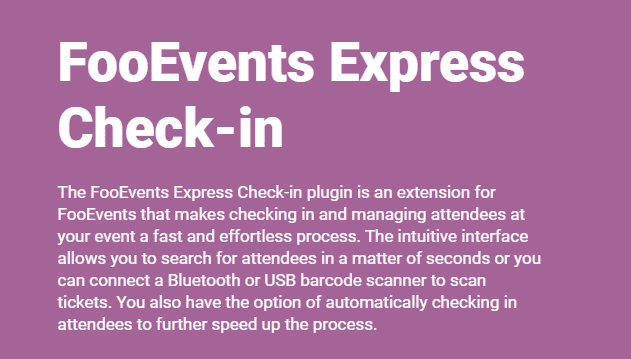
FooEvents Express Check-in is a powerful WordPress plugin extension designed to revolutionize the way event organizers manage attendee check-ins at their events. This streamlined solution integrates seamlessly with WooCommerce and the FooEvents plugin, enabling event managers to conduct rapid, efficient check-ins using mobile devices or tablets without requiring constant internet connectivity. Whether you’re hosting conferences, concerts, festivals, or any ticketed event, FooEvents Express Check-in provides the tools you need to create a smooth, professional entry experience for your attendees while maintaining complete control over your event data.
Key Features of FooEvents Express Check-in
- Offline Check-in Capability: Conduct attendee check-ins without an internet connection, with automatic synchronization once connectivity is restored, ensuring uninterrupted event operations even in areas with poor network coverage.
- Multiple Device Support: Use any smartphone, tablet, or mobile device to check in attendees, allowing you to deploy multiple check-in stations simultaneously for faster processing at busy events.
- Barcode and QR Code Scanning: Quickly scan tickets using your device’s camera to instantly validate and check in attendees, dramatically reducing queue times and improving the overall event experience.
- Real-Time Attendance Tracking: Monitor check-in statistics in real-time across all devices, giving you instant visibility into attendance numbers and helping you make informed operational decisions during your event.
- Manual Search and Check-in: Search for attendees by name or ticket number when scanning isn’t possible, providing flexibility for various check-in scenarios and ensuring no attendee is left waiting.
- Visual and Audio Feedback: Receive immediate visual and auditory confirmation for successful check-ins, invalid tickets, or duplicate scan attempts, helping staff quickly identify issues and maintain smooth operations.
- Detailed Attendee Information: View comprehensive ticket holder details during check-in including ticket type, order information, and custom fields, enabling staff to provide personalized service and handle special requests.
- Multi-Event Management: Switch between different events seamlessly within the same interface, making it ideal for venues and organizers managing multiple simultaneous or consecutive events.
Why Choose FooEvents Express Check-in?
FooEvents Express Check-in transforms the traditionally stressful event entry process into a smooth, professional operation that reflects positively on your brand and enhances attendee satisfaction. Unlike traditional check-in methods that rely on paper lists or require constant internet connectivity, this solution empowers your team with mobile flexibility and offline functionality. The ability to operate without internet access is particularly crucial for events in venues with unreliable connectivity or outdoor locations, ensuring your check-in process never grinds to a halt due to technical difficulties. This reliability alone can save your event from potentially embarrassing delays and long queues that frustrate attendees before they even enter your venue.
The efficiency gains provided by FooEvents Express Check-in directly translate to cost savings and improved attendee experience. By enabling rapid barcode scanning and supporting multiple simultaneous check-in points, you can significantly reduce staffing requirements and process attendees up to ten times faster than manual list-checking methods. This speed improvement is critical during peak arrival times when hundreds of attendees may arrive within a short window. The real-time synchronization and reporting capabilities also give you unprecedented visibility into attendance patterns, helping you optimize future events and make immediate operational adjustments such as opening additional entry lanes or allocating staff resources more effectively.
Security and fraud prevention are paramount concerns for any ticketed event, and FooEvents Express Check-in addresses these issues comprehensively. The system instantly identifies duplicate tickets, previously checked-in attendees, and invalid barcodes, alerting staff immediately with clear visual and audio signals. This automated validation eliminates the possibility of human error that comes with manual checking and prevents unauthorized entry that could compromise your event’s security or revenue. Combined with detailed logging of all check-in activities, you maintain a complete audit trail that can be invaluable for post-event analysis, dispute resolution, and planning improvements for future events.
Who Should Use FooEvents Express Check-in?
FooEvents Express Check-in is ideal for professional event organizers, conference coordinators, festival managers, venue operators, membership organizations, and anyone who sells tickets through WooCommerce and needs an efficient check-in solution. Whether you’re managing intimate workshops with dozens of attendees or large-scale festivals with thousands of ticket holders, this plugin scales to meet your needs. It’s particularly valuable for organizations running multiple events, venues hosting various activities, and any event professional who demands reliability, speed, and professional presentation at the critical first touchpoint with attendees. Additionally, businesses offering our extensive collection of WordPress Themes will appreciate how this solution integrates seamlessly with modern WordPress and WooCommerce environments.
How to Install FooEvents Express Check-in
- Download the FooEvents Express Check-in plugin file from your WPCrates account and save it to your computer, ensuring you have the latest version compatible with your WordPress installation.
- Log in to your WordPress admin dashboard and navigate to Plugins > Add New > Upload Plugin, then select the downloaded ZIP file and click “Install Now” to begin the installation process.
- After installation completes, click “Activate Plugin” to enable FooEvents Express Check-in on your website, ensuring that you have the core FooEvents plugin already installed and activated as it is required for this extension to function properly.
- Navigate to the FooEvents settings area in your WordPress dashboard and configure your Express Check-in preferences, including offline mode settings, device permissions, and check-in interface customizations to match your event requirements.
- Access the Express Check-in interface on your mobile devices by logging into your WordPress site through a mobile browser, then select your event and begin checking in attendees using barcode scanning or manual search functionality.
Frequently Asked Questions About FooEvents Express Check-in
Does FooEvents Express Check-in work without internet connection?
Yes, one of the primary advantages of FooEvents Express Check-in is its robust offline functionality. Once you’ve loaded your event data while connected to the internet, you can continue checking in attendees even when connectivity is lost. All check-in data is stored locally on your device and automatically synchronized with your WordPress database once internet connection is restored, ensuring no data is lost and all check-ins are accurately recorded.
Can I use multiple devices simultaneously for check-in?
Absolutely. FooEvents Express Check-in supports unlimited devices checking in attendees for the same event simultaneously. This multi-device capability is essential for large events where you need multiple entry points to process attendees quickly. The system synchronizes check-in data across all devices when connected to the internet, preventing duplicate check-ins and ensuring all staff members have access to the most current attendance information.
What happens if someone tries to use the same ticket twice?
FooEvents Express Check-in includes sophisticated duplicate detection that immediately identifies if a ticket has already been scanned. When a duplicate scan attempt occurs, the system provides clear visual and audio alerts to notify staff, displaying the original check-in time and preventing unauthorized re-entry. This security feature protects your event from ticket fraud and ensures accurate attendance tracking throughout your event.
Get FooEvents Express Check-in Today
Transform your event check-in process with FooEvents Express Check-in and deliver the professional, efficient experience your attendees deserve from the moment they arrive. This powerful extension eliminates the stress and uncertainty of traditional check-in methods while providing you with comprehensive control and visibility over your event operations. As part of the WPCrates marketplace, you gain access not only to this exceptional plugin but to an extensive library of premium GPL WordPress Products that can enhance every aspect of your WordPress website and event management capabilities. Don’t let slow, unreliable check-in processes undermine your events—equip your team with the tools they need to create outstanding first impressions and maintain smooth operations from start to finish.
Related Products You May Like
Here's everything you need to know about your purchase:
- 100% original files — Every product is the genuine, virus-free file, exactly as released by the original developer.
- Instant download — Access your files immediately after purchase from your account.
- Lifetime access — Re-download your purchased files anytime. No expiry, no limits.
- Free updates — Newer version released? Just request an update from us, free for all customers.
- Dedicated support — Our team is available 24/7 for installation and file-related help.
- Easy refunds — Not satisfied? Review our Refund Policy. We offer a hassle-free 7-day guarantee.
$59.00 Original price was: $59.00.$2.00Current price is: $2.00.
Version
1.8.10
Last Updated
21/1/2025
License
GPL v2
Compatibility
WordPress 5.0+
Need latest version?
Newer version released? Request an update from us — free for all customers!
Request Update →🎁 Your Purchase Includes
Overview of FooEvents Express Check-in
FooEvents Express Check-in is a powerful WordPress plugin extension designed to revolutionize the way event organizers manage attendee check-ins at their events. This streamlined solution integrates seamlessly with WooCommerce and the FooEvents plugin, enabling event managers to conduct rapid, efficient check-ins using mobile devices or tablets without requiring constant internet connectivity. Whether you’re hosting conferences, concerts, festivals, or any ticketed event, FooEvents Express Check-in provides the tools you need to create a smooth, professional entry experience for your attendees while maintaining complete control over your event data.
Key Features of FooEvents Express Check-in
- Offline Check-in Capability: Conduct attendee check-ins without an internet connection, with automatic synchronization once connectivity is restored, ensuring uninterrupted event operations even in areas with poor network coverage.
- Multiple Device Support: Use any smartphone, tablet, or mobile device to check in attendees, allowing you to deploy multiple check-in stations simultaneously for faster processing at busy events.
- Barcode and QR Code Scanning: Quickly scan tickets using your device’s camera to instantly validate and check in attendees, dramatically reducing queue times and improving the overall event experience.
- Real-Time Attendance Tracking: Monitor check-in statistics in real-time across all devices, giving you instant visibility into attendance numbers and helping you make informed operational decisions during your event.
- Manual Search and Check-in: Search for attendees by name or ticket number when scanning isn’t possible, providing flexibility for various check-in scenarios and ensuring no attendee is left waiting.
- Visual and Audio Feedback: Receive immediate visual and auditory confirmation for successful check-ins, invalid tickets, or duplicate scan attempts, helping staff quickly identify issues and maintain smooth operations.
- Detailed Attendee Information: View comprehensive ticket holder details during check-in including ticket type, order information, and custom fields, enabling staff to provide personalized service and handle special requests.
- Multi-Event Management: Switch between different events seamlessly within the same interface, making it ideal for venues and organizers managing multiple simultaneous or consecutive events.
Why Choose FooEvents Express Check-in?
FooEvents Express Check-in transforms the traditionally stressful event entry process into a smooth, professional operation that reflects positively on your brand and enhances attendee satisfaction. Unlike traditional check-in methods that rely on paper lists or require constant internet connectivity, this solution empowers your team with mobile flexibility and offline functionality. The ability to operate without internet access is particularly crucial for events in venues with unreliable connectivity or outdoor locations, ensuring your check-in process never grinds to a halt due to technical difficulties. This reliability alone can save your event from potentially embarrassing delays and long queues that frustrate attendees before they even enter your venue.
The efficiency gains provided by FooEvents Express Check-in directly translate to cost savings and improved attendee experience. By enabling rapid barcode scanning and supporting multiple simultaneous check-in points, you can significantly reduce staffing requirements and process attendees up to ten times faster than manual list-checking methods. This speed improvement is critical during peak arrival times when hundreds of attendees may arrive within a short window. The real-time synchronization and reporting capabilities also give you unprecedented visibility into attendance patterns, helping you optimize future events and make immediate operational adjustments such as opening additional entry lanes or allocating staff resources more effectively.
Security and fraud prevention are paramount concerns for any ticketed event, and FooEvents Express Check-in addresses these issues comprehensively. The system instantly identifies duplicate tickets, previously checked-in attendees, and invalid barcodes, alerting staff immediately with clear visual and audio signals. This automated validation eliminates the possibility of human error that comes with manual checking and prevents unauthorized entry that could compromise your event’s security or revenue. Combined with detailed logging of all check-in activities, you maintain a complete audit trail that can be invaluable for post-event analysis, dispute resolution, and planning improvements for future events.
Who Should Use FooEvents Express Check-in?
FooEvents Express Check-in is ideal for professional event organizers, conference coordinators, festival managers, venue operators, membership organizations, and anyone who sells tickets through WooCommerce and needs an efficient check-in solution. Whether you’re managing intimate workshops with dozens of attendees or large-scale festivals with thousands of ticket holders, this plugin scales to meet your needs. It’s particularly valuable for organizations running multiple events, venues hosting various activities, and any event professional who demands reliability, speed, and professional presentation at the critical first touchpoint with attendees. Additionally, businesses offering our extensive collection of WordPress Themes will appreciate how this solution integrates seamlessly with modern WordPress and WooCommerce environments.
How to Install FooEvents Express Check-in
- Download the FooEvents Express Check-in plugin file from your WPCrates account and save it to your computer, ensuring you have the latest version compatible with your WordPress installation.
- Log in to your WordPress admin dashboard and navigate to Plugins > Add New > Upload Plugin, then select the downloaded ZIP file and click “Install Now” to begin the installation process.
- After installation completes, click “Activate Plugin” to enable FooEvents Express Check-in on your website, ensuring that you have the core FooEvents plugin already installed and activated as it is required for this extension to function properly.
- Navigate to the FooEvents settings area in your WordPress dashboard and configure your Express Check-in preferences, including offline mode settings, device permissions, and check-in interface customizations to match your event requirements.
- Access the Express Check-in interface on your mobile devices by logging into your WordPress site through a mobile browser, then select your event and begin checking in attendees using barcode scanning or manual search functionality.
Frequently Asked Questions About FooEvents Express Check-in
Does FooEvents Express Check-in work without internet connection?
Yes, one of the primary advantages of FooEvents Express Check-in is its robust offline functionality. Once you’ve loaded your event data while connected to the internet, you can continue checking in attendees even when connectivity is lost. All check-in data is stored locally on your device and automatically synchronized with your WordPress database once internet connection is restored, ensuring no data is lost and all check-ins are accurately recorded.
Can I use multiple devices simultaneously for check-in?
Absolutely. FooEvents Express Check-in supports unlimited devices checking in attendees for the same event simultaneously. This multi-device capability is essential for large events where you need multiple entry points to process attendees quickly. The system synchronizes check-in data across all devices when connected to the internet, preventing duplicate check-ins and ensuring all staff members have access to the most current attendance information.
What happens if someone tries to use the same ticket twice?
FooEvents Express Check-in includes sophisticated duplicate detection that immediately identifies if a ticket has already been scanned. When a duplicate scan attempt occurs, the system provides clear visual and audio alerts to notify staff, displaying the original check-in time and preventing unauthorized re-entry. This security feature protects your event from ticket fraud and ensures accurate attendance tracking throughout your event.
Get FooEvents Express Check-in Today
Transform your event check-in process with FooEvents Express Check-in and deliver the professional, efficient experience your attendees deserve from the moment they arrive. This powerful extension eliminates the stress and uncertainty of traditional check-in methods while providing you with comprehensive control and visibility over your event operations. As part of the WPCrates marketplace, you gain access not only to this exceptional plugin but to an extensive library of premium GPL WordPress Products that can enhance every aspect of your WordPress website and event management capabilities. Don’t let slow, unreliable check-in processes undermine your events—equip your team with the tools they need to create outstanding first impressions and maintain smooth operations from start to finish.
Related Products You May Like
Reviews
There are no reviews yet.
Here's everything you need to know about your purchase:
- 100% original files — Every product is the genuine, virus-free file, exactly as released by the original developer.
- Instant download — Access your files immediately after purchase from your account.
- Lifetime access — Re-download your purchased files anytime. No expiry, no limits.
- Free updates — Newer version released? Just request an update from us, free for all customers.
- Dedicated support — Our team is available 24/7 for installation and file-related help.
- Easy refunds — Not satisfied? Review our Refund Policy. We offer a hassle-free 7-day guarantee.
Reviews
There are no reviews yet.