

Flexible Shipping Pro WooCommerce 4.0.15
Overview of Flexible Shipping
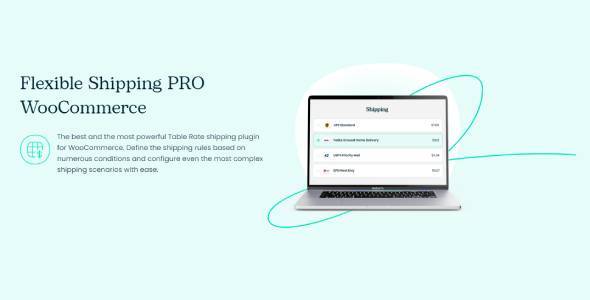
Flexible Shipping is an essential WooCommerce plugin designed to give store owners unparalleled control over their shipping rates. It empowers you to create highly customized and dynamic shipping rules based on a wide array of conditions, ensuring accurate and fair shipping costs for every order. Whether you run a small boutique or a large e-commerce operation with complex logistics, Flexible Shipping helps you manage your delivery options with precision and ease, optimizing both your operations and customer satisfaction.
Key Features of Flexible Shipping
- Conditional Shipping Methods: Define multiple shipping methods and set conditions for when each method should be available. This allows for highly specific shipping scenarios tailored to your business needs.
- Weight-Based Shipping: Easily set up shipping costs that automatically adjust based on the total weight of items in the customer’s cart, perfect for products with varying physical weights.
- Cart Total-Based Shipping: Implement shipping rates that depend on the subtotal of the items in the cart, allowing you to offer tiered shipping costs or even free shipping thresholds.
- Item Count-Based Shipping: Charge shipping based on the number of individual items in the cart, providing flexibility for stores selling multiple small items or bulk quantities.
- Location-Based Shipping Rules: Create distinct shipping zones and apply different rules and costs for specific countries, states, or even postal codes, ensuring accurate charges for diverse geographical areas.
- Shipping Class Support: Seamlessly integrate with WooCommerce shipping classes, enabling you to define unique shipping costs for specific product groups or types.
- Surcharge and Discount Options: Add extra fees or offer discounts to shipping costs based on specific conditions, providing granular control over the final shipping price.
- Free Shipping Conditions: Configure advanced rules for offering free shipping, such as minimum order value, specific products, or user roles, encouraging larger purchases and customer loyalty.
Why Choose Flexible Shipping?
Choosing Flexible Shipping means opting for complete mastery over one of the most critical aspects of your WooCommerce store: shipping. In today’s competitive e-commerce landscape, transparent and flexible shipping options are not just a convenience; they are a necessity for retaining customers and boosting conversions. This powerful plugin eliminates the guesswork and complexity often associated with setting up intricate shipping logic, allowing you to implement virtually any shipping strategy you can imagine.
With Flexible Shipping, you can significantly reduce cart abandonment by offering clear, predictable, and fair shipping costs. Customers are more likely to complete their purchases when they understand exactly what they’re paying for delivery. The plugin’s intuitive interface allows you to quickly set up rules for weight, cart total, item count, and location, providing a seamless experience for both you and your customers. This adaptability ensures that as your business grows and your shipping needs evolve, Flexible Shipping can easily scale with you, providing a future-proof solution for your store’s logistics.
Furthermore, Flexible Shipping optimizes your operational efficiency. By automating complex shipping calculations, you save valuable time and minimize errors that can arise from manual processing. This allows you to focus more on product development, marketing, and customer service, knowing that your shipping rates are handled accurately and professionally. Invest in Flexible Shipping to transform your shipping strategy from a potential headache into a powerful asset for your WooCommerce business.
Who Should Use Flexible Shipping?
Flexible Shipping is ideal for any WooCommerce store owner seeking advanced control over their shipping methods. This includes businesses that sell products with varying weights or dimensions, stores that offer tiered pricing based on order value, or those needing to implement complex shipping rules for different geographical regions. Dropshippers, online retailers with diverse product catalogs, and businesses operating internationally will find Flexible Shipping indispensable for managing their unique logistical challenges and providing a superior customer experience.
How to Install Flexible Shipping
- Download the Plugin: After purchasing, download the Flexible Shipping plugin file (a .zip archive) from your account on our website.
- Upload to WordPress: Log in to your WordPress admin dashboard, navigate to ‘Plugins’ > ‘Add New’, and then click ‘Upload Plugin’. Choose the .zip file you downloaded and click ‘Install Now’.
- Activate the Plugin: Once the installation is complete, click the ‘Activate Plugin’ button. Flexible Shipping will now be active on your WooCommerce store.
- Configure Shipping Zones: Go to ‘WooCommerce’ > ‘Settings’ > ‘Shipping’ > ‘Shipping Zones’. Add a new shipping method to your desired zone and select ‘Flexible Shipping’ from the dropdown list.
- Set Up Rules: Click on the ‘Flexible Shipping’ method to configure your specific shipping rules based on conditions like weight, cart total, item count, and more. Customize the settings to match your store’s requirements.
Frequently Asked Questions About Flexible Shipping
Is Flexible Shipping compatible with other WooCommerce extensions?
Flexible Shipping is designed to integrate seamlessly with standard WooCommerce functionalities and most well-coded WooCommerce extensions. While we strive for broad compatibility, specific interactions can sometimes vary. We recommend testing any unique plugin combinations in a staging environment first to ensure everything works as expected with Flexible Shipping.
Can I offer free shipping for specific conditions using Flexible Shipping?
Absolutely! Flexible Shipping excels at creating advanced free shipping conditions. You can set up rules to offer free shipping based on minimum order value, specific product categories, user roles, or even a combination of these factors, providing powerful incentives for your customers.
How does Flexible Shipping handle multiple rules for the same shipping zone?
Flexible Shipping allows you to define multiple rules within a single shipping method. These rules are processed in order, and the plugin can be configured to use the first matching rule, the sum of all matching rules, or the highest/lowest cost among matching rules, giving you ultimate flexibility in calculating the final shipping price.
Get Flexible Shipping Today
Revolutionize your store’s shipping strategy and enhance customer satisfaction by integrating Flexible Shipping into your WooCommerce setup. This powerful plugin offers the precision and control you need to manage shipping costs effectively, reduce cart abandonment, and streamline your operations. Explore our extensive range of WordPress Plugins and discover why GPL Universe is the trusted source for premium GPL WordPress Products. Elevate your e-commerce game with Flexible Shipping – the smart choice for smart store owners.
Related Products You May Like
Here's everything you need to know about your purchase:
- 100% original files — Every product is the genuine, virus-free file, exactly as released by the original developer.
- Instant download — Access your files immediately after purchase from your account.
- Lifetime access — Re-download your purchased files anytime. No expiry, no limits.
- Free updates — Newer version released? Just request an update from us, free for all customers.
- Dedicated support — Our team is available 24/7 for installation and file-related help.
- Easy refunds — Not satisfied? Review our Refund Policy. We offer a hassle-free 7-day guarantee.
$100.00 Original price was: $100.00.$2.00Current price is: $2.00.
Version
4.0.15
Last Updated
07/05/2026
License
GPL v2
Compatibility
WordPress 5.0+
Need latest version?
Newer version released? Request an update from us — free for all customers!
Request Update →🎁 Your Purchase Includes
Overview of Flexible Shipping
Flexible Shipping is an essential WooCommerce plugin designed to give store owners unparalleled control over their shipping rates. It empowers you to create highly customized and dynamic shipping rules based on a wide array of conditions, ensuring accurate and fair shipping costs for every order. Whether you run a small boutique or a large e-commerce operation with complex logistics, Flexible Shipping helps you manage your delivery options with precision and ease, optimizing both your operations and customer satisfaction.
Key Features of Flexible Shipping
- Conditional Shipping Methods: Define multiple shipping methods and set conditions for when each method should be available. This allows for highly specific shipping scenarios tailored to your business needs.
- Weight-Based Shipping: Easily set up shipping costs that automatically adjust based on the total weight of items in the customer’s cart, perfect for products with varying physical weights.
- Cart Total-Based Shipping: Implement shipping rates that depend on the subtotal of the items in the cart, allowing you to offer tiered shipping costs or even free shipping thresholds.
- Item Count-Based Shipping: Charge shipping based on the number of individual items in the cart, providing flexibility for stores selling multiple small items or bulk quantities.
- Location-Based Shipping Rules: Create distinct shipping zones and apply different rules and costs for specific countries, states, or even postal codes, ensuring accurate charges for diverse geographical areas.
- Shipping Class Support: Seamlessly integrate with WooCommerce shipping classes, enabling you to define unique shipping costs for specific product groups or types.
- Surcharge and Discount Options: Add extra fees or offer discounts to shipping costs based on specific conditions, providing granular control over the final shipping price.
- Free Shipping Conditions: Configure advanced rules for offering free shipping, such as minimum order value, specific products, or user roles, encouraging larger purchases and customer loyalty.
Why Choose Flexible Shipping?
Choosing Flexible Shipping means opting for complete mastery over one of the most critical aspects of your WooCommerce store: shipping. In today’s competitive e-commerce landscape, transparent and flexible shipping options are not just a convenience; they are a necessity for retaining customers and boosting conversions. This powerful plugin eliminates the guesswork and complexity often associated with setting up intricate shipping logic, allowing you to implement virtually any shipping strategy you can imagine.
With Flexible Shipping, you can significantly reduce cart abandonment by offering clear, predictable, and fair shipping costs. Customers are more likely to complete their purchases when they understand exactly what they’re paying for delivery. The plugin’s intuitive interface allows you to quickly set up rules for weight, cart total, item count, and location, providing a seamless experience for both you and your customers. This adaptability ensures that as your business grows and your shipping needs evolve, Flexible Shipping can easily scale with you, providing a future-proof solution for your store’s logistics.
Furthermore, Flexible Shipping optimizes your operational efficiency. By automating complex shipping calculations, you save valuable time and minimize errors that can arise from manual processing. This allows you to focus more on product development, marketing, and customer service, knowing that your shipping rates are handled accurately and professionally. Invest in Flexible Shipping to transform your shipping strategy from a potential headache into a powerful asset for your WooCommerce business.
Who Should Use Flexible Shipping?
Flexible Shipping is ideal for any WooCommerce store owner seeking advanced control over their shipping methods. This includes businesses that sell products with varying weights or dimensions, stores that offer tiered pricing based on order value, or those needing to implement complex shipping rules for different geographical regions. Dropshippers, online retailers with diverse product catalogs, and businesses operating internationally will find Flexible Shipping indispensable for managing their unique logistical challenges and providing a superior customer experience.
How to Install Flexible Shipping
- Download the Plugin: After purchasing, download the Flexible Shipping plugin file (a .zip archive) from your account on our website.
- Upload to WordPress: Log in to your WordPress admin dashboard, navigate to ‘Plugins’ > ‘Add New’, and then click ‘Upload Plugin’. Choose the .zip file you downloaded and click ‘Install Now’.
- Activate the Plugin: Once the installation is complete, click the ‘Activate Plugin’ button. Flexible Shipping will now be active on your WooCommerce store.
- Configure Shipping Zones: Go to ‘WooCommerce’ > ‘Settings’ > ‘Shipping’ > ‘Shipping Zones’. Add a new shipping method to your desired zone and select ‘Flexible Shipping’ from the dropdown list.
- Set Up Rules: Click on the ‘Flexible Shipping’ method to configure your specific shipping rules based on conditions like weight, cart total, item count, and more. Customize the settings to match your store’s requirements.
Frequently Asked Questions About Flexible Shipping
Is Flexible Shipping compatible with other WooCommerce extensions?
Flexible Shipping is designed to integrate seamlessly with standard WooCommerce functionalities and most well-coded WooCommerce extensions. While we strive for broad compatibility, specific interactions can sometimes vary. We recommend testing any unique plugin combinations in a staging environment first to ensure everything works as expected with Flexible Shipping.
Can I offer free shipping for specific conditions using Flexible Shipping?
Absolutely! Flexible Shipping excels at creating advanced free shipping conditions. You can set up rules to offer free shipping based on minimum order value, specific product categories, user roles, or even a combination of these factors, providing powerful incentives for your customers.
How does Flexible Shipping handle multiple rules for the same shipping zone?
Flexible Shipping allows you to define multiple rules within a single shipping method. These rules are processed in order, and the plugin can be configured to use the first matching rule, the sum of all matching rules, or the highest/lowest cost among matching rules, giving you ultimate flexibility in calculating the final shipping price.
Get Flexible Shipping Today
Revolutionize your store’s shipping strategy and enhance customer satisfaction by integrating Flexible Shipping into your WooCommerce setup. This powerful plugin offers the precision and control you need to manage shipping costs effectively, reduce cart abandonment, and streamline your operations. Explore our extensive range of WordPress Plugins and discover why GPL Universe is the trusted source for premium GPL WordPress Products. Elevate your e-commerce game with Flexible Shipping – the smart choice for smart store owners.
Related Products You May Like
Reviews
There are no reviews yet.
Here's everything you need to know about your purchase:
- 100% original files — Every product is the genuine, virus-free file, exactly as released by the original developer.
- Instant download — Access your files immediately after purchase from your account.
- Lifetime access — Re-download your purchased files anytime. No expiry, no limits.
- Free updates — Newer version released? Just request an update from us, free for all customers.
- Dedicated support — Our team is available 24/7 for installation and file-related help.
- Easy refunds — Not satisfied? Review our Refund Policy. We offer a hassle-free 7-day guarantee.
Reviews
There are no reviews yet.