

Duplicator Pro 4.6.1
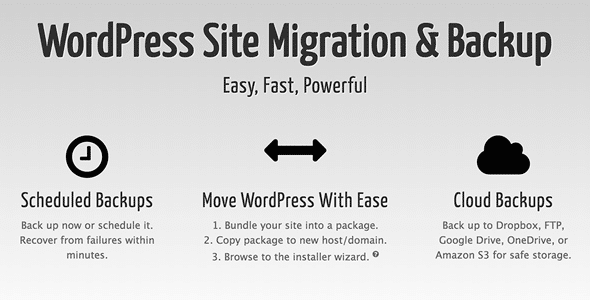
Overview of Duplicator Pro
Duplicator Pro is the ultimate solution for WordPress site migration, cloning, and backup needs. This powerful plugin empowers both beginners and seasoned developers to effortlessly move, duplicate, or back up their entire WordPress site, including all content, plugins, themes, and database. With Duplicator Pro, you can streamline your workflow, ensure data integrity, and manage your WordPress installations with unparalleled ease and confidence.
Key Features of Duplicator Pro
- Full Site Migration: Easily migrate an entire WordPress site from one host to another, between domains, or to a local development environment. Duplicator Pro handles all files, databases, and settings seamlessly.
- Scheduled Backups: Set up automated, recurring backups of your WordPress site to ensure your data is always safe. Choose from daily, weekly, or monthly schedules and store backups locally or in cloud storage.
- Cloud Storage Integration: Connect Duplicator Pro with popular cloud services like Dropbox, Google Drive, Amazon S3, and Microsoft OneDrive for secure, off-site storage of your site backups.
- Drag and Drop Install: Simplify the installation process by allowing you to easily drag and drop your archived site onto a new server. Duplicator Pro takes care of the complex setup automatically.
- Database & File Filters: Gain granular control over your backups and migrations by excluding specific files, directories, or database tables. This helps reduce backup size and speeds up processes.
- Managed Transfer & Restore: Enjoy a guided and robust process for transferring your site and restoring it with minimal effort, ensuring everything works perfectly post-migration.
- Multisite Support: Duplicator Pro fully supports WordPress Multisite networks, allowing you to migrate, back up, or clone individual subsites or an entire network with ease.
- Recovery Points: Create recovery points before making significant changes to your site, giving you a quick and easy way to revert to a previous, stable state if anything goes wrong.
Why Choose Duplicator Pro?
Choosing Duplicator Pro means investing in peace of mind and efficiency for your WordPress operations. This plugin eliminates the common headaches associated with manual site migrations, which are often time-consuming, prone to errors, and require advanced technical knowledge. With Duplicator Pro, you can confidently move your site to a new host, switch domains, or deploy a development site to production without breaking a sweat. Its intuitive interface and robust functionality make complex tasks accessible to everyone, saving you valuable time and resources.
Beyond migrations, Duplicator Pro excels as a comprehensive backup solution. Data loss can be catastrophic for any website, but with scheduled backups and cloud storage integration, your site’s data is always secure and recoverable. Imagine the relief of knowing that even if something unforeseen happens – a server crash, a malicious attack, or a user error – you have a reliable recovery point readily available. Duplicator Pro ensures business continuity and protects your hard work, allowing you to focus on growing your online presence rather than worrying about technical mishaps.
Furthermore, Duplicator Pro is designed for performance and reliability. Its advanced features, such as database and file filtering, allow you to optimize your backup and migration packages, ensuring faster processing times and more efficient storage usage. The managed transfer and restore options provide a guided experience, minimizing potential issues and ensuring a smooth transition every time. For anyone serious about managing their WordPress sites effectively, Duplicator Pro is an indispensable tool that delivers exceptional value and unparalleled control.
Who Should Use Duplicator Pro?
Duplicator Pro is ideal for WordPress developers, agencies, freelancers, and site owners who regularly need to migrate, clone, or back up their WordPress websites. It’s perfect for those looking to move sites between hosts, deploy development sites to live servers, create staging environments, or simply maintain robust disaster recovery plans. If you value efficiency, data security, and a streamlined workflow, Duplicator Pro is for you.
How to Install Duplicator Pro
- Download the Plugin: After acquiring Duplicator Pro, download the plugin zip file to your computer from your account dashboard.
- Upload to WordPress: Log in to your WordPress admin dashboard, navigate to ‘Plugins’ > ‘Add New’, and then click ‘Upload Plugin’. Choose the Duplicator Pro zip file you downloaded and click ‘Install Now’.
- Activate the Plugin: Once the installation is complete, click the ‘Activate Plugin’ button. Duplicator Pro will now be active on your WordPress site.
- Configure Settings: Go to the newly added ‘Duplicator Pro’ menu item in your WordPress dashboard. You can start by creating your first package (backup/migration) or configuring global settings like cloud storage.
- Create Your First Package: Click on ‘Packages’ and then ‘Create New’. Follow the intuitive wizard to build your first site backup or migration package with Duplicator Pro, choosing your desired options and filters.
Frequently Asked Questions About Duplicator Pro
Does Duplicator Pro support WordPress Multisite?
Yes, Duplicator Pro offers comprehensive support for WordPress Multisite networks. You can use it to migrate an entire Multisite network, clone individual subsites, or back up your entire network with ease and precision, making it a versatile tool for complex installations.
Can I schedule automatic backups with Duplicator Pro?
Absolutely! Duplicator Pro includes a powerful scheduling feature that allows you to set up automated backups. You can choose daily, weekly, or monthly schedules and specify where these backups should be stored, including various cloud storage options.
What cloud storage services does Duplicator Pro integrate with?
Duplicator Pro integrates with several popular cloud storage solutions to provide secure, off-site backup options. These include Dropbox, Google Drive, Amazon S3, and Microsoft OneDrive, giving you flexibility in how and where you store your valuable site data.
Get Duplicator Pro Today
Revolutionize your WordPress site management with Duplicator Pro. Experience seamless migrations, robust backups, and unparalleled control over your website’s data. Don’t let complex technical tasks slow you down; empower yourself with the tools to manage your WordPress projects efficiently and securely. Explore Duplicator Pro and a wide range of other premium WordPress Plugins and GPL WordPress Products to enhance your site’s functionality and performance.
Related Products You May Like
Here's everything you need to know about your purchase:
- 100% original files — Every product is the genuine, virus-free file, exactly as released by the original developer.
- Instant download — Access your files immediately after purchase from your account.
- Lifetime access — Re-download your purchased files anytime. No expiry, no limits.
- Free updates — Newer version released? Just request an update from us, free for all customers.
- Dedicated support — Our team is available 24/7 for installation and file-related help.
- Easy refunds — Not satisfied? Review our Refund Policy. We offer a hassle-free 7-day guarantee.
$100.00 Original price was: $100.00.$2.00Current price is: $2.00.
Version
4.6.1
Last Updated
11/06/2026
License
GPL v2
Compatibility
WordPress 5.0+
Need latest version?
Newer version released? Request an update from us — free for all customers!
Request Update →🎁 Your Purchase Includes
Overview of Duplicator Pro
Duplicator Pro is the ultimate solution for WordPress site migration, cloning, and backup needs. This powerful plugin empowers both beginners and seasoned developers to effortlessly move, duplicate, or back up their entire WordPress site, including all content, plugins, themes, and database. With Duplicator Pro, you can streamline your workflow, ensure data integrity, and manage your WordPress installations with unparalleled ease and confidence.
Key Features of Duplicator Pro
- Full Site Migration: Easily migrate an entire WordPress site from one host to another, between domains, or to a local development environment. Duplicator Pro handles all files, databases, and settings seamlessly.
- Scheduled Backups: Set up automated, recurring backups of your WordPress site to ensure your data is always safe. Choose from daily, weekly, or monthly schedules and store backups locally or in cloud storage.
- Cloud Storage Integration: Connect Duplicator Pro with popular cloud services like Dropbox, Google Drive, Amazon S3, and Microsoft OneDrive for secure, off-site storage of your site backups.
- Drag and Drop Install: Simplify the installation process by allowing you to easily drag and drop your archived site onto a new server. Duplicator Pro takes care of the complex setup automatically.
- Database & File Filters: Gain granular control over your backups and migrations by excluding specific files, directories, or database tables. This helps reduce backup size and speeds up processes.
- Managed Transfer & Restore: Enjoy a guided and robust process for transferring your site and restoring it with minimal effort, ensuring everything works perfectly post-migration.
- Multisite Support: Duplicator Pro fully supports WordPress Multisite networks, allowing you to migrate, back up, or clone individual subsites or an entire network with ease.
- Recovery Points: Create recovery points before making significant changes to your site, giving you a quick and easy way to revert to a previous, stable state if anything goes wrong.
Why Choose Duplicator Pro?
Choosing Duplicator Pro means investing in peace of mind and efficiency for your WordPress operations. This plugin eliminates the common headaches associated with manual site migrations, which are often time-consuming, prone to errors, and require advanced technical knowledge. With Duplicator Pro, you can confidently move your site to a new host, switch domains, or deploy a development site to production without breaking a sweat. Its intuitive interface and robust functionality make complex tasks accessible to everyone, saving you valuable time and resources.
Beyond migrations, Duplicator Pro excels as a comprehensive backup solution. Data loss can be catastrophic for any website, but with scheduled backups and cloud storage integration, your site’s data is always secure and recoverable. Imagine the relief of knowing that even if something unforeseen happens – a server crash, a malicious attack, or a user error – you have a reliable recovery point readily available. Duplicator Pro ensures business continuity and protects your hard work, allowing you to focus on growing your online presence rather than worrying about technical mishaps.
Furthermore, Duplicator Pro is designed for performance and reliability. Its advanced features, such as database and file filtering, allow you to optimize your backup and migration packages, ensuring faster processing times and more efficient storage usage. The managed transfer and restore options provide a guided experience, minimizing potential issues and ensuring a smooth transition every time. For anyone serious about managing their WordPress sites effectively, Duplicator Pro is an indispensable tool that delivers exceptional value and unparalleled control.
Who Should Use Duplicator Pro?
Duplicator Pro is ideal for WordPress developers, agencies, freelancers, and site owners who regularly need to migrate, clone, or back up their WordPress websites. It’s perfect for those looking to move sites between hosts, deploy development sites to live servers, create staging environments, or simply maintain robust disaster recovery plans. If you value efficiency, data security, and a streamlined workflow, Duplicator Pro is for you.
How to Install Duplicator Pro
- Download the Plugin: After acquiring Duplicator Pro, download the plugin zip file to your computer from your account dashboard.
- Upload to WordPress: Log in to your WordPress admin dashboard, navigate to ‘Plugins’ > ‘Add New’, and then click ‘Upload Plugin’. Choose the Duplicator Pro zip file you downloaded and click ‘Install Now’.
- Activate the Plugin: Once the installation is complete, click the ‘Activate Plugin’ button. Duplicator Pro will now be active on your WordPress site.
- Configure Settings: Go to the newly added ‘Duplicator Pro’ menu item in your WordPress dashboard. You can start by creating your first package (backup/migration) or configuring global settings like cloud storage.
- Create Your First Package: Click on ‘Packages’ and then ‘Create New’. Follow the intuitive wizard to build your first site backup or migration package with Duplicator Pro, choosing your desired options and filters.
Frequently Asked Questions About Duplicator Pro
Does Duplicator Pro support WordPress Multisite?
Yes, Duplicator Pro offers comprehensive support for WordPress Multisite networks. You can use it to migrate an entire Multisite network, clone individual subsites, or back up your entire network with ease and precision, making it a versatile tool for complex installations.
Can I schedule automatic backups with Duplicator Pro?
Absolutely! Duplicator Pro includes a powerful scheduling feature that allows you to set up automated backups. You can choose daily, weekly, or monthly schedules and specify where these backups should be stored, including various cloud storage options.
What cloud storage services does Duplicator Pro integrate with?
Duplicator Pro integrates with several popular cloud storage solutions to provide secure, off-site backup options. These include Dropbox, Google Drive, Amazon S3, and Microsoft OneDrive, giving you flexibility in how and where you store your valuable site data.
Get Duplicator Pro Today
Revolutionize your WordPress site management with Duplicator Pro. Experience seamless migrations, robust backups, and unparalleled control over your website’s data. Don’t let complex technical tasks slow you down; empower yourself with the tools to manage your WordPress projects efficiently and securely. Explore Duplicator Pro and a wide range of other premium WordPress Plugins and GPL WordPress Products to enhance your site’s functionality and performance.
Related Products You May Like
Reviews
There are no reviews yet.
Here's everything you need to know about your purchase:
- 100% original files — Every product is the genuine, virus-free file, exactly as released by the original developer.
- Instant download — Access your files immediately after purchase from your account.
- Lifetime access — Re-download your purchased files anytime. No expiry, no limits.
- Free updates — Newer version released? Just request an update from us, free for all customers.
- Dedicated support — Our team is available 24/7 for installation and file-related help.
- Easy refunds — Not satisfied? Review our Refund Policy. We offer a hassle-free 7-day guarantee.
Reviews
There are no reviews yet.