

Docly 2.3.2 – Documentation And Knowledge Base WordPress Theme with bbPress Helpdesk Forum
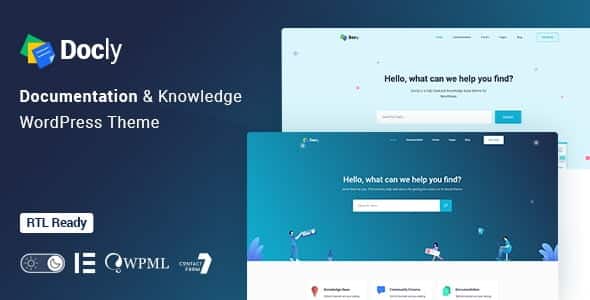
Overview of Docly
Docly is the ultimate WordPress theme meticulously crafted for building professional documentation, knowledge base, and helpdesk websites. Designed for businesses, developers, and product teams, Docly empowers you to create an intuitive and searchable repository of information, ensuring your users find answers quickly and efficiently. With Docly, you can transform complex data into easily digestible content, significantly improving user experience and reducing support load.
Key Features of Docly
- Comprehensive Documentation & Knowledge Base: Docly provides robust tools to organize, publish, and manage extensive documentation. Create hierarchical categories, articles, and solutions with rich text and media, making it simple for users to navigate and understand your offerings.
- Integrated bbPress Helpdesk Forum: Seamlessly integrate a powerful helpdesk forum using bbPress. Docly allows your users to engage with each other, post questions, and get community support, fostering a collaborative environment and offloading common queries from your direct support channels.
- Blazing Fast Live Search: Enhance user experience with Docly’s advanced live search functionality. Users can type their query and instantly see relevant results, drastically cutting down the time it takes to find the information they need.
- Intuitive Drag & Drop Page Builder (Elementor): Customize every aspect of your website effortlessly with the integrated Elementor page builder. Docly offers full compatibility, allowing you to design unique layouts and styles without writing a single line of code.
- Responsive and Retina-Ready Design: Docly ensures your documentation looks impeccable on any device, from desktops to smartphones. Its fully responsive and retina-ready design guarantees a crisp, clear, and engaging experience for all users, regardless of screen size.
- Article Feedback and Voting System: Gather valuable insights from your users with built-in article feedback and voting features. Understand which articles are most helpful and identify areas for improvement, continuously refining your knowledge base with Docly.
- One-Click Demo Import: Get your documentation site up and running in minutes with Docly’s convenient one-click demo import feature. Choose from professionally designed layouts and import all content, settings, and widgets with ease.
- Gutenberg Optimized: Docly is fully optimized for the WordPress Gutenberg editor, providing a smooth and modern content creation experience. Leverage Gutenberg blocks to build beautiful and structured articles with maximum flexibility.
Why Choose Docly?
Choosing Docly means investing in clarity, efficiency, and exceptional user support. In today’s fast-paced digital world, providing readily accessible and well-organized information is paramount for customer satisfaction and operational efficiency. Docly stands out as a premier solution because it combines powerful documentation capabilities with an integrated community helpdesk, offering a holistic approach to user support. With Docly, you can significantly reduce the burden on your support team by empowering users to self-serve, finding answers to their questions independently.
Docly isn’t just a theme; it’s a strategic asset for any business or project. Its intuitive design and robust features ensure that your knowledge base is not only comprehensive but also incredibly user-friendly. The live search functionality alone can transform the user experience, making information retrieval instantaneous. Furthermore, the integration with bbPress allows you to build a vibrant community around your products or services, where users can help each other, share insights, and engage directly with your brand. This fosters loyalty and creates a valuable resource that grows over time.
Beyond its functional prowess, Docly is built with flexibility and performance in mind. Its compatibility with Elementor empowers you to maintain complete creative control over your site’s aesthetics, ensuring it aligns perfectly with your brand identity. The responsive design guarantees a flawless experience across all devices, a non-negotiable in today’s multi-device landscape. By choosing Docly, you’re not just getting a theme; you’re acquiring a powerful platform to educate, support, and engage your audience effectively.
Who Should Use Docly?
Docly is ideal for a wide range of users and organizations. SaaS companies can use Docly to provide extensive product documentation and user guides. Software developers and agencies will find Docly perfect for documenting APIs, frameworks, and project specifications. Support teams can leverage Docly to build a comprehensive knowledge base for frequently asked questions and troubleshooting guides. Educational platforms and online courses can utilize Docly to organize learning materials and resources. Any business or individual needing to present information clearly, concisely, and interactively will benefit immensely from Docly.
How to Install Docly
- Download Docly: After obtaining Docly from our store, download the theme package to your computer.
- Upload the Theme: Log in to your WordPress admin dashboard. Navigate to ‘Appearance’ > ‘Themes’ and click ‘Add New’ at the top. Then, click ‘Upload Theme’, choose the Docly .zip file you downloaded, and click ‘Install Now’.
- Activate Docly: Once the theme is successfully installed, click the ‘Activate’ link to make Docly your active theme.
- Install Required Plugins: After activation, Docly will prompt you to install and activate a set of recommended plugins (e.g., Elementor, bbPress). Install and activate all of these to ensure full functionality.
- Import Demo Data (Optional): To get started quickly, navigate to the ‘Appearance’ > ‘Import Demo Data’ section (or similar, depending on the theme’s specific importer) and follow the instructions to import the demo content. This will set up your site with the demo layouts and content, which you can then customize.
Frequently Asked Questions About Docly
What is Docly primarily designed for?
Docly is primarily designed to create robust and user-friendly documentation and knowledge base websites. It’s perfect for organizing product guides, FAQs, tutorials, and support articles, while also integrating a helpdesk forum for community interaction.
Is Docly easy to customize for users without coding knowledge?
Absolutely! Docly offers extensive customization options thanks to its full compatibility with the Elementor page builder. This allows users to design and modify layouts, colors, fonts, and content using a simple drag-and-drop interface, without needing to write any code.
Does Docly support community forums for user interaction?
Yes, Docly comes with seamless integration for bbPress, a popular forum plugin for WordPress. This allows you to easily set up and manage a helpdesk forum where users can ask questions, provide answers, and engage with your support team and other community members.
Get Docly Today
Elevate your online presence and streamline your support system with Docly. This powerful theme provides all the tools you need to build an outstanding documentation and knowledge base site, coupled with a dynamic helpdesk forum. Don’t let your valuable information get lost; make it accessible and engaging for everyone. Explore Docly and many other premium WordPress Themes, along with a vast selection of GPL WordPress Products, to enhance your website’s capabilities. Get Docly today and empower your users with knowledge!
Related Products You May Like
Here's everything you need to know about your purchase:
- 100% original files — Every product is the genuine, virus-free file, exactly as released by the original developer.
- Instant download — Access your files immediately after purchase from your account.
- Lifetime access — Re-download your purchased files anytime. No expiry, no limits.
- Free updates — Newer version released? Just request an update from us, free for all customers.
- Dedicated support — Our team is available 24/7 for installation and file-related help.
- Easy refunds — Not satisfied? Review our Refund Policy. We offer a hassle-free 7-day guarantee.
$100.00 Original price was: $100.00.$2.00Current price is: $2.00.
Version
2.3.2
Last Updated
01/01/2026
License
GPL v2
Compatibility
WordPress 5.0+
Need latest version?
Newer version released? Request an update from us — free for all customers!
Request Update →🎁 Your Purchase Includes
Overview of Docly
Docly is the ultimate WordPress theme meticulously crafted for building professional documentation, knowledge base, and helpdesk websites. Designed for businesses, developers, and product teams, Docly empowers you to create an intuitive and searchable repository of information, ensuring your users find answers quickly and efficiently. With Docly, you can transform complex data into easily digestible content, significantly improving user experience and reducing support load.
Key Features of Docly
- Comprehensive Documentation & Knowledge Base: Docly provides robust tools to organize, publish, and manage extensive documentation. Create hierarchical categories, articles, and solutions with rich text and media, making it simple for users to navigate and understand your offerings.
- Integrated bbPress Helpdesk Forum: Seamlessly integrate a powerful helpdesk forum using bbPress. Docly allows your users to engage with each other, post questions, and get community support, fostering a collaborative environment and offloading common queries from your direct support channels.
- Blazing Fast Live Search: Enhance user experience with Docly’s advanced live search functionality. Users can type their query and instantly see relevant results, drastically cutting down the time it takes to find the information they need.
- Intuitive Drag & Drop Page Builder (Elementor): Customize every aspect of your website effortlessly with the integrated Elementor page builder. Docly offers full compatibility, allowing you to design unique layouts and styles without writing a single line of code.
- Responsive and Retina-Ready Design: Docly ensures your documentation looks impeccable on any device, from desktops to smartphones. Its fully responsive and retina-ready design guarantees a crisp, clear, and engaging experience for all users, regardless of screen size.
- Article Feedback and Voting System: Gather valuable insights from your users with built-in article feedback and voting features. Understand which articles are most helpful and identify areas for improvement, continuously refining your knowledge base with Docly.
- One-Click Demo Import: Get your documentation site up and running in minutes with Docly’s convenient one-click demo import feature. Choose from professionally designed layouts and import all content, settings, and widgets with ease.
- Gutenberg Optimized: Docly is fully optimized for the WordPress Gutenberg editor, providing a smooth and modern content creation experience. Leverage Gutenberg blocks to build beautiful and structured articles with maximum flexibility.
Why Choose Docly?
Choosing Docly means investing in clarity, efficiency, and exceptional user support. In today’s fast-paced digital world, providing readily accessible and well-organized information is paramount for customer satisfaction and operational efficiency. Docly stands out as a premier solution because it combines powerful documentation capabilities with an integrated community helpdesk, offering a holistic approach to user support. With Docly, you can significantly reduce the burden on your support team by empowering users to self-serve, finding answers to their questions independently.
Docly isn’t just a theme; it’s a strategic asset for any business or project. Its intuitive design and robust features ensure that your knowledge base is not only comprehensive but also incredibly user-friendly. The live search functionality alone can transform the user experience, making information retrieval instantaneous. Furthermore, the integration with bbPress allows you to build a vibrant community around your products or services, where users can help each other, share insights, and engage directly with your brand. This fosters loyalty and creates a valuable resource that grows over time.
Beyond its functional prowess, Docly is built with flexibility and performance in mind. Its compatibility with Elementor empowers you to maintain complete creative control over your site’s aesthetics, ensuring it aligns perfectly with your brand identity. The responsive design guarantees a flawless experience across all devices, a non-negotiable in today’s multi-device landscape. By choosing Docly, you’re not just getting a theme; you’re acquiring a powerful platform to educate, support, and engage your audience effectively.
Who Should Use Docly?
Docly is ideal for a wide range of users and organizations. SaaS companies can use Docly to provide extensive product documentation and user guides. Software developers and agencies will find Docly perfect for documenting APIs, frameworks, and project specifications. Support teams can leverage Docly to build a comprehensive knowledge base for frequently asked questions and troubleshooting guides. Educational platforms and online courses can utilize Docly to organize learning materials and resources. Any business or individual needing to present information clearly, concisely, and interactively will benefit immensely from Docly.
How to Install Docly
- Download Docly: After obtaining Docly from our store, download the theme package to your computer.
- Upload the Theme: Log in to your WordPress admin dashboard. Navigate to ‘Appearance’ > ‘Themes’ and click ‘Add New’ at the top. Then, click ‘Upload Theme’, choose the Docly .zip file you downloaded, and click ‘Install Now’.
- Activate Docly: Once the theme is successfully installed, click the ‘Activate’ link to make Docly your active theme.
- Install Required Plugins: After activation, Docly will prompt you to install and activate a set of recommended plugins (e.g., Elementor, bbPress). Install and activate all of these to ensure full functionality.
- Import Demo Data (Optional): To get started quickly, navigate to the ‘Appearance’ > ‘Import Demo Data’ section (or similar, depending on the theme’s specific importer) and follow the instructions to import the demo content. This will set up your site with the demo layouts and content, which you can then customize.
Frequently Asked Questions About Docly
What is Docly primarily designed for?
Docly is primarily designed to create robust and user-friendly documentation and knowledge base websites. It’s perfect for organizing product guides, FAQs, tutorials, and support articles, while also integrating a helpdesk forum for community interaction.
Is Docly easy to customize for users without coding knowledge?
Absolutely! Docly offers extensive customization options thanks to its full compatibility with the Elementor page builder. This allows users to design and modify layouts, colors, fonts, and content using a simple drag-and-drop interface, without needing to write any code.
Does Docly support community forums for user interaction?
Yes, Docly comes with seamless integration for bbPress, a popular forum plugin for WordPress. This allows you to easily set up and manage a helpdesk forum where users can ask questions, provide answers, and engage with your support team and other community members.
Get Docly Today
Elevate your online presence and streamline your support system with Docly. This powerful theme provides all the tools you need to build an outstanding documentation and knowledge base site, coupled with a dynamic helpdesk forum. Don’t let your valuable information get lost; make it accessible and engaging for everyone. Explore Docly and many other premium WordPress Themes, along with a vast selection of GPL WordPress Products, to enhance your website’s capabilities. Get Docly today and empower your users with knowledge!
Related Products You May Like
Reviews
There are no reviews yet.
Here's everything you need to know about your purchase:
- 100% original files — Every product is the genuine, virus-free file, exactly as released by the original developer.
- Instant download — Access your files immediately after purchase from your account.
- Lifetime access — Re-download your purchased files anytime. No expiry, no limits.
- Free updates — Newer version released? Just request an update from us, free for all customers.
- Dedicated support — Our team is available 24/7 for installation and file-related help.
- Easy refunds — Not satisfied? Review our Refund Policy. We offer a hassle-free 7-day guarantee.
Reviews
There are no reviews yet.