

Divi Toolbox 1.7.4 – Customize Divi Theme
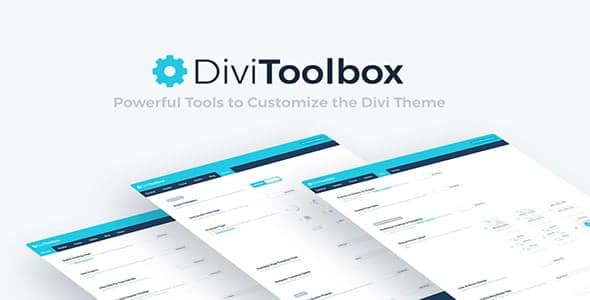
Overview of Divi Toolbox
Unlock the full potential of your Divi website with Divi Toolbox, the ultimate customization plugin designed to extend Divi’s capabilities without writing a single line of code. Divi Toolbox empowers both beginners and experienced Divi users to effortlessly tailor every aspect of their site, from subtle design tweaks to significant functional enhancements. If you’re looking to push the boundaries of what’s possible with the Divi Theme, Divi Toolbox is your essential companion.
Key Features of Divi Toolbox
- Enhanced Header & Navigation: Gain granular control over your Divi header. Customize desktop and mobile menus, add unique effects like sticky headers, and implement advanced dropdown functionalities with Divi Toolbox.
- Customizable Blog Layouts: Transform your blog pages with new layout options, pagination styles, and post meta elements. Divi Toolbox provides the tools to create a visually engaging and professional blog experience.
- Advanced Footer Builder: Go beyond Divi’s default footer options. With Divi Toolbox, you can design a truly custom footer using Divi Builder sections, complete with custom copyright texts and flexible column layouts.
- Global Design Options: Apply global design changes across your entire site for typography, buttons, and other elements, ensuring consistency and saving you countless hours. Divi Toolbox streamlines your workflow.
- WooCommerce Enhancements: Boost your online store’s appeal with specific WooCommerce customizations. Adjust product page layouts, add custom badges, and refine the shopping experience for your customers using Divi Toolbox.
- Interactive Effects & Animations: Add dynamic flair to your website with a suite of interactive effects, including scroll-based animations, hover effects, and parallax backgrounds, all managed through Divi Toolbox.
- Module & Section Utilities: Introduce new functionalities to standard Divi modules and sections. Enable custom icons, modify section separators, and add advanced styling options to your content with Divi Toolbox.
- Performance Optimizations: Divi Toolbox includes features designed to help improve your site’s loading speed and overall performance, ensuring a smooth experience for your visitors.
Why Choose Divi Toolbox?
Choosing Divi Toolbox means opting for unparalleled flexibility and control over your Divi-powered website. This powerful plugin is meticulously crafted to fill the gaps left by the default Divi theme, offering a comprehensive suite of tools that cater to every customization need. Instead of relying on multiple smaller plugins or delving into complex CSS and JavaScript, Divi Toolbox centralizes all your advanced styling and functionality options into one intuitive interface. This not only simplifies your development process but also ensures compatibility and reduces potential conflicts that can arise from stacking various solutions.
Divi Toolbox empowers you to create truly unique websites that stand out from the crowd. Whether you’re a web designer looking to deliver bespoke client projects or a business owner aiming for a distinctive online presence, Divi Toolbox provides the features to realize your vision. From refining your site’s typography and color schemes to implementing sophisticated animations and custom layouts, every aspect of your Divi site can be fine-tuned with precision. The value proposition of Divi Toolbox lies in its ability to transform a standard Divi installation into a highly personalized, high-performing digital asset.
Furthermore, the continuous development and robust support behind Divi Toolbox ensure that you’re always working with a cutting-edge tool. It’s designed to be fully compatible with the latest versions of Divi and WordPress, guaranteeing stability and access to new features as they emerge. With Divi Toolbox, you’re not just getting a plugin; you’re investing in a solution that will grow with your website, providing the flexibility and power needed to adapt to evolving design trends and user expectations.
Who Should Use Divi Toolbox?
Divi Toolbox is ideal for anyone who uses the Divi Theme and wants to take their website design and functionality to the next level. This includes web designers and agencies building custom sites for clients, small business owners looking to enhance their online presence, bloggers wanting unique layouts, and e-commerce stores aiming to optimize their shopping experience. If you desire more control, advanced features, and a streamlined workflow without coding, Divi Toolbox is designed for you.
How to Install Divi Toolbox
- Download the Plugin: After your purchase, download the Divi Toolbox plugin file (a .zip archive) from your account on our website.
- Upload to WordPress: Log in to your WordPress dashboard. Navigate to “Plugins” > “Add New” and click the “Upload Plugin” button at the top of the page.
- Choose File: Click “Choose File,” locate the Divi Toolbox .zip file you downloaded, and select it. Then, click “Install Now.”
- Activate Plugin: Once the installation is complete, WordPress will prompt you to activate the plugin. Click “Activate Plugin.”
- Configure Divi Toolbox: After activation, you’ll find a new “Divi Toolbox” menu item in your WordPress dashboard. Click on it to access the settings and begin customizing your Divi site.
Frequently Asked Questions About Divi Toolbox
Is Divi Toolbox compatible with the latest version of Divi?
Yes, Divi Toolbox is regularly updated to ensure full compatibility with the latest versions of the Divi Theme and WordPress, providing a seamless and stable customization experience for your website.
Does Divi Toolbox require any coding knowledge?
Absolutely not! Divi Toolbox is specifically designed to be user-friendly, allowing you to implement advanced customizations through intuitive options and settings panels, without needing to write a single line of code.
Can Divi Toolbox be used on multiple websites?
Our GPL products, including Divi Toolbox, come with a GPL license, meaning you can use them on an unlimited number of websites. Please refer to our licensing terms for full details.
Get Divi Toolbox Today
Ready to transform your Divi website into a truly bespoke masterpiece? Divi Toolbox offers an unparalleled suite of customization options, empowering you to create stunning, high-performing sites with ease. Elevate your design capabilities and streamline your workflow by adding Divi Toolbox to your toolkit today. Explore our extensive collection of WordPress Themes and other premium GPL WordPress Products to find everything you need for your next project.
Related Products You May Like
Here's everything you need to know about your purchase:
- 100% original files — Every product is the genuine, virus-free file, exactly as released by the original developer.
- Instant download — Access your files immediately after purchase from your account.
- Lifetime access — Re-download your purchased files anytime. No expiry, no limits.
- Free updates — Newer version released? Just request an update from us, free for all customers.
- Dedicated support — Our team is available 24/7 for installation and file-related help.
- Easy refunds — Not satisfied? Review our Refund Policy. We offer a hassle-free 7-day guarantee.
$100.00 Original price was: $100.00.$2.00Current price is: $2.00.
Version
1.7.4
Last Updated
02/11/2025
License
GPL v2
Compatibility
WordPress 5.0+
Need latest version?
Newer version released? Request an update from us — free for all customers!
Request Update →🎁 Your Purchase Includes
Overview of Divi Toolbox
Unlock the full potential of your Divi website with Divi Toolbox, the ultimate customization plugin designed to extend Divi’s capabilities without writing a single line of code. Divi Toolbox empowers both beginners and experienced Divi users to effortlessly tailor every aspect of their site, from subtle design tweaks to significant functional enhancements. If you’re looking to push the boundaries of what’s possible with the Divi Theme, Divi Toolbox is your essential companion.
Key Features of Divi Toolbox
- Enhanced Header & Navigation: Gain granular control over your Divi header. Customize desktop and mobile menus, add unique effects like sticky headers, and implement advanced dropdown functionalities with Divi Toolbox.
- Customizable Blog Layouts: Transform your blog pages with new layout options, pagination styles, and post meta elements. Divi Toolbox provides the tools to create a visually engaging and professional blog experience.
- Advanced Footer Builder: Go beyond Divi’s default footer options. With Divi Toolbox, you can design a truly custom footer using Divi Builder sections, complete with custom copyright texts and flexible column layouts.
- Global Design Options: Apply global design changes across your entire site for typography, buttons, and other elements, ensuring consistency and saving you countless hours. Divi Toolbox streamlines your workflow.
- WooCommerce Enhancements: Boost your online store’s appeal with specific WooCommerce customizations. Adjust product page layouts, add custom badges, and refine the shopping experience for your customers using Divi Toolbox.
- Interactive Effects & Animations: Add dynamic flair to your website with a suite of interactive effects, including scroll-based animations, hover effects, and parallax backgrounds, all managed through Divi Toolbox.
- Module & Section Utilities: Introduce new functionalities to standard Divi modules and sections. Enable custom icons, modify section separators, and add advanced styling options to your content with Divi Toolbox.
- Performance Optimizations: Divi Toolbox includes features designed to help improve your site’s loading speed and overall performance, ensuring a smooth experience for your visitors.
Why Choose Divi Toolbox?
Choosing Divi Toolbox means opting for unparalleled flexibility and control over your Divi-powered website. This powerful plugin is meticulously crafted to fill the gaps left by the default Divi theme, offering a comprehensive suite of tools that cater to every customization need. Instead of relying on multiple smaller plugins or delving into complex CSS and JavaScript, Divi Toolbox centralizes all your advanced styling and functionality options into one intuitive interface. This not only simplifies your development process but also ensures compatibility and reduces potential conflicts that can arise from stacking various solutions.
Divi Toolbox empowers you to create truly unique websites that stand out from the crowd. Whether you’re a web designer looking to deliver bespoke client projects or a business owner aiming for a distinctive online presence, Divi Toolbox provides the features to realize your vision. From refining your site’s typography and color schemes to implementing sophisticated animations and custom layouts, every aspect of your Divi site can be fine-tuned with precision. The value proposition of Divi Toolbox lies in its ability to transform a standard Divi installation into a highly personalized, high-performing digital asset.
Furthermore, the continuous development and robust support behind Divi Toolbox ensure that you’re always working with a cutting-edge tool. It’s designed to be fully compatible with the latest versions of Divi and WordPress, guaranteeing stability and access to new features as they emerge. With Divi Toolbox, you’re not just getting a plugin; you’re investing in a solution that will grow with your website, providing the flexibility and power needed to adapt to evolving design trends and user expectations.
Who Should Use Divi Toolbox?
Divi Toolbox is ideal for anyone who uses the Divi Theme and wants to take their website design and functionality to the next level. This includes web designers and agencies building custom sites for clients, small business owners looking to enhance their online presence, bloggers wanting unique layouts, and e-commerce stores aiming to optimize their shopping experience. If you desire more control, advanced features, and a streamlined workflow without coding, Divi Toolbox is designed for you.
How to Install Divi Toolbox
- Download the Plugin: After your purchase, download the Divi Toolbox plugin file (a .zip archive) from your account on our website.
- Upload to WordPress: Log in to your WordPress dashboard. Navigate to “Plugins” > “Add New” and click the “Upload Plugin” button at the top of the page.
- Choose File: Click “Choose File,” locate the Divi Toolbox .zip file you downloaded, and select it. Then, click “Install Now.”
- Activate Plugin: Once the installation is complete, WordPress will prompt you to activate the plugin. Click “Activate Plugin.”
- Configure Divi Toolbox: After activation, you’ll find a new “Divi Toolbox” menu item in your WordPress dashboard. Click on it to access the settings and begin customizing your Divi site.
Frequently Asked Questions About Divi Toolbox
Is Divi Toolbox compatible with the latest version of Divi?
Yes, Divi Toolbox is regularly updated to ensure full compatibility with the latest versions of the Divi Theme and WordPress, providing a seamless and stable customization experience for your website.
Does Divi Toolbox require any coding knowledge?
Absolutely not! Divi Toolbox is specifically designed to be user-friendly, allowing you to implement advanced customizations through intuitive options and settings panels, without needing to write a single line of code.
Can Divi Toolbox be used on multiple websites?
Our GPL products, including Divi Toolbox, come with a GPL license, meaning you can use them on an unlimited number of websites. Please refer to our licensing terms for full details.
Get Divi Toolbox Today
Ready to transform your Divi website into a truly bespoke masterpiece? Divi Toolbox offers an unparalleled suite of customization options, empowering you to create stunning, high-performing sites with ease. Elevate your design capabilities and streamline your workflow by adding Divi Toolbox to your toolkit today. Explore our extensive collection of WordPress Themes and other premium GPL WordPress Products to find everything you need for your next project.
Related Products You May Like
Reviews
There are no reviews yet.
Here's everything you need to know about your purchase:
- 100% original files — Every product is the genuine, virus-free file, exactly as released by the original developer.
- Instant download — Access your files immediately after purchase from your account.
- Lifetime access — Re-download your purchased files anytime. No expiry, no limits.
- Free updates — Newer version released? Just request an update from us, free for all customers.
- Dedicated support — Our team is available 24/7 for installation and file-related help.
- Easy refunds — Not satisfied? Review our Refund Policy. We offer a hassle-free 7-day guarantee.
Reviews
There are no reviews yet.