

Divi Pixel 2.47.0 – Powerful Tools for Divi Pros
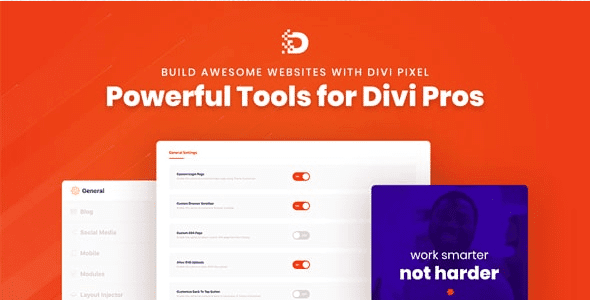
Overview of Divi Pixel
Divi Pixel is an essential toolkit designed to supercharge your Divi website building experience. This powerful plugin introduces a wealth of new modules, extensions, and customization options, empowering designers and developers to create stunning, highly functional Divi sites with unprecedented ease and flexibility. Whether you’re a seasoned Divi professional or looking to elevate your design game, Divi Pixel provides the advanced features you need to stand out.
Key Features of Divi Pixel
- Extensive Module Library: Divi Pixel expands your design possibilities with over 30 custom modules, including advanced carousels, stylish buttons, sophisticated accordions, and dynamic content displays, allowing for truly unique layouts beyond Divi’s default offerings.
- Powerful Global Options: Take control of your site’s aesthetics with global styling options for typography, colors, animations, and more. Divi Pixel enables consistent branding and design across your entire website from a centralized panel.
- Advanced Blog & Post Layouts: Transform your blog with Divi Pixel’s dedicated modules for post grids, lists, and carousels. Showcase your content beautifully with custom meta information, pagination styles, and unique hover effects.
- Enhanced WooCommerce Integration: Boost your online store with specialized WooCommerce modules. Divi Pixel offers custom product grids, add-to-cart buttons, and checkout page enhancements to create a seamless and attractive shopping experience.
- Customizable Header & Footer Builder: Go beyond Divi’s theme builder with Divi Pixel’s header and footer options. Design sticky headers, transparent headers, and custom footers with advanced styling and module integration for a polished look.
- Interactive Effects & Animations: Add a layer of engagement to your site with a range of interactive effects. From scroll animations and hover effects to particle backgrounds and custom cursors, Divi Pixel helps bring your designs to life.
- Performance Optimization Tools: Divi Pixel is built with performance in mind. It includes features like lazy loading, selective module loading, and optimized asset delivery to ensure your Divi site remains fast and responsive, providing an excellent user experience.
- SVG & Icon Library Integration: Access a vast library of SVG icons and seamlessly integrate them into your designs. Divi Pixel makes it easy to add scalable, high-quality graphics without compromising performance.
Why Choose Divi Pixel?
Choosing Divi Pixel means unlocking the full potential of your Divi website. This robust plugin isn’t just an add-on; it’s a comprehensive suite of tools that fundamentally enhances the Divi builder, providing you with capabilities that would otherwise require multiple plugins or extensive custom coding. With Divi Pixel, you gain access to an unparalleled level of design freedom, allowing you to craft professional, visually striking, and highly functional websites that truly stand out in a crowded digital landscape. Its intuitive interface ensures that even complex design ideas can be implemented quickly and efficiently, saving you valuable development time.
Divi Pixel is more than just extra modules; it’s about empowering you to build better. The attention to detail in its features, from advanced animations to global styling controls, ensures that every element of your site can be perfected. Whether you’re aiming for a sleek corporate site, a dynamic e-commerce platform, or an engaging portfolio, Divi Pixel provides the precision and flexibility needed to achieve your vision. Furthermore, its commitment to performance optimization ensures that your beautifully designed site remains fast and user-friendly, a critical factor for SEO and visitor retention. Investing in Divi Pixel is an investment in efficiency, creativity, and the overall quality of your Divi projects.
Who Should Use Divi Pixel?
Divi Pixel is ideal for anyone working with the Divi theme who wants to push beyond its default capabilities. This includes professional web designers and agencies looking to offer more unique and sophisticated solutions to clients, freelancers aiming to streamline their workflow and deliver higher-quality projects, and even advanced DIY website owners who desire greater control and customization options for their personal or business sites. If you’re passionate about Divi and want to unlock its full potential for stunning design and enhanced functionality, Divi Pixel is for you.
How to Install Divi Pixel
- First, ensure you have the Divi Theme installed and activated on your WordPress website.
- Download the Divi Pixel plugin file (a .zip archive) from our store after purchase.
- Log in to your WordPress dashboard and navigate to ‘Plugins’ > ‘Add New’.
- Click on the ‘Upload Plugin’ button at the top of the page, then choose the downloaded Divi Pixel .zip file and click ‘Install Now’.
- Once the installation is complete, click ‘Activate Plugin’. You will then see a new ‘Divi Pixel’ menu item in your WordPress dashboard, ready for configuration.
Frequently Asked Questions About Divi Pixel
Is Divi Pixel compatible with the latest version of Divi?
Yes, Divi Pixel is regularly updated to ensure full compatibility with the latest versions of the Divi Theme and WordPress, providing a seamless and stable experience for our users.
Can I disable specific modules in Divi Pixel if I don’t need them?
Absolutely. Divi Pixel includes a feature that allows you to selectively enable or disable individual modules, ensuring that only the components you use are loaded, which helps maintain optimal website performance.
Does Divi Pixel offer customer support?
While we provide the Divi Pixel plugin as a GPL product for flexibility and affordability, direct developer support is not included. However, you can often find extensive documentation and community resources online for Divi Pixel to assist with common queries.
Get Divi Pixel Today
Elevate your Divi website to new heights with the unparalleled power and flexibility of Divi Pixel. Stop settling for ordinary and start building extraordinary designs that capture attention and drive engagement. Explore the possibilities and enhance your toolkit with this essential plugin. Dive into our extensive collection of WordPress Plugins and discover other valuable GPL WordPress Products to further empower your web development journey.
Related Products You May Like
Here's everything you need to know about your purchase:
- 100% original files — Every product is the genuine, virus-free file, exactly as released by the original developer.
- Instant download — Access your files immediately after purchase from your account.
- Lifetime access — Re-download your purchased files anytime. No expiry, no limits.
- Free updates — Newer version released? Just request an update from us, free for all customers.
- Dedicated support — Our team is available 24/7 for installation and file-related help.
- Easy refunds — Not satisfied? Review our Refund Policy. We offer a hassle-free 7-day guarantee.
$100.00 Original price was: $100.00.$2.00Current price is: $2.00.
Version
2.47.0
Last Updated
22/02/2026
License
GPL v2
Compatibility
WordPress 5.0+
Need latest version?
Newer version released? Request an update from us — free for all customers!
Request Update →🎁 Your Purchase Includes
Overview of Divi Pixel
Divi Pixel is an essential toolkit designed to supercharge your Divi website building experience. This powerful plugin introduces a wealth of new modules, extensions, and customization options, empowering designers and developers to create stunning, highly functional Divi sites with unprecedented ease and flexibility. Whether you’re a seasoned Divi professional or looking to elevate your design game, Divi Pixel provides the advanced features you need to stand out.
Key Features of Divi Pixel
- Extensive Module Library: Divi Pixel expands your design possibilities with over 30 custom modules, including advanced carousels, stylish buttons, sophisticated accordions, and dynamic content displays, allowing for truly unique layouts beyond Divi’s default offerings.
- Powerful Global Options: Take control of your site’s aesthetics with global styling options for typography, colors, animations, and more. Divi Pixel enables consistent branding and design across your entire website from a centralized panel.
- Advanced Blog & Post Layouts: Transform your blog with Divi Pixel’s dedicated modules for post grids, lists, and carousels. Showcase your content beautifully with custom meta information, pagination styles, and unique hover effects.
- Enhanced WooCommerce Integration: Boost your online store with specialized WooCommerce modules. Divi Pixel offers custom product grids, add-to-cart buttons, and checkout page enhancements to create a seamless and attractive shopping experience.
- Customizable Header & Footer Builder: Go beyond Divi’s theme builder with Divi Pixel’s header and footer options. Design sticky headers, transparent headers, and custom footers with advanced styling and module integration for a polished look.
- Interactive Effects & Animations: Add a layer of engagement to your site with a range of interactive effects. From scroll animations and hover effects to particle backgrounds and custom cursors, Divi Pixel helps bring your designs to life.
- Performance Optimization Tools: Divi Pixel is built with performance in mind. It includes features like lazy loading, selective module loading, and optimized asset delivery to ensure your Divi site remains fast and responsive, providing an excellent user experience.
- SVG & Icon Library Integration: Access a vast library of SVG icons and seamlessly integrate them into your designs. Divi Pixel makes it easy to add scalable, high-quality graphics without compromising performance.
Why Choose Divi Pixel?
Choosing Divi Pixel means unlocking the full potential of your Divi website. This robust plugin isn’t just an add-on; it’s a comprehensive suite of tools that fundamentally enhances the Divi builder, providing you with capabilities that would otherwise require multiple plugins or extensive custom coding. With Divi Pixel, you gain access to an unparalleled level of design freedom, allowing you to craft professional, visually striking, and highly functional websites that truly stand out in a crowded digital landscape. Its intuitive interface ensures that even complex design ideas can be implemented quickly and efficiently, saving you valuable development time.
Divi Pixel is more than just extra modules; it’s about empowering you to build better. The attention to detail in its features, from advanced animations to global styling controls, ensures that every element of your site can be perfected. Whether you’re aiming for a sleek corporate site, a dynamic e-commerce platform, or an engaging portfolio, Divi Pixel provides the precision and flexibility needed to achieve your vision. Furthermore, its commitment to performance optimization ensures that your beautifully designed site remains fast and user-friendly, a critical factor for SEO and visitor retention. Investing in Divi Pixel is an investment in efficiency, creativity, and the overall quality of your Divi projects.
Who Should Use Divi Pixel?
Divi Pixel is ideal for anyone working with the Divi theme who wants to push beyond its default capabilities. This includes professional web designers and agencies looking to offer more unique and sophisticated solutions to clients, freelancers aiming to streamline their workflow and deliver higher-quality projects, and even advanced DIY website owners who desire greater control and customization options for their personal or business sites. If you’re passionate about Divi and want to unlock its full potential for stunning design and enhanced functionality, Divi Pixel is for you.
How to Install Divi Pixel
- First, ensure you have the Divi Theme installed and activated on your WordPress website.
- Download the Divi Pixel plugin file (a .zip archive) from our store after purchase.
- Log in to your WordPress dashboard and navigate to ‘Plugins’ > ‘Add New’.
- Click on the ‘Upload Plugin’ button at the top of the page, then choose the downloaded Divi Pixel .zip file and click ‘Install Now’.
- Once the installation is complete, click ‘Activate Plugin’. You will then see a new ‘Divi Pixel’ menu item in your WordPress dashboard, ready for configuration.
Frequently Asked Questions About Divi Pixel
Is Divi Pixel compatible with the latest version of Divi?
Yes, Divi Pixel is regularly updated to ensure full compatibility with the latest versions of the Divi Theme and WordPress, providing a seamless and stable experience for our users.
Can I disable specific modules in Divi Pixel if I don’t need them?
Absolutely. Divi Pixel includes a feature that allows you to selectively enable or disable individual modules, ensuring that only the components you use are loaded, which helps maintain optimal website performance.
Does Divi Pixel offer customer support?
While we provide the Divi Pixel plugin as a GPL product for flexibility and affordability, direct developer support is not included. However, you can often find extensive documentation and community resources online for Divi Pixel to assist with common queries.
Get Divi Pixel Today
Elevate your Divi website to new heights with the unparalleled power and flexibility of Divi Pixel. Stop settling for ordinary and start building extraordinary designs that capture attention and drive engagement. Explore the possibilities and enhance your toolkit with this essential plugin. Dive into our extensive collection of WordPress Plugins and discover other valuable GPL WordPress Products to further empower your web development journey.
Related Products You May Like
Reviews
There are no reviews yet.
Here's everything you need to know about your purchase:
- 100% original files — Every product is the genuine, virus-free file, exactly as released by the original developer.
- Instant download — Access your files immediately after purchase from your account.
- Lifetime access — Re-download your purchased files anytime. No expiry, no limits.
- Free updates — Newer version released? Just request an update from us, free for all customers.
- Dedicated support — Our team is available 24/7 for installation and file-related help.
- Easy refunds — Not satisfied? Review our Refund Policy. We offer a hassle-free 7-day guarantee.
Reviews
There are no reviews yet.