

Divi Overlays 2.9.7.2
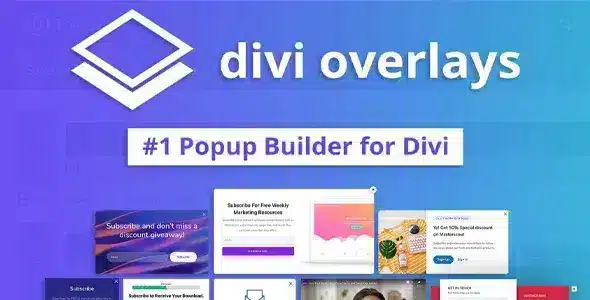
Overview of Divi Overlays
Transform your Divi website with dynamic and engaging content using Divi Overlays. This powerful plugin empowers you to create stunning full-screen overlays, modals, and pop-ups with the ease and flexibility of the Divi Builder. Divi Overlays is the ultimate solution for anyone looking to capture visitor attention, promote special offers, build email lists, or display crucial information in an impactful and non-intrusive way.
Key Features of Divi Overlays
- Full Divi Builder Integration: Design your overlays just like any other Divi page or section. Leverage all Divi modules, rows, and sections to create rich, custom content for your pop-ups. Divi Overlays truly extends the power of your favorite page builder.
- Flexible Trigger Options: Engage your audience at precisely the right moment. Divi Overlays offers a wide array of triggers, including on-page load, on-click, on-scroll, exit intent, after inactivity, and even custom triggers for maximum control.
- Multiple Display Types: Choose between various display formats such as full-screen overlays, traditional pop-ups, slide-in modals, and elegant bottom bars. Each type offers unique ways to present your content without disrupting the user experience.
- Advanced Targeting Conditions: Pinpoint your audience with precision. Display Divi Overlays based on specific pages, posts, categories, user roles, device types, and even referral sources, ensuring your message reaches the most relevant visitors.
- Customizable Close Options: Provide a seamless user experience with multiple ways to close overlays. Allow users to close with an “X” button, by clicking outside the overlay, by pressing the ESC key, or automatically after a set time.
- Animation and Transition Effects: Add flair and professionalism to your Divi Overlays with a selection of entrance and exit animations. Create smooth transitions that enhance the visual appeal and modern feel of your website.
- Cookie-Based Display Control: Prevent over-saturation and annoyance by setting cookies to control how often visitors see your Divi Overlays. Display once per session, once per day, or after a specific number of views.
- WooCommerce Integration: Seamlessly integrate Divi Overlays into your e-commerce store. Use them to promote sales, offer coupon codes, or capture abandoned carts, driving conversions and boosting your revenue.
Why Choose Divi Overlays?
Divi Overlays stands out as an indispensable tool for any Divi website owner aiming to elevate their user engagement and conversion rates. Its deep integration with the Divi Builder means you don’t need to learn a new interface or coding language; you can simply use the tools you already know and love to craft stunning, high-converting pop-ups and modals. This not only saves you time but also ensures consistency in design with the rest of your Divi site. Whether you’re a marketer, a blogger, or an e-commerce store owner, Divi Overlays provides the flexibility and power to implement sophisticated marketing strategies with ease.
The value of Divi Overlays extends beyond just aesthetics; it’s a strategic asset for growth. By offering precise control over when and where your messages appear, you can create highly targeted campaigns that resonate with specific segments of your audience. Imagine welcoming first-time visitors with a special discount, prompting returning customers with a loyalty offer, or capturing leads with a compelling opt-in form as they consider leaving your site. Divi Overlays makes these advanced tactics accessible, helping you optimize every touchpoint of the customer journey and achieve your website goals more effectively.
Furthermore, choosing Divi Overlays from our store means you’re investing in a trusted solution that enhances your site’s functionality without compromise. Our GPL WordPress Products ensure you get access to premium tools that are regularly updated, providing you with the latest features and security enhancements. Divi Overlays is robust, lightweight, and designed to perform efficiently, ensuring your website remains fast and responsive while delivering dynamic content.
Who Should Use Divi Overlays?
Divi Overlays is perfect for a wide range of Divi users. Bloggers can use it to grow their email lists or highlight popular content. E-commerce stores can leverage it for sales promotions, coupon codes, and exit-intent offers to reduce cart abandonment. Marketers and agencies will find it invaluable for lead generation, A/B testing different calls-to-action, and creating targeted campaigns for clients. Any business or individual looking to improve user engagement, capture leads, or convey important messages to their website visitors in an attractive and effective manner will benefit immensely from Divi Overlays.
How to Install Divi Overlays
Installing Divi Overlays is a straightforward process:
- Download the Plugin: After acquiring Divi Overlays, download the plugin zip file to your computer.
- Upload to WordPress: Log in to your WordPress dashboard. Navigate to ‘Plugins’ > ‘Add New’ and then click the ‘Upload Plugin’ button at the top of the page.
- Choose File: Click ‘Choose File’, select the Divi Overlays zip file you downloaded, and then click ‘Install Now’.
- Activate Plugin: Once the installation is complete, click the ‘Activate Plugin’ button. Divi Overlays will now be active on your website.
- Start Building: You will find the new ‘Divi Overlays’ menu item in your WordPress dashboard, ready for you to start creating your first overlay!
Frequently Asked Questions About Divi Overlays
Can I use Divi Overlays with any Divi theme?
Yes, Divi Overlays is designed to work seamlessly with the Divi Theme by Elegant Themes and any child theme built upon it. Its integration is deep, ensuring full compatibility with the Divi Builder’s functionalities and design options, allowing you to create beautiful pop-ups that match your site’s aesthetic.
Does Divi Overlays impact website loading speed?
Divi Overlays is built with performance in mind. While any additional plugin adds a minimal load, Divi Overlays is optimized to be lightweight and efficient. Overlays are typically loaded only when triggered, minimizing their impact on initial page load times. You can further optimize by keeping your overlay content concise.
Can I create multiple Divi Overlays for different purposes?
Absolutely! Divi Overlays allows you to create an unlimited number of unique overlays. Each overlay can have its own distinct content, design, trigger conditions, and display settings, enabling you to run multiple targeted campaigns simultaneously across your website.
Get Divi Overlays Today
Enhance your Divi website’s interactivity and conversion potential with Divi Overlays. This essential plugin provides all the tools you need to create engaging pop-ups, modals, and full-screen overlays that capture attention and drive action. Don’t miss out on the opportunity to transform your site’s user experience and achieve your marketing goals. Explore Divi Overlays and other premium WordPress Plugins available at our store, and discover the full range of GPL WordPress Products to empower your online presence today!
Related Products You May Like
Here's everything you need to know about your purchase:
- 100% original files — Every product is the genuine, virus-free file, exactly as released by the original developer.
- Instant download — Access your files immediately after purchase from your account.
- Lifetime access — Re-download your purchased files anytime. No expiry, no limits.
- Free updates — Newer version released? Just request an update from us, free for all customers.
- Dedicated support — Our team is available 24/7 for installation and file-related help.
- Easy refunds — Not satisfied? Review our Refund Policy. We offer a hassle-free 7-day guarantee.
$100.00 Original price was: $100.00.$2.00Current price is: $2.00.
Version
2.9.7.2
Last Updated
20/04/2026
License
GPL v2
Compatibility
WordPress 5.0+
Need latest version?
Newer version released? Request an update from us — free for all customers!
Request Update →🎁 Your Purchase Includes
Overview of Divi Overlays
Transform your Divi website with dynamic and engaging content using Divi Overlays. This powerful plugin empowers you to create stunning full-screen overlays, modals, and pop-ups with the ease and flexibility of the Divi Builder. Divi Overlays is the ultimate solution for anyone looking to capture visitor attention, promote special offers, build email lists, or display crucial information in an impactful and non-intrusive way.
Key Features of Divi Overlays
- Full Divi Builder Integration: Design your overlays just like any other Divi page or section. Leverage all Divi modules, rows, and sections to create rich, custom content for your pop-ups. Divi Overlays truly extends the power of your favorite page builder.
- Flexible Trigger Options: Engage your audience at precisely the right moment. Divi Overlays offers a wide array of triggers, including on-page load, on-click, on-scroll, exit intent, after inactivity, and even custom triggers for maximum control.
- Multiple Display Types: Choose between various display formats such as full-screen overlays, traditional pop-ups, slide-in modals, and elegant bottom bars. Each type offers unique ways to present your content without disrupting the user experience.
- Advanced Targeting Conditions: Pinpoint your audience with precision. Display Divi Overlays based on specific pages, posts, categories, user roles, device types, and even referral sources, ensuring your message reaches the most relevant visitors.
- Customizable Close Options: Provide a seamless user experience with multiple ways to close overlays. Allow users to close with an “X” button, by clicking outside the overlay, by pressing the ESC key, or automatically after a set time.
- Animation and Transition Effects: Add flair and professionalism to your Divi Overlays with a selection of entrance and exit animations. Create smooth transitions that enhance the visual appeal and modern feel of your website.
- Cookie-Based Display Control: Prevent over-saturation and annoyance by setting cookies to control how often visitors see your Divi Overlays. Display once per session, once per day, or after a specific number of views.
- WooCommerce Integration: Seamlessly integrate Divi Overlays into your e-commerce store. Use them to promote sales, offer coupon codes, or capture abandoned carts, driving conversions and boosting your revenue.
Why Choose Divi Overlays?
Divi Overlays stands out as an indispensable tool for any Divi website owner aiming to elevate their user engagement and conversion rates. Its deep integration with the Divi Builder means you don’t need to learn a new interface or coding language; you can simply use the tools you already know and love to craft stunning, high-converting pop-ups and modals. This not only saves you time but also ensures consistency in design with the rest of your Divi site. Whether you’re a marketer, a blogger, or an e-commerce store owner, Divi Overlays provides the flexibility and power to implement sophisticated marketing strategies with ease.
The value of Divi Overlays extends beyond just aesthetics; it’s a strategic asset for growth. By offering precise control over when and where your messages appear, you can create highly targeted campaigns that resonate with specific segments of your audience. Imagine welcoming first-time visitors with a special discount, prompting returning customers with a loyalty offer, or capturing leads with a compelling opt-in form as they consider leaving your site. Divi Overlays makes these advanced tactics accessible, helping you optimize every touchpoint of the customer journey and achieve your website goals more effectively.
Furthermore, choosing Divi Overlays from our store means you’re investing in a trusted solution that enhances your site’s functionality without compromise. Our GPL WordPress Products ensure you get access to premium tools that are regularly updated, providing you with the latest features and security enhancements. Divi Overlays is robust, lightweight, and designed to perform efficiently, ensuring your website remains fast and responsive while delivering dynamic content.
Who Should Use Divi Overlays?
Divi Overlays is perfect for a wide range of Divi users. Bloggers can use it to grow their email lists or highlight popular content. E-commerce stores can leverage it for sales promotions, coupon codes, and exit-intent offers to reduce cart abandonment. Marketers and agencies will find it invaluable for lead generation, A/B testing different calls-to-action, and creating targeted campaigns for clients. Any business or individual looking to improve user engagement, capture leads, or convey important messages to their website visitors in an attractive and effective manner will benefit immensely from Divi Overlays.
How to Install Divi Overlays
Installing Divi Overlays is a straightforward process:
- Download the Plugin: After acquiring Divi Overlays, download the plugin zip file to your computer.
- Upload to WordPress: Log in to your WordPress dashboard. Navigate to ‘Plugins’ > ‘Add New’ and then click the ‘Upload Plugin’ button at the top of the page.
- Choose File: Click ‘Choose File’, select the Divi Overlays zip file you downloaded, and then click ‘Install Now’.
- Activate Plugin: Once the installation is complete, click the ‘Activate Plugin’ button. Divi Overlays will now be active on your website.
- Start Building: You will find the new ‘Divi Overlays’ menu item in your WordPress dashboard, ready for you to start creating your first overlay!
Frequently Asked Questions About Divi Overlays
Can I use Divi Overlays with any Divi theme?
Yes, Divi Overlays is designed to work seamlessly with the Divi Theme by Elegant Themes and any child theme built upon it. Its integration is deep, ensuring full compatibility with the Divi Builder’s functionalities and design options, allowing you to create beautiful pop-ups that match your site’s aesthetic.
Does Divi Overlays impact website loading speed?
Divi Overlays is built with performance in mind. While any additional plugin adds a minimal load, Divi Overlays is optimized to be lightweight and efficient. Overlays are typically loaded only when triggered, minimizing their impact on initial page load times. You can further optimize by keeping your overlay content concise.
Can I create multiple Divi Overlays for different purposes?
Absolutely! Divi Overlays allows you to create an unlimited number of unique overlays. Each overlay can have its own distinct content, design, trigger conditions, and display settings, enabling you to run multiple targeted campaigns simultaneously across your website.
Get Divi Overlays Today
Enhance your Divi website’s interactivity and conversion potential with Divi Overlays. This essential plugin provides all the tools you need to create engaging pop-ups, modals, and full-screen overlays that capture attention and drive action. Don’t miss out on the opportunity to transform your site’s user experience and achieve your marketing goals. Explore Divi Overlays and other premium WordPress Plugins available at our store, and discover the full range of GPL WordPress Products to empower your online presence today!
Related Products You May Like
Reviews
There are no reviews yet.
Here's everything you need to know about your purchase:
- 100% original files — Every product is the genuine, virus-free file, exactly as released by the original developer.
- Instant download — Access your files immediately after purchase from your account.
- Lifetime access — Re-download your purchased files anytime. No expiry, no limits.
- Free updates — Newer version released? Just request an update from us, free for all customers.
- Dedicated support — Our team is available 24/7 for installation and file-related help.
- Easy refunds — Not satisfied? Review our Refund Policy. We offer a hassle-free 7-day guarantee.
Reviews
There are no reviews yet.