

Divi Ghoster 5.0.58
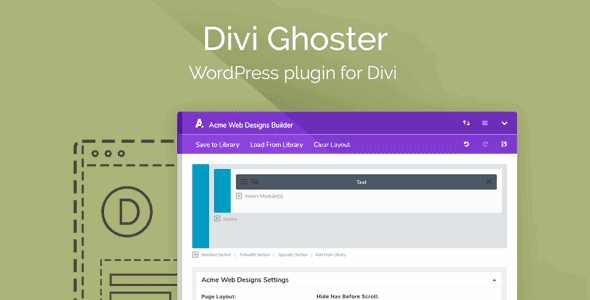
Overview of Divi Ghoster
Unlock the true potential of your Divi-powered websites with Divi Ghoster, the ultimate tool for rebranding and white-labeling the Divi Builder experience. This powerful plugin is specifically designed for agencies, freelancers, and web developers who build client sites using Divi, allowing them to completely customize the Divi interface, remove Divi branding, and present a professional, cohesive brand experience to their clients. With Divi Ghoster, you can transform the backend of any Divi website into a reflection of your own brand, ensuring a seamless and premium experience for your customers.
Key Features of Divi Ghoster
- Complete White Labeling: Divi Ghoster enables you to remove all instances of Divi branding from the WordPress dashboard, the Divi Builder, and even the theme options. Replace default Divi logos and text with your own custom branding, offering a truly bespoke client experience.
- Custom Login Screen: Personalize the WordPress login page with your company logo and custom background, making the entire user journey consistent with your brand identity from the very first interaction.
- Rename Divi Elements: Effortlessly rename the Divi Theme, Divi Builder plugin, and other associated components within the WordPress backend to match your agency’s or client’s naming conventions, enhancing the white-label effect.
- Hide Admin Menu Items: Gain granular control over what your clients see in the WordPress admin menu. Divi Ghoster allows you to hide specific menu items, reducing clutter and preventing clients from accessing areas they don’t need to, thereby streamlining their workflow.
- Custom CSS & JavaScript: Inject your own custom CSS and JavaScript into the Divi Builder and admin areas, offering even deeper customization possibilities to perfectly align the interface with your brand’s aesthetic.
- Protect Your Work: Prevent clients from inadvertently making changes to critical Divi settings or even realizing they are using Divi, safeguarding your intellectual property and design choices.
- Enhanced Client Experience: Present a highly professional and tailored backend experience that reinforces your brand’s professionalism and expertise, making your clients feel valued and secure.
- Compatibility & Performance: Divi Ghoster is built to integrate seamlessly with the latest versions of Divi and WordPress, ensuring optimal performance without compromising your site’s speed or functionality.
Why Choose Divi Ghoster?
Choosing Divi Ghoster is a strategic decision for any web professional dedicated to delivering a superior client experience. In a competitive digital landscape, presenting a consistent and branded interface is paramount. Divi Ghoster empowers you to take full control of the Divi backend, transforming it from a generic WordPress installation into a bespoke, branded portal that truly represents your agency’s identity. This isn’t just about changing logos; it’s about building trust and enhancing perceived value. When clients log into their site and see your brand everywhere, it reinforces your professionalism and strengthens their connection to your services.
Beyond aesthetics, Divi Ghoster offers practical advantages that streamline your workflow and protect your projects. By allowing you to hide unnecessary menu items and rename core components, you create a cleaner, more intuitive dashboard for your clients. This reduces confusion, minimizes support requests, and empowers clients to focus on content creation rather than navigating complex settings. Furthermore, by effectively “ghosting” the Divi branding, you maintain a competitive edge and ensure that your unique designs and development work are attributed to your brand, not the underlying framework. Divi Ghoster is an investment in your brand’s future, ensuring every client interaction, even in the backend, is a positive and professional one.
For those who rely on Divi for their client projects, Divi Ghoster is an indispensable tool. It helps you stand out, build stronger client relationships, and maintain brand consistency across all touchpoints. By presenting a polished, white-labeled solution, you elevate your agency’s reputation and demonstrate a commitment to excellence that clients will appreciate. This plugin truly allows you to make Divi your own, offering unparalleled customization and control.
Who Should Use Divi Ghoster?
Divi Ghoster is an essential plugin for web design agencies, freelance developers, and anyone who builds websites for clients using the Divi theme and builder. If you want to deliver a professional, white-labeled experience that showcases your brand rather than Divi’s, then Divi Ghoster is for you. It’s perfect for those who wish to maintain brand consistency, simplify client dashboards, and provide a premium, customized backend environment.
How to Install Divi Ghoster
- Download the Plugin: After acquiring Divi Ghoster, download the plugin’s zip file to your computer. Ensure you have the latest stable version.
- Upload via WordPress Dashboard: Log in to your WordPress admin area. Navigate to ‘Plugins’ > ‘Add New’ and then click the ‘Upload Plugin’ button at the top of the page.
- Choose File and Install: Click ‘Choose File’, locate the Divi Ghoster zip file you downloaded, and then click ‘Install Now’. WordPress will now upload and unpack the plugin.
- Activate the Plugin: Once the installation is complete, you will see a success message. Click the ‘Activate Plugin’ link to enable Divi Ghoster on your website.
- Configure Settings: After activation, a new menu item for Divi Ghoster will appear in your WordPress dashboard. Navigate to its settings to begin customizing and white-labeling your Divi experience according to your brand’s requirements.
Frequently Asked Questions About Divi Ghoster
Does Divi Ghoster affect website performance?
No, Divi Ghoster is meticulously developed to be lightweight and efficient. It focuses on modifying the administrative interface and branding elements without adding significant overhead to your website’s front-end performance or backend processing speed. Your Divi site will continue to load quickly and perform optimally.
Can I revert changes made by Divi Ghoster?
Absolutely. Divi Ghoster provides intuitive settings that allow you to easily revert any branding or interface changes you’ve made. You can disable specific white-labeling features or even deactivate the plugin entirely to restore the default Divi branding and WordPress settings at any time, giving you full control.
Is Divi Ghoster compatible with other Divi extensions and third-party plugins?
Divi Ghoster is designed to work harmoniously with the Divi theme and builder, as well as most well-coded Divi extensions and standard WordPress plugins. Its primary function is to modify the admin experience, minimizing conflicts with front-end builders or other functionality-focused plugins. If you encounter any rare compatibility issues, the plugin is regularly updated to ensure broad compatibility.
Get Divi Ghoster Today
Elevate your client projects and enhance your agency’s brand image with Divi Ghoster. This essential plugin provides the comprehensive white-labeling and customization tools you need to deliver a truly professional Divi experience. Don’t settle for generic; make every client interaction a branded one. Explore Divi Ghoster and hundreds of other premium WordPress Plugins and GPL WordPress Products available in our store. Transform your workflow and impress your clients by integrating Divi Ghoster into your development toolkit today!
Related Products You May Like
Here's everything you need to know about your purchase:
- 100% original files — Every product is the genuine, virus-free file, exactly as released by the original developer.
- Instant download — Access your files immediately after purchase from your account.
- Lifetime access — Re-download your purchased files anytime. No expiry, no limits.
- Free updates — Newer version released? Just request an update from us, free for all customers.
- Dedicated support — Our team is available 24/7 for installation and file-related help.
- Easy refunds — Not satisfied? Review our Refund Policy. We offer a hassle-free 7-day guarantee.
$100.00 Original price was: $100.00.$2.00Current price is: $2.00.
Version
5.0.57
Last Updated
23/01/2026
License
GPL v2
Compatibility
WordPress 5.0+
Need latest version?
Newer version released? Request an update from us — free for all customers!
Request Update →🎁 Your Purchase Includes
Overview of Divi Ghoster
Unlock the true potential of your Divi-powered websites with Divi Ghoster, the ultimate tool for rebranding and white-labeling the Divi Builder experience. This powerful plugin is specifically designed for agencies, freelancers, and web developers who build client sites using Divi, allowing them to completely customize the Divi interface, remove Divi branding, and present a professional, cohesive brand experience to their clients. With Divi Ghoster, you can transform the backend of any Divi website into a reflection of your own brand, ensuring a seamless and premium experience for your customers.
Key Features of Divi Ghoster
- Complete White Labeling: Divi Ghoster enables you to remove all instances of Divi branding from the WordPress dashboard, the Divi Builder, and even the theme options. Replace default Divi logos and text with your own custom branding, offering a truly bespoke client experience.
- Custom Login Screen: Personalize the WordPress login page with your company logo and custom background, making the entire user journey consistent with your brand identity from the very first interaction.
- Rename Divi Elements: Effortlessly rename the Divi Theme, Divi Builder plugin, and other associated components within the WordPress backend to match your agency’s or client’s naming conventions, enhancing the white-label effect.
- Hide Admin Menu Items: Gain granular control over what your clients see in the WordPress admin menu. Divi Ghoster allows you to hide specific menu items, reducing clutter and preventing clients from accessing areas they don’t need to, thereby streamlining their workflow.
- Custom CSS & JavaScript: Inject your own custom CSS and JavaScript into the Divi Builder and admin areas, offering even deeper customization possibilities to perfectly align the interface with your brand’s aesthetic.
- Protect Your Work: Prevent clients from inadvertently making changes to critical Divi settings or even realizing they are using Divi, safeguarding your intellectual property and design choices.
- Enhanced Client Experience: Present a highly professional and tailored backend experience that reinforces your brand’s professionalism and expertise, making your clients feel valued and secure.
- Compatibility & Performance: Divi Ghoster is built to integrate seamlessly with the latest versions of Divi and WordPress, ensuring optimal performance without compromising your site’s speed or functionality.
Why Choose Divi Ghoster?
Choosing Divi Ghoster is a strategic decision for any web professional dedicated to delivering a superior client experience. In a competitive digital landscape, presenting a consistent and branded interface is paramount. Divi Ghoster empowers you to take full control of the Divi backend, transforming it from a generic WordPress installation into a bespoke, branded portal that truly represents your agency’s identity. This isn’t just about changing logos; it’s about building trust and enhancing perceived value. When clients log into their site and see your brand everywhere, it reinforces your professionalism and strengthens their connection to your services.
Beyond aesthetics, Divi Ghoster offers practical advantages that streamline your workflow and protect your projects. By allowing you to hide unnecessary menu items and rename core components, you create a cleaner, more intuitive dashboard for your clients. This reduces confusion, minimizes support requests, and empowers clients to focus on content creation rather than navigating complex settings. Furthermore, by effectively “ghosting” the Divi branding, you maintain a competitive edge and ensure that your unique designs and development work are attributed to your brand, not the underlying framework. Divi Ghoster is an investment in your brand’s future, ensuring every client interaction, even in the backend, is a positive and professional one.
For those who rely on Divi for their client projects, Divi Ghoster is an indispensable tool. It helps you stand out, build stronger client relationships, and maintain brand consistency across all touchpoints. By presenting a polished, white-labeled solution, you elevate your agency’s reputation and demonstrate a commitment to excellence that clients will appreciate. This plugin truly allows you to make Divi your own, offering unparalleled customization and control.
Who Should Use Divi Ghoster?
Divi Ghoster is an essential plugin for web design agencies, freelance developers, and anyone who builds websites for clients using the Divi theme and builder. If you want to deliver a professional, white-labeled experience that showcases your brand rather than Divi’s, then Divi Ghoster is for you. It’s perfect for those who wish to maintain brand consistency, simplify client dashboards, and provide a premium, customized backend environment.
How to Install Divi Ghoster
- Download the Plugin: After acquiring Divi Ghoster, download the plugin’s zip file to your computer. Ensure you have the latest stable version.
- Upload via WordPress Dashboard: Log in to your WordPress admin area. Navigate to ‘Plugins’ > ‘Add New’ and then click the ‘Upload Plugin’ button at the top of the page.
- Choose File and Install: Click ‘Choose File’, locate the Divi Ghoster zip file you downloaded, and then click ‘Install Now’. WordPress will now upload and unpack the plugin.
- Activate the Plugin: Once the installation is complete, you will see a success message. Click the ‘Activate Plugin’ link to enable Divi Ghoster on your website.
- Configure Settings: After activation, a new menu item for Divi Ghoster will appear in your WordPress dashboard. Navigate to its settings to begin customizing and white-labeling your Divi experience according to your brand’s requirements.
Frequently Asked Questions About Divi Ghoster
Does Divi Ghoster affect website performance?
No, Divi Ghoster is meticulously developed to be lightweight and efficient. It focuses on modifying the administrative interface and branding elements without adding significant overhead to your website’s front-end performance or backend processing speed. Your Divi site will continue to load quickly and perform optimally.
Can I revert changes made by Divi Ghoster?
Absolutely. Divi Ghoster provides intuitive settings that allow you to easily revert any branding or interface changes you’ve made. You can disable specific white-labeling features or even deactivate the plugin entirely to restore the default Divi branding and WordPress settings at any time, giving you full control.
Is Divi Ghoster compatible with other Divi extensions and third-party plugins?
Divi Ghoster is designed to work harmoniously with the Divi theme and builder, as well as most well-coded Divi extensions and standard WordPress plugins. Its primary function is to modify the admin experience, minimizing conflicts with front-end builders or other functionality-focused plugins. If you encounter any rare compatibility issues, the plugin is regularly updated to ensure broad compatibility.
Get Divi Ghoster Today
Elevate your client projects and enhance your agency’s brand image with Divi Ghoster. This essential plugin provides the comprehensive white-labeling and customization tools you need to deliver a truly professional Divi experience. Don’t settle for generic; make every client interaction a branded one. Explore Divi Ghoster and hundreds of other premium WordPress Plugins and GPL WordPress Products available in our store. Transform your workflow and impress your clients by integrating Divi Ghoster into your development toolkit today!
Related Products You May Like
Reviews
There are no reviews yet.
Here's everything you need to know about your purchase:
- 100% original files — Every product is the genuine, virus-free file, exactly as released by the original developer.
- Instant download — Access your files immediately after purchase from your account.
- Lifetime access — Re-download your purchased files anytime. No expiry, no limits.
- Free updates — Newer version released? Just request an update from us, free for all customers.
- Dedicated support — Our team is available 24/7 for installation and file-related help.
- Easy refunds — Not satisfied? Review our Refund Policy. We offer a hassle-free 7-day guarantee.
Reviews
There are no reviews yet.