

Divi Ajax Filter 4.0.11
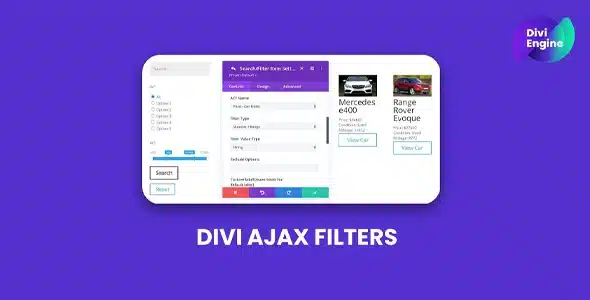
Overview of Divi Ajax Filter
Transform your Divi-powered WooCommerce store with the seamless and dynamic filtering capabilities of Divi Ajax Filter. This essential plugin is designed for e-commerce site owners and web designers who want to provide their customers with an unparalleled shopping experience, allowing them to quickly and efficiently find exactly what they’re looking for without page reloads. With Divi Ajax Filter, you can significantly enhance user satisfaction and boost conversion rates by making product discovery effortless.
Key Features of Divi Ajax Filter
- Real-Time Ajax Filtering: Empower your customers to filter products by category, tag, price, attributes, and more, all without refreshing the page. This creates a smooth, instantaneous browsing experience that keeps users engaged.
- Seamless Divi Builder Integration: Fully compatible with the Divi Builder, Divi Ajax Filter allows you to easily drag and drop filter modules onto any shop page or custom layout. Design and customize your filter sections with the familiar Divi interface.
- Multiple Filter Types: Offer a comprehensive range of filtering options including price sliders, checkboxes for categories and attributes, dropdowns, and text search, ensuring every customer can refine their search precisely.
- Customizable Layout and Styling: Take full control over the appearance of your filters. Adjust colors, fonts, spacing, and alignment to perfectly match your brand’s aesthetic and integrate flawlessly with your Divi theme.
- Optimized Performance: Built with performance in mind, Divi Ajax Filter ensures that your product pages load quickly and filtering operations are snappy, providing an excellent user experience even with large product catalogs.
- Mobile-Responsive Design: Your filters will look and function beautifully on all devices, from desktops to tablets and smartphones. Provide a consistent, intuitive filtering experience for every visitor, regardless of how they access your store.
- Flexible Filter Placement: Position your filters exactly where they make the most sense for your users – in a sidebar, above your product listings, or within custom layouts created with the Divi Builder.
- Product Count Display: Show dynamic product counts next to each filter option, giving customers immediate feedback on how many products match their current selections, further enhancing usability.
Why Choose Divi Ajax Filter?
Choosing Divi Ajax Filter means investing in a superior shopping experience for your customers and a more efficient e-commerce platform for yourself. In today’s fast-paced online world, users expect instant results and intuitive navigation. Traditional filtering methods that require page reloads can be frustrating and lead to higher bounce rates. Divi Ajax Filter eliminates this friction, making your store feel modern, responsive, and incredibly user-friendly. By simplifying the product discovery process, you directly contribute to higher engagement, longer session durations, and ultimately, increased sales.
Beyond the immediate benefits to your customers, Divi Ajax Filter offers significant value to store administrators. Its deep integration with the Divi Builder means you don’t need to be a coding expert to set up and manage sophisticated filters. The intuitive interface allows for quick configuration and customization, saving you valuable time and resources. You gain the flexibility to create dynamic and visually appealing filter sections that perfectly align with your brand, all within the familiar Divi ecosystem. This powerful combination of ease of use and robust functionality makes Divi Ajax Filter an indispensable tool for any serious Divi-powered WooCommerce store.
By implementing Divi Ajax Filter, you’re not just adding a feature; you’re upgrading your entire e-commerce strategy. It helps reduce cart abandonment by guiding customers efficiently to the products they desire, and it enhances customer satisfaction, encouraging repeat visits. For any online store built with Divi, this plugin is a game-changer, transforming a standard product listing into a highly interactive and enjoyable shopping journey. Experience the difference that real-time, seamless filtering can make for your business.
Who Should Use Divi Ajax Filter?
Divi Ajax Filter is ideal for anyone running an e-commerce store on WordPress using the Divi theme and WooCommerce. This includes small business owners, large enterprises, web designers, and marketing agencies who build and manage online shops. If you want to improve your customers’ shopping experience, reduce bounce rates, increase conversion rates, and provide a modern, responsive interface for product discovery, then Divi Ajax Filter is the perfect solution for your needs.
How to Install Divi Ajax Filter
- Download the Plugin: After acquiring Divi Ajax Filter, download the plugin file (usually a .zip archive) to your computer.
- Upload to WordPress: Log in to your WordPress admin dashboard. Navigate to ‘Plugins’ > ‘Add New’ and then click the ‘Upload Plugin’ button at the top.
- Choose File and Install: Click ‘Choose File’, select the Divi Ajax Filter .zip file you downloaded, and then click ‘Install Now’.
- Activate the Plugin: Once the installation is complete, click ‘Activate Plugin’. Divi Ajax Filter is now active on your site.
- Configure Settings: Go to your WordPress dashboard, find the Divi Ajax Filter settings (usually under Divi or a dedicated menu item), and configure your desired filter options and styles. You can then add the Divi Ajax Filter module to your Divi Builder layouts.
Frequently Asked Questions About Divi Ajax Filter
What exactly does Divi Ajax Filter do?
Divi Ajax Filter significantly enhances the product filtering capabilities of your WooCommerce store when used with the Divi theme. It allows customers to filter products by various criteria (categories, attributes, price, etc.) in real-time without the page reloading. This creates a much faster, smoother, and more intuitive shopping experience, making it easier for users to find the products they are looking for quickly and efficiently.
Is Divi Ajax Filter compatible with all Divi versions?
Divi Ajax Filter is developed to be fully compatible with the latest versions of the Divi theme and WordPress. It leverages Divi’s robust architecture and the Divi Builder for seamless integration. We recommend keeping your Divi theme, WordPress, and all plugins, including Divi Ajax Filter, updated to their latest versions to ensure optimal performance and compatibility.
Can I customize the look of the filters provided by Divi Ajax Filter?
Absolutely! Divi Ajax Filter offers extensive customization options to ensure your filters perfectly match your website’s design. Through the Divi Builder, you can control colors, typography, spacing, and layout of the filter modules. This allows you to create a cohesive and branded look for your product filtering sections, ensuring a professional and integrated appearance for your online store.
Get Divi Ajax Filter Today
Ready to revolutionize your Divi-powered WooCommerce store? Elevate your customer’s shopping journey and boost your sales with the dynamic filtering power of Divi Ajax Filter. Don’t let slow, clunky filtering hold your business back. Explore this and many other premium WordPress Plugins to enhance your site’s functionality. Discover the full range of high-quality GPL WordPress Products available to supercharge your website today.
Related Products You May Like
Here's everything you need to know about your purchase:
- 100% original files — Every product is the genuine, virus-free file, exactly as released by the original developer.
- Instant download — Access your files immediately after purchase from your account.
- Lifetime access — Re-download your purchased files anytime. No expiry, no limits.
- Free updates — Newer version released? Just request an update from us, free for all customers.
- Dedicated support — Our team is available 24/7 for installation and file-related help.
- Easy refunds — Not satisfied? Review our Refund Policy. We offer a hassle-free 7-day guarantee.
$100.00 Original price was: $100.00.$2.00Current price is: $2.00.
Version
4.0.11
Last Updated
26/3/2026
License
GPL v2
Compatibility
WordPress 5.0+
Need latest version?
Newer version released? Request an update from us — free for all customers!
Request Update →🎁 Your Purchase Includes
Overview of Divi Ajax Filter
Transform your Divi-powered WooCommerce store with the seamless and dynamic filtering capabilities of Divi Ajax Filter. This essential plugin is designed for e-commerce site owners and web designers who want to provide their customers with an unparalleled shopping experience, allowing them to quickly and efficiently find exactly what they’re looking for without page reloads. With Divi Ajax Filter, you can significantly enhance user satisfaction and boost conversion rates by making product discovery effortless.
Key Features of Divi Ajax Filter
- Real-Time Ajax Filtering: Empower your customers to filter products by category, tag, price, attributes, and more, all without refreshing the page. This creates a smooth, instantaneous browsing experience that keeps users engaged.
- Seamless Divi Builder Integration: Fully compatible with the Divi Builder, Divi Ajax Filter allows you to easily drag and drop filter modules onto any shop page or custom layout. Design and customize your filter sections with the familiar Divi interface.
- Multiple Filter Types: Offer a comprehensive range of filtering options including price sliders, checkboxes for categories and attributes, dropdowns, and text search, ensuring every customer can refine their search precisely.
- Customizable Layout and Styling: Take full control over the appearance of your filters. Adjust colors, fonts, spacing, and alignment to perfectly match your brand’s aesthetic and integrate flawlessly with your Divi theme.
- Optimized Performance: Built with performance in mind, Divi Ajax Filter ensures that your product pages load quickly and filtering operations are snappy, providing an excellent user experience even with large product catalogs.
- Mobile-Responsive Design: Your filters will look and function beautifully on all devices, from desktops to tablets and smartphones. Provide a consistent, intuitive filtering experience for every visitor, regardless of how they access your store.
- Flexible Filter Placement: Position your filters exactly where they make the most sense for your users – in a sidebar, above your product listings, or within custom layouts created with the Divi Builder.
- Product Count Display: Show dynamic product counts next to each filter option, giving customers immediate feedback on how many products match their current selections, further enhancing usability.
Why Choose Divi Ajax Filter?
Choosing Divi Ajax Filter means investing in a superior shopping experience for your customers and a more efficient e-commerce platform for yourself. In today’s fast-paced online world, users expect instant results and intuitive navigation. Traditional filtering methods that require page reloads can be frustrating and lead to higher bounce rates. Divi Ajax Filter eliminates this friction, making your store feel modern, responsive, and incredibly user-friendly. By simplifying the product discovery process, you directly contribute to higher engagement, longer session durations, and ultimately, increased sales.
Beyond the immediate benefits to your customers, Divi Ajax Filter offers significant value to store administrators. Its deep integration with the Divi Builder means you don’t need to be a coding expert to set up and manage sophisticated filters. The intuitive interface allows for quick configuration and customization, saving you valuable time and resources. You gain the flexibility to create dynamic and visually appealing filter sections that perfectly align with your brand, all within the familiar Divi ecosystem. This powerful combination of ease of use and robust functionality makes Divi Ajax Filter an indispensable tool for any serious Divi-powered WooCommerce store.
By implementing Divi Ajax Filter, you’re not just adding a feature; you’re upgrading your entire e-commerce strategy. It helps reduce cart abandonment by guiding customers efficiently to the products they desire, and it enhances customer satisfaction, encouraging repeat visits. For any online store built with Divi, this plugin is a game-changer, transforming a standard product listing into a highly interactive and enjoyable shopping journey. Experience the difference that real-time, seamless filtering can make for your business.
Who Should Use Divi Ajax Filter?
Divi Ajax Filter is ideal for anyone running an e-commerce store on WordPress using the Divi theme and WooCommerce. This includes small business owners, large enterprises, web designers, and marketing agencies who build and manage online shops. If you want to improve your customers’ shopping experience, reduce bounce rates, increase conversion rates, and provide a modern, responsive interface for product discovery, then Divi Ajax Filter is the perfect solution for your needs.
How to Install Divi Ajax Filter
- Download the Plugin: After acquiring Divi Ajax Filter, download the plugin file (usually a .zip archive) to your computer.
- Upload to WordPress: Log in to your WordPress admin dashboard. Navigate to ‘Plugins’ > ‘Add New’ and then click the ‘Upload Plugin’ button at the top.
- Choose File and Install: Click ‘Choose File’, select the Divi Ajax Filter .zip file you downloaded, and then click ‘Install Now’.
- Activate the Plugin: Once the installation is complete, click ‘Activate Plugin’. Divi Ajax Filter is now active on your site.
- Configure Settings: Go to your WordPress dashboard, find the Divi Ajax Filter settings (usually under Divi or a dedicated menu item), and configure your desired filter options and styles. You can then add the Divi Ajax Filter module to your Divi Builder layouts.
Frequently Asked Questions About Divi Ajax Filter
What exactly does Divi Ajax Filter do?
Divi Ajax Filter significantly enhances the product filtering capabilities of your WooCommerce store when used with the Divi theme. It allows customers to filter products by various criteria (categories, attributes, price, etc.) in real-time without the page reloading. This creates a much faster, smoother, and more intuitive shopping experience, making it easier for users to find the products they are looking for quickly and efficiently.
Is Divi Ajax Filter compatible with all Divi versions?
Divi Ajax Filter is developed to be fully compatible with the latest versions of the Divi theme and WordPress. It leverages Divi’s robust architecture and the Divi Builder for seamless integration. We recommend keeping your Divi theme, WordPress, and all plugins, including Divi Ajax Filter, updated to their latest versions to ensure optimal performance and compatibility.
Can I customize the look of the filters provided by Divi Ajax Filter?
Absolutely! Divi Ajax Filter offers extensive customization options to ensure your filters perfectly match your website’s design. Through the Divi Builder, you can control colors, typography, spacing, and layout of the filter modules. This allows you to create a cohesive and branded look for your product filtering sections, ensuring a professional and integrated appearance for your online store.
Get Divi Ajax Filter Today
Ready to revolutionize your Divi-powered WooCommerce store? Elevate your customer’s shopping journey and boost your sales with the dynamic filtering power of Divi Ajax Filter. Don’t let slow, clunky filtering hold your business back. Explore this and many other premium WordPress Plugins to enhance your site’s functionality. Discover the full range of high-quality GPL WordPress Products available to supercharge your website today.
Related Products You May Like
Reviews
There are no reviews yet.
Here's everything you need to know about your purchase:
- 100% original files — Every product is the genuine, virus-free file, exactly as released by the original developer.
- Instant download — Access your files immediately after purchase from your account.
- Lifetime access — Re-download your purchased files anytime. No expiry, no limits.
- Free updates — Newer version released? Just request an update from us, free for all customers.
- Dedicated support — Our team is available 24/7 for installation and file-related help.
- Easy refunds — Not satisfied? Review our Refund Policy. We offer a hassle-free 7-day guarantee.
Reviews
There are no reviews yet.